
If you enter the wrong password too many times, CallHippo temporarily locks your account to keep it secure. You can get back in right away using the unlock link emailed to you, or by signing in with a Magic Link.
Why your account is locked
After three consecutive failed login attempts, CallHippo locks the account for security. You’ll see a message like the one below on the login page.
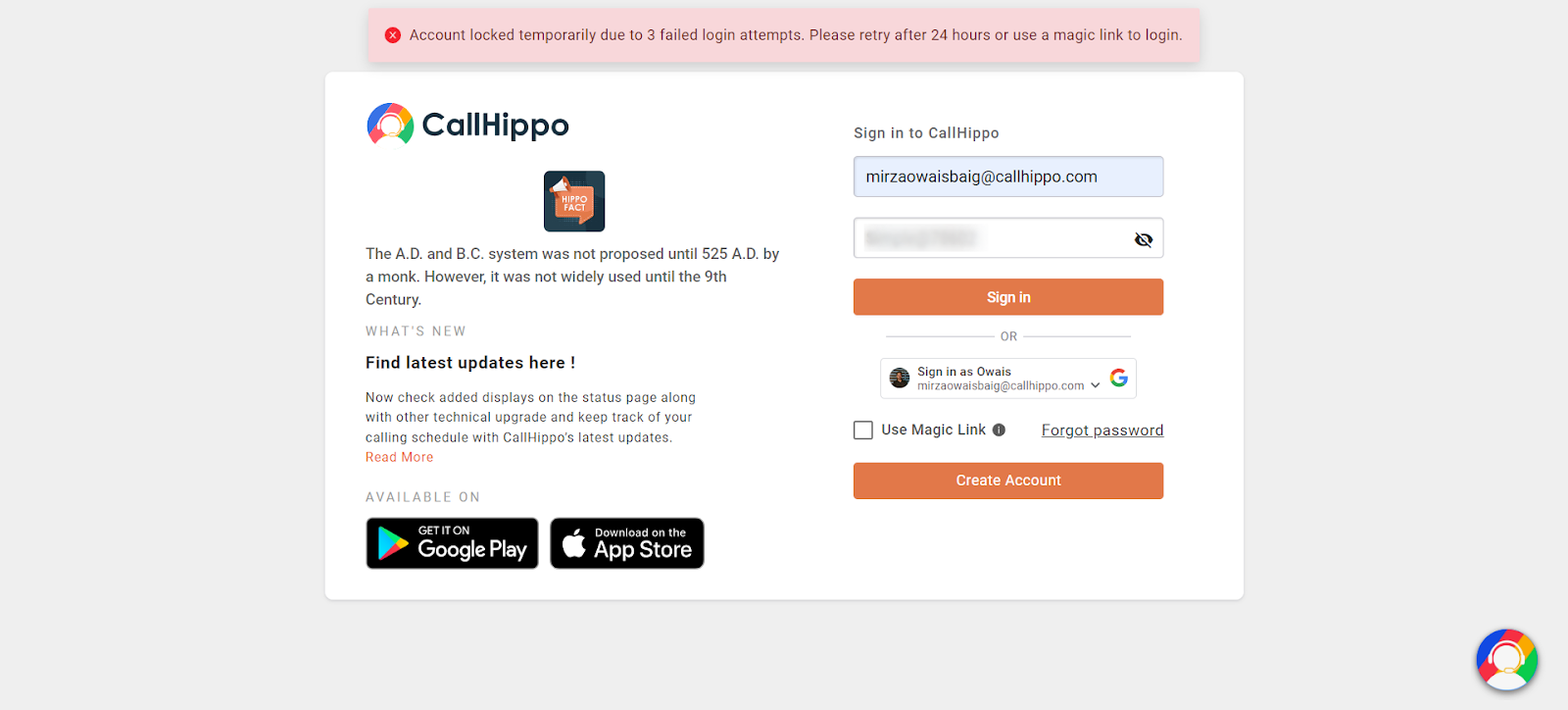
The account unlocks automatically after 24 hours, but you don’t have to wait—use either option below to get back in straight away.
Option 1: Unlock your account from the email
CallHippo sends an “Account Locked” email to your registered address with an instant unlock link.
- Open the Account Locked email from CallHippo.
- Click Unlock Account (or copy the link into your browser).
- Your account unlocks instantly, and you can sign in with your email and correct password.
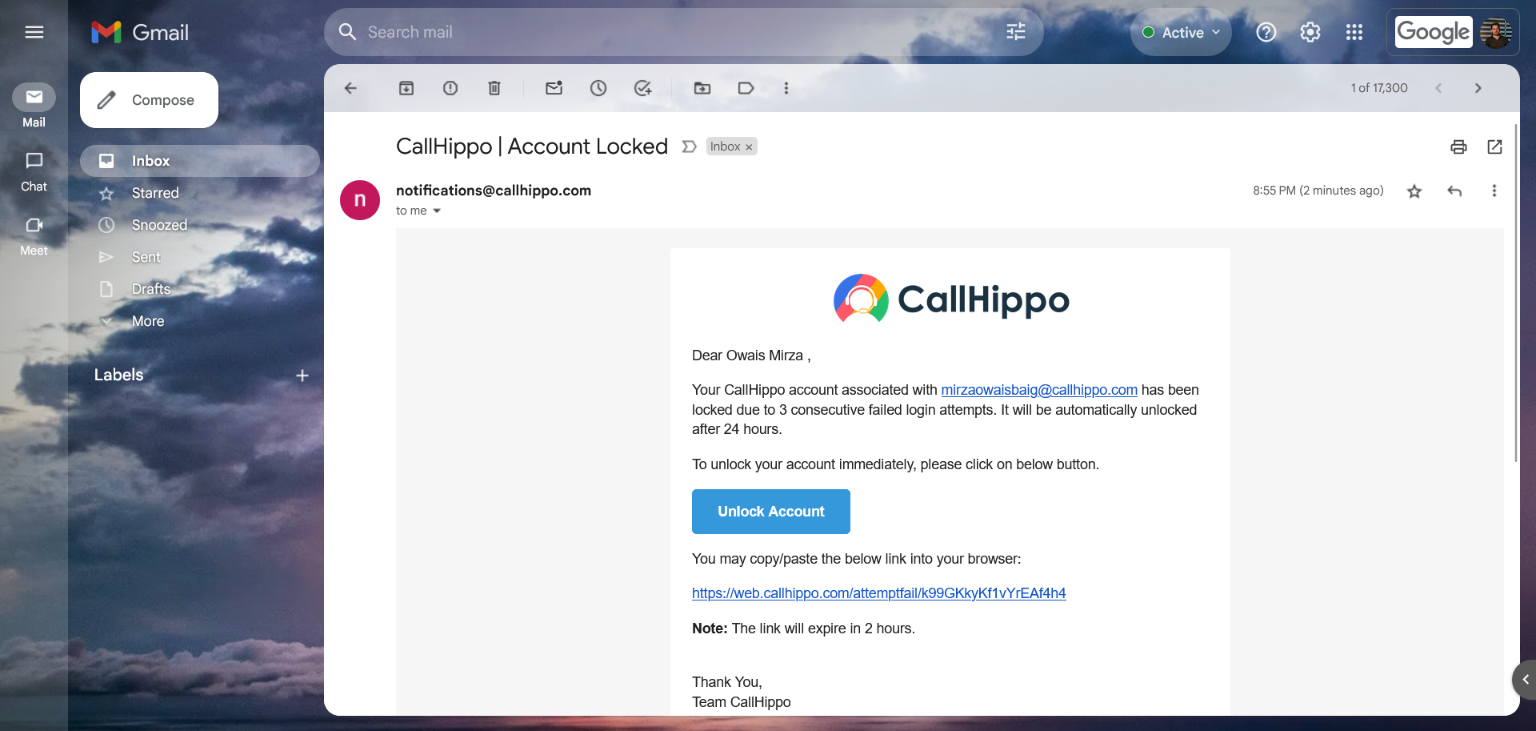
Note: The unlock link in this email expires after 2 hours.
Option 2: Sign in with a Magic Link
A Magic Link lets you log in without entering your password.
- On the login page, tick the Use Magic Link checkbox.
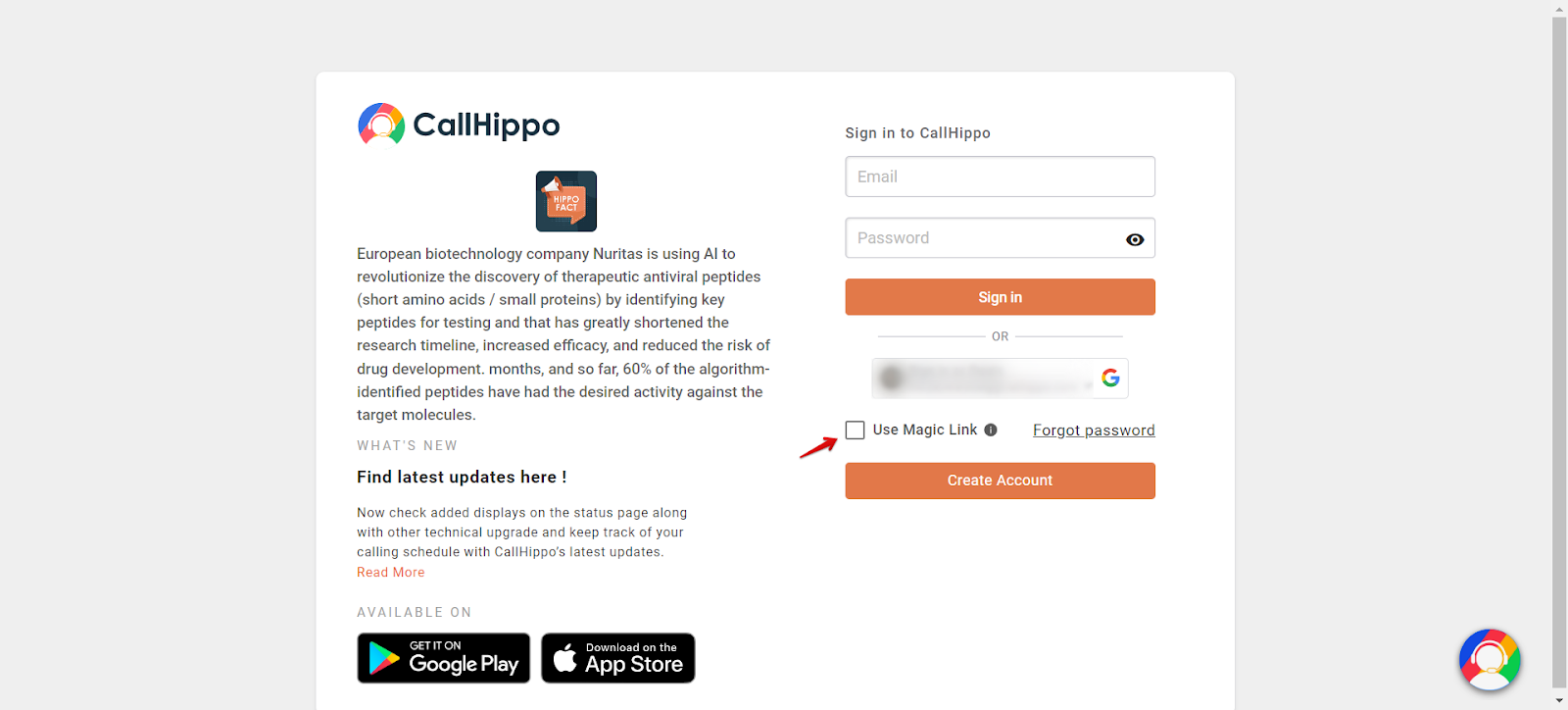
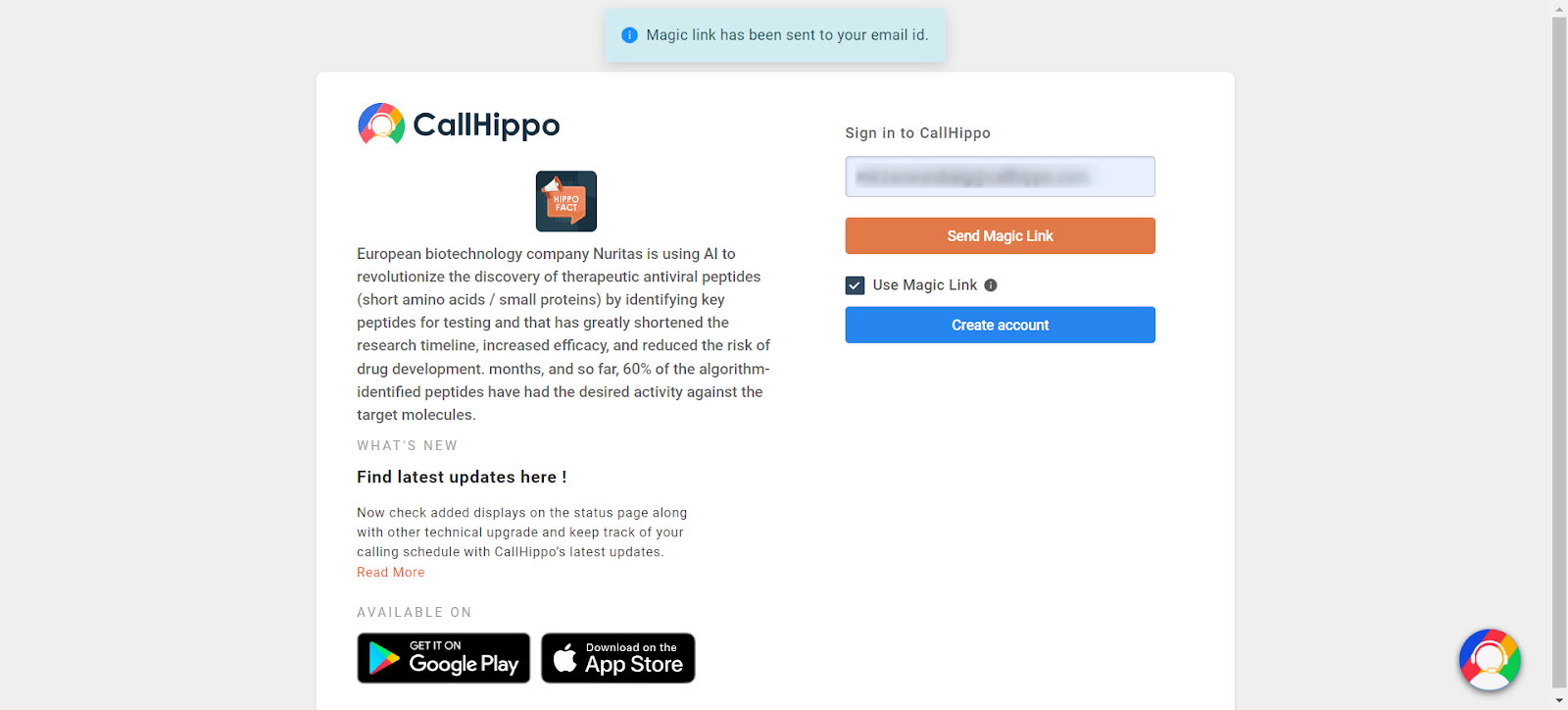
- Enter your email address and click Send Magic Link. You’ll see a confirmation that the link has been sent.
- Open the Magic Link email from CallHippo and click Magic Login to sign in.
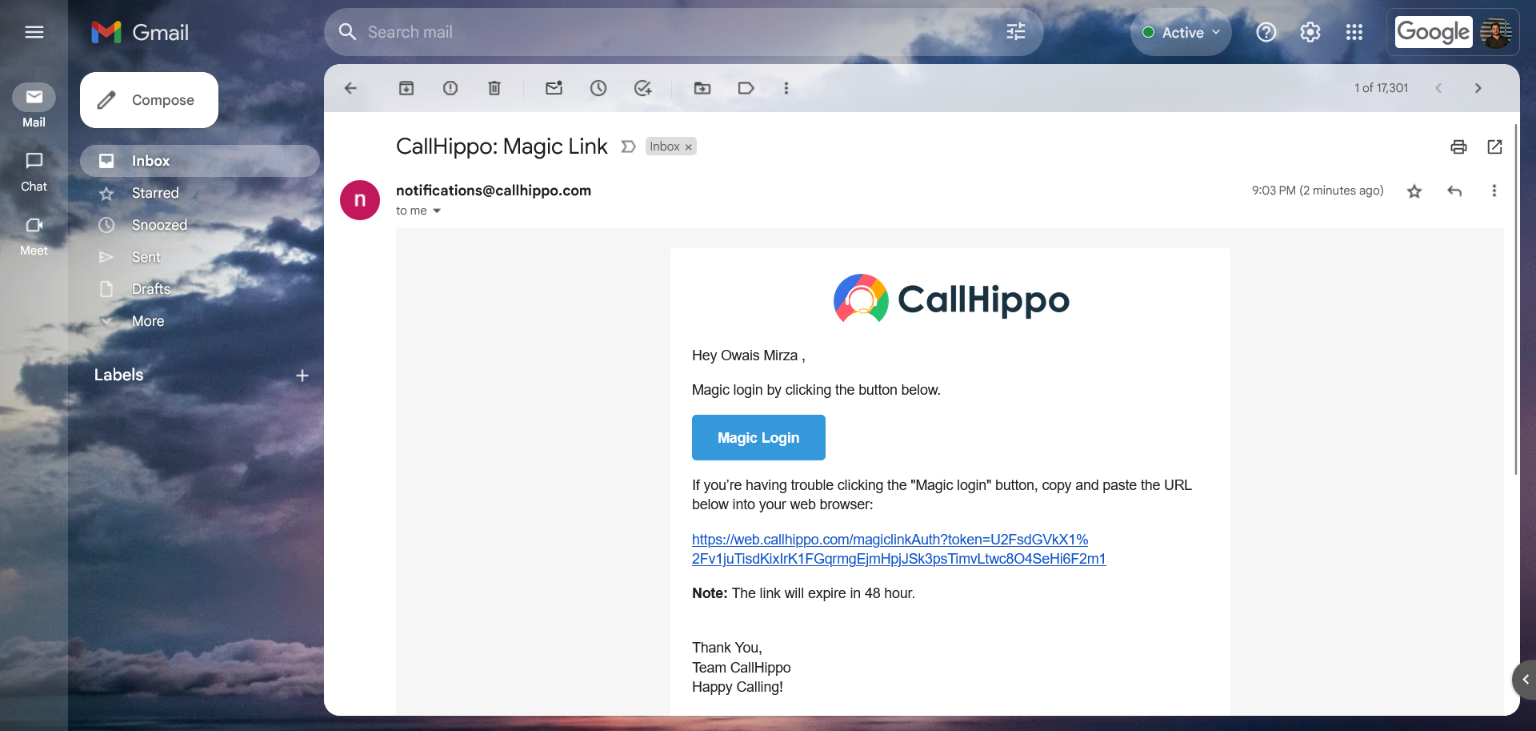
Note: The Magic Link is valid for 48 hours.
Still need help? Reach us at [email protected].