
To integrate your CallHippo account with Nimble, follow these steps:
-
Step 1: Log in to your Nimble account.
-
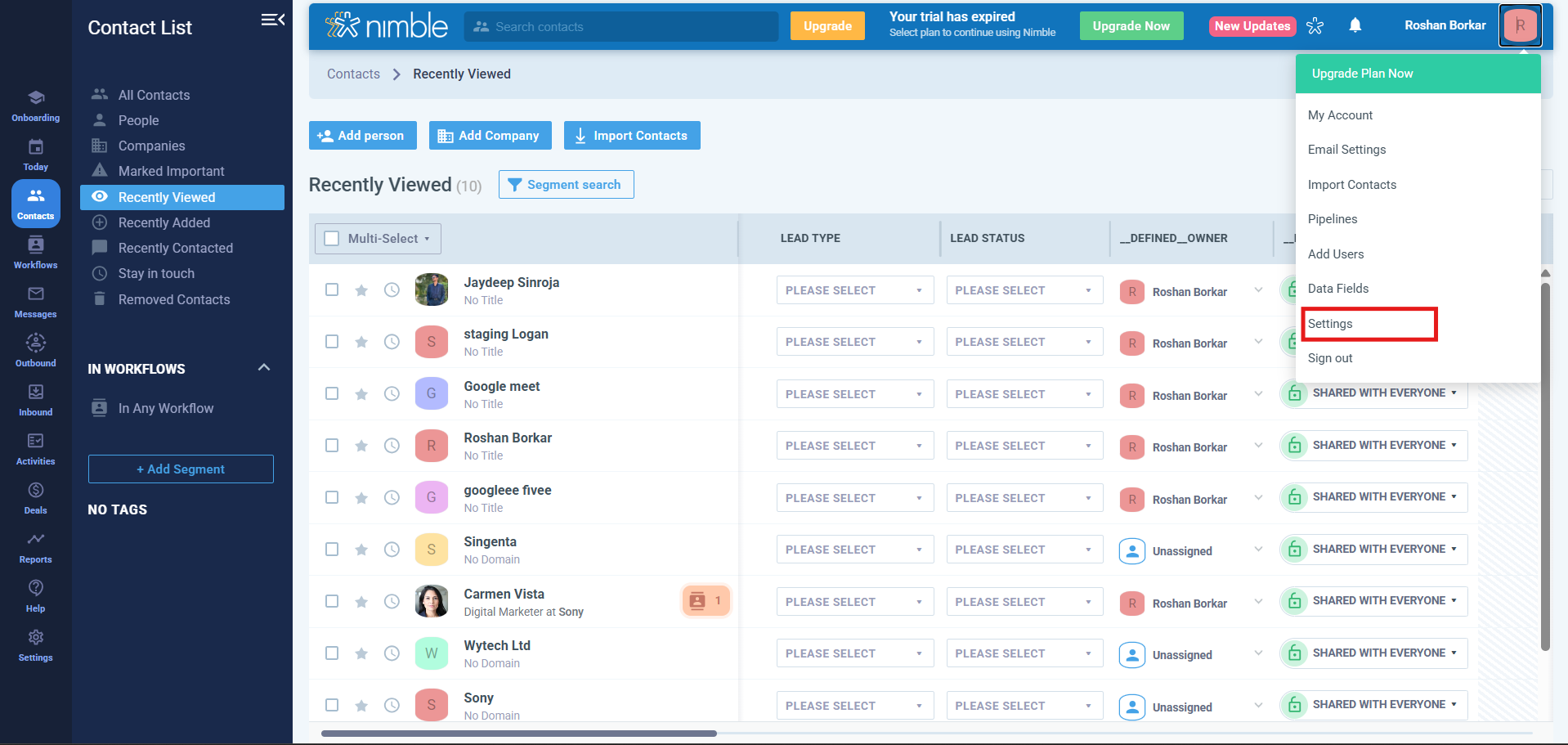
Step 2: Go to profile (as shown in picture) and click on Settings.
-
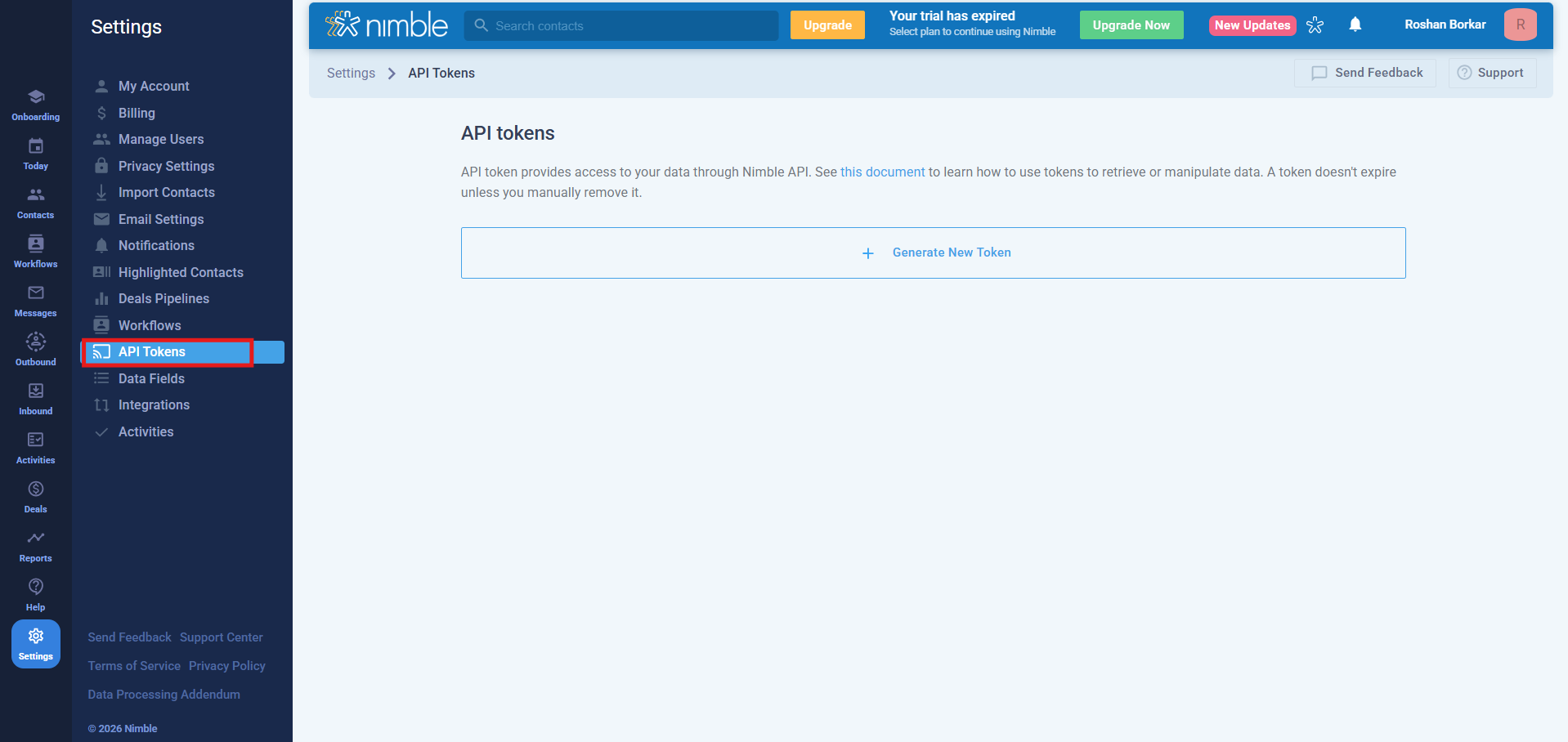
Step 3: Now click on API tokens, copy Token (highlighted in picture) and write it somewhere.
-
Step 4: Now you have the API token.
Steps to follow in your CallHippo account -
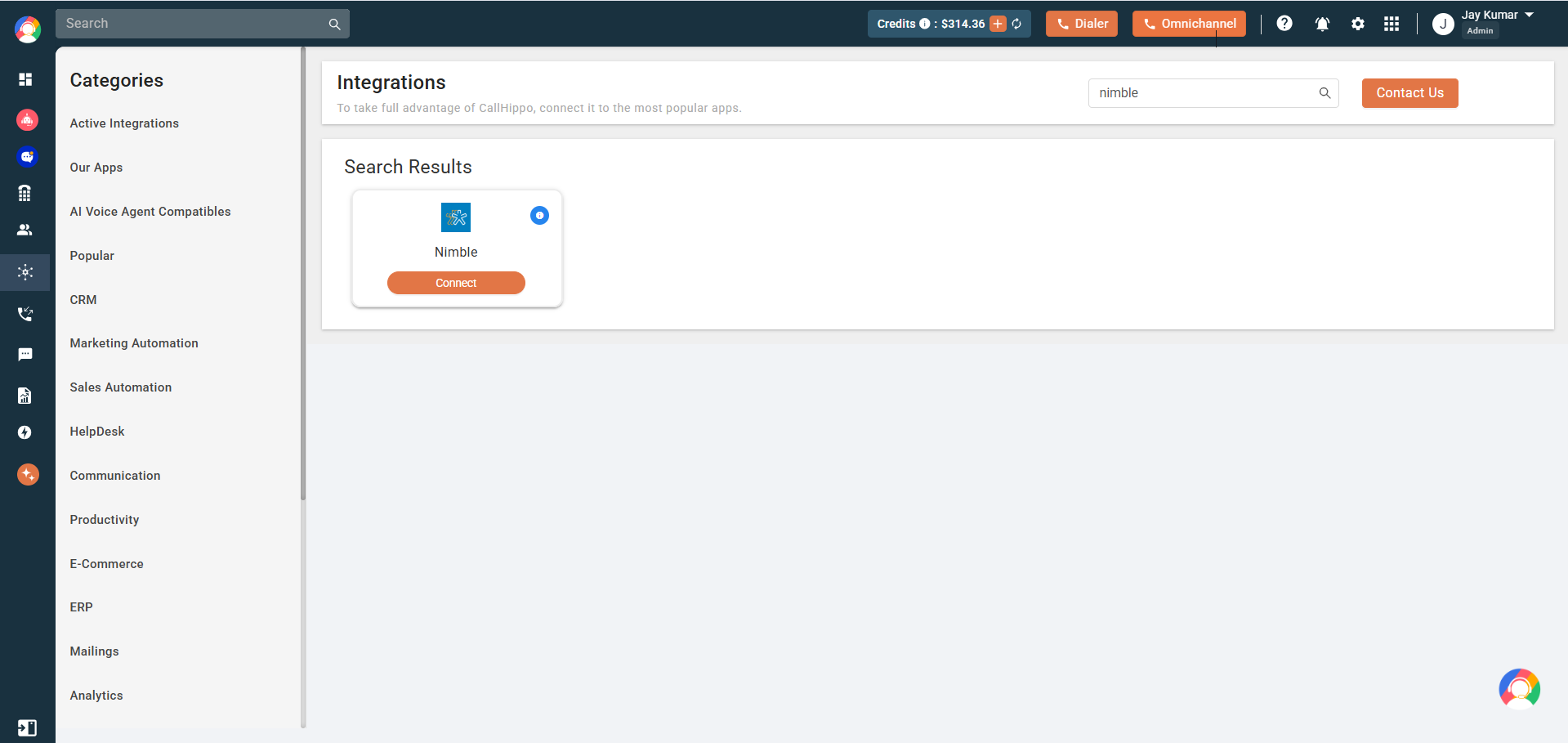
Step 1: Log in to your account and go to the integrations tab.
Step 2: Now click on Connect button.
-
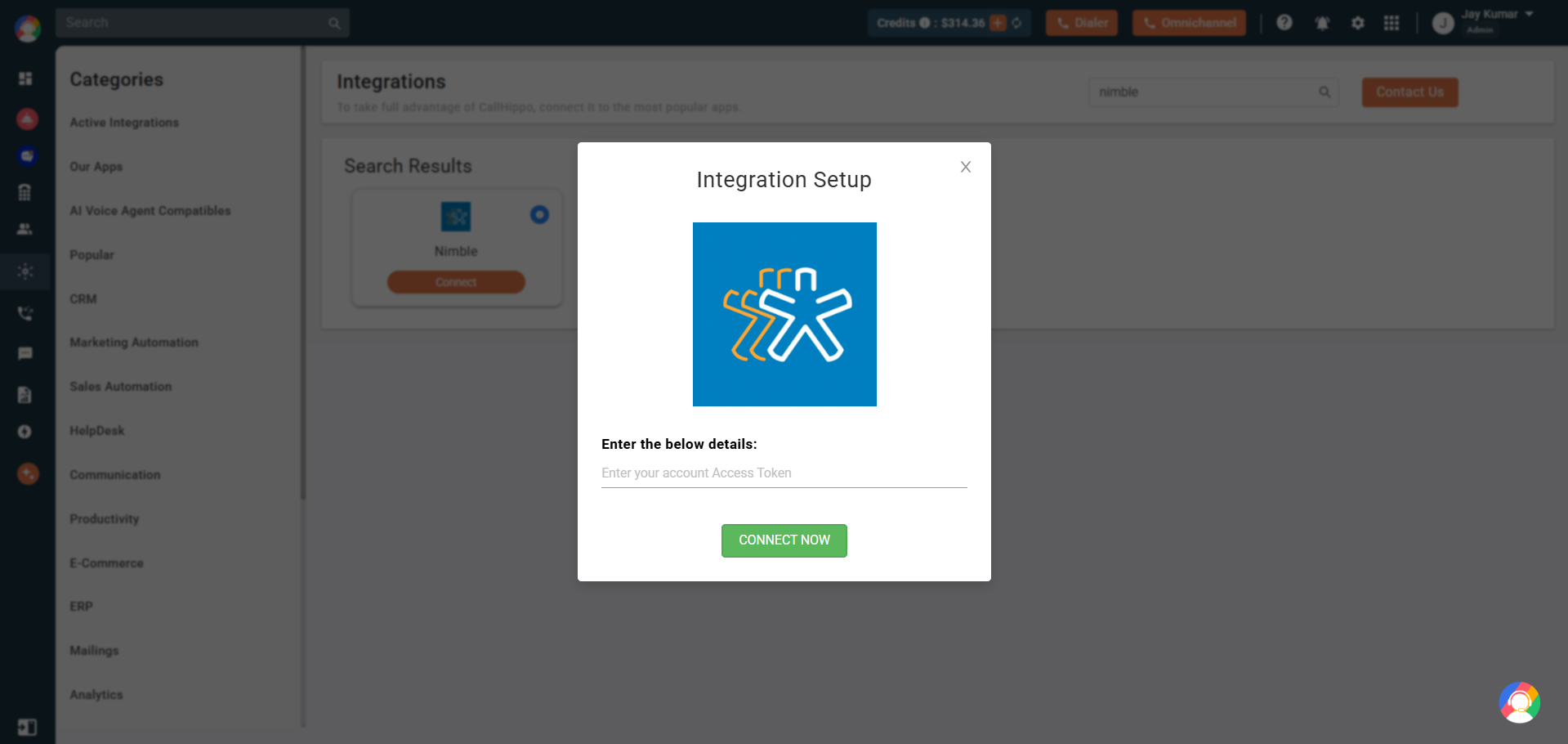
Step 3: Now enter your token which you copied earlier and click on Save.
-
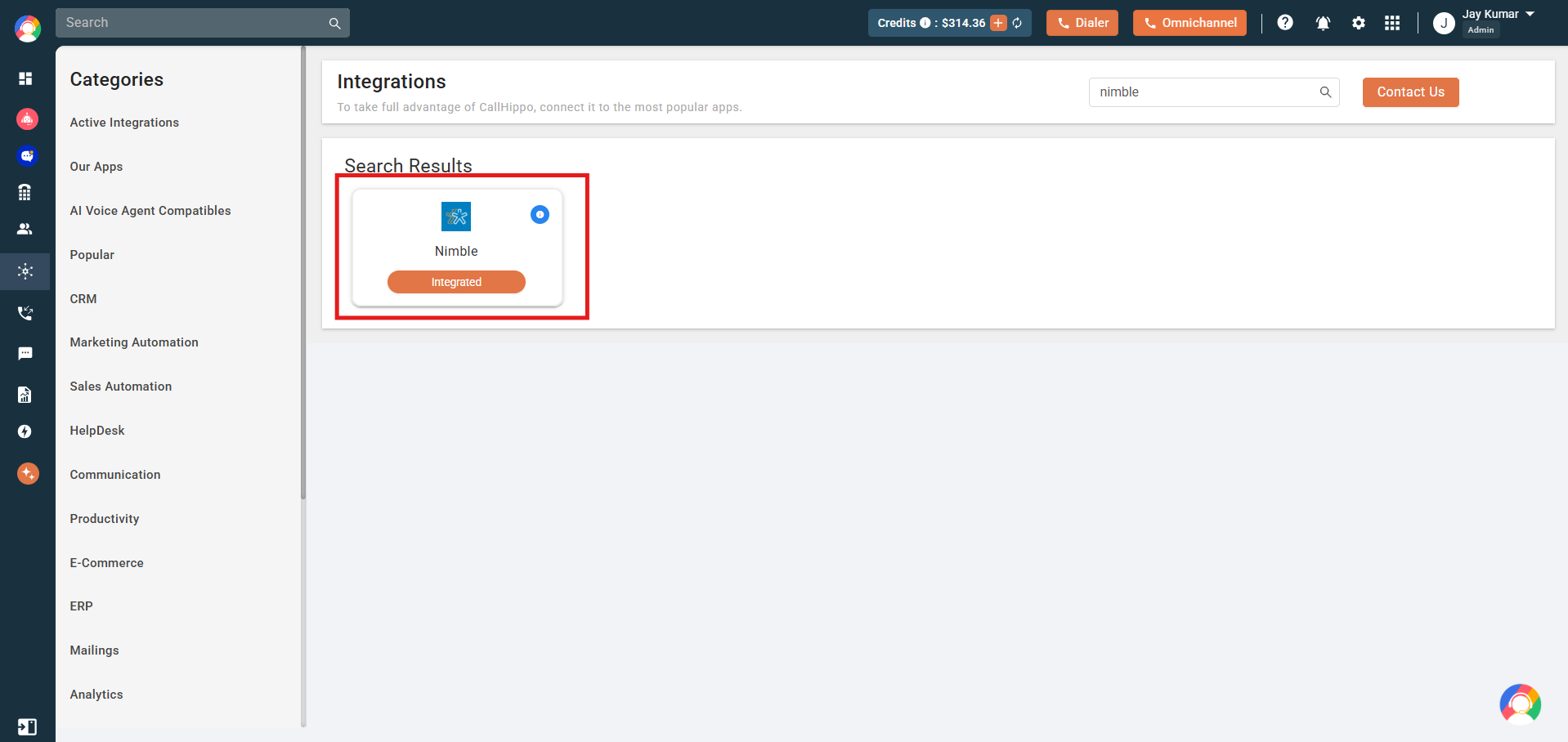
Step 4: Now your status will be changed to Integrated.
-
Step 5: You have successfully integrated your Nimble account with CallHippo.
Features of Nimble + CallHippo Integration:
-
Step 1: Nimble contacts will be synced with the CallHippo dialer as a contact after click-to-call/SMS.
-
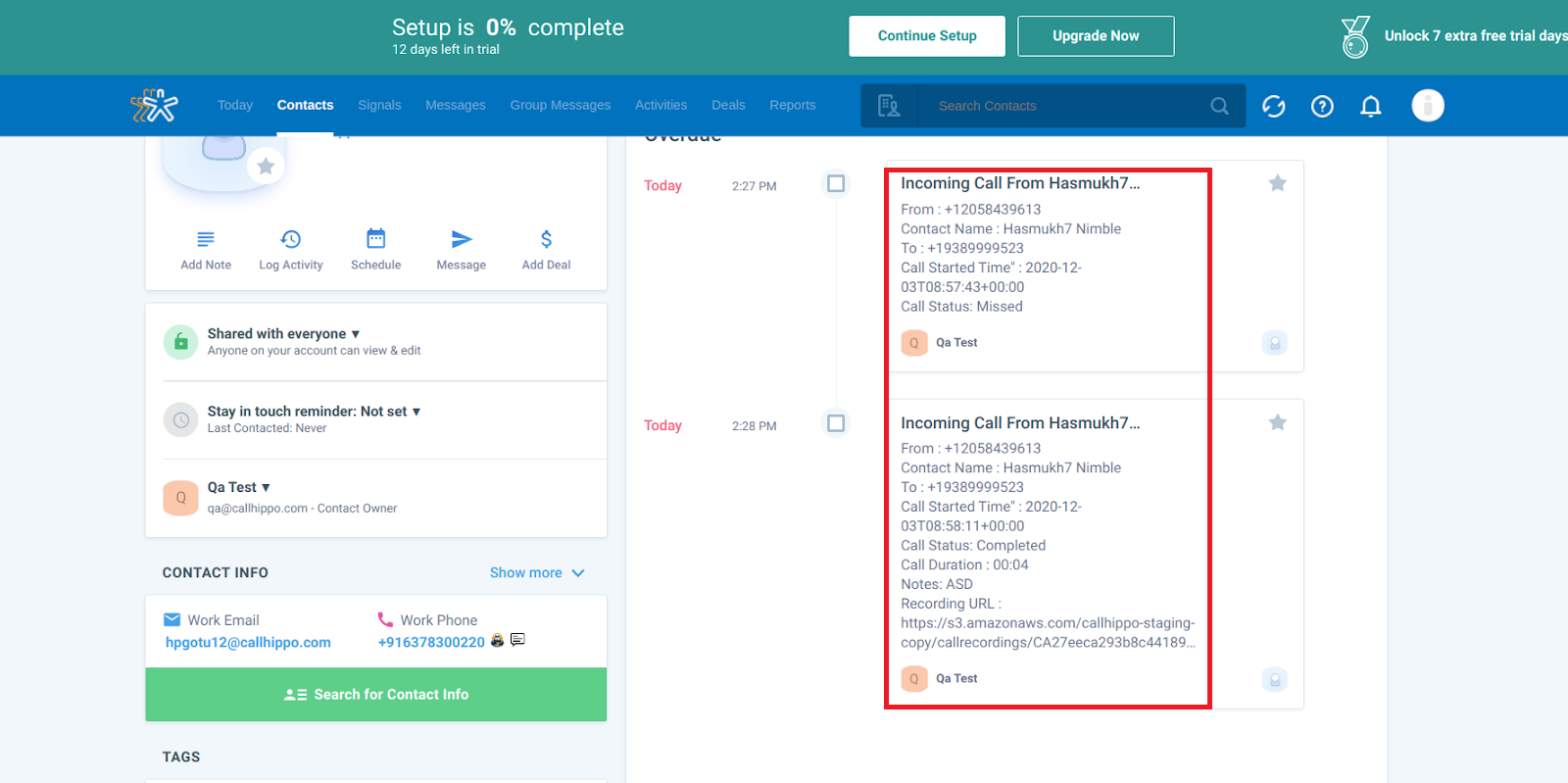
Step 2: Whenever a call is made to nimble contact with the CH dialer then Call log activity will be synced to your Nimble contact detail page.
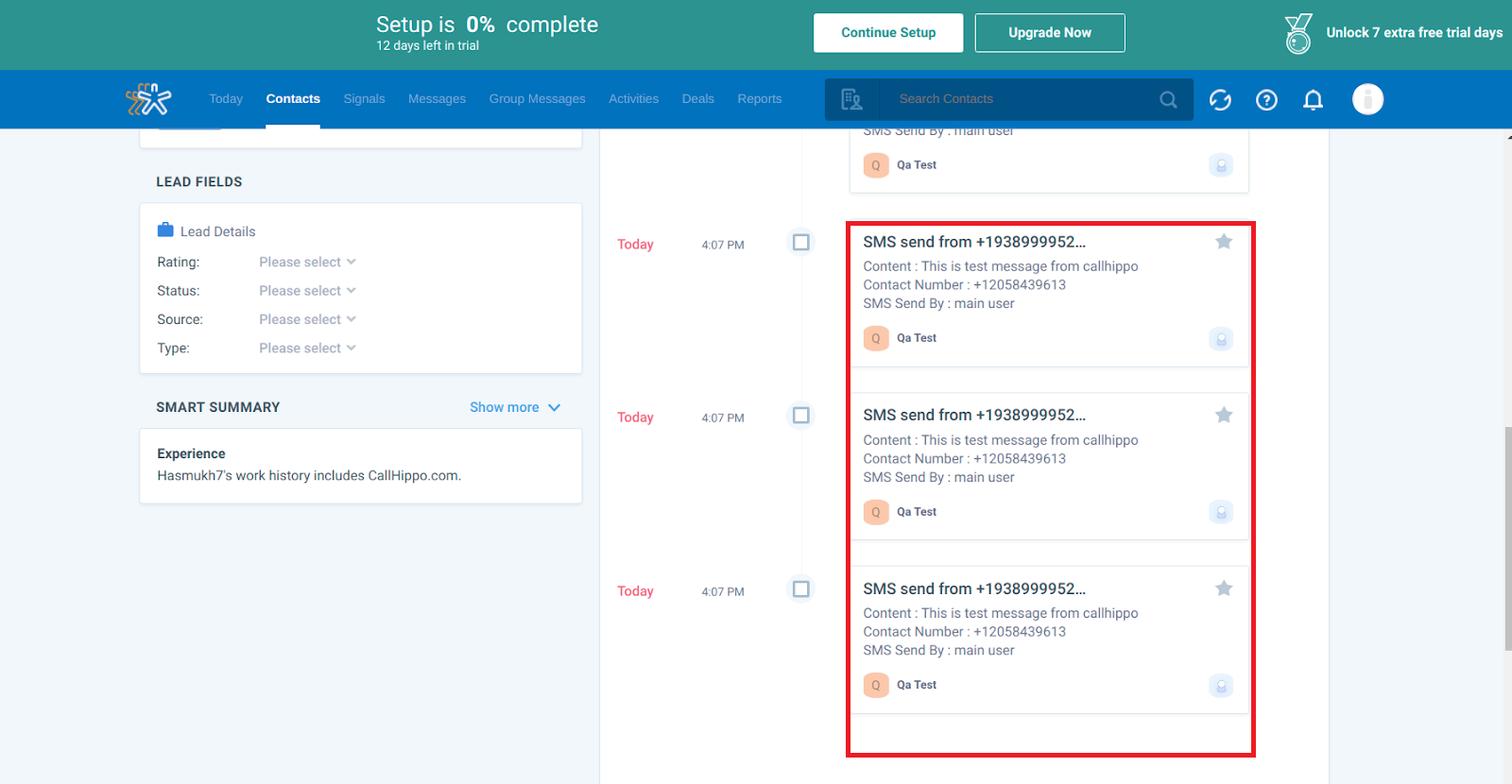
- Step 3: You will also get SMS activity for any SMS sent or received from any of your nimble contacts in CallHippo dialer.
FAQ
How often do new Nimble contacts sync to CallHippo?
New and updated contacts sync automatically about every 4 hours after the integration is connected.
Does the Nimble API token expire?
No. A Nimble API token stays valid until you manually remove it, so the connection keeps working until you revoke the token or remove the integration.