
Number porting lets you move your existing phone number to CallHippo without changing it, so you keep your familiar number while upgrading your communication setup. This guide walks you through what porting is, what to know before you request it, the typical timeline and charges, and the exact steps to submit a port-in request for a US virtual number from your dashboard.
What is number porting?
Number porting (also called phone number portability) lets you move your existing phone number from one service provider to another without changing the number. This makes it easy to switch to CallHippo for better features or pricing while keeping your current number active and your customer communication uninterrupted.
- No change in contact details
- Smooth transition
- No disruption to business calls
CallHippo offers number porting, allowing you to upgrade your communication setup without losing valuable customer connections.
Important things to know before requesting a port-in
- Only virtual numbers can be ported.
- Physical SIM numbers cannot be ported.
- US virtual numbers can be ported directly from the dashboard for free (steps below).
- For non-US numbers, please contact our support team to check:
- Port-in availability
- Process and timeline
- Applicable charges
- Port-in initiation
After porting your number
- The ported number can be used only through CallHippo.
- CallHippo plans and charges will apply to the ported number.
Port-in timeline and charges
The typical turnaround time for completing a port-in request is 2 to 4 weeks. Charges depend on the type of number being ported.
| Item | Details |
|---|---|
| Timeline | Around 2 to 4 weeks to complete |
| First status update | Within 24 to 48 business hours after submission |
| US virtual numbers | Free to port, directly from the dashboard |
| Non-US numbers | Charges may apply — check with the support team |
Steps to submit a port-in request for a US virtual number
Follow these steps to initiate a port-in request for an external US virtual number from your dashboard.
- Log in to your CallHippo dashboard.
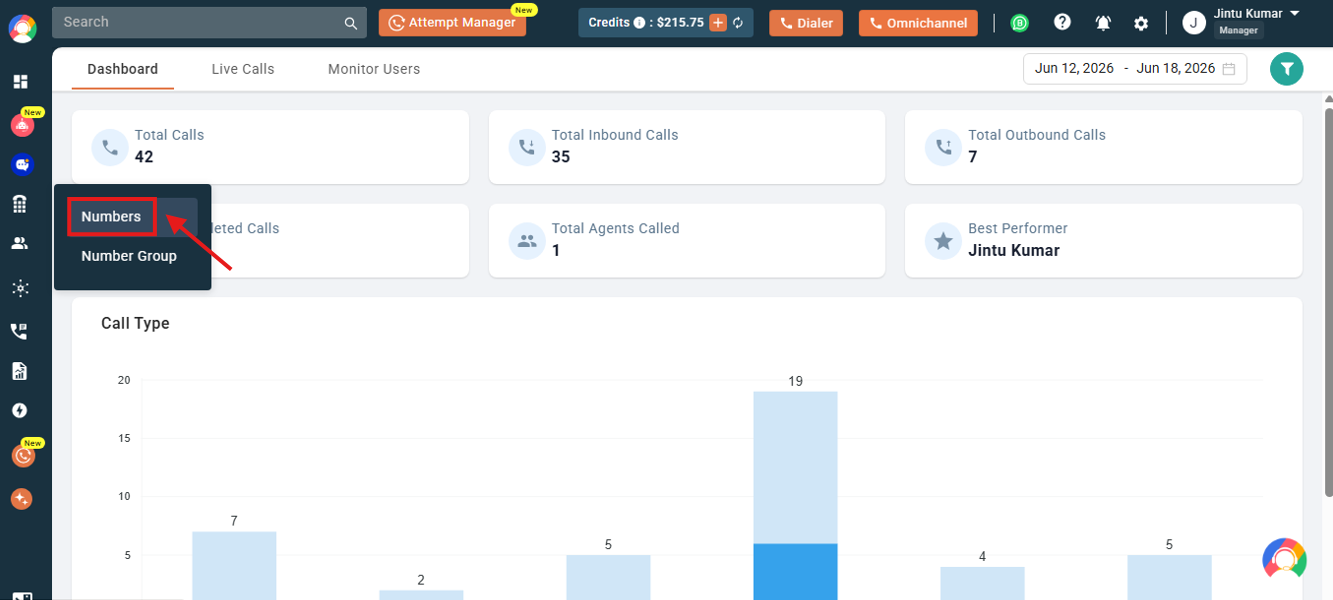
- Navigate to the Numbers section on the left side of the screen and click Numbers.
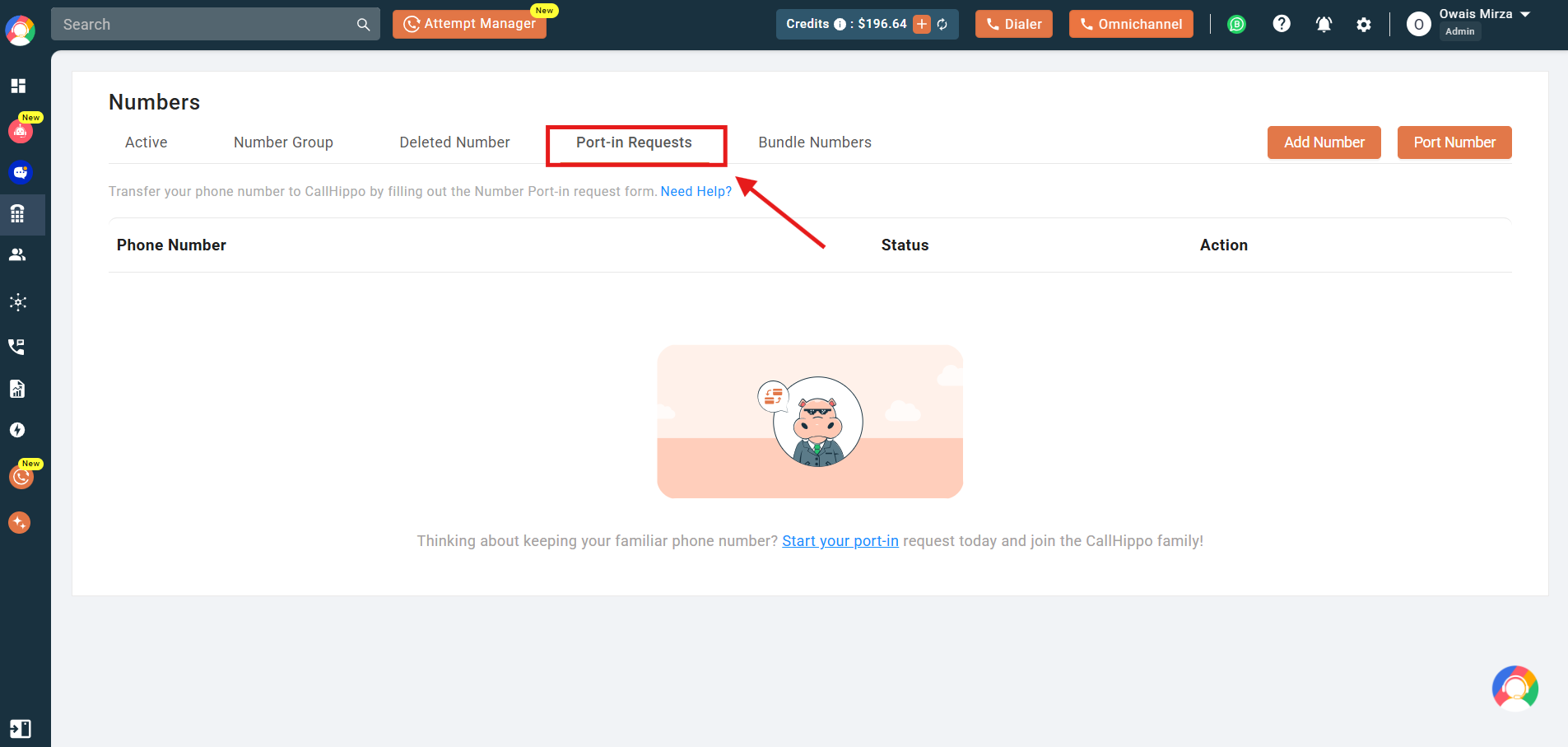
- Click on the Port-in Requests tab.
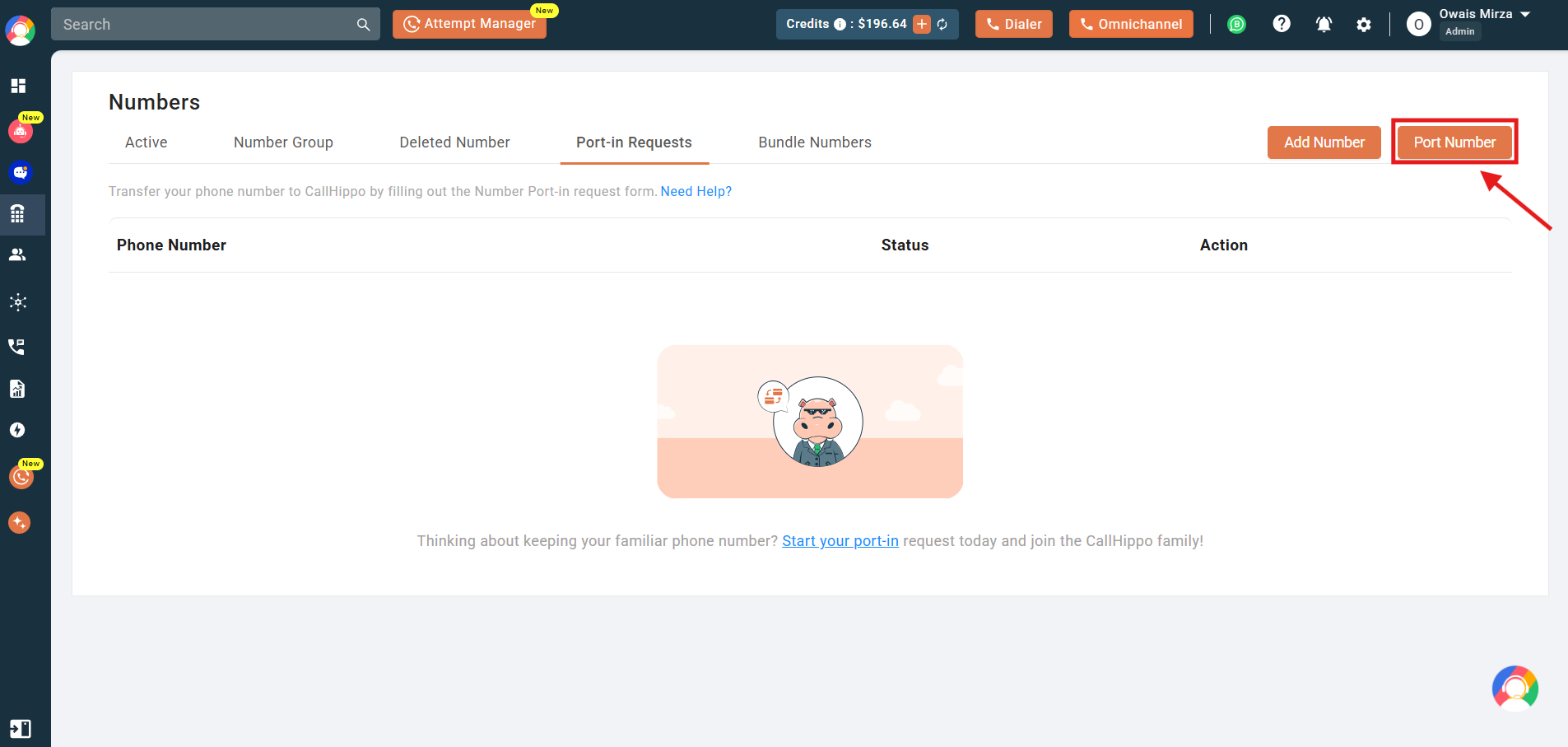
- There are two buttons available to initiate the port-in request, as shown in the screenshot. You can click either one to continue.
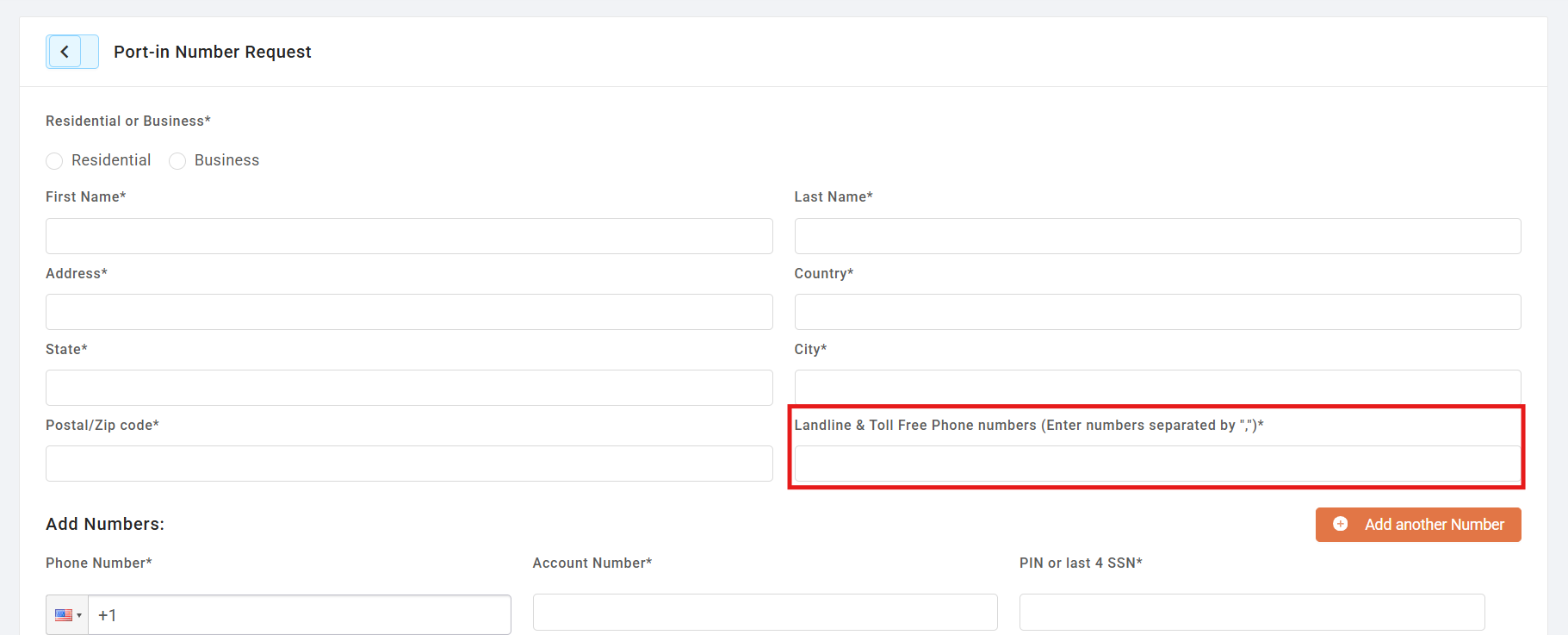
- Fill in all the details required in the form.
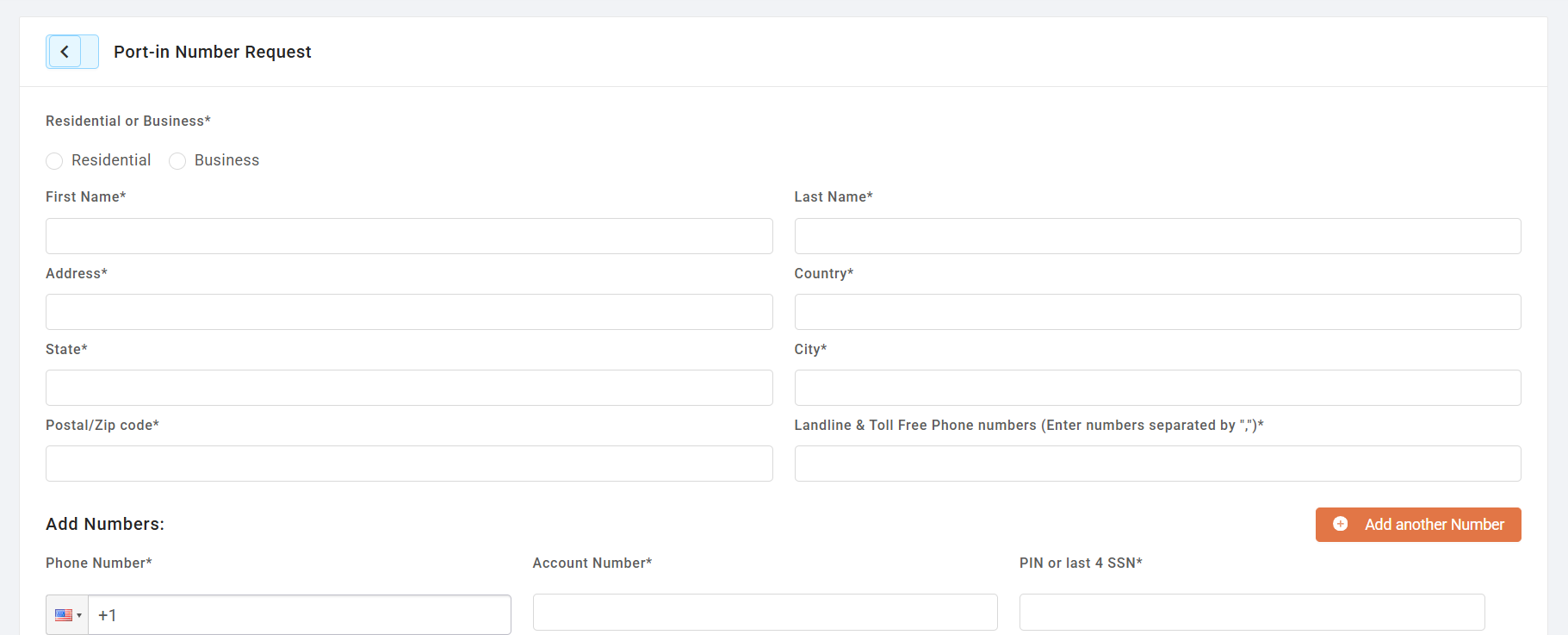
- You can add additional Landline and Toll-Free numbers, separated by commas (,).
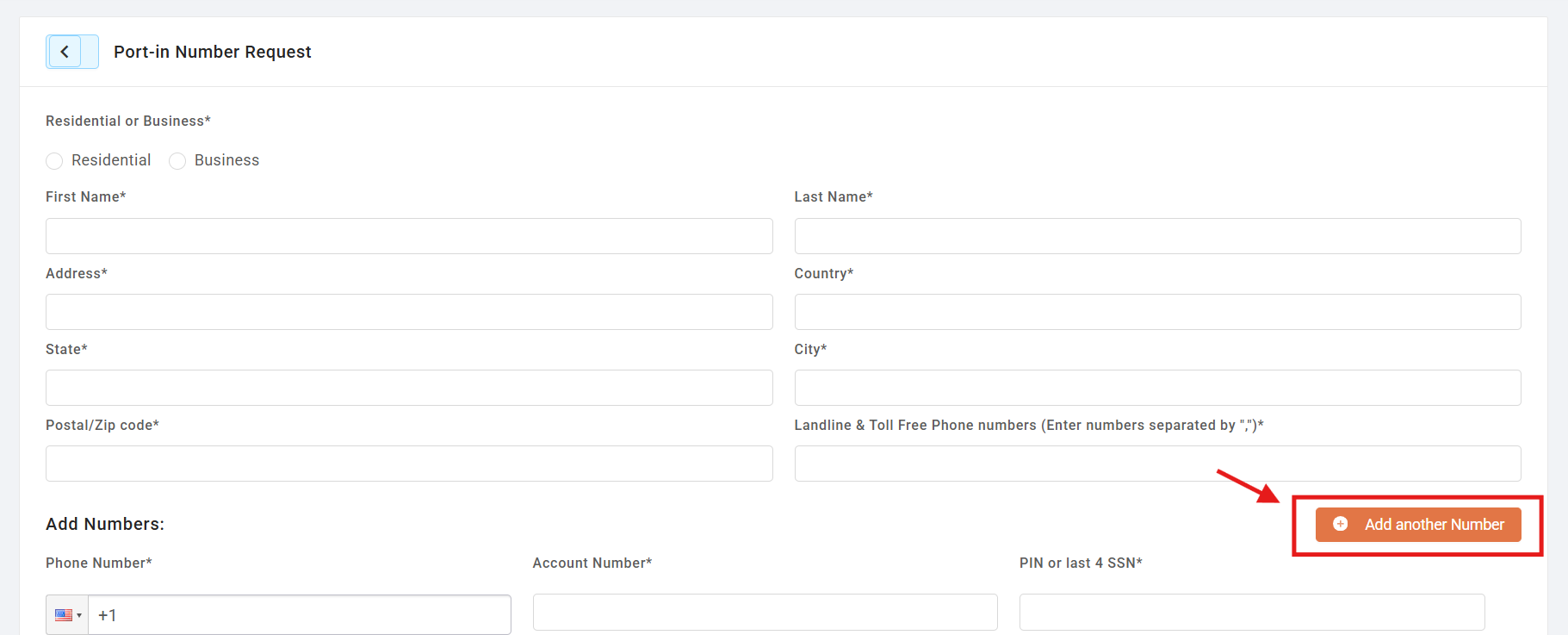
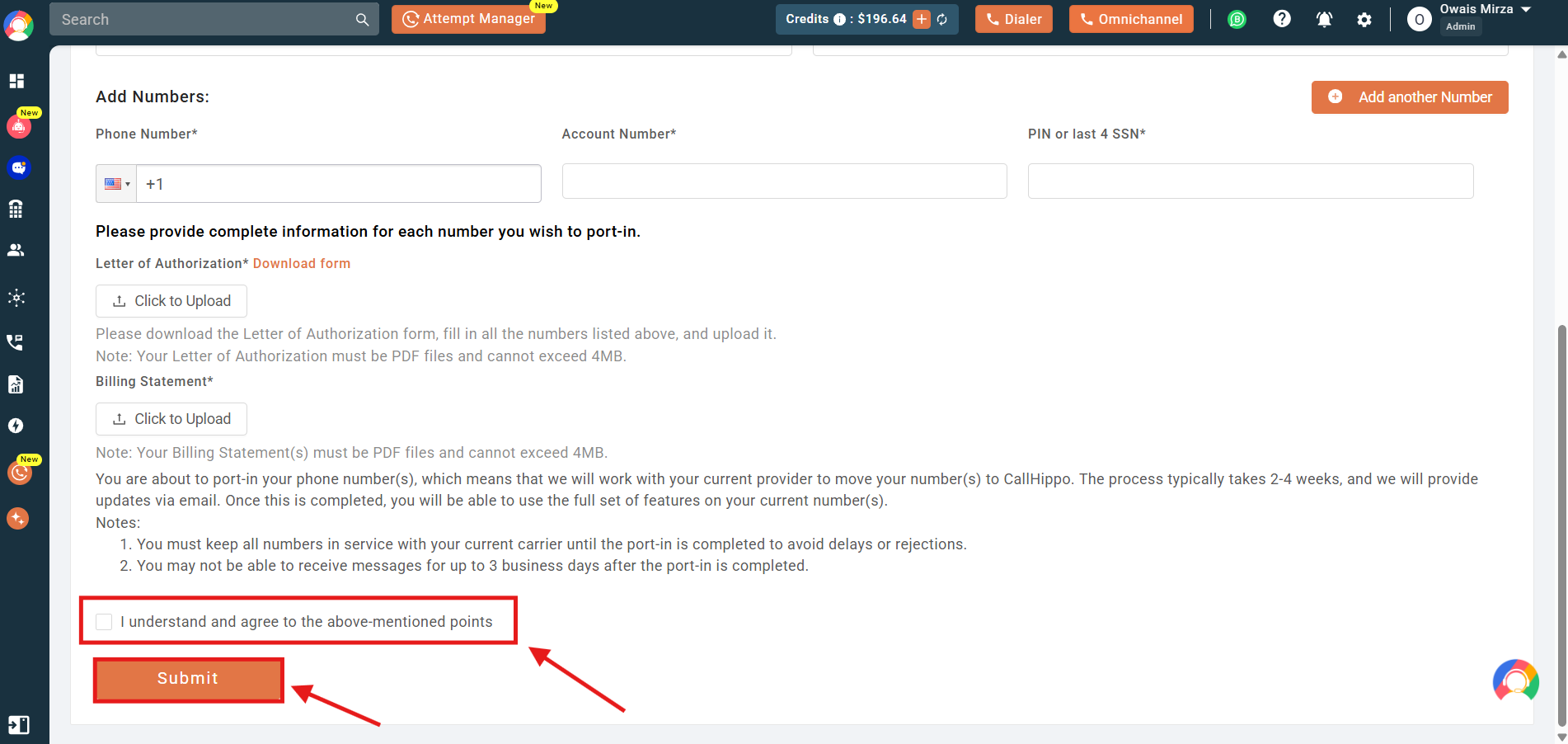
- Enter the phone numbers you want to port. To add more numbers, click the Add Another Number button.
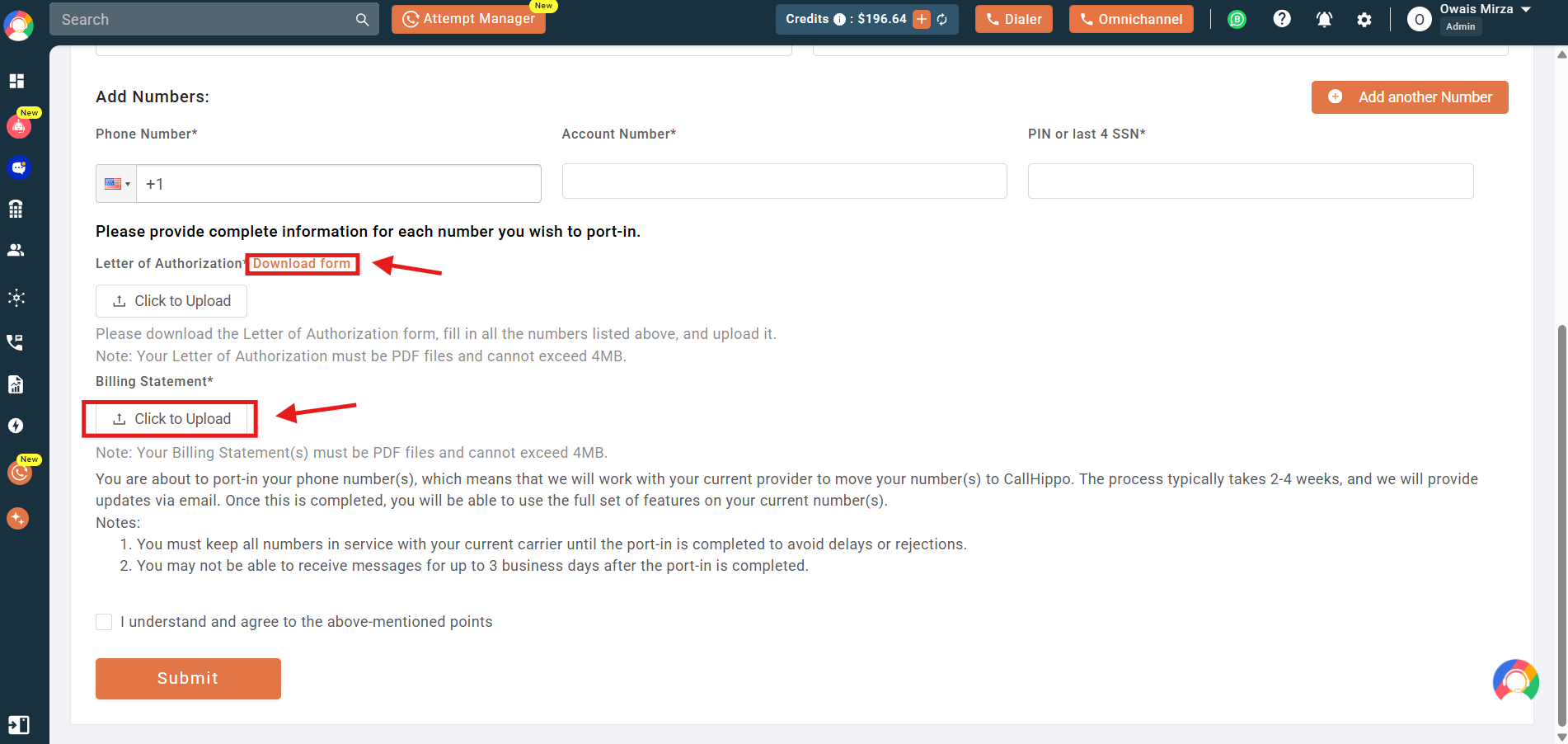
- Download the LOA (Letter of Authorization) form using the button shown below, fill in the information, and then re-upload the updated LOA form in this section.
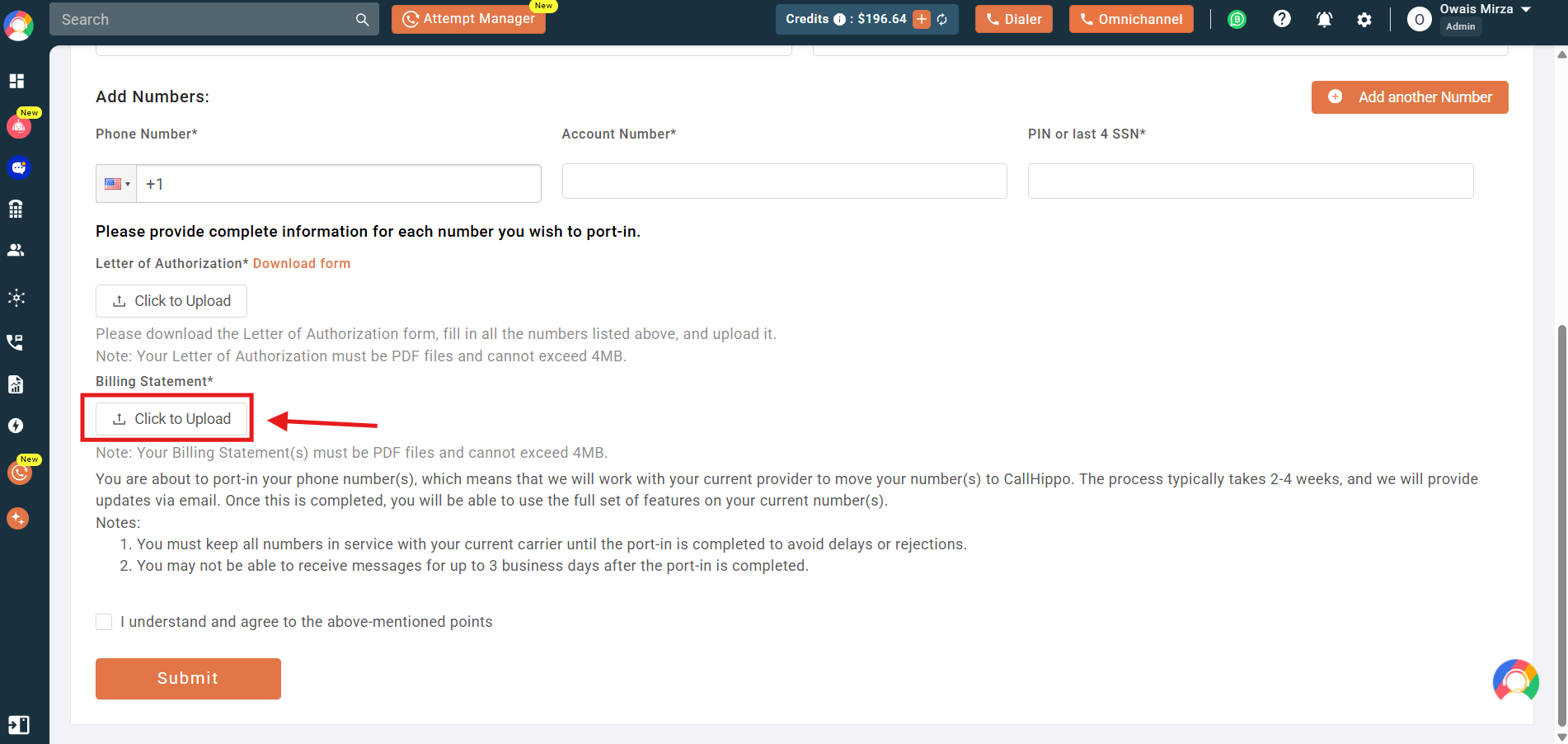
- Upload the billing document from your previous carrier, which clearly shows the number you want to port.
- Once both documents are uploaded, tick the checkbox and click the Submit button to finalize your port-in request.
Note: Please ensure that the billing document you upload is not older than three months from the date of submission.
Once done, you have successfully submitted the port-in request for your external US virtual number into CallHippo. The CallHippo support team will keep you updated on the status of your request via email to your registered email address.
Frequently asked questions
Can I port my current phone number into CallHippo?
Yes, you can port your number into CallHippo if it is a virtual number. Physical SIM numbers cannot be ported.
Can I port a physical SIM card number?
No, we do not support porting of physical SIM card numbers — only virtual numbers.
Is there a cost for porting a number into CallHippo?
Porting a US virtual number is free. For non-US numbers, charges may apply. Please check with our support team.
What documents are required for a port-in request?
You need to upload a completed LOA (Letter of Authorization) and a billing document from your current provider showing the number being ported.
Can I port more than one number at a time?
Yes, you can add multiple numbers in the form, separated by commas or by clicking Add Another Number.
How long does the port-in process take?
The general timeline for the port-in process to complete is around 2 to 4 weeks.
When can I expect an update after I raise a port-in request?
Our support team will review the documents you submitted and reach out if any more information is needed, generally within the next 24 to 48 business hours.
What if I submitted the form by mistake or with incorrect information?
You can submit a new form at any time with the correct and updated information. Our team will consider the most recent submission for processing.
Will a P.O. Box or US mail-forwarding address work for porting?
No, we do not accept P.O. boxes or mail-forwarding addresses for port-in requests.
What if I don’t have a valid US address to include on the LOA?
Unfortunately, we cannot proceed with the port-in request without a valid US address.
Can I use a virtual address for porting my number?
No, virtual addresses are not acceptable for port-in purposes. A real physical address in the US is required.
Can I port a virtual number without any billing address, as the number was free from the previous provider?
No, it is mandatory to have a billing address that helps us prove your number ownership to our carrier partners.
Can I stop the port-in process midway if I change my mind?
Yes, you can request to stop the port-in process anytime before it is completed by reaching out to our support team.
We hope this helps. If you still have questions, feel free to reach out at [email protected].