
The Quality Analyst (QA) role is a specialized CallHippo user type built for monitoring and assessing the quality of your team’s calls.
What Is the Quality Analyst Role?
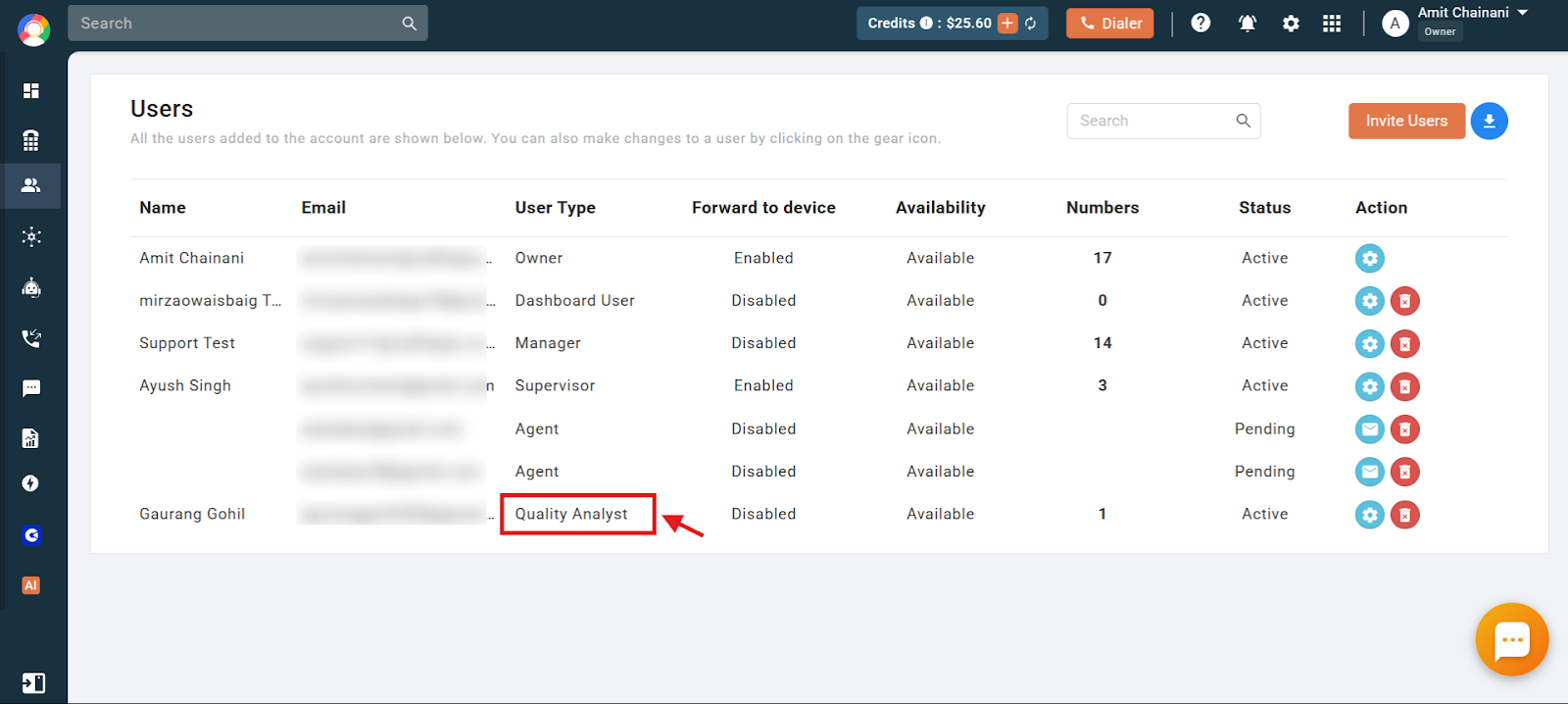
The Quality Analyst is a specialized user role designed to help businesses review and score the calls made by their teams. It is offered free of charge and does not count toward your paid user seats, though it also does not carry the plan benefits (free minutes, SMS, or numbers) that come with paid user roles.
- Free seat: A QA user does not consume a paid seat, making it a cost-effective way to audit calls.
- Plan availability: The QA role is available only in select CallHippo plans. Check our pricing page to confirm your plan includes it.
- Limited access: QA users can view call logs and recordings in the CallHippo web app, but cannot use the dialer or the mobile and desktop apps.
What a QA User Can Do
The role is ideal for supervisors or quality assurance specialists responsible for evaluating call performance across the team. A QA user can:
- Review interactions: Access call logs and recordings to see how agents handle customer conversations.
- Monitor quality: Assess calls for training and compliance purposes.
- Tag and share: Flag specific calls and share them with team leads or managers for feedback and coaching.
- Spot trends: Identify recurring issues to help improve overall service quality.
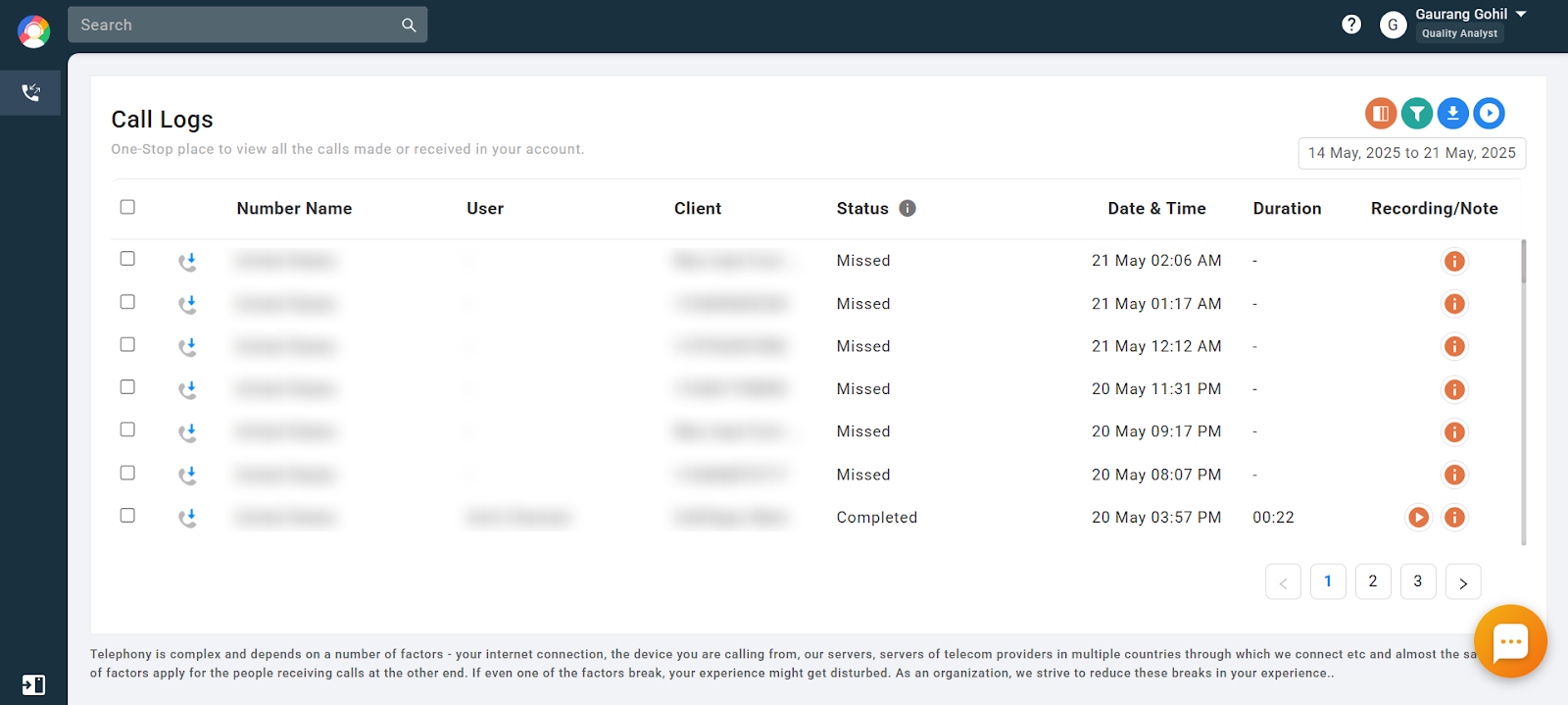
This lets businesses maintain high support standards without allocating a full user seat. A QA user’s screen focuses on the call logs and recordings module, as shown below.
Frequently Asked Questions
How do I add a Quality Analyst to my account?
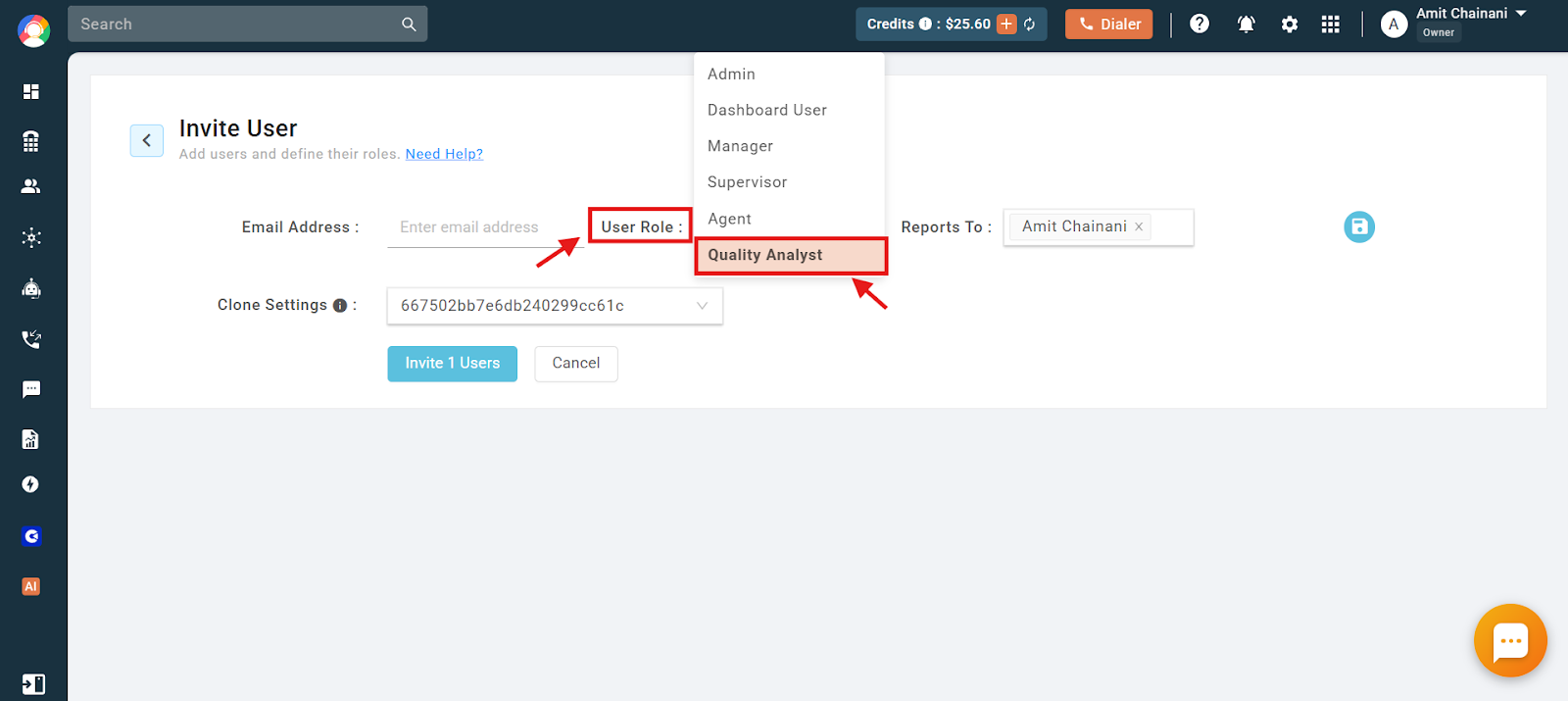
Invite a QA user from the Users module of the CallHippo dashboard, selecting Quality Analyst as the user role.
What access does a Quality Analyst have?
QA users can only access the call logs and recordings module in the web app. They have no access to the dialer, desktop app, or mobile app.
Can I change a QA user to another role or vice versa?
No. The Owner or Admin cannot move a QA user to another role, and other roles cannot be converted to QA.
In which plans can I invite unlimited QA users?
The ability to invite unlimited Quality Analyst users is available only in select CallHippo plans. Visit our pricing page to check whether your current plan supports it.
Can a QA user barge into a live call?
No. Call barging requires dialer access, which QA users do not have. Any dialer-related functionality is unsupported for this role.