
Used CallHippo before and need it again? We are happy to have you back. If your account was deactivated, maybe due to an unpaid invoice or because the trial period ended, that is okay. We have made it easy for returning users to get back up and running. In just a few clicks, you can reactivate your CallHippo account, choose the plan that fits your current needs, and resume business communication without missing a beat.
Important Notes Before You Reactivate
Before you reactivate your CallHippo account, please keep the following in mind:
- Numbers and users may have been deleted when your account was cancelled.
- For phone numbers: You will need to either restore previously deleted numbers (if eligible) or purchase new ones. For detailed steps, refer to our Number Restore article.
- For users: Deleted users will not be automatically restored. You will need to add users again manually, just like you did when setting up your account the first time.
- Previous settings will not carry over: Configurations like voicemail, number-user allocations, forward-to-device, call recordings, and other preferences tied to deleted numbers or users will need to be reconfigured.
Taking a few minutes to review these points will help ensure a smoother reactivation process.
Steps to Reactivate Your CallHippo Account
- Log in to your CallHippo dashboard.
- Click on Click Here beside the Reactivate Your Account option.
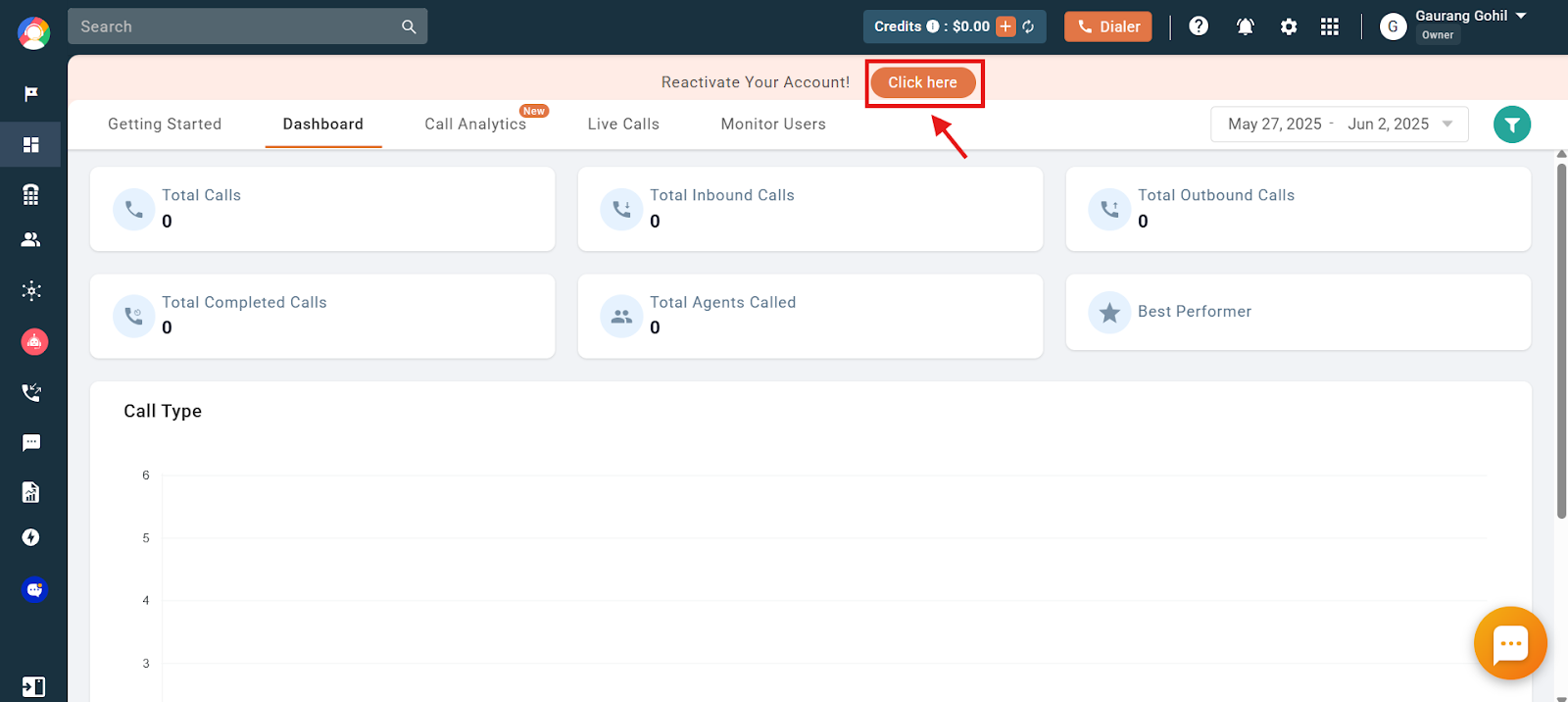
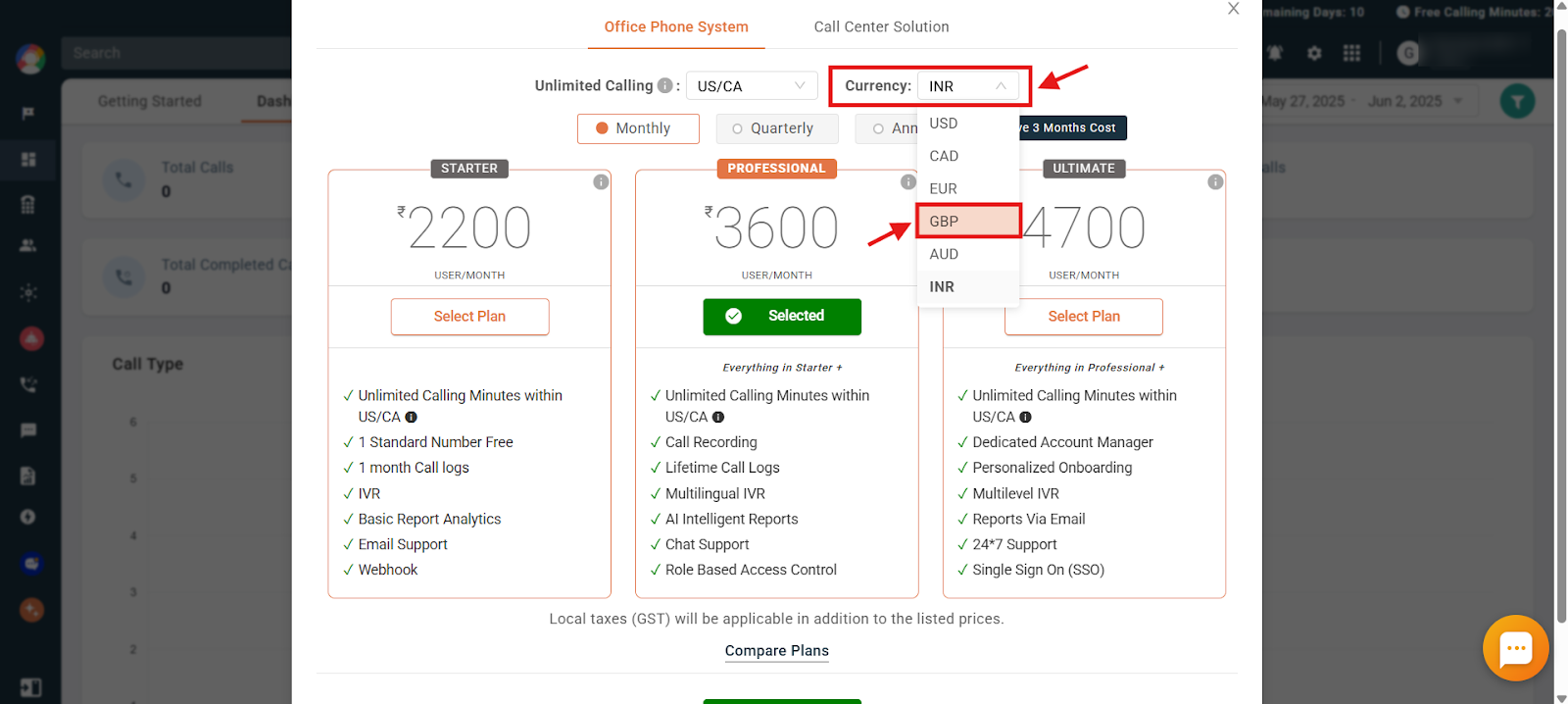
- You will be taken to the Plans & Billing screen. Here you can choose the perfect plan for your needs. We offer two options:
- Office Phone System: Ideal for small and medium businesses.
- Call Center Solution Plan: Packed with features for high-volume call centers.
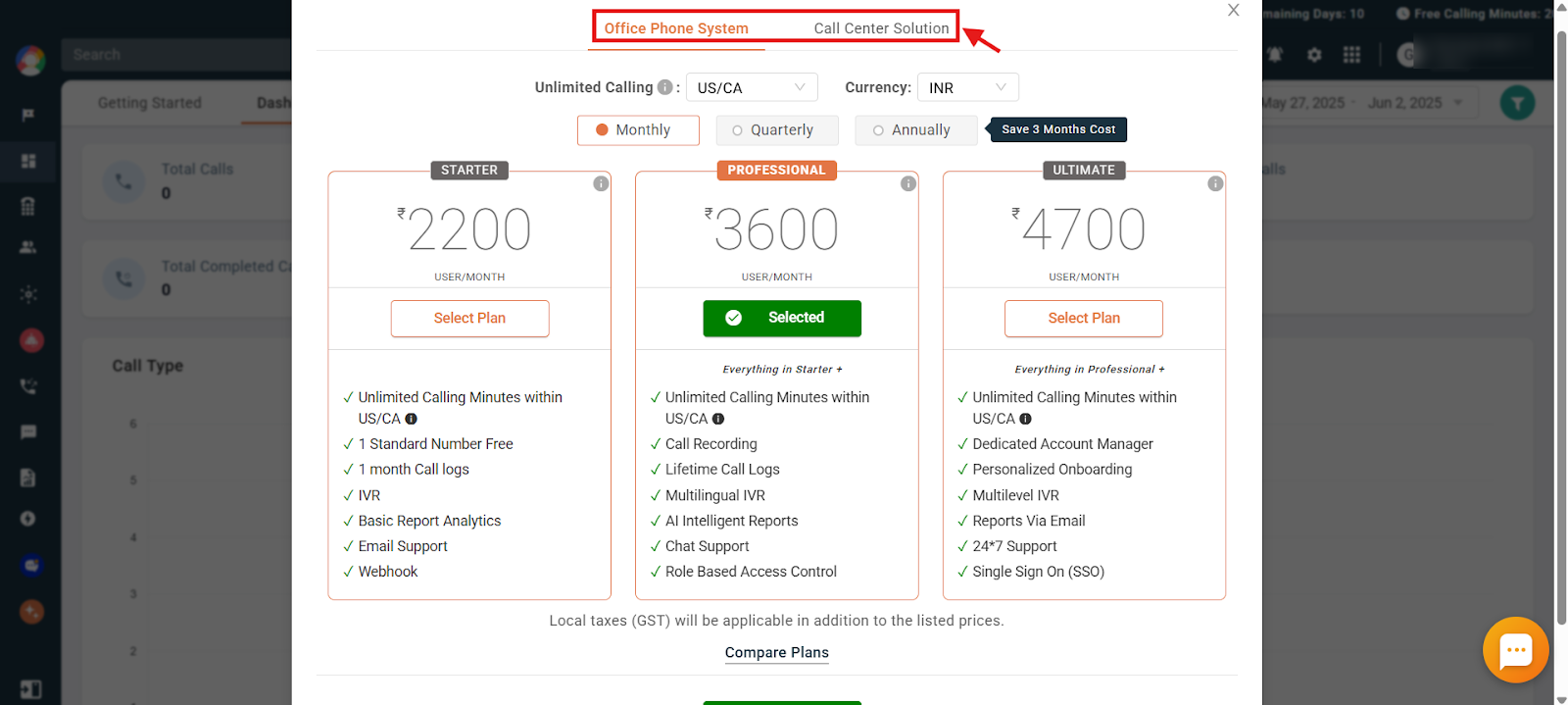
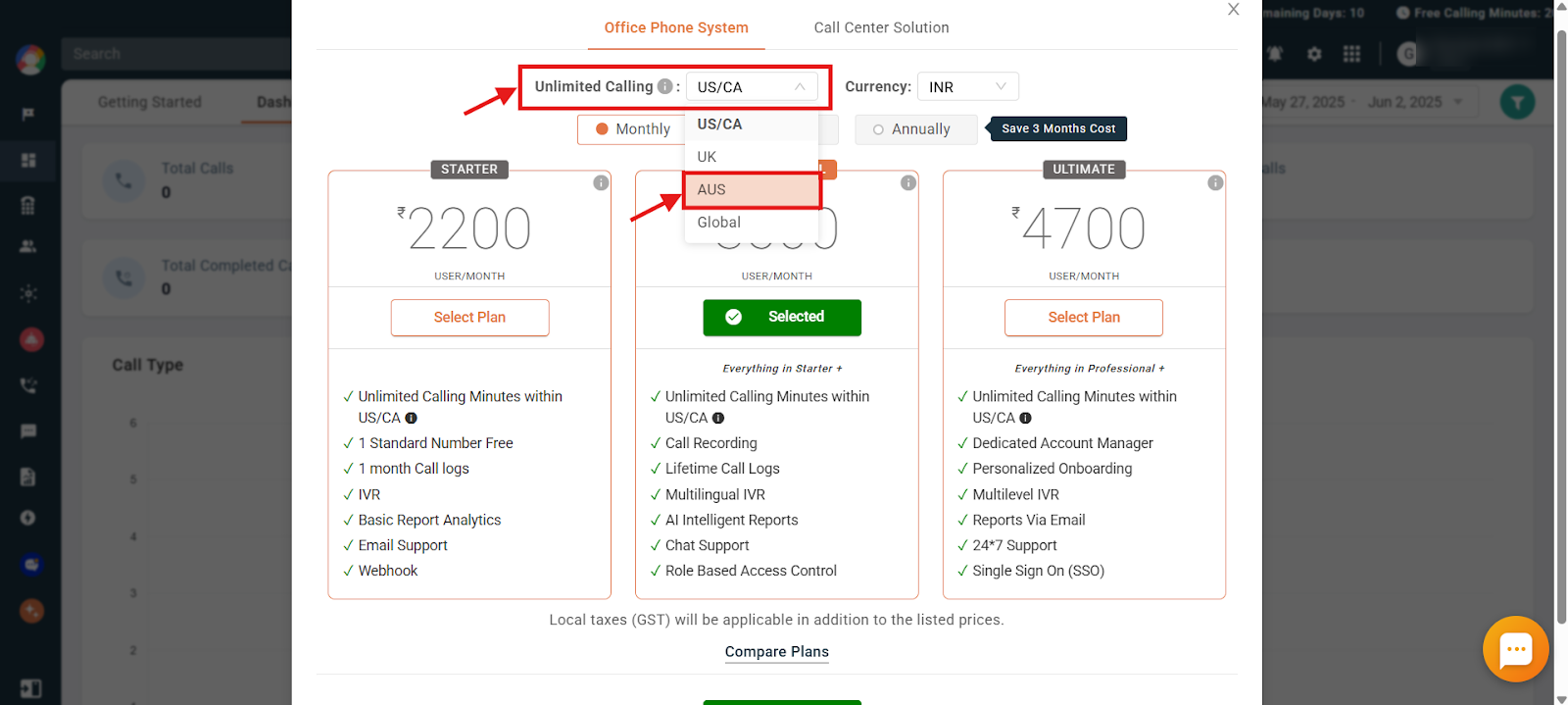
- Select the correct region from the Unlimited Calling dropdown when choosing a plan with unlimited calling. This selection determines the region for which you will receive free calling benefits. Selecting the wrong region may result in limited or no access to free calling for your intended area. Changing the region later takes around 48 business hours, as it is a manual process handled by our accounts team.
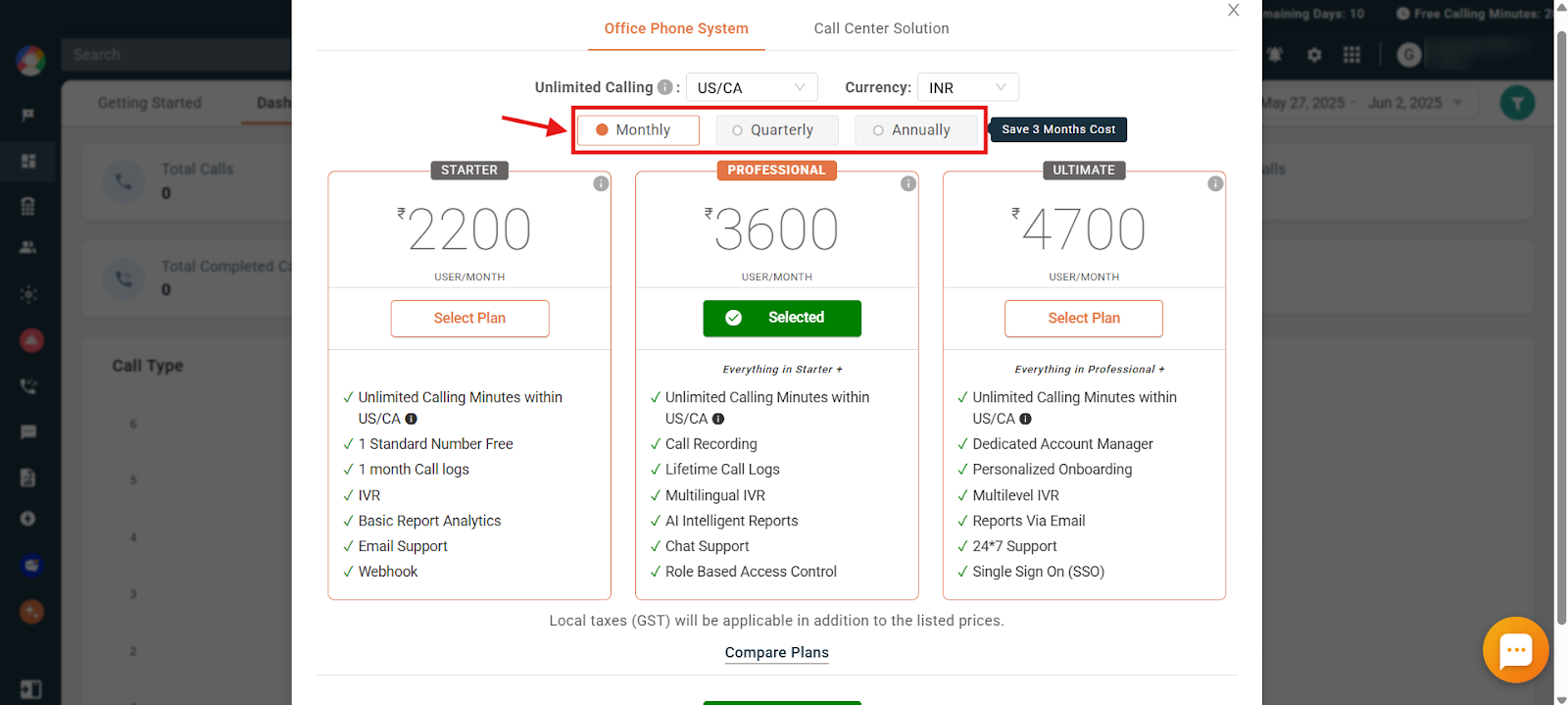
- Choose your preferred payment cycle (monthly, quarterly, or annually).
- Select your preferred billing currency.
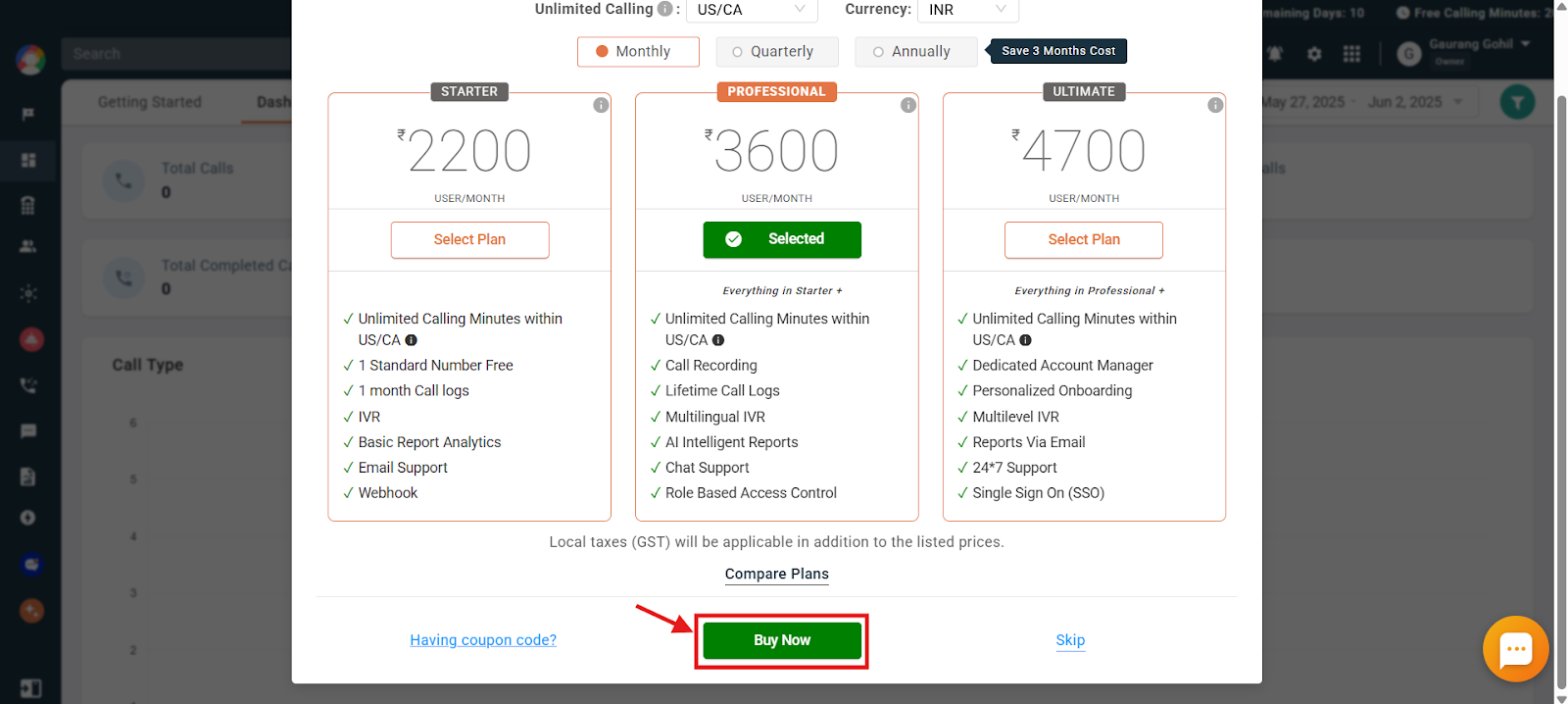
- Scroll down and click on the Buy Now option.
- Enter the billing details and complete the payment for the subscription you want to purchase.
Once done, your account will be reactivated.
Frequently Asked Questions
Q: Can I switch to a different plan after reactivating my account?
A: Yes, you can choose any plan that suits your current needs during reactivation. If you need to change your plan later, you can do so through the Plans & Billing section of your dashboard.
Q: I completed the payment, but my account still looks inactive. What should I do?
A: First, double-check that your payment was successful. Then try logging out and logging back in, using an incognito window, or clearing your browser cache and cookies. If the issue persists, contact our support team with your payment details so they can manually verify and reactivate your account.
Q: Do I need to make a payment to reactivate my CallHippo account?
A: Yes, reactivating your account requires purchasing a new subscription plan. Once the payment is completed successfully, your account will be reactivated.
Q: I reactivated my account, but cannot see my phone numbers. What happened?
A: Phone numbers may have been deleted when your account was cancelled. You will need to restore eligible numbers, if available, or purchase new ones. Refer to the Number Restore article for guidance on checking and restoring deleted numbers.
Q: Can I update my account information, like my email or billing address, before reactivation?
A: Yes, you can modify your account details, such as email address and billing information, during the reactivation process, especially while entering payment information.
Q: I am trying to reactivate my account, but I see the error “Action not allowed since resource is transferred to a different business entity.” What does this mean?
A: This error usually occurs if you are attempting to change your billing currency, for example switching from INR to another currency or vice versa. To proceed, either select the original currency or contact support to have your account reactivated manually, which may take up to 48 business hours.
Q: My free trial has ended and I want to purchase a plan, but it says my account is cancelled. What should I do?
A: If your account is showing as cancelled after the trial period, you will need to reactivate it. Log in to your CallHippo dashboard and click on the Reactivate Your Account option. From there, you can choose a plan, complete the payment, and your account will be reactivated. If you are unable to access the dashboard, please reach out to support for assistance.
We hope this helps. If you still have questions, feel free to reach out at [email protected].