
Connecting Shopbox with CallHippo links your calling activity to your ecommerce data, giving your support team order context right where they handle customer conversations.
Connect Shopbox in CallHippo
The entire setup happens inside CallHippo — you’ll just need your Shopbox admin credentials.
- Sign in to CallHippo using your account credentials.
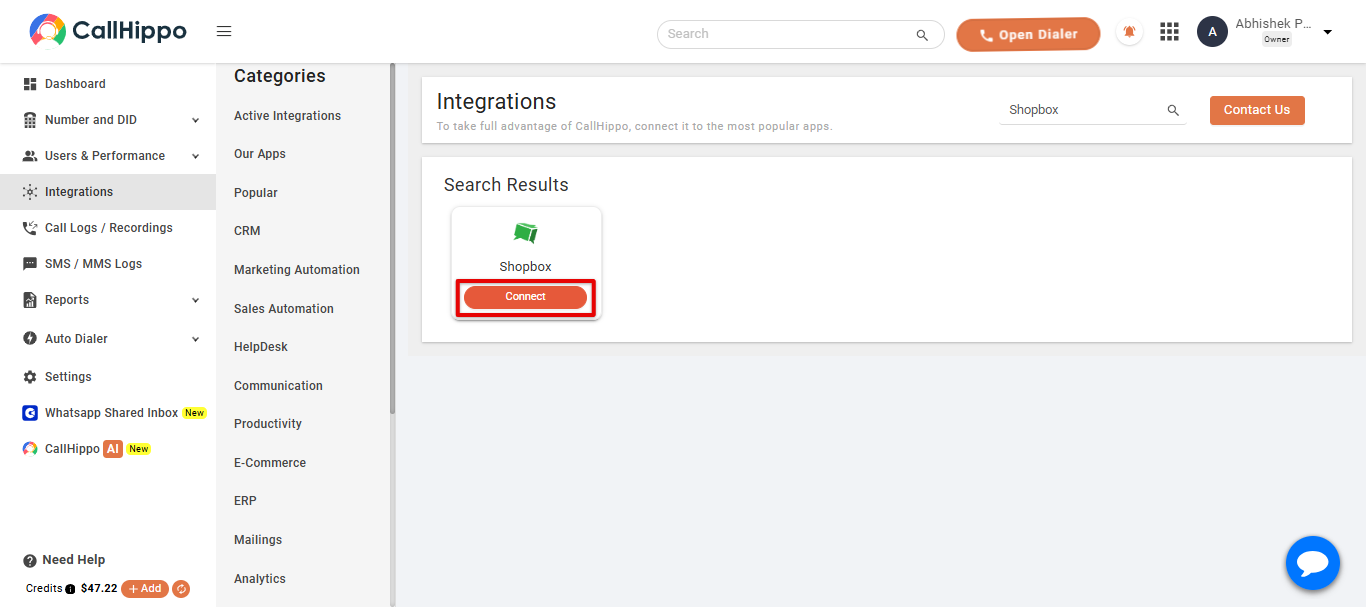
- Open Integrations. From the left sidebar of your dashboard, click Integrations.
- Find Shopbox and click the Connect button on its card.
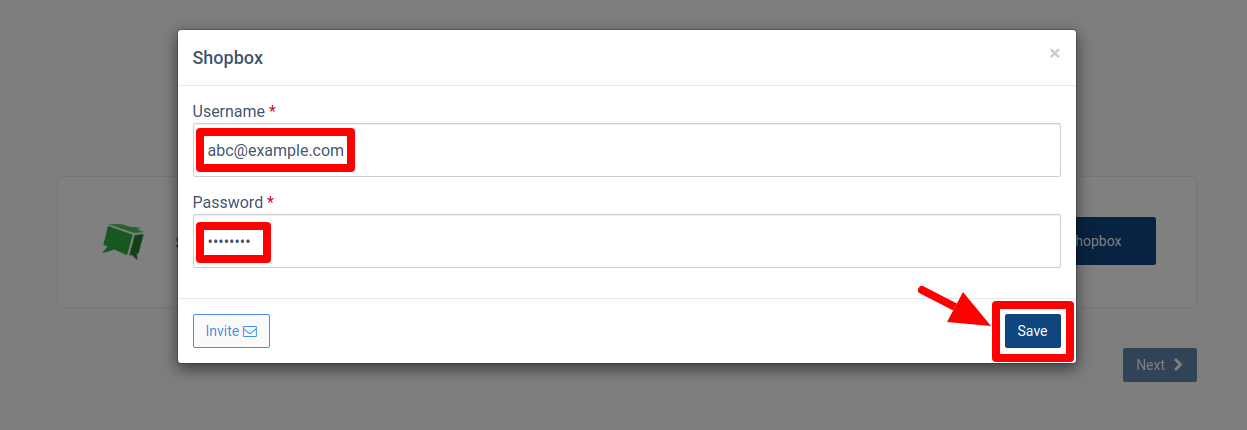
- Enter your credentials. Type your Shopbox admin username and password, then click Save.
Finish the Setup
Once your account is linked, one more step wraps things up.
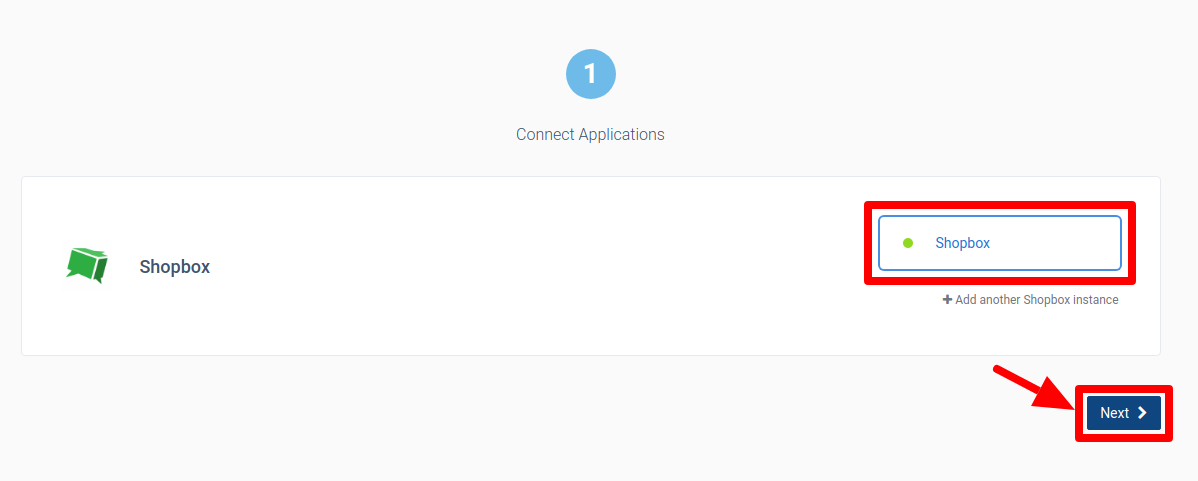
- Click Next to confirm the connection.
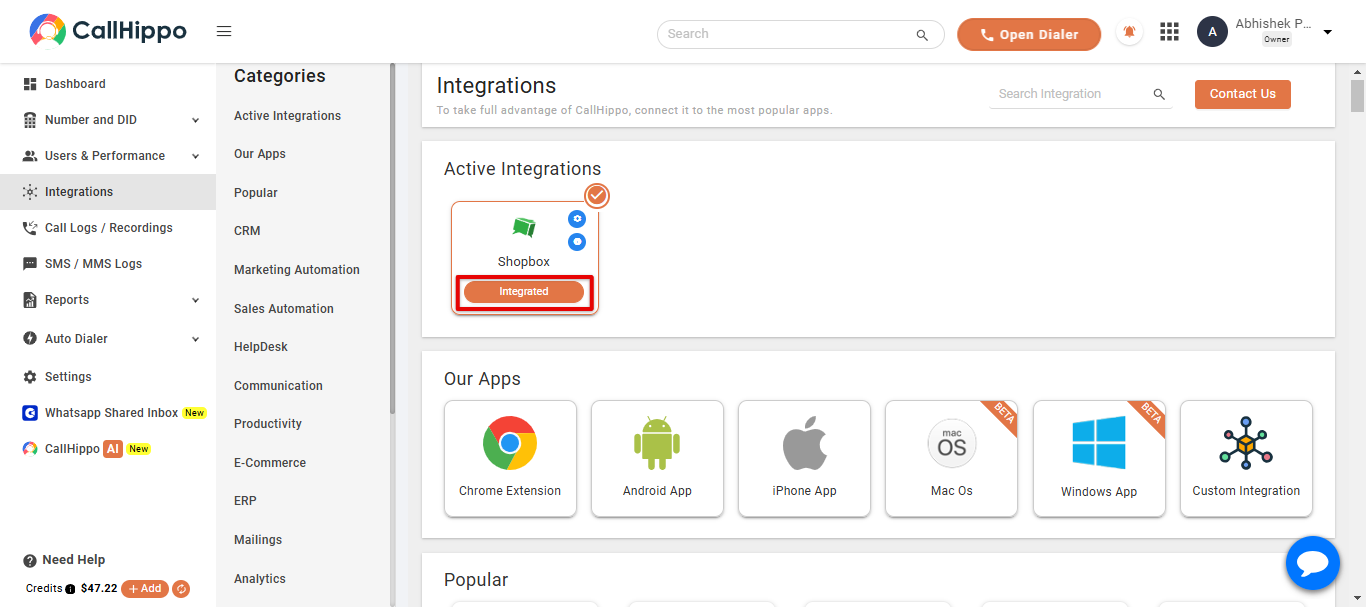
- Wait for the redirect. CallHippo takes you back to your account and the status shows Integrated — your Shopbox integration is complete.
Frequently Asked Questions
What credentials do I need to connect Shopbox?
You’ll need your Shopbox admin username and password, which you enter directly in the CallHippo connection dialog.
How do I know the integration worked?
After clicking Next, CallHippo redirects you to the Integrations page where Shopbox appears under Active Integrations marked as Integrated.
Need help connecting Shopbox? Email our team at [email protected] and we’ll be happy to assist.