
The Show CallHippo Number in Incoming Forwarded Calls feature helps you instantly recognize calls that originate from your CallHippo virtual numbers. When enabled, incoming forwarded calls display your CallHippo number on your mobile device instead of the original caller’s number, so you immediately know the call is being routed through your CallHippo system.
Why use this feature
- Improved call management: Displaying the CallHippo number lets you distinguish between personal calls and business calls forwarded through CallHippo, enabling more organized and efficient handling of incoming communications.
- Enhanced professionalism: Knowing that a call is business-related allows you to prepare and respond appropriately, maintaining a professional demeanor during interactions.
- Privacy protection: Showing the CallHippo number instead of the caller’s original number helps protect the caller’s privacy, which can be crucial in certain business scenarios.
Common use cases
- Remote work environments: Professionals who use a virtual phone system to manage business calls can identify and prioritize work-related calls, even when using personal devices.
- Customer support centers: Support agents can quickly recognize incoming customer calls routed through CallHippo, allowing them to access the necessary information and provide timely assistance.
- Sales teams: Sales representatives can identify leads or client calls forwarded via CallHippo, enabling them to tailor their communication strategies effectively.
How to enable the feature
- Log in to your CallHippo account.
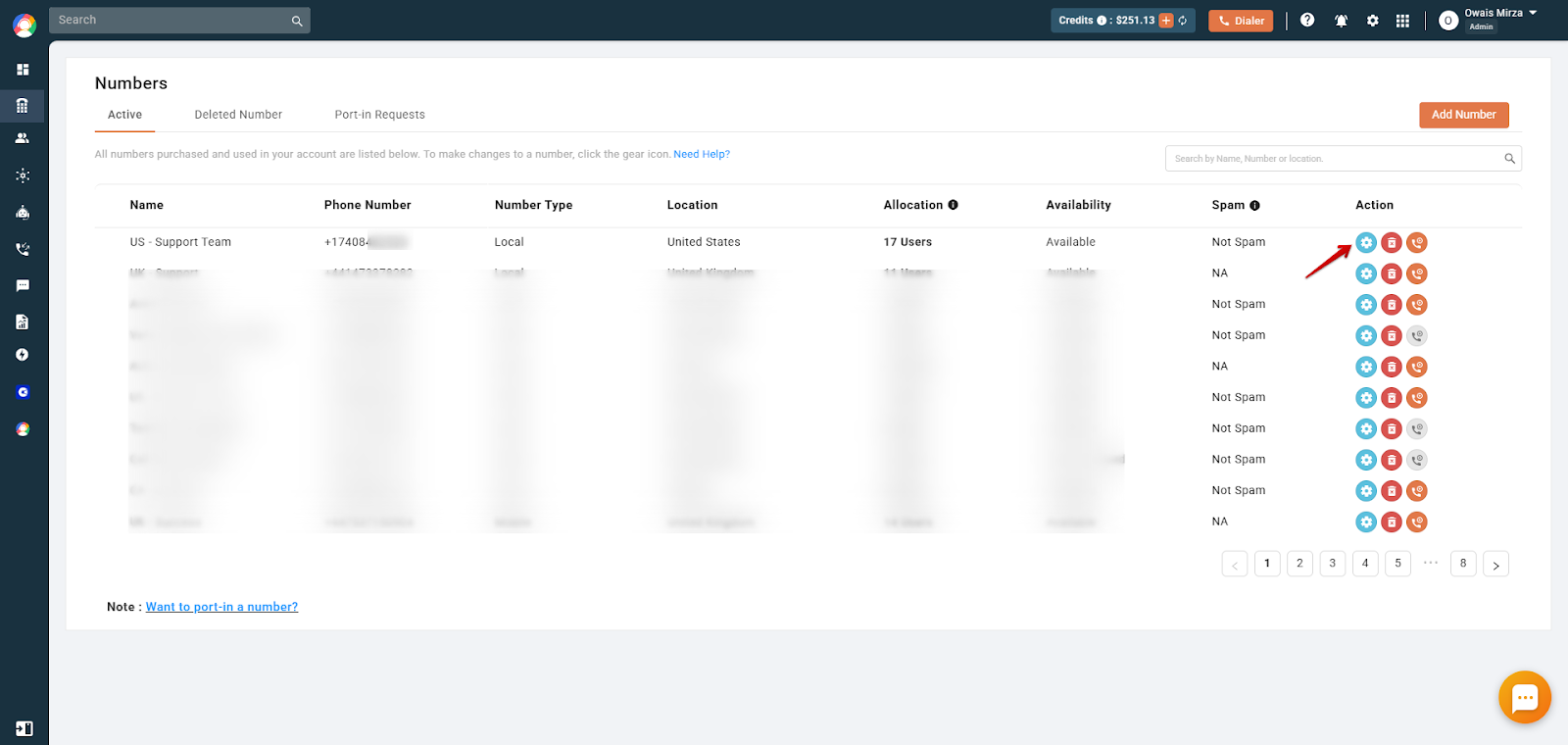
- Navigate to the Numbers & DID tab, then select Numbers.
- Click the gear icon next to the desired number to access its settings.
- On the right-hand side, toggle on the Show CallHippo Number in Incoming Forwarded Calls option under Other Settings in the number’s settings.
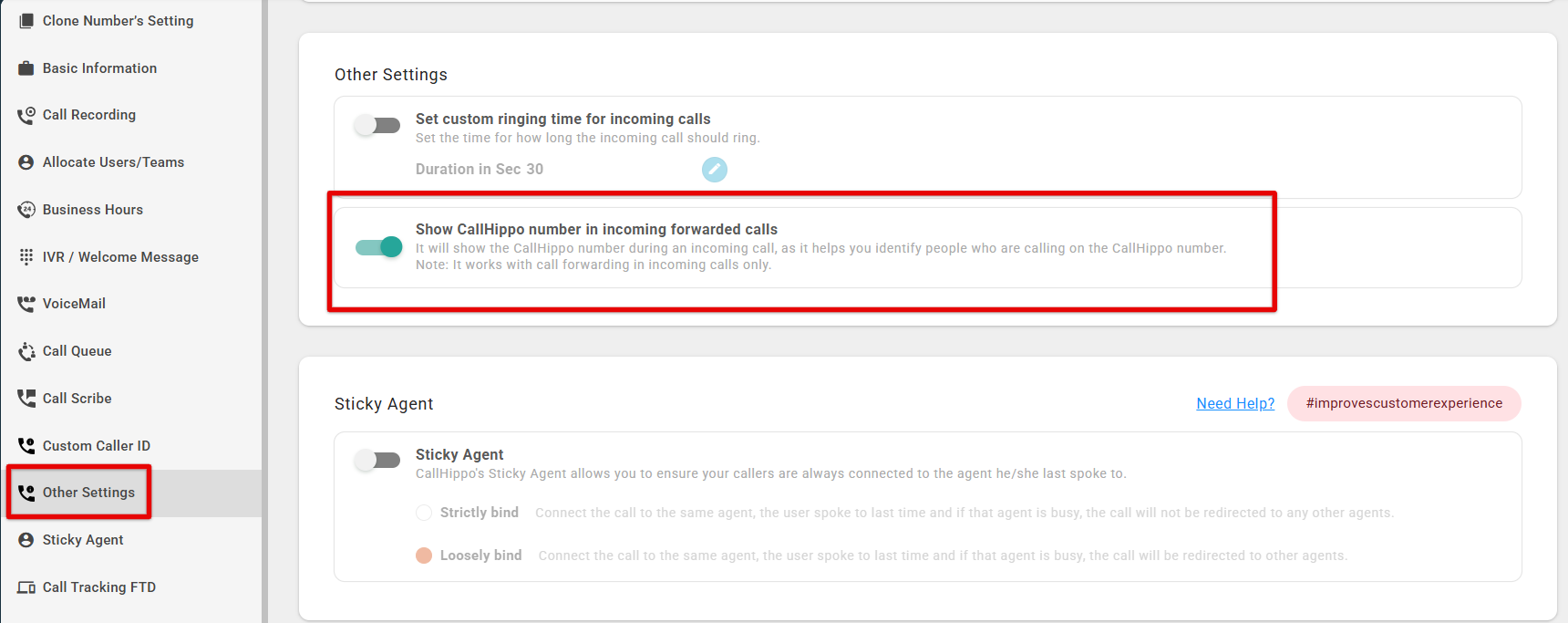
Note: This feature works with call forwarding on incoming calls only.
Frequently asked questions
How does the Show CallHippo Number in Incoming Forwarded Calls feature work?
When a call is forwarded through your CallHippo virtual number, the incoming call display shows your CallHippo number instead of the original caller’s number. This helps you recognize that the call is business-related and routed via your CallHippo system.
Why would I want to display my CallHippo number instead of the caller’s original number?
Displaying your CallHippo number lets you immediately identify that the incoming call is business-related.
Will enabling this feature affect the caller’s experience?
No, enabling this feature does not impact the caller’s experience.
Are there additional costs associated with using this feature?
Typically, there are no extra charges for enabling this feature.
Can I customize which forwarded calls display the CallHippo number?
Unfortunately, no. The setting applies to all forwarded incoming calls for the selected number.
We hope this helps. If you still have questions, feel free to reach out at [email protected].