
Spam Watch is an optional CallHippo add-on that detects whether your phone numbers have been marked as spam. Built specifically for numbers registered in the United States or Canada, it alerts you whenever one of your numbers is flagged, so you can take action to protect your call pickup ratio.
What is Spam Watch?
Spam Watch is a monitoring solution that checks whether your US or Canadian phone numbers have been marked as spam. Offered as an optional add-on service, it sends you alerts and notifications about any instances of your numbers being spammed, empowering you to take the necessary measures to maintain your call pickup ratio.
How to purchase the Spam Watch add-on
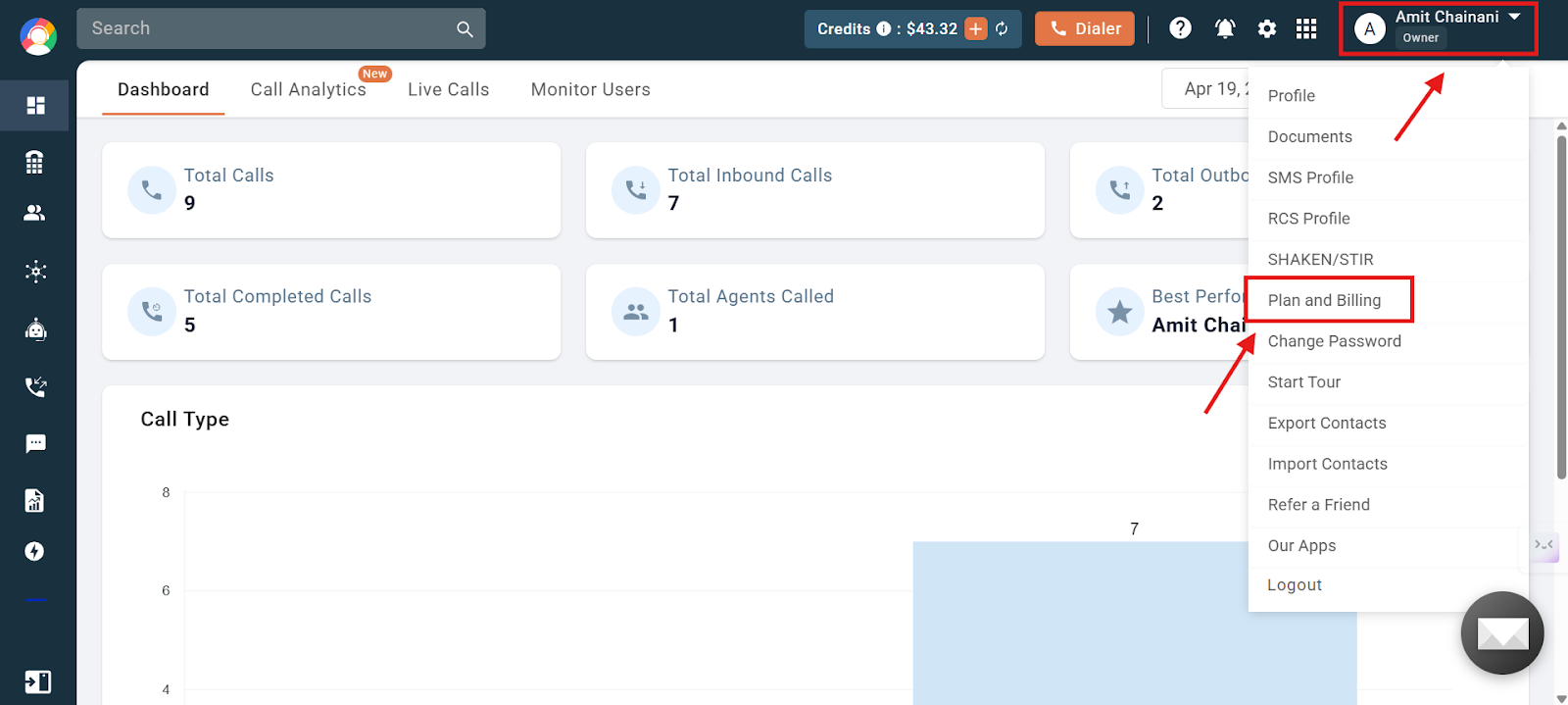
- Log in to your CallHippo dashboard and navigate to the profile section in the top-right corner of the screen. Click on the Plan and Billing option in the dropdown menu.
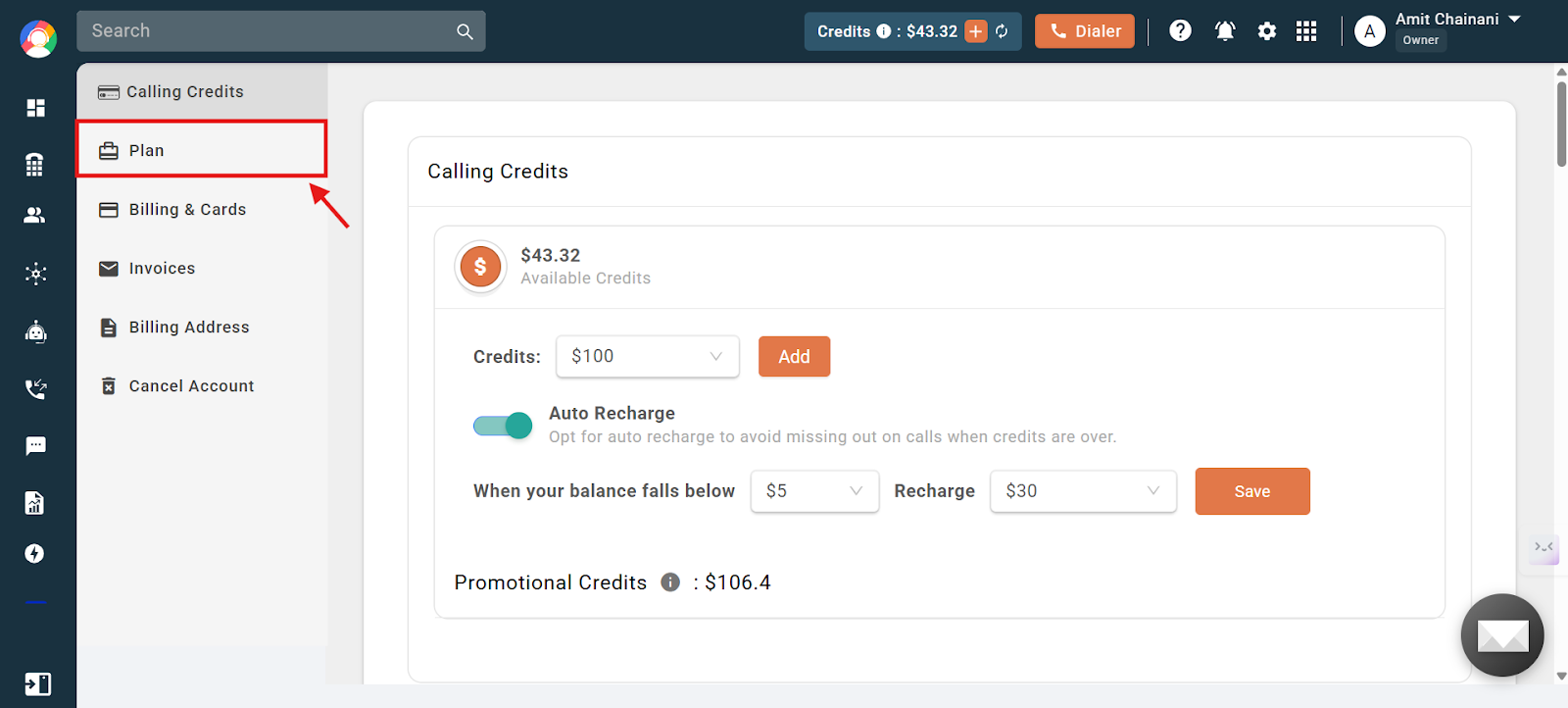
- Click on the Plan option and then scroll down a little.
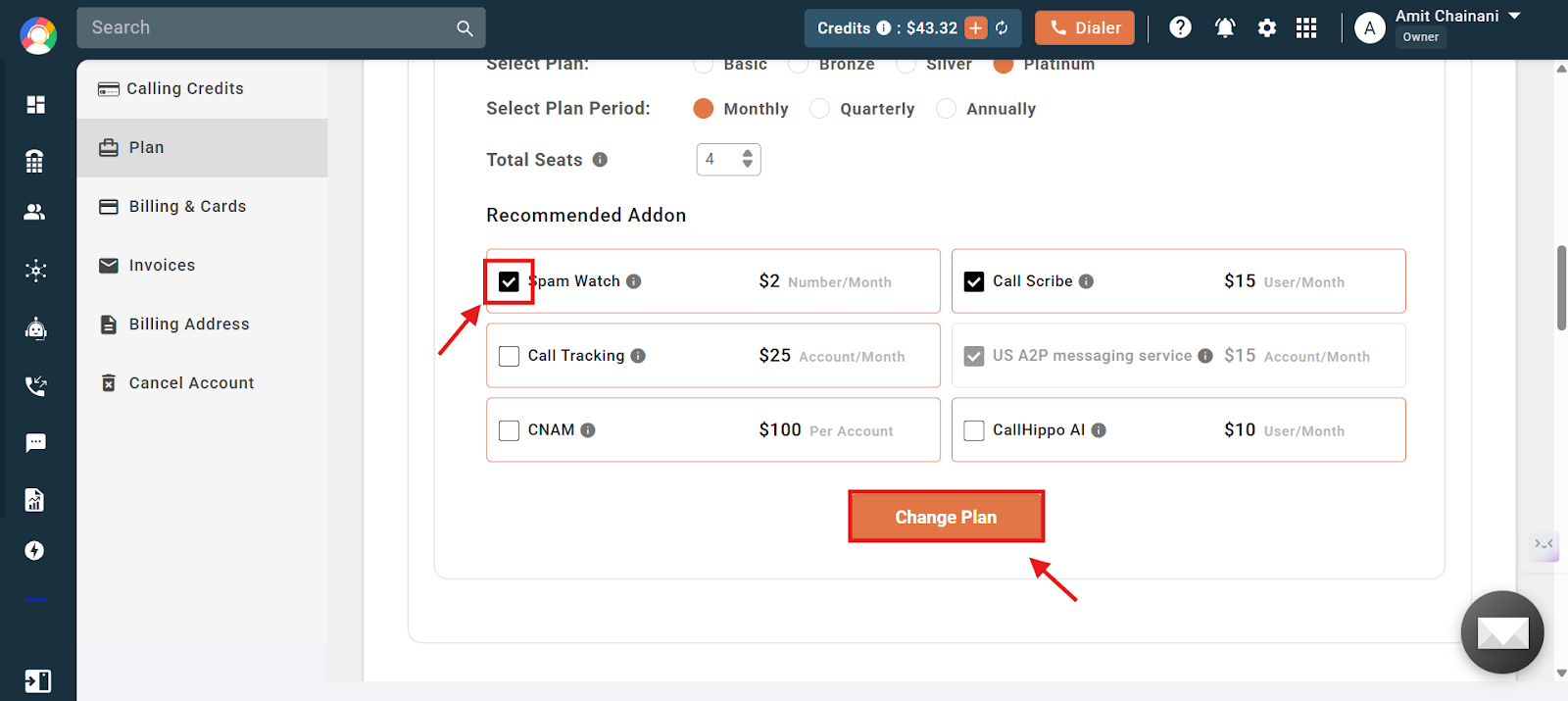
- To purchase the Spam Watch add-on, click on the respective checkbox. The Change Plan button will then become active (red), allowing you to proceed with the update.
- The system will show a dialog box with the prices applicable for Spam Watch. Click on Yes to proceed with the purchase.
Note: The add-on charges are $2 per number/month. Total charges are calculated based on the number of US/CAD numbers in the account.
How to check Spam Watch on your US and Canada numbers
- Log in to your CallHippo dashboard.
- Navigate to the Numbers and DID section on the left side of the screen and then click on Numbers.
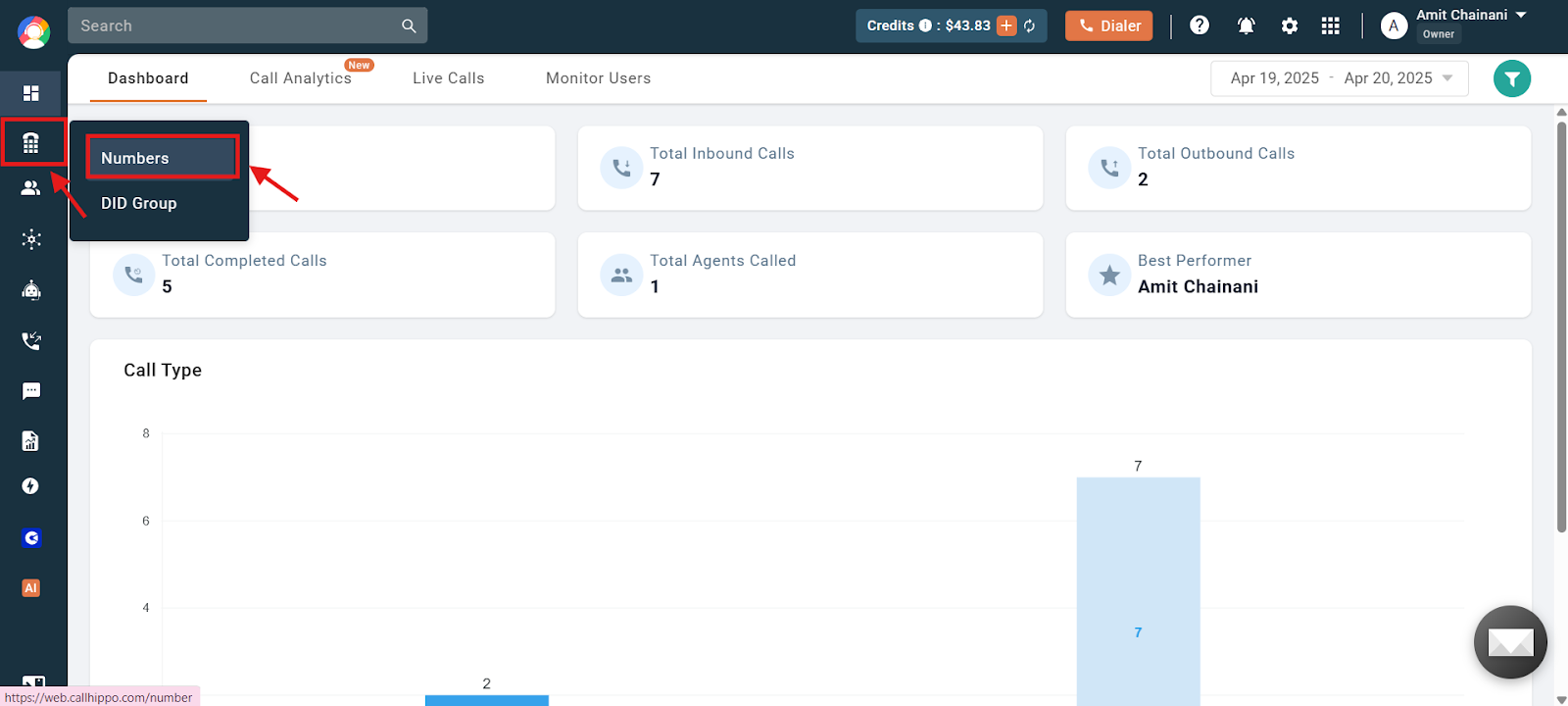
- Check the status shown in the Spam column for each number.
The Spam column can show one of three statuses:
- Yes — The number has been marked as spam. It is now time to take the necessary action.
- Not Spam — The number has not been marked as spam and can still be used.
- NA — The add-on does not apply to this number. Spam status is only checked for US/CAD numbers.
Get notified via email: You will be notified whenever one of your numbers is spammed through an email notification.
Precautions to avoid number spamming
To prevent your other number(s) from being marked as spam, consider adding more numbers to your account and activating CallHippo’s Auto Rotate.
What is CallHippo’s Auto Rotate? Auto Rotate automatically rotates your “From Number” on every call. This increases call connect rates because customers see a different number each time you call them. Learn more in our guide: What is CallHippo’s Auto Rotate?
Frequently asked questions
What is Spam Watch, and why would I need it?
Spam Watch is an add-on that helps you monitor whether your US or Canadian phone numbers have been marked as spam. This protects your call pickup rate and reputation by alerting you if your number is flagged.
How do I know if my number has been marked as spam?
You can check this in the “Numbers and DID” section of your CallHippo dashboard. If it shows “Yes” under Spam, the number has been marked as spam.
Will I get notified if one of my numbers is marked as spam?
Yes, CallHippo will send you an email alert if any of your US or Canadian numbers get flagged as spam.
Will Spam Watch clean or unflag numbers already marked as spam?
No, Spam Watch is a monitoring tool. It alerts you about spam status but does not remove the spam tag. You will need to take action on your end to address the issue.
How can we do a spam check for our numbers?
To check if your numbers are marked as spam, log in to your CallHippo dashboard, go to the “Numbers and DID” section, and view your numbers. Under the “Spam” column, you will see one of three statuses: “Yes” (number is spammed), “Not Spam” (number is safe), or “NA” (not applicable, usually for non-US/CAD numbers).
How do we avoid getting our numbers flagged as spam?
You can reduce the chances of being flagged by adding more numbers to your account and enabling CallHippo’s Auto Rotate feature, which changes your caller ID for every call to avoid overusing a single number.
Will Spam Watch work for “likely” or “suspected” spam tags shown on mobile phones?
No, Spam Watch does not monitor or detect numbers tagged as “likely spam” or “suspected spam” by mobile carriers. It only detects confirmed spam status for US and Canadian numbers.
Do you have the Spam Watch feature available to check the number’s health?
Yes, Spam Watch can be enabled as an optional add-on. Once active, it monitors the spam status of your US and Canadian numbers and provides visibility into whether your number has been flagged.
How does the Spam Watch feature work?
Spam Watch checks your US/CAD numbers and updates their spam status within the dashboard. If a number is marked as spam, you will see it reflected under the “Spam” column and also receive an email notification so you can take action promptly.
We hope this helps. If you still have questions, feel free to reach out at [email protected].