
Streak lives inside Gmail, and connecting it to CallHippo brings your calling and contact data right into the same inbox where you manage your pipelines.
Get your Streak API key
CallHippo links to Streak using your Streak API key, so grab it first.
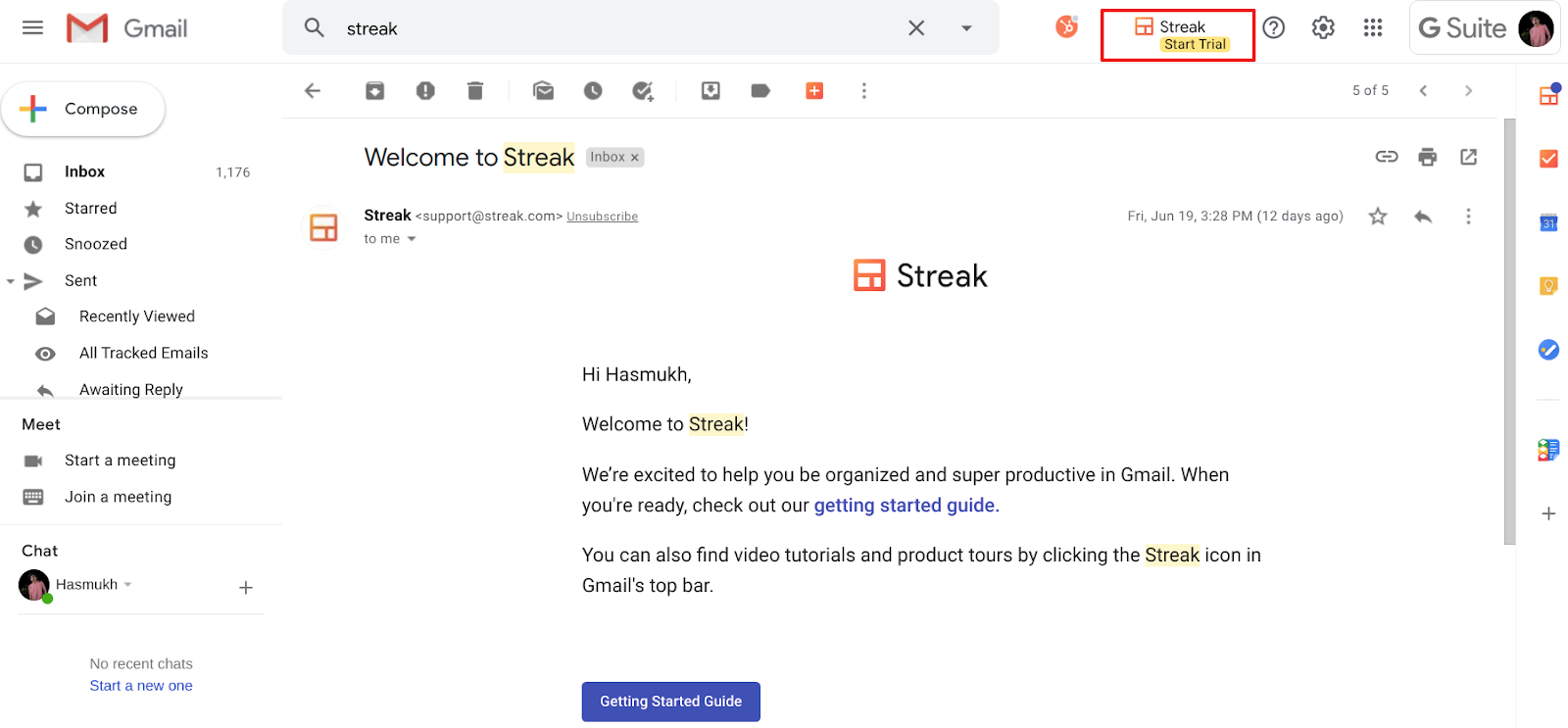
- Log in to your Streak account and open Gmail.
- Add the Streak extension to your browser if you haven’t already, then click the Streak icon in the Gmail top bar.
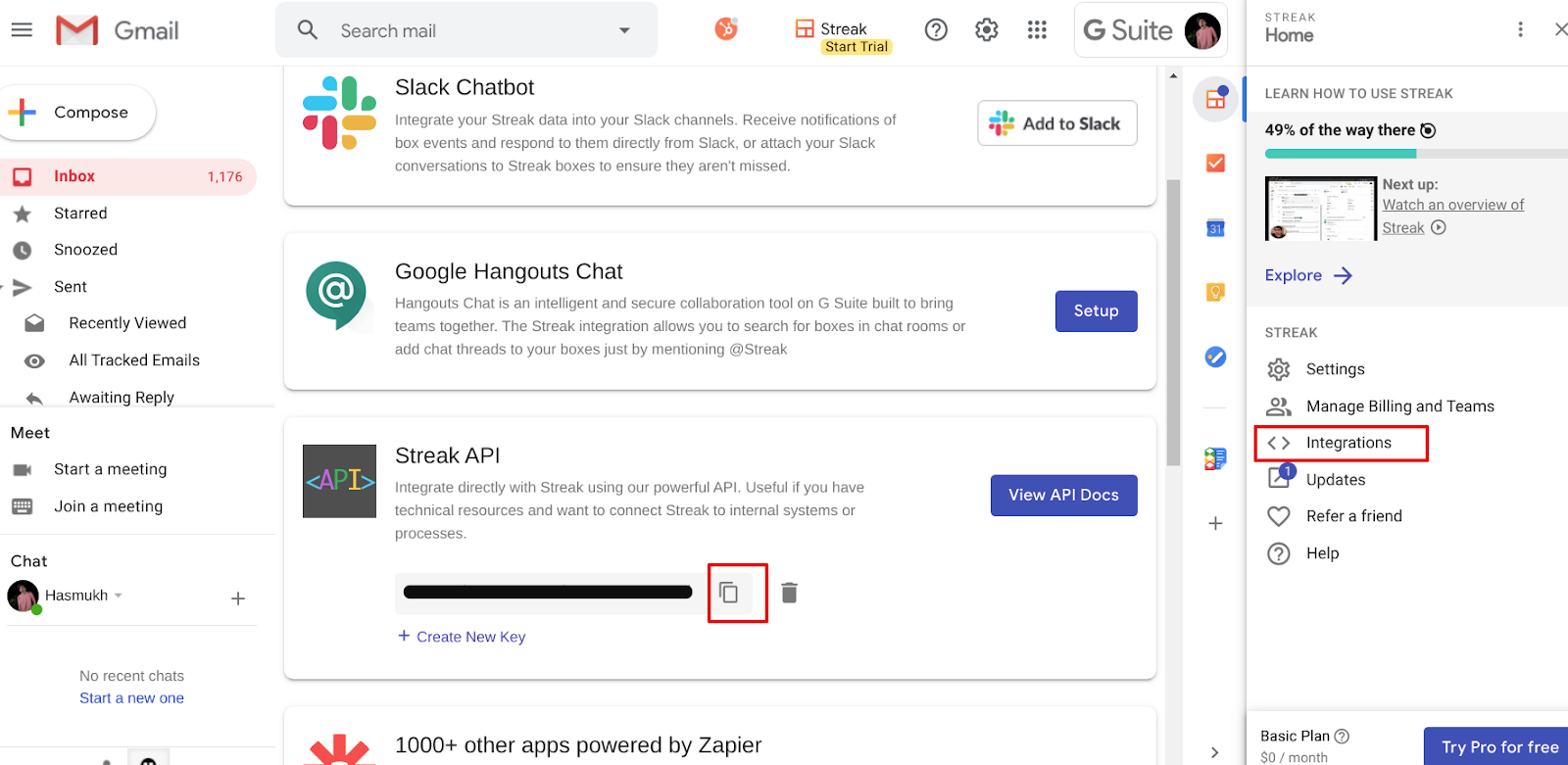
- Open Integrations and copy your Streak API key. Save it somewhere handy.
Connect Streak in CallHippo
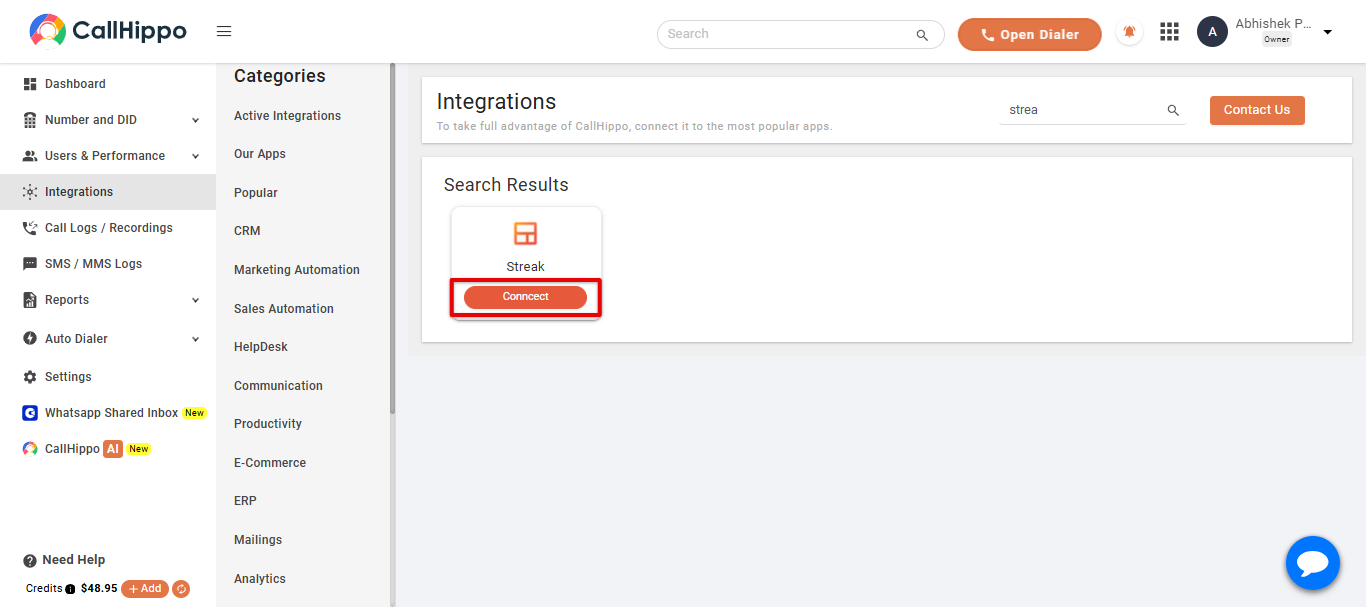
- Log in to your CallHippo account and open the Integrations tab.
- Search for Streak and click Connect.
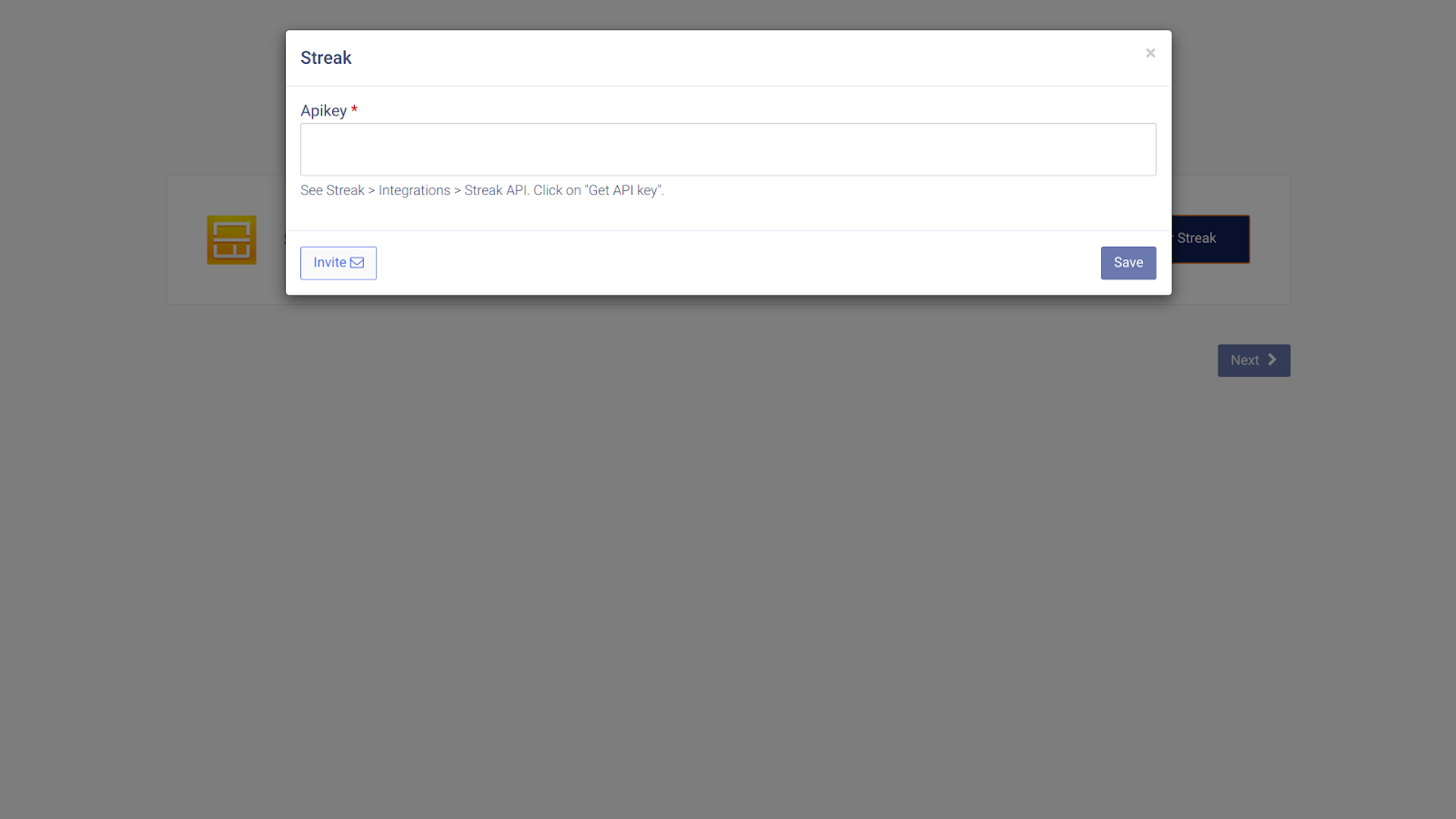
- Paste the API key you copied earlier and click Save.
- When you see Datasource is linked, click Ok.
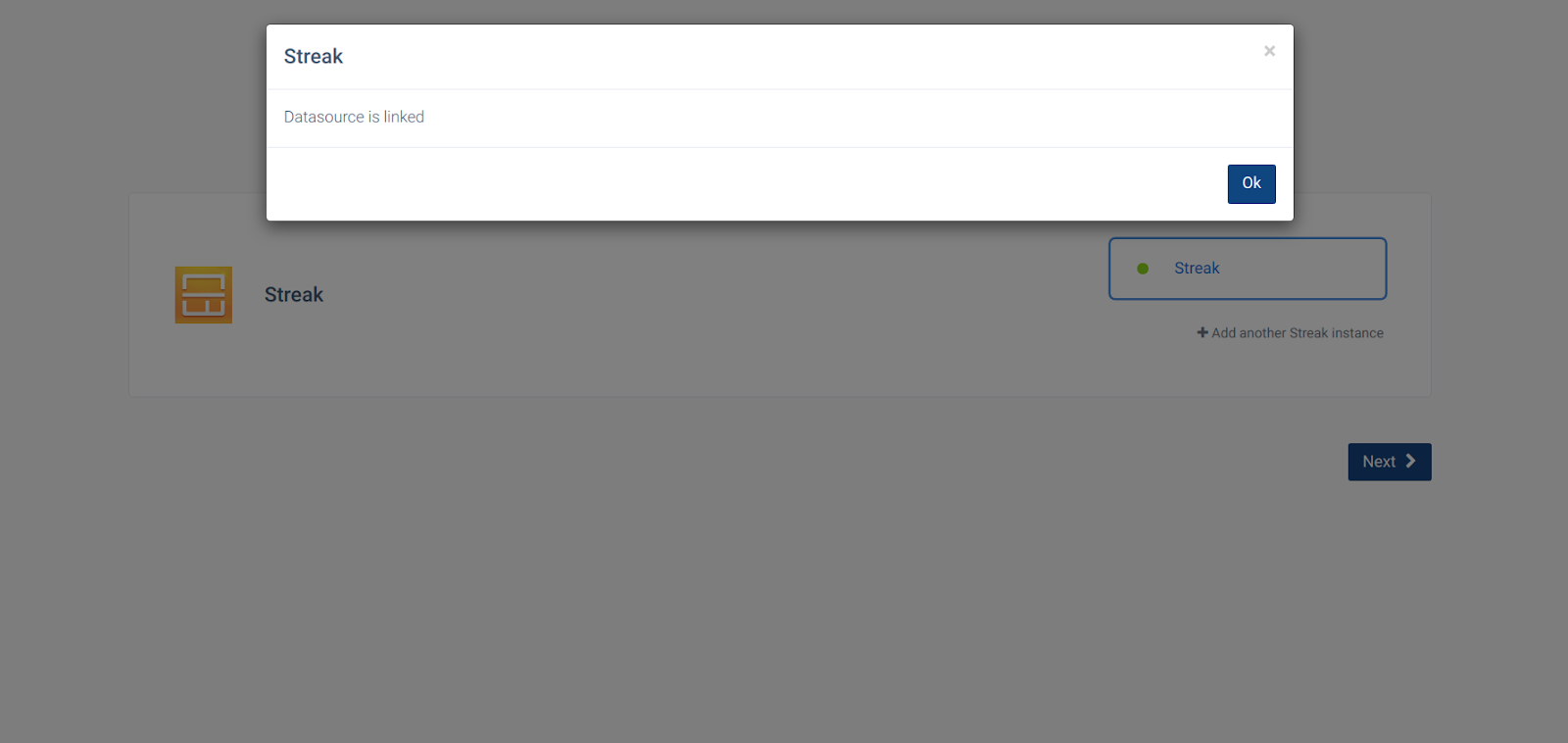
- Click Next. You are returned to your CallHippo account and the status changes to Integrated.
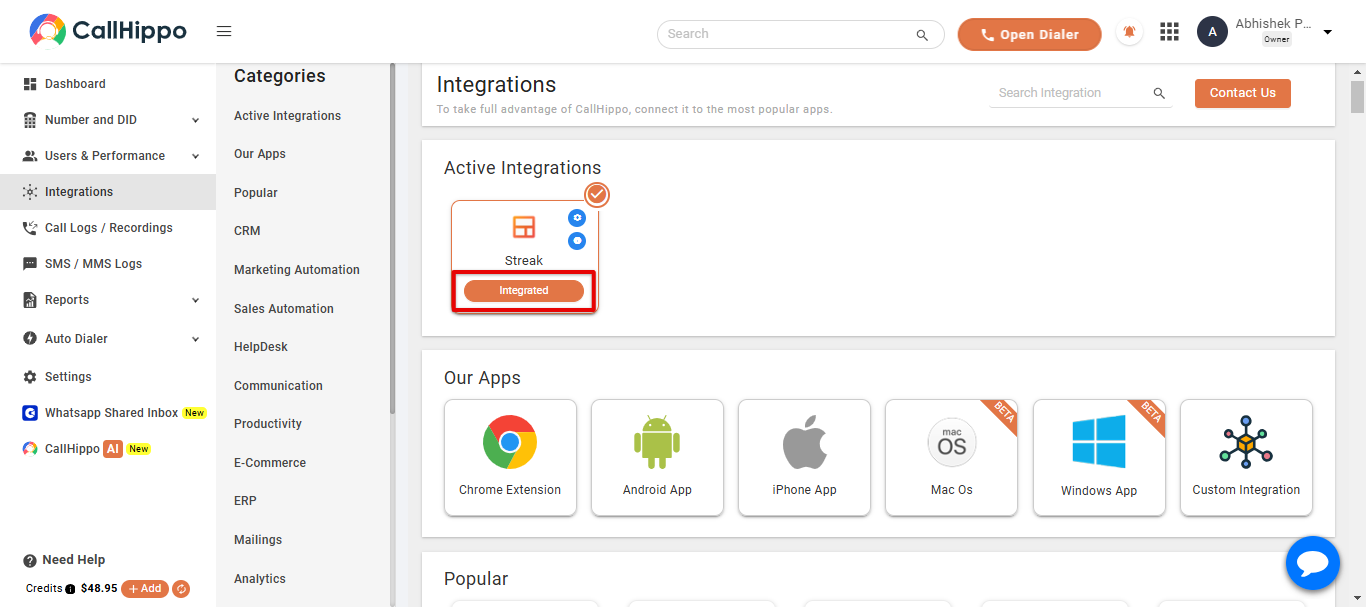
Your Streak account is now successfully integrated with CallHippo.
Where do I find the API key in Streak?
Open Gmail, click the Streak icon in the top bar, go to Integrations, and copy the Streak API key shown on that page.
The popup says the datasource isn’t linked. What now?
Double-check that you pasted the full API key with no extra spaces, then click Save again. If it still fails, generate a fresh key in Streak and retry.
Stuck on any step? Email us at [email protected] and we’ll walk you through it.