
Some countries require address verification before a phone number can be used to make or receive calls. If your number’s verification is still pending, you can upload the required address proof directly from your CallHippo dashboard. This guide walks you through the process step by step.
Before you begin
Keep the following in mind before uploading your documents:
- You must have already purchased a number that requires address verification.
- A number with pending verification is marked with an orange icon on the Numbers page.
- Numbers with a Pending status cannot make or receive calls until verification is complete.
Steps to upload address proof
- Log in to the CallHippo web application at web.callhippo.com.
- Click Number and DID on the left-hand side panel.
- In the dropdown, choose Numbers.
- Click the Add Number button on the right side of the page if you need to review your purchased numbers.
- In the Numbers section, look for an orange icon just beside the number. This indicates that address verification is pending.
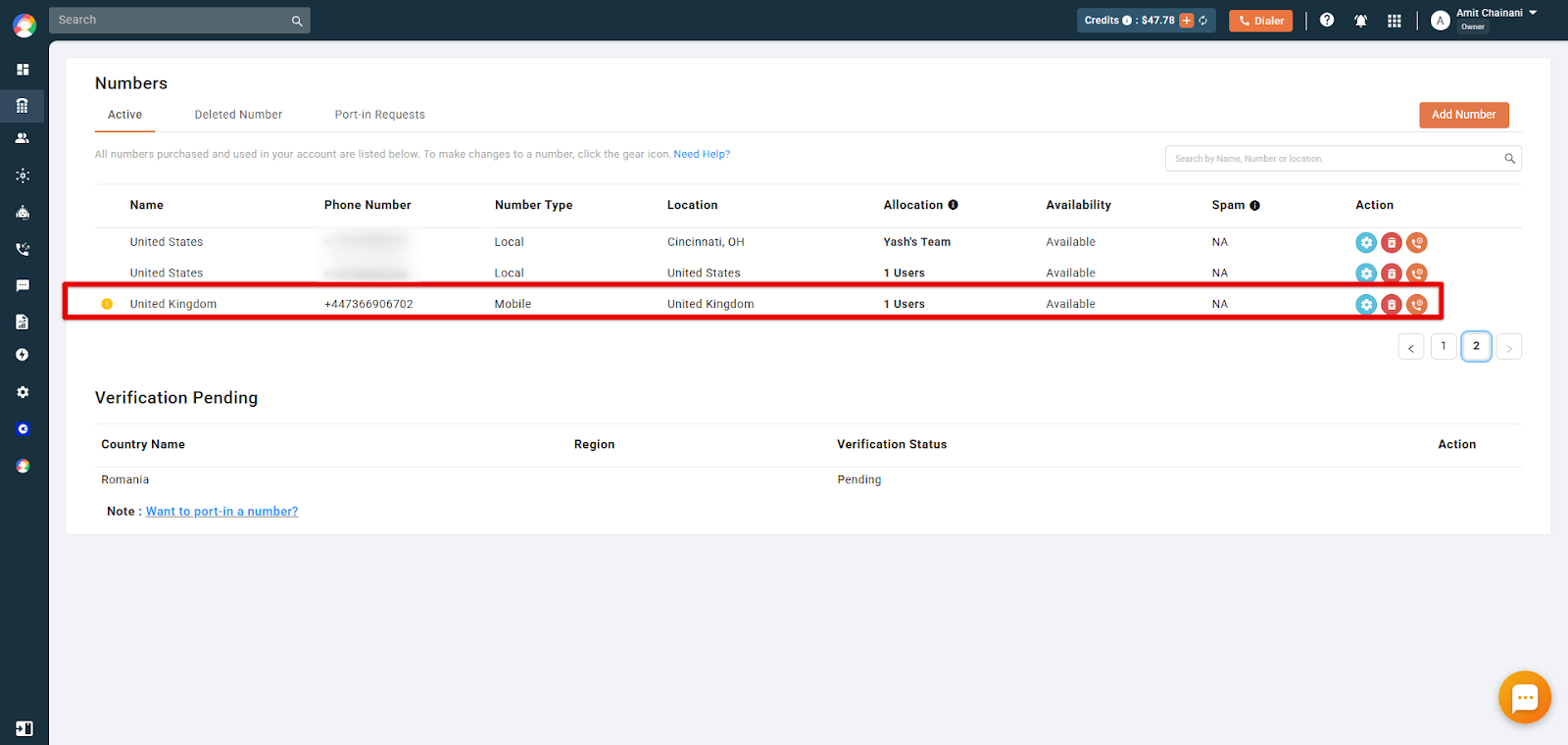
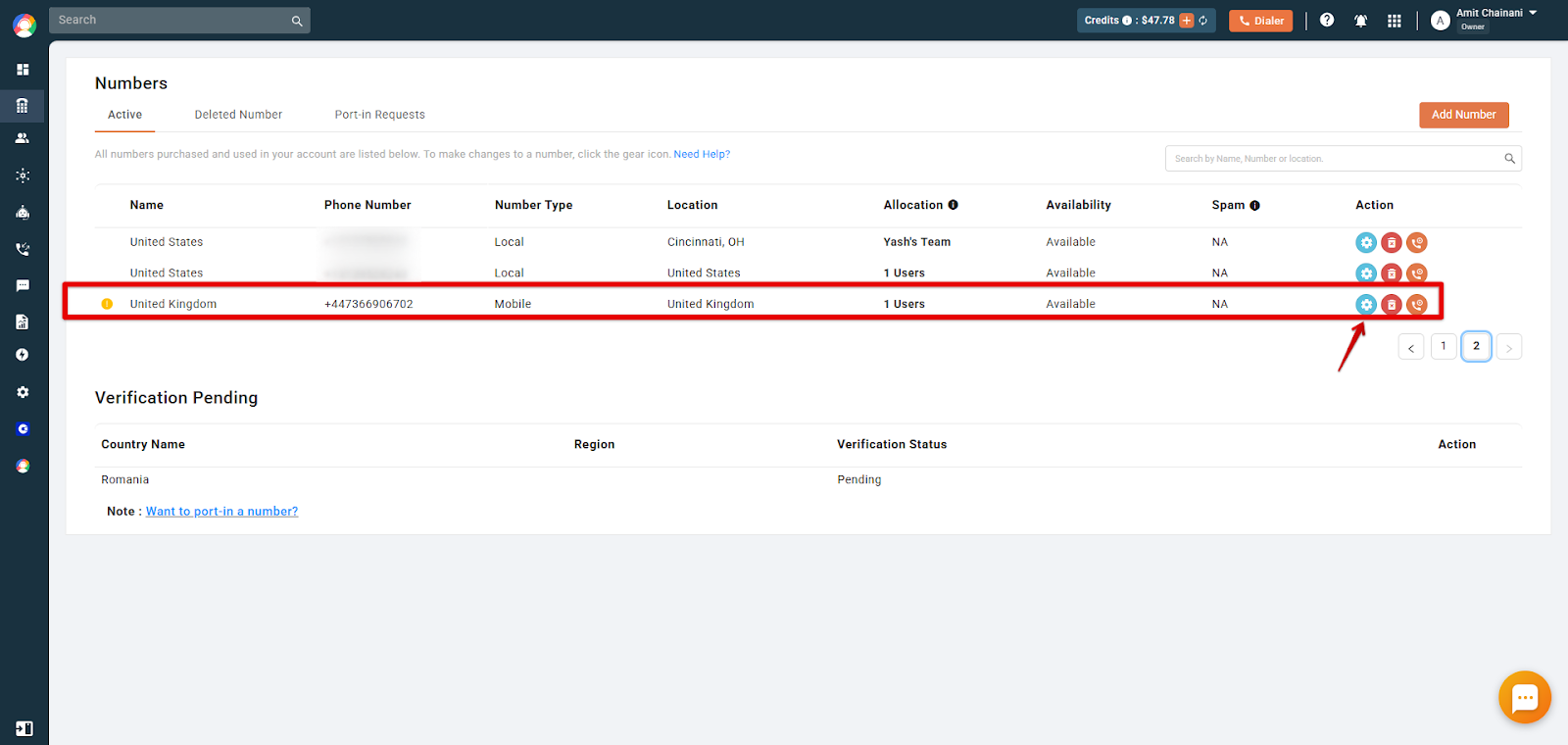
- Click the blue gear icon next to the number for which you want to upload the address proof.
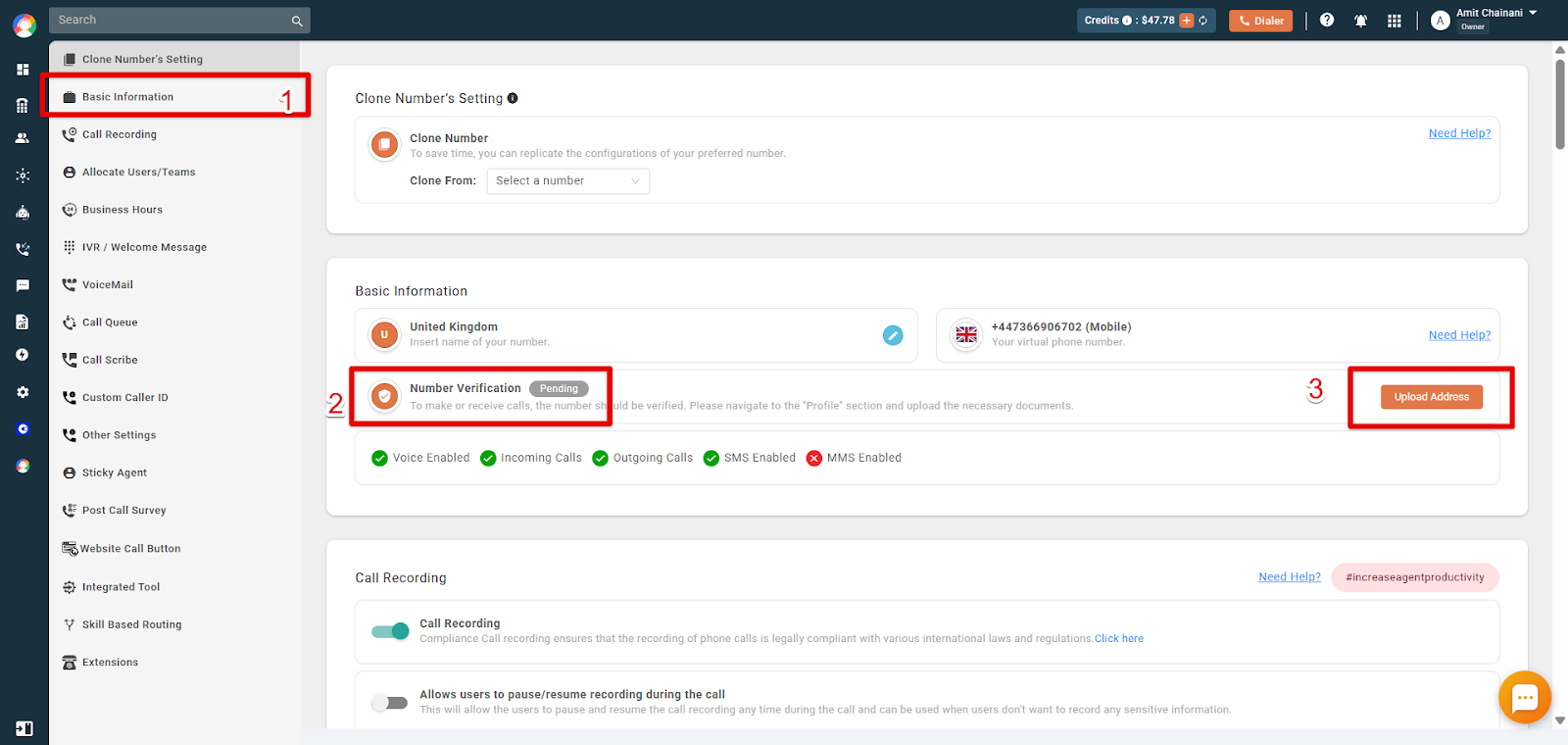
- You will be taken to the number settings page. Select Basic Information, where the Number Verification status is displayed as Pending. Next to it, click Upload Address and add the necessary document for number verification.
What happens next
Once your document is submitted, the CallHippo team reviews it for verification. After approval, the pending status is cleared and your number becomes fully active for making and receiving calls.
We hope this helps. If you still have questions, feel free to reach out at [email protected].