
CallHippo connects with 100+ business tools such as CRMs, helpdesks and communication apps, so your calling and customer data stay in sync automatically.
What Integration Means in CallHippo
An integration links CallHippo with the software you already use. Once you connect a CRM, all of your CRM contacts are synced with CallHippo and appear directly in the CallHippo dialer. Every call you make or receive is logged in both CallHippo and the connected CRM, so your records stay complete on both sides.
Key Benefits
- Contact sync: your CRM contacts are automatically available inside the CallHippo dialer.
- Two-way call logging: call logs are saved in both CallHippo and your CRM.
- Click to Call: place calls in a single click straight from your CRM, with no copy-pasting or switching tabs.
Where to Find Integrations
- Open your CallHippo dashboard.
- Navigate to the Integrations section on the left-hand menu.
- Browse the 100+ available tools and connect the ones you use.
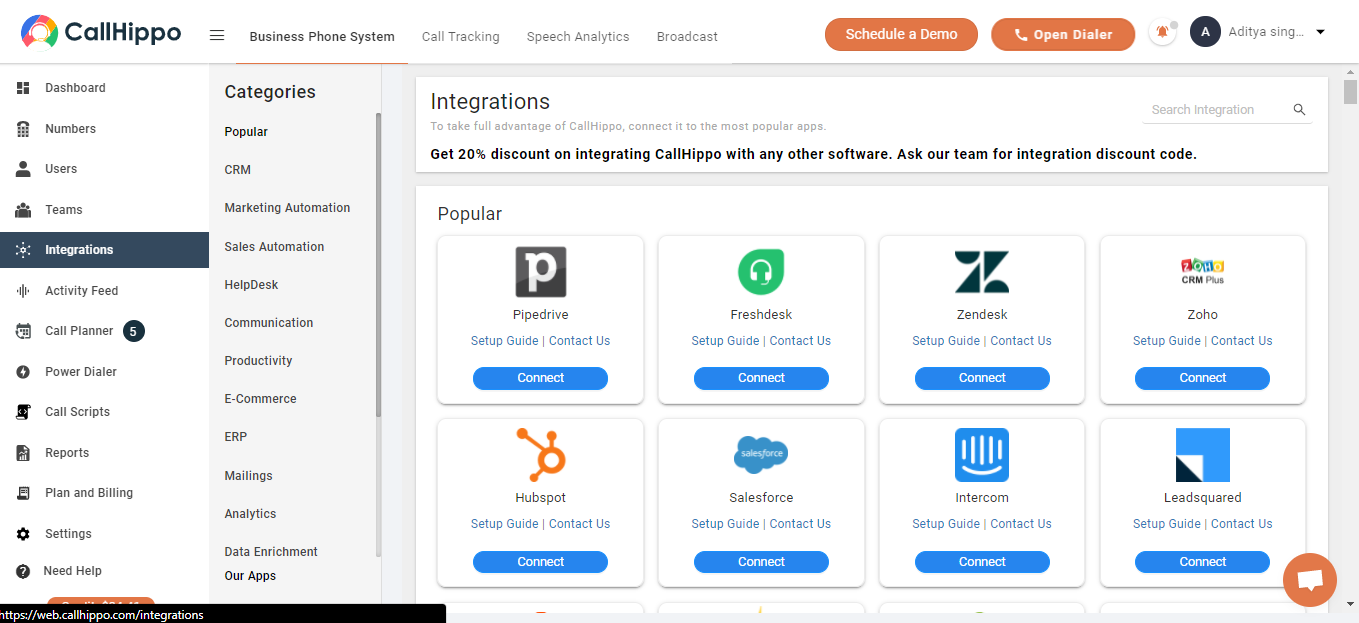
You can also explore the full list of supported apps in the CallHippo App Marketplace.
Not sure which integration fits your workflow? Ask our team at [email protected].