
A post-call survey lets you gather immediate feedback from customers right after an interaction. Delivered through your Interactive Voice Response (IVR) system, these surveys present callers with predefined questions so they can share insights into their experience, giving you real-time data to assess service quality and identify areas for improvement.
Why post-call surveys matter in VoIP software
Integrating post-call surveys into your VoIP system offers several benefits:
- Real-time feedback: Captures customer sentiment immediately after the interaction, ensuring accuracy and relevance.
- Service quality assessment: Provides direct insight into the customer’s perspective, helping you evaluate and enhance service delivery.
- Continuous improvement: Identifies specific areas where agents or processes may need development, fostering ongoing enhancement.
- Customer engagement: Demonstrates a commitment to valuing customer opinions, leading to increased satisfaction and loyalty.
How to enable the post-call survey in CallHippo
Please note that this feature applies solely to incoming calls. Follow these steps:
- Log in to your CallHippo account.
- Click on Number and DID, then navigate to the Number Settings.
- Open Number Settings: Locate the specific number for which you wish to enable the survey, then click the Settings (gear) icon adjacent to that number.
- Enable Post Call Survey: In the settings menu, navigate to the Post Call Survey section and toggle the option on the right-hand side to Enable.
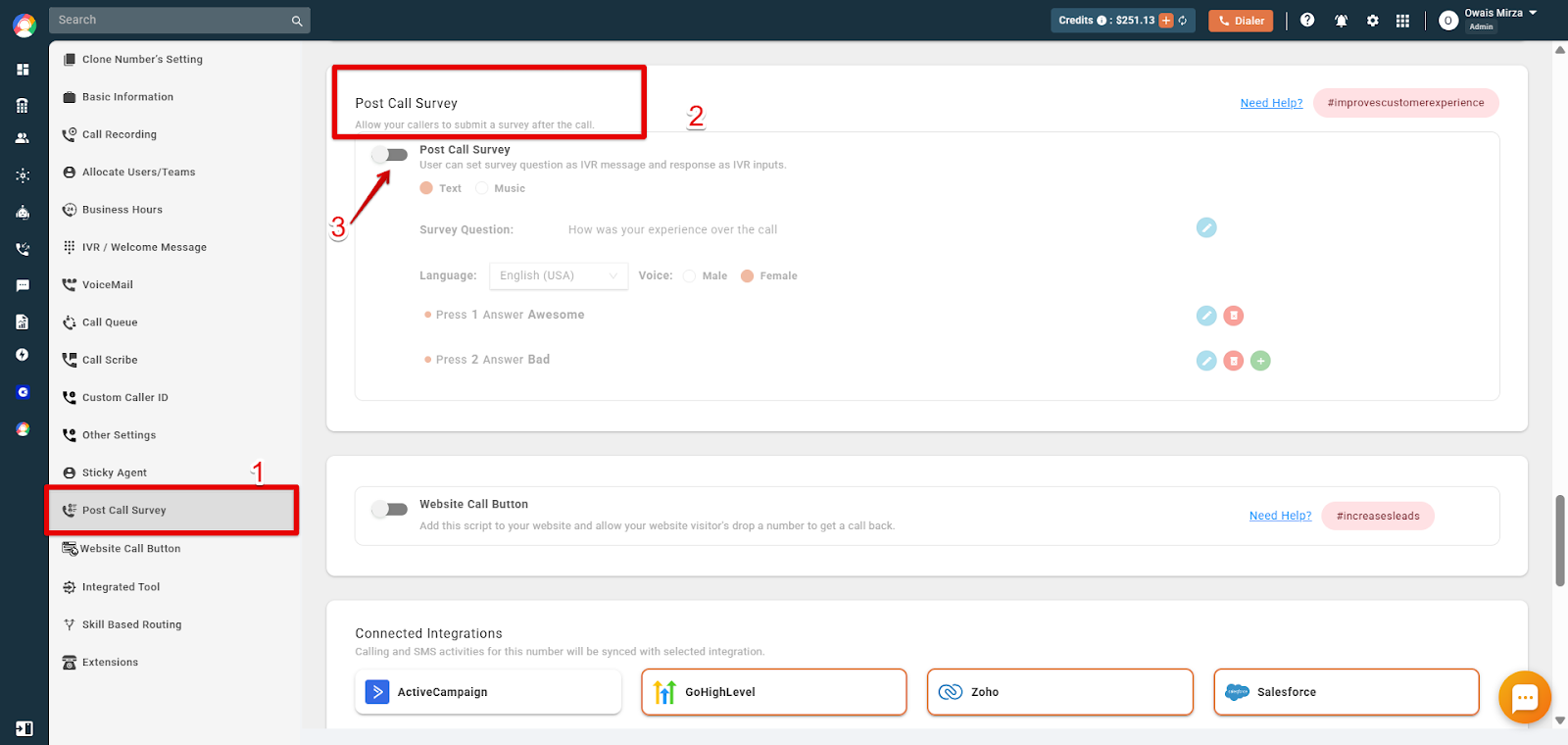
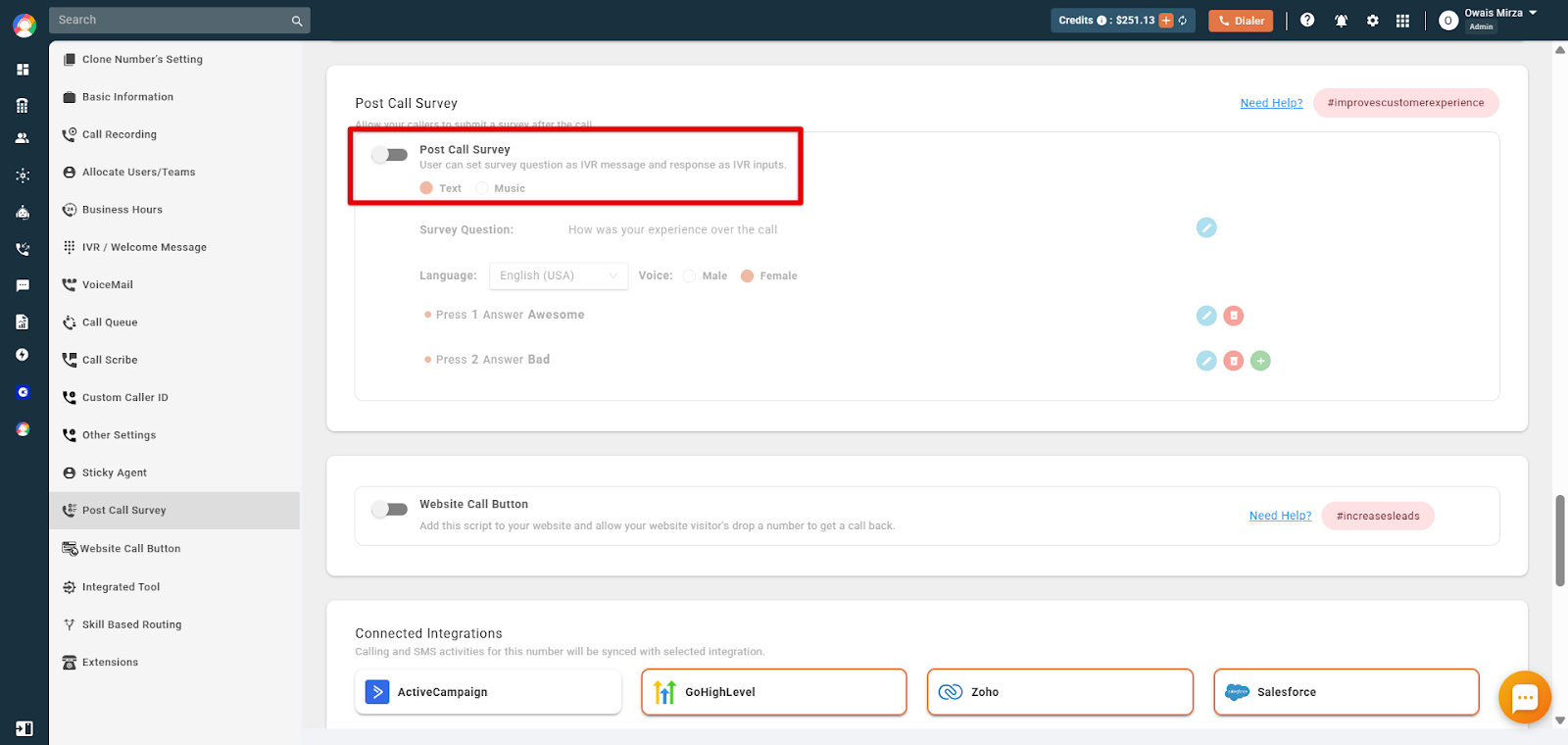
- Configure the survey message and options:
- Message Format: Choose between Text (converted to speech) or Music (upload a pre-recorded audio file).
- Voice Selection: Select the preferred voice type, such as male or female.
- Survey Content: Draft the questions you intend to ask callers.
- Response Mapping: Assign specific keypad responses (for example, Press 1 for “Satisfied,” Press 2 for “Dissatisfied”).
- Save changes: After configuring the survey, click Save to apply the settings.
How to access survey responses
To review the feedback collected from your post-call surveys:
- Navigate to the Call Logs / Recording section in the dashboard.
- View survey responses: Locate the specific call entry and click the Information (“i”) icon associated with the call.
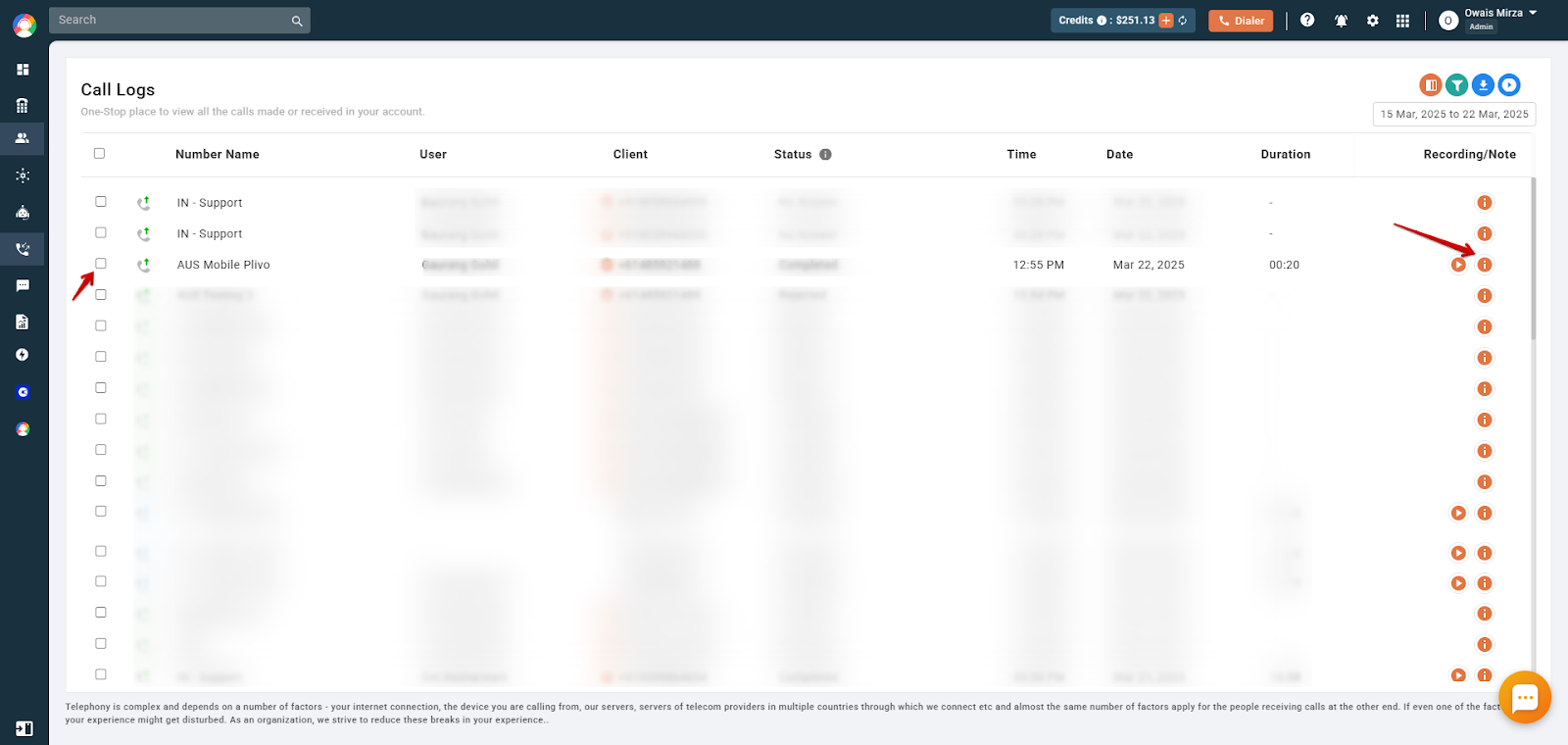
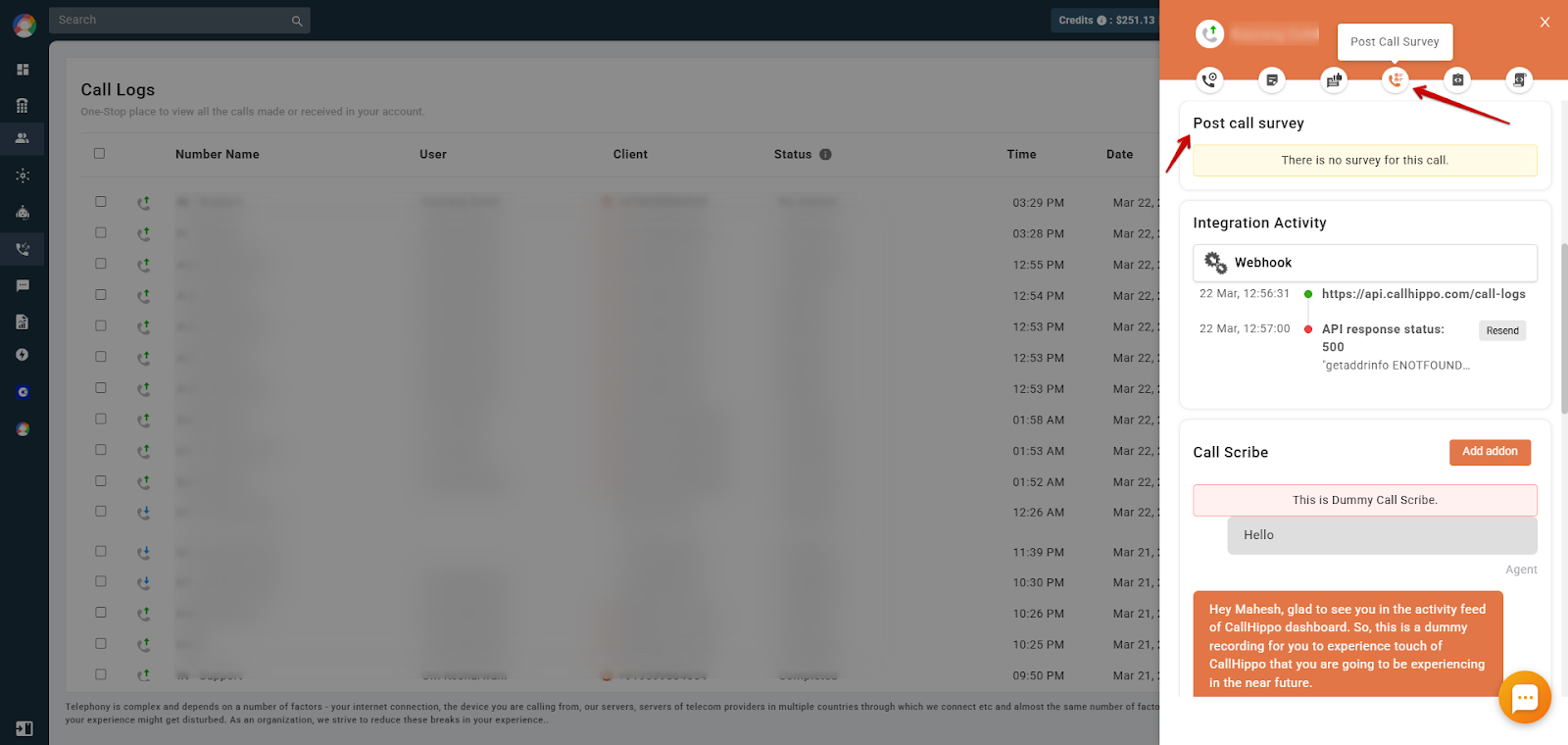
- Select the Post Call Survey icon to view the customer’s responses.
Frequently asked questions
- Is the post-call survey feature available on all CallHippo plans? No, this feature is exclusive to the Platinum plan.
- Can I customize the survey questions? Yes, you can define the questions and assign corresponding keypad responses.
- In what formats can I set the survey message? Messages can be configured in text format (converted to speech) or as audio files.
- How can I access the survey responses? Responses are available in the Call Logs / Recording section of the CallHippo dashboard, under the Post Call Survey icon for each call entry.
We hope this helps. If you still have questions, feel free to reach out at [email protected].