
Call tagging in CallHippo lets you categorize and label calls with mentions and custom tags, making conversations easier to track, review, and analyze. This guide walks you through tagging calls in the web app and viewing those tags later.
What Is Call Tagging?
Call tagging is a feature that allows businesses to categorize and label calls with specific tags or keywords. This helps in organizing calls efficiently, making them easier to track, review, and analyze. In CallHippo, you can tag calls by adding:
- @ to mention users or teams.
- # to assign custom-created tags.
How to Tag a Call
To efficiently tag calls and enhance call management in CallHippo, follow these steps:
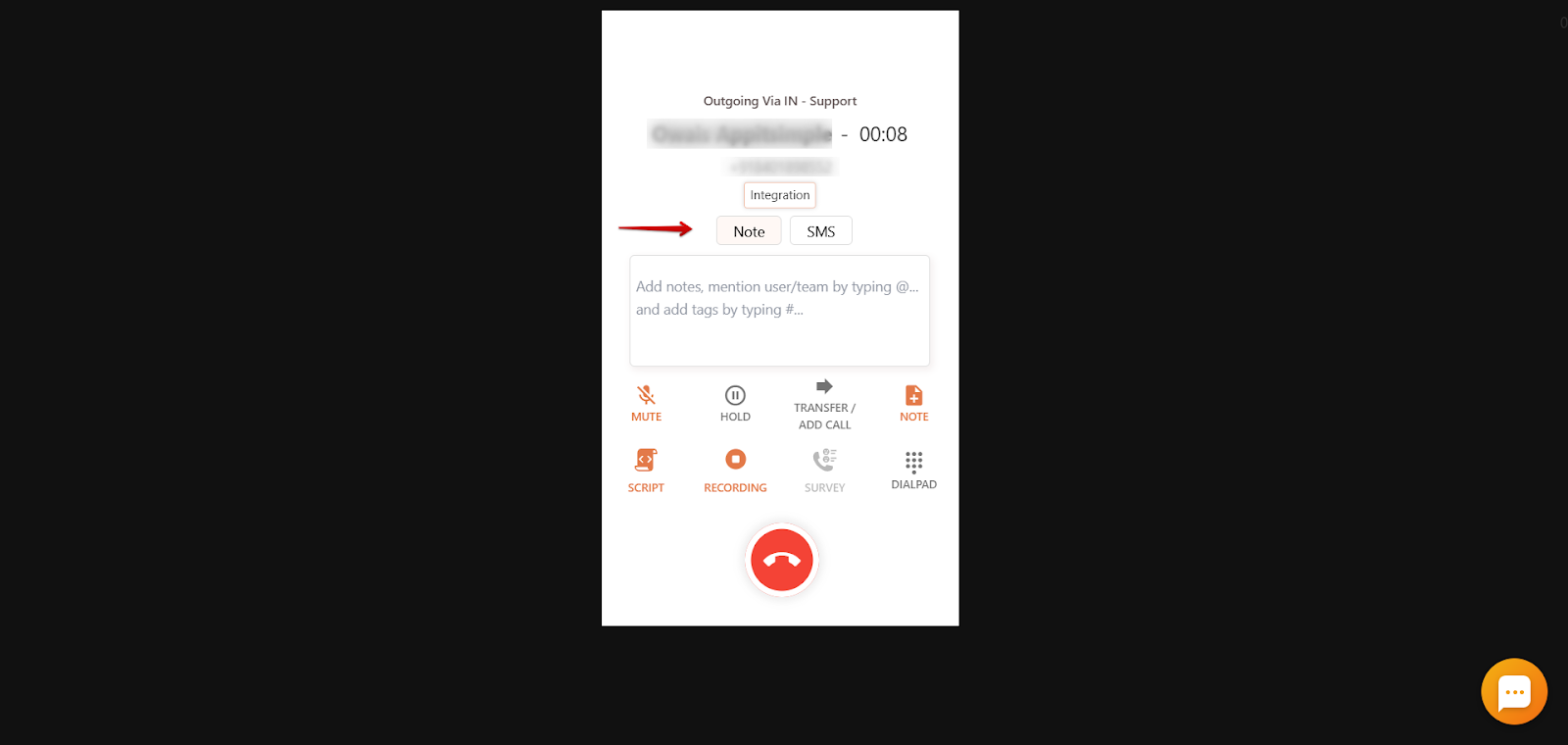
- During an incoming or outgoing call: Locate the Note section within the CallHippo dialer interface. To mention a user or team, type @ followed by the user’s or team’s name. To add a custom tag, type # followed by the desired tag name.
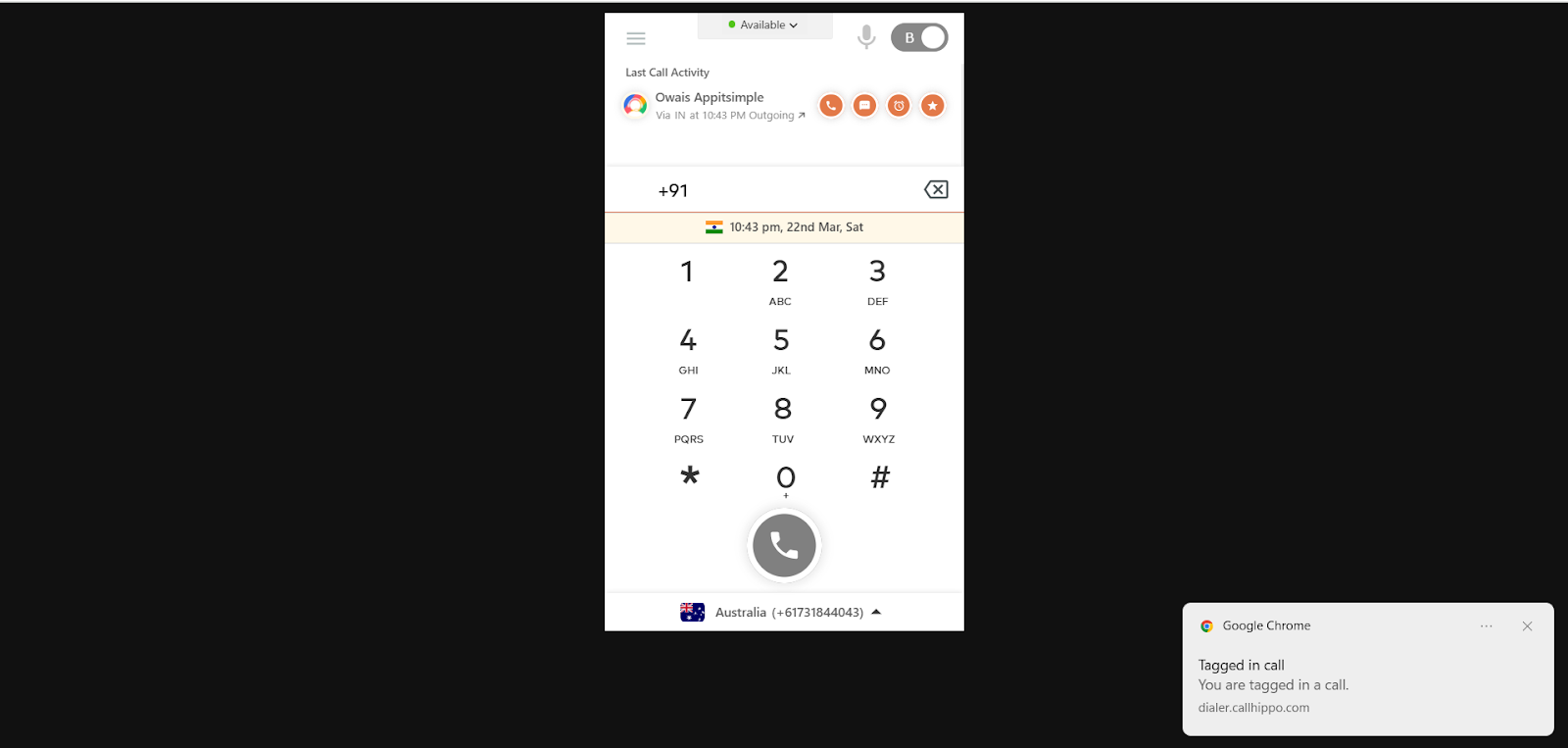
- Notification of tagging: The tagged user will receive a push notification via the web app, informing them of the mention.
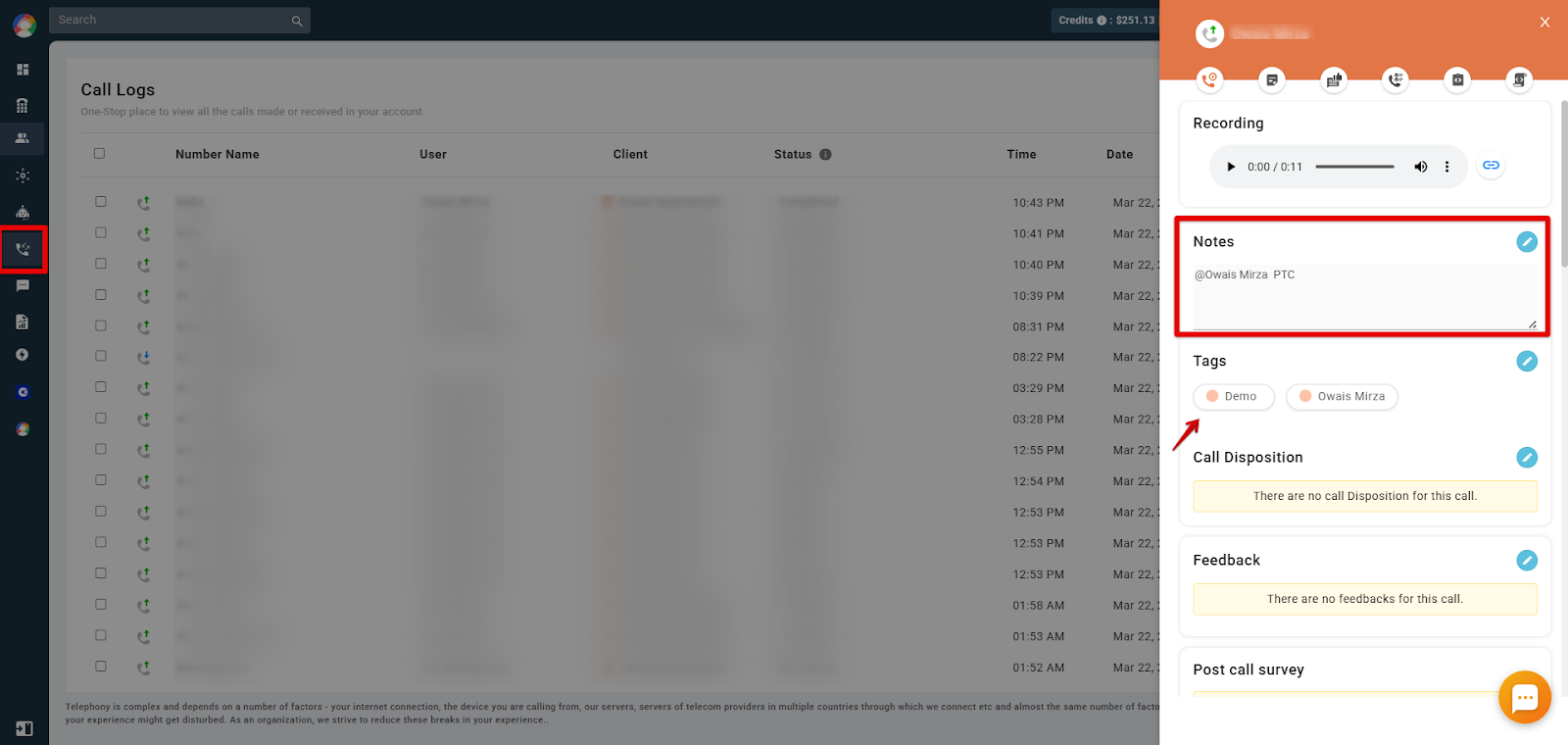
- Viewing tags in Call Logs / Recordings: Navigate to the Call Logs or Recordings section. Click the i (information) icon associated with the specific call to view the applied tags.
Why Call Tagging Matters for Your Business
Call tagging allows businesses to categorize and label calls for better organization. With call tags, you can quickly identify, track, and prioritize calls based on their importance. This makes managing large volumes of calls easier, helping teams stay productive.
Frequently Asked Questions
- What is call tagging? Call tagging is a feature that allows you to categorize and label calls for better organization. With call tags, you can quickly identify, track, and prioritize calls based on their importance.
- How can I create custom tags in CallHippo? To create custom tags, go to your CallHippo dashboard, navigate to Settings, and select Tags. Here, you can define new tags that can be used during call tagging.
- Can I make call tagging mandatory for all calls? Yes, you can enforce mandatory call tagging by enabling the After Call Work feature and selecting the “Make call tagging mandatory in dialer” option. This ensures that agents categorize each call appropriately.
- How do tagged calls appear in reports? Tagged calls are categorized based on the assigned labels, allowing for detailed analysis and reporting. This categorization aids in monitoring call types and agent performance, and in identifying areas for improvement.
We hope this helps. If you still have questions, feel free to reach out at [email protected].