
Live Calls is a feature in CallHippo that allows Admin users to monitor real-time call activities right from the dashboard. It provides an overview of ongoing calls and enables efficient supervision of user interactions, so supervisors can track, assist, and step in whenever needed.
Why monitor live calls?
Monitoring live calls is essential for businesses that want to stay on top of team performance and customer experience. With this feature you can:
- Track active calls in real time to see exactly what is happening across your team.
- Supervise and assist team members during customer interactions.
- Improve call management and optimize workforce efficiency.
- Ensure quality assurance and compliance across every conversation.
Key use cases
- Real-time monitoring: Admins can track how many calls are ongoing at any given time.
- Performance evaluation: Helps supervisors analyze call-handling efficiency.
- Quality assurance: Ensures that team members adhere to communication guidelines.
- Instant assistance: Enables managers to intervene or provide support when needed.
- Workforce optimization: Helps distribute workload by monitoring call volumes.
How to use the Live Calls feature
- Log in to your CallHippo Dashboard.
- Navigate to the dashboard, where the Live Calls option is highlighted in the top menu.
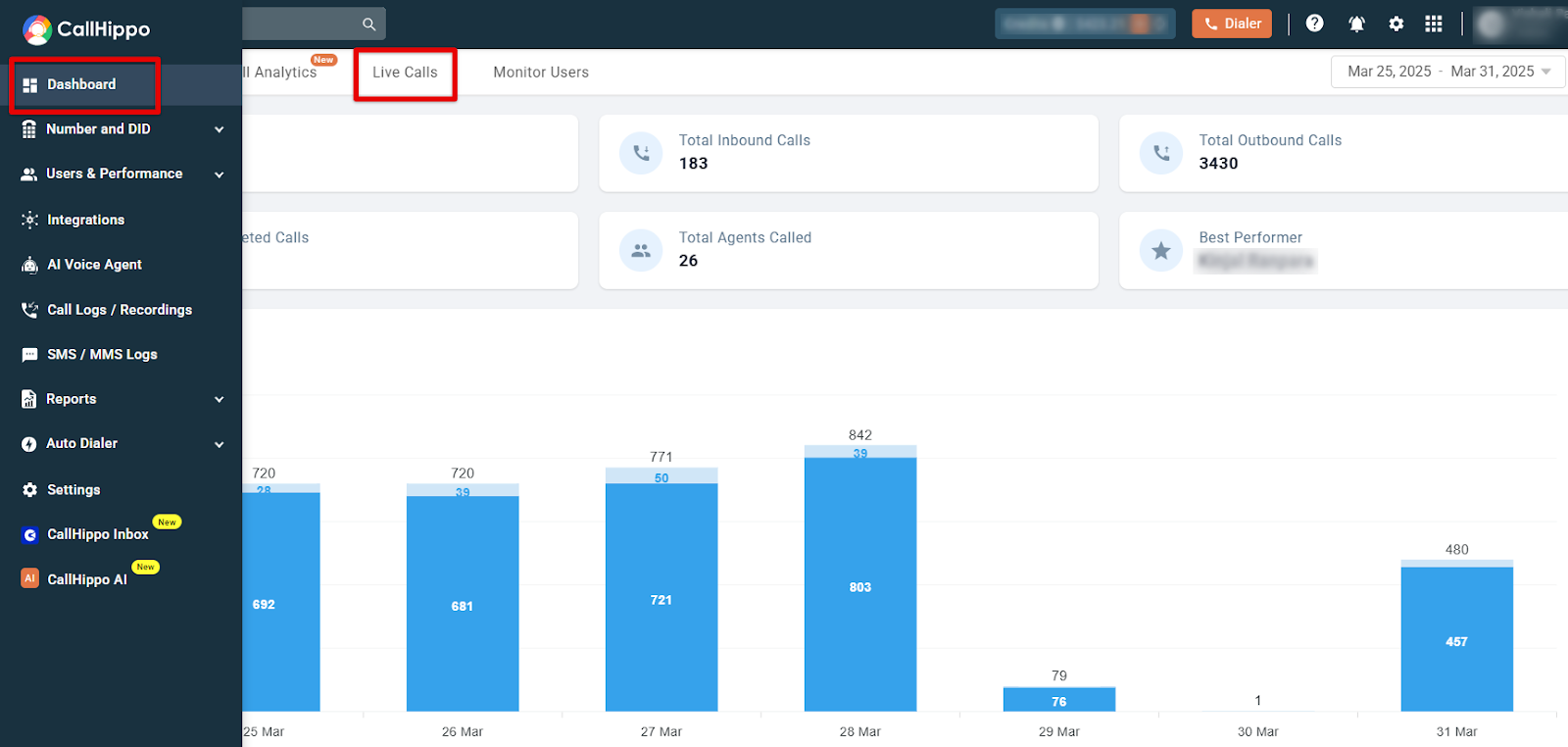
- Click on the Live Calls section to view real-time call activities.
The Live Calls section provides an overview of call activities, including the total number of inbound, outbound, and missed calls. It also displays the average call duration and the number of ongoing live calls, helping admins monitor real-time call performance and team efficiency. From the Action column you can step into an active call to monitor, barge, or whisper as needed.
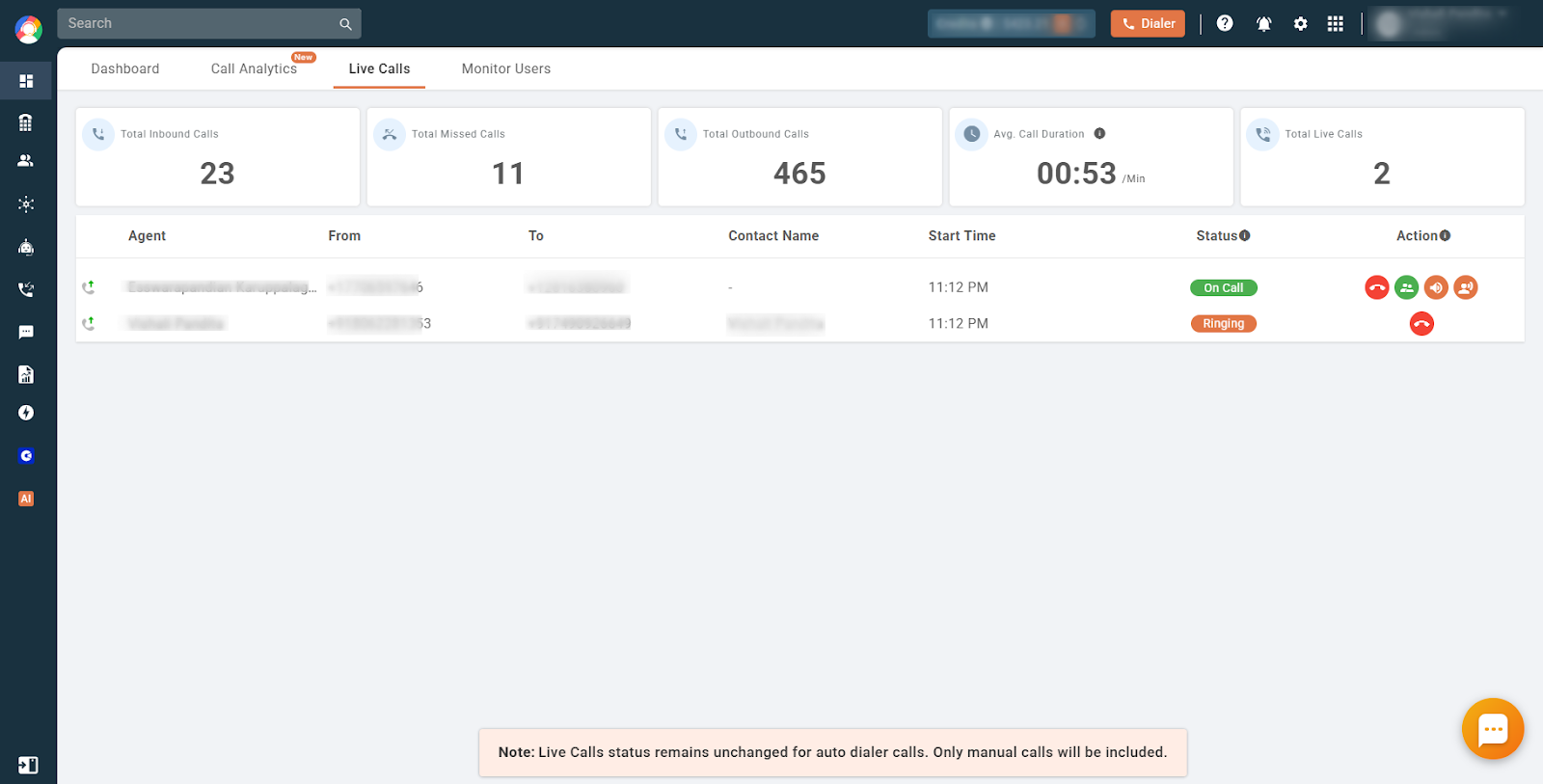
Note: Live Calls status remains unchanged for auto dialer calls. Only manual calls will be included.
Frequently asked questions
Q1: Who can access the Live Calls feature?
Only Admin users / Owner have access by default.
Q2: Can I see call details in the Live Calls section?
Yes, you can view basic details such as the caller, receiver, duration, and status of the call.
Q3: How often is the Live Calls section updated?
The section updates in real time, ensuring accurate monitoring of ongoing calls.
Troubleshooting
Issue 1: Unable to see Live Calls
- Ensure you have the necessary permissions enabled.
- Refresh the dashboard to update real-time data.
- Check your internet connection for stability.
Issue 2: Live Calls data not updating
- Confirm that your browser supports real-time updates.
- Contact CallHippo support if the issue persists for an extended period.
We hope this helps. If you still have questions, feel free to reach out at [email protected].