
In CallHippo, you can create and manage multiple teams by adding sub-users under the Teams section. To ensure client calls are always answered, even when one team is busy, you can enable the Backup Team feature. This automatically forwards incoming calls to another team when the primary team is engaged with other calls.
Note: At least two teams should be there to transfer the call. If you do not have another team created, refer to the article on how to create a team. Once you have more than one team available, you can follow the steps below.
Set up call forwarding to a backup team
- Log in to your CallHippo dashboard.
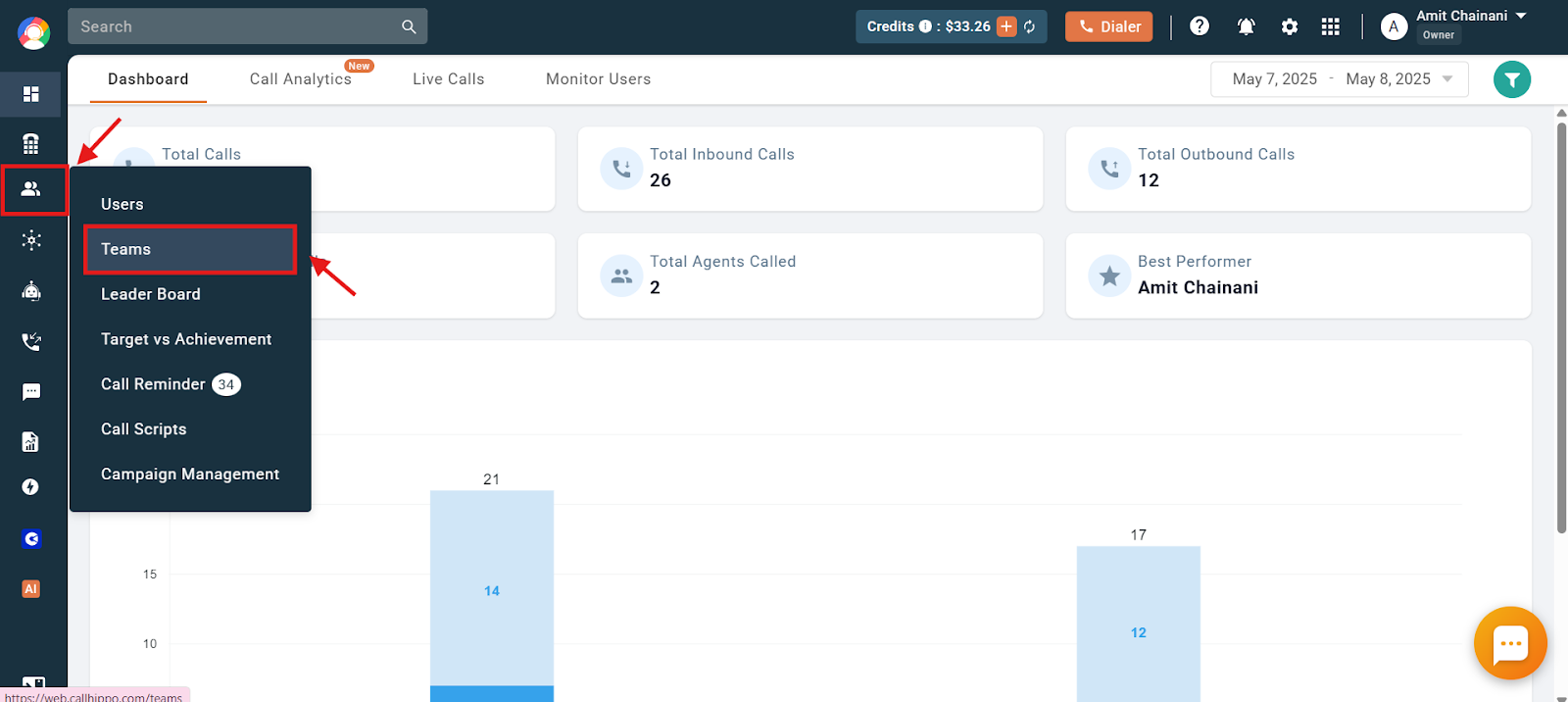
- Navigate to the Users and Performance section and click on Teams.
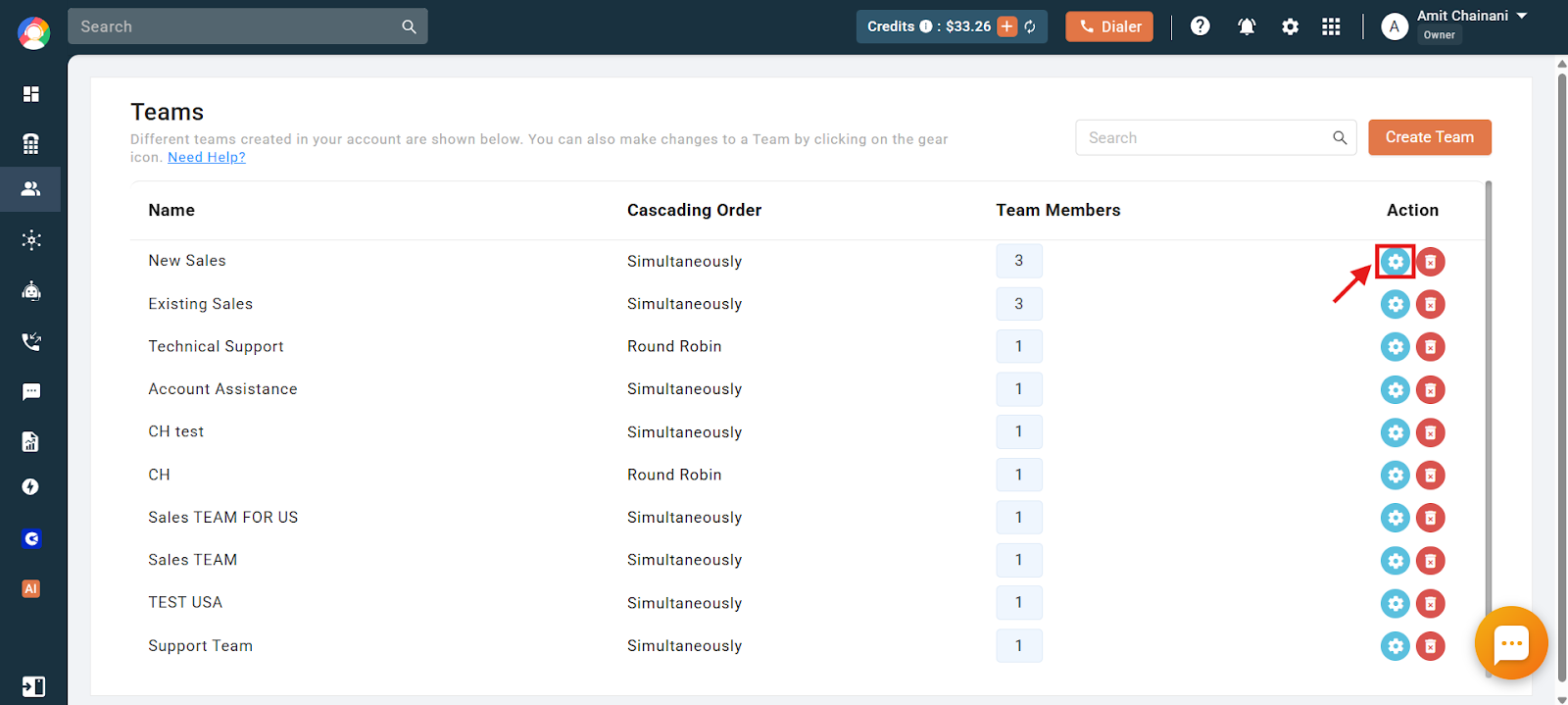
- Click on the Settings icon of any one team from which you want to transfer the call to the other team.
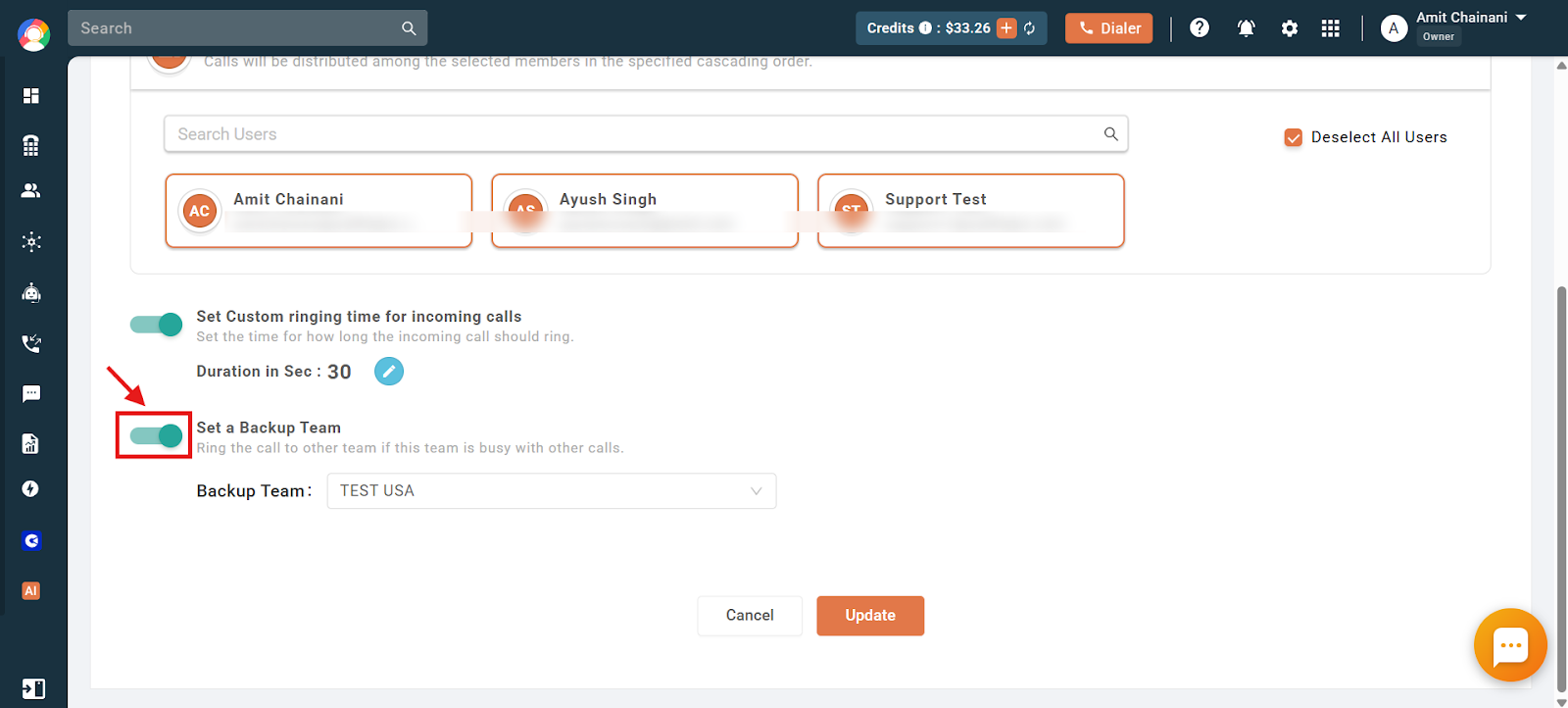
- Click on the toggle to enable the Set a Backup Team feature.
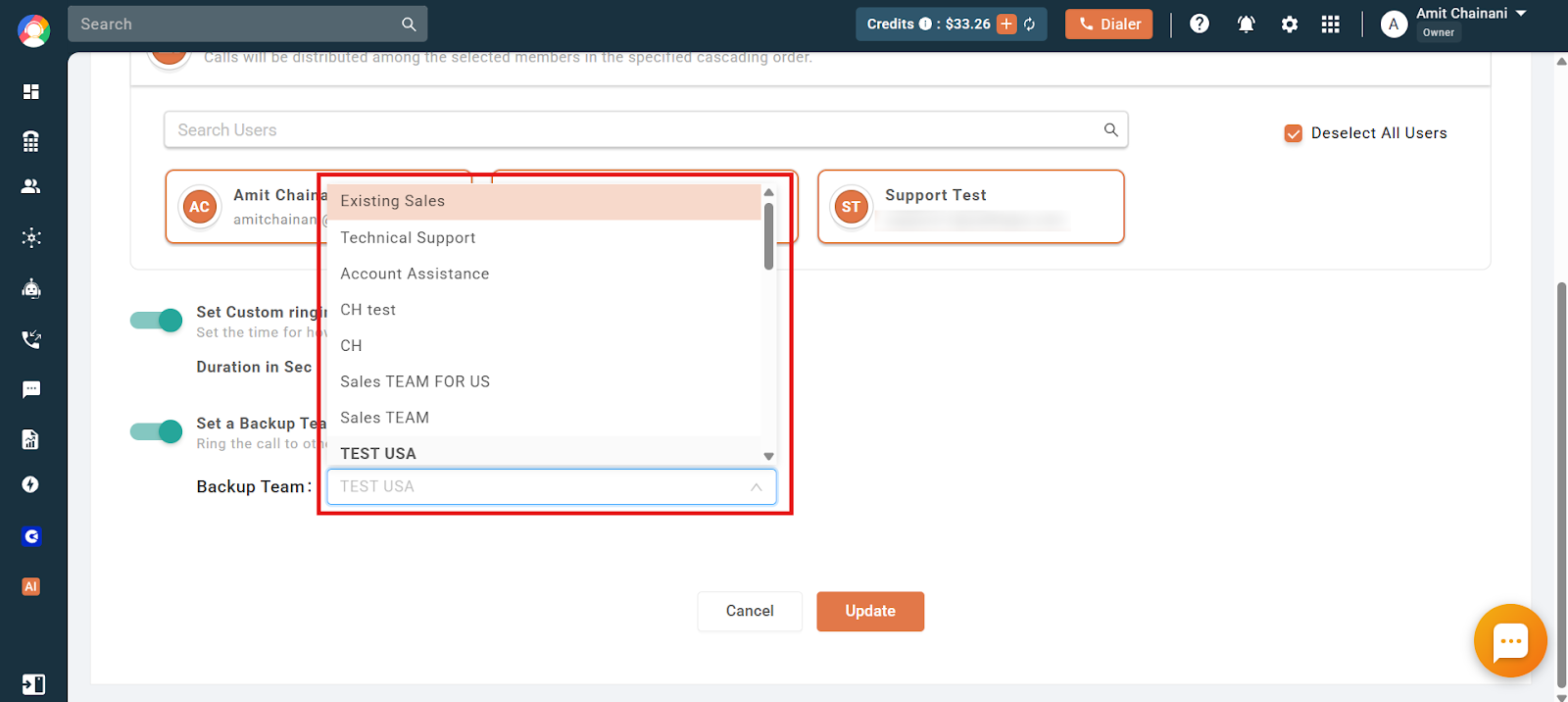
- Select the team you want to forward the call to from the dropdown option for when the selected team is busy.
- Click on Update to finalize the changes.
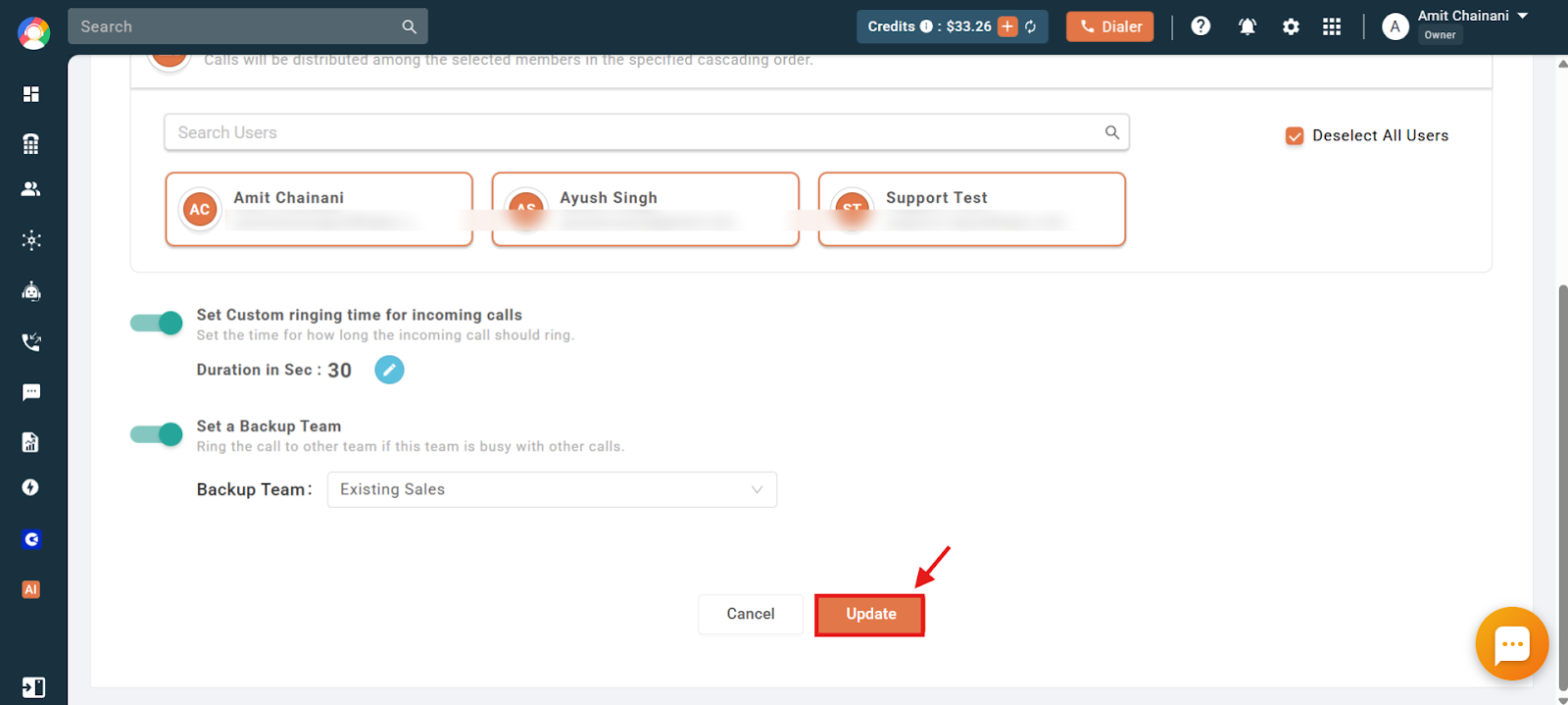
The calls will now automatically get forwarded to the selected team if all the users in your team are already busy with an ongoing call.
Frequently asked questions
- How can I ensure calls are answered if my team is already on other calls? You can enable the Backup Team feature in CallHippo to forward calls to another team when your current team is busy.
- Do I need more than one team to use the Backup Team feature? Yes, at least two teams are required to forward calls using the Backup Team option.
- Where can I create and manage teams in CallHippo? You can go to the Users and Performance section in your dashboard and click on Teams to manage them.
- Can I choose which team receives the forwarded calls? Yes, you can select the backup team from a dropdown list when setting up the feature.
We hope this helps. If you still have questions, feel free to reach out at [email protected].