
Setting up a holiday-specific greeting or voicemail in CallHippo ensures that your callers receive appropriate messages during holidays or office closures. This guide walks you through configuring holidays so calls are handled automatically on the dates you choose.
Why use holiday greetings and voicemails
Implementing holiday greetings is essential for maintaining professional communication standards. It informs clients and partners about your holiday schedule, sets expectations for response times, and can provide alternative contact methods or emergency support details. This proactive approach enhances customer satisfaction and trust.
How to set up a holiday in CallHippo
Follow these steps to configure your holiday greetings:
- Log in to your CallHippo dashboard. Access your account by visiting web.callhippo.com and entering your credentials.
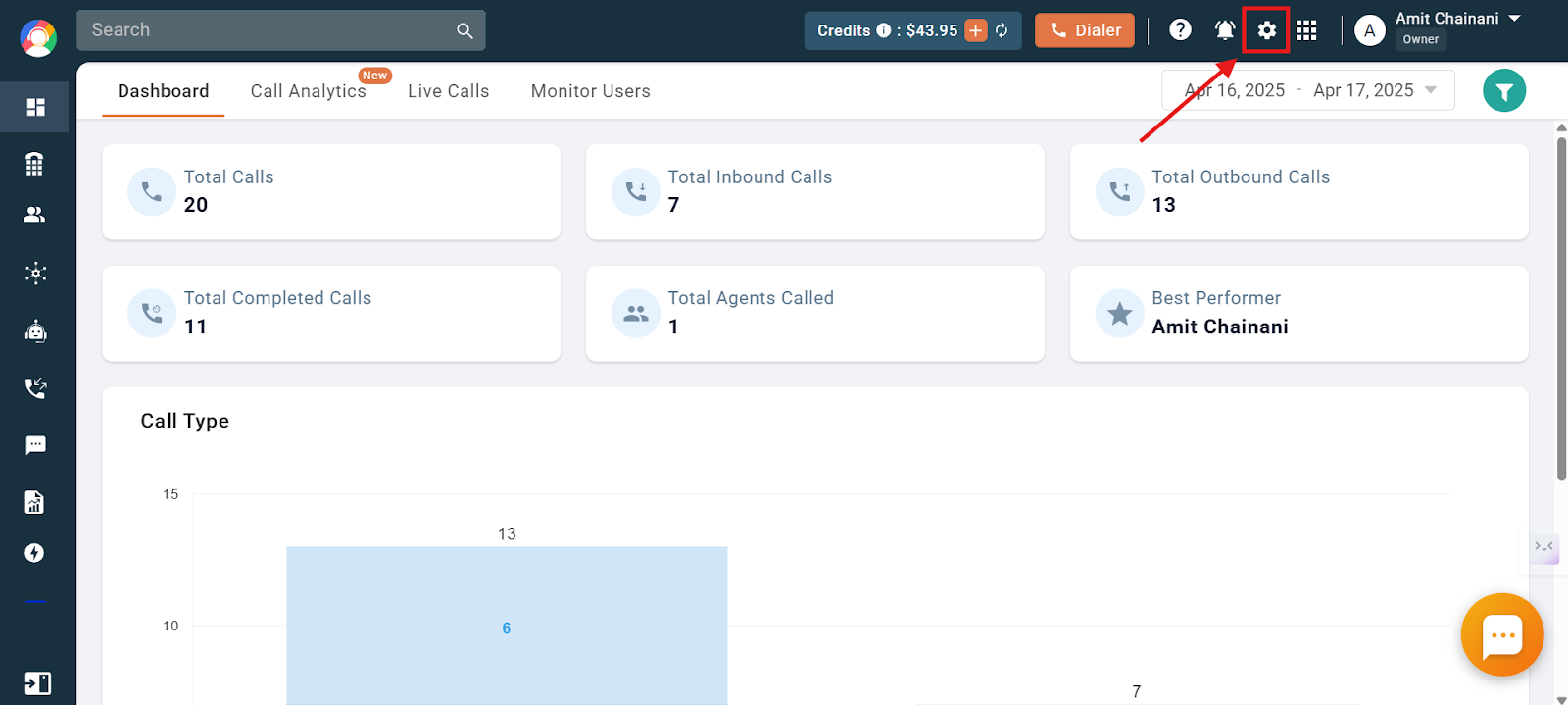
- Open Settings. Click on the Settings icon in the top navigation bar.
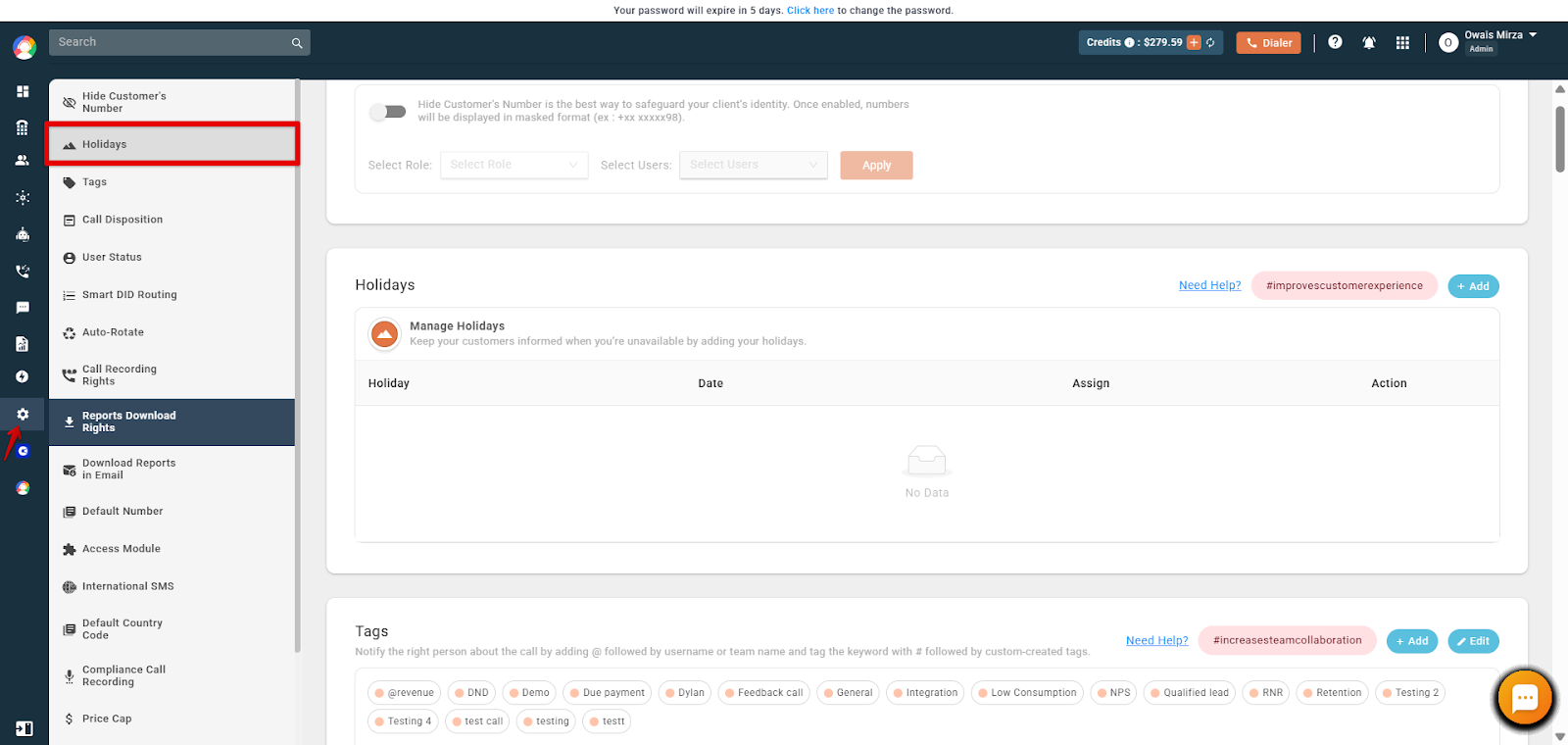
- Select Holidays. Choose Holidays from the left-hand menu.
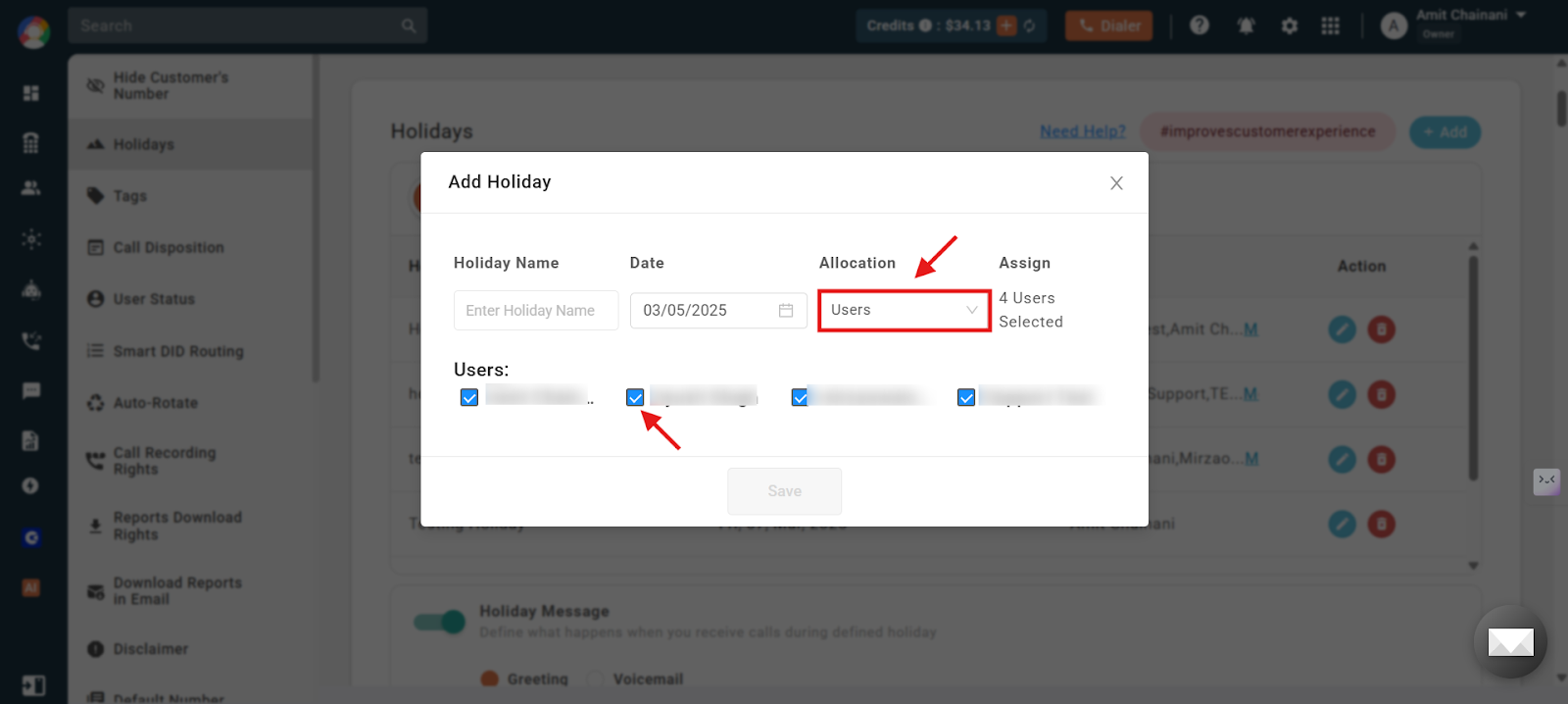
- Add a holiday. Click the Add Holiday button, enter the Name and Date of the holiday, select User or Team, and tick the checkboxes based on your requirement. Then click Save to add the holiday to your list.
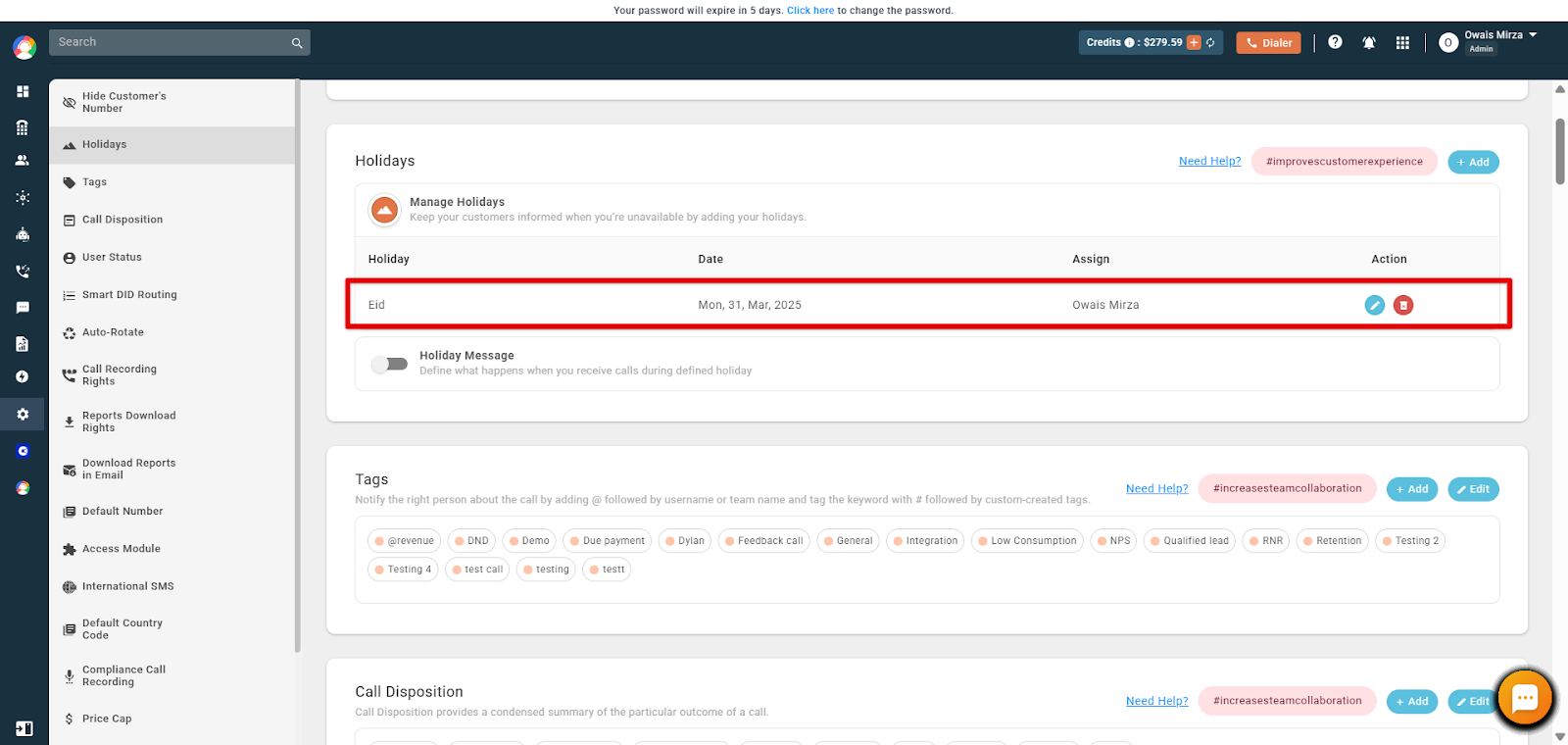
- Enable the holiday message. Locate the Holiday Message toggle switch next to the holiday entry and switch it to the On position to enable the holiday message feature.
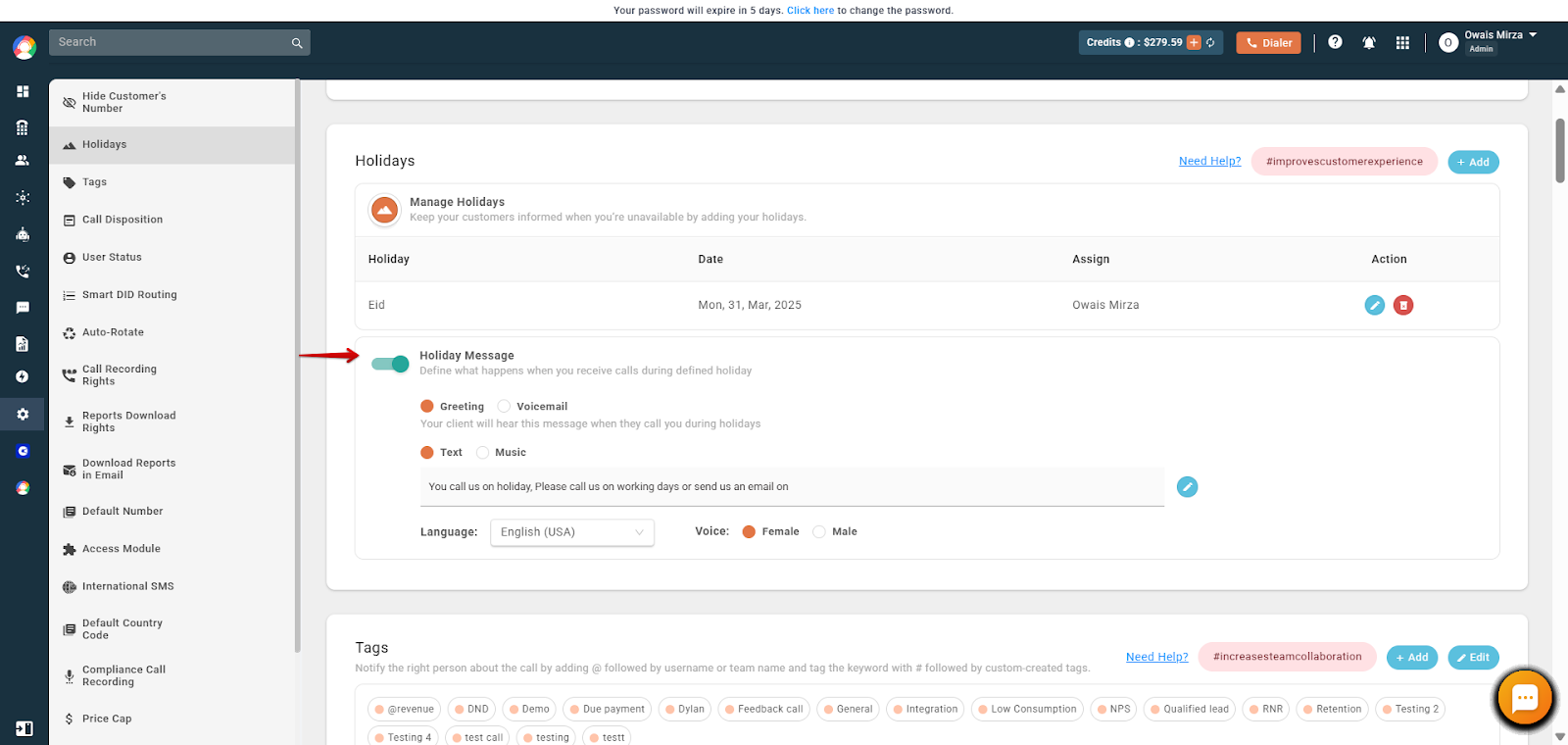
- Configure the greeting or voicemail message. Click the Edit button associated with the holiday, then choose between Greeting or Voicemail:
- Greeting: Plays a message informing callers about the holiday and any relevant information.
- Voicemail: Allows callers to leave a message after hearing the holiday announcement.
To set the message, either upload an audio file (click Upload and select an MP3 or WAV file from your computer) or use Text-to-Speech (enter the desired message in the text box and select your Language and Voice preferences).
- Save your settings. After configuring the message, click Save to apply the changes.
By following these steps, CallHippo will automatically play your customized holiday greeting or voicemail to callers on the specified dates.
Frequently asked questions
- Can I set different messages for different holidays? You can set one holiday message at a time. If you would like a custom message for each holiday, simply update the message in advance before the holiday begins.
- Is it possible to schedule holiday messages in advance? Absolutely. You can add holidays and set their respective messages ahead of time, and they will activate on the specified dates.
- What formats are supported for uploaded audio messages? CallHippo supports MP3 and WAV formats for audio messages.
- Can I preview the holiday greeting before it goes live? Yes, after setting up the message, you can preview it.
- Will the holiday greeting automatically deactivate after the holiday? Yes, the system will revert to your regular settings once the holiday period is over.
- Why is the holiday message not playing for callers on the set holiday date? This can happen if the holiday message is assigned to an individual user while the phone number is allocated to a team. To fix this, assign the holiday message to the team associated with the number.
We hope this helps. If you still have questions, feel free to reach out at [email protected].