
Compliance Call Recording is the process of making sure your recorded phone calls meet the legal requirements of the states and countries where you operate.
Call recording is a powerful tool for both support and sales teams, but recording laws vary widely from state to state and country to country, and violations can carry steep fines. CallHippo’s Compliance Call Recording feature lets you tailor your recording behaviour country by country so you stay on the right side of local regulations.
Best Practices for Call Recording Compliance
- Know the laws: Familiarise yourself with call recording laws in every region where you operate or place calls.
- Notify participants: Always inform the other party that a call is being recorded, even in one-party consent regions.
- Train your team: Educate your sales and support agents on compliance so they avoid accidental violations.
- Limit access: Allow only authorised personnel to access recordings and monitor how they are used.
How to Enable Compliance Call Recording
- Log in to your CallHippo dashboard.
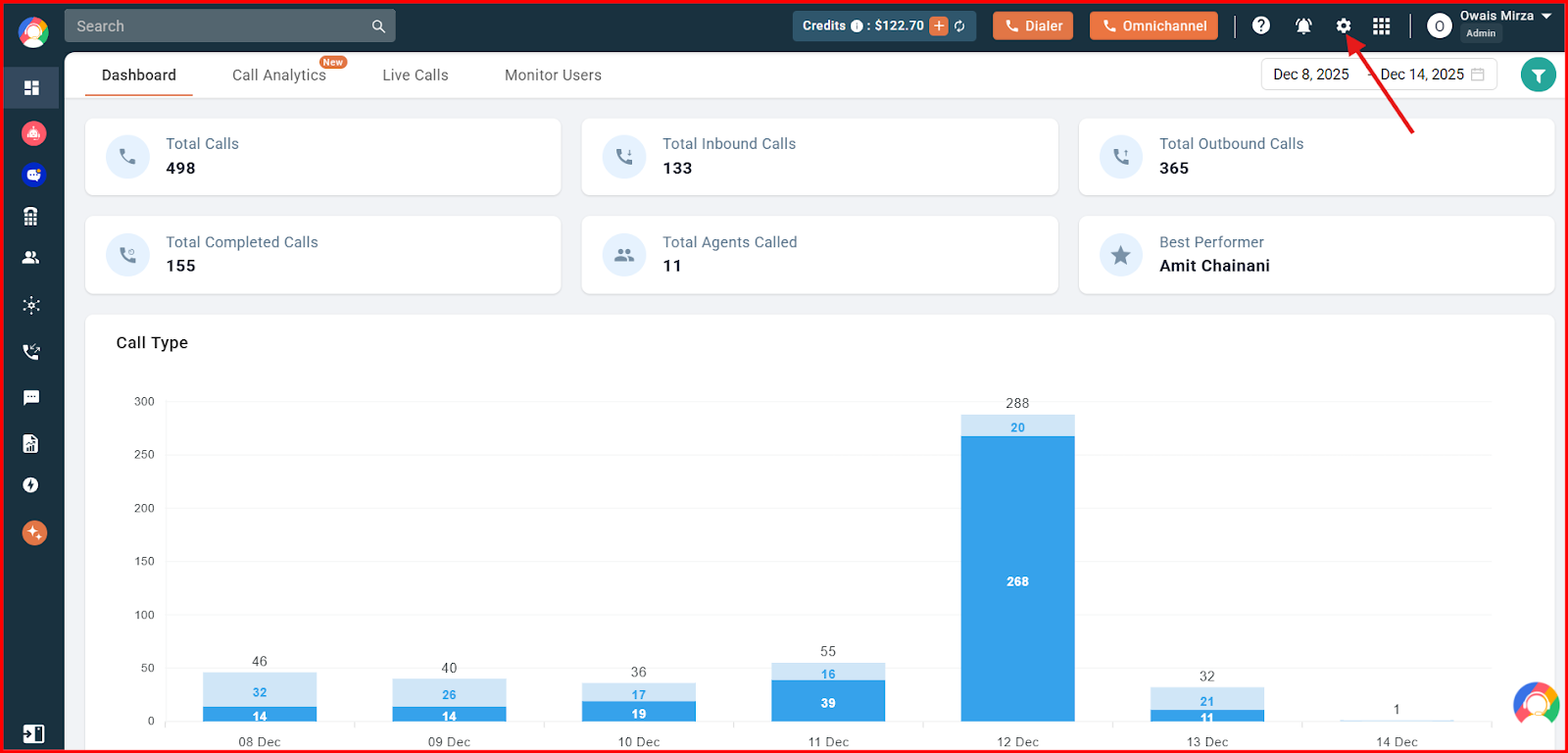
- Open Settings using the gear icon at the top of the screen.
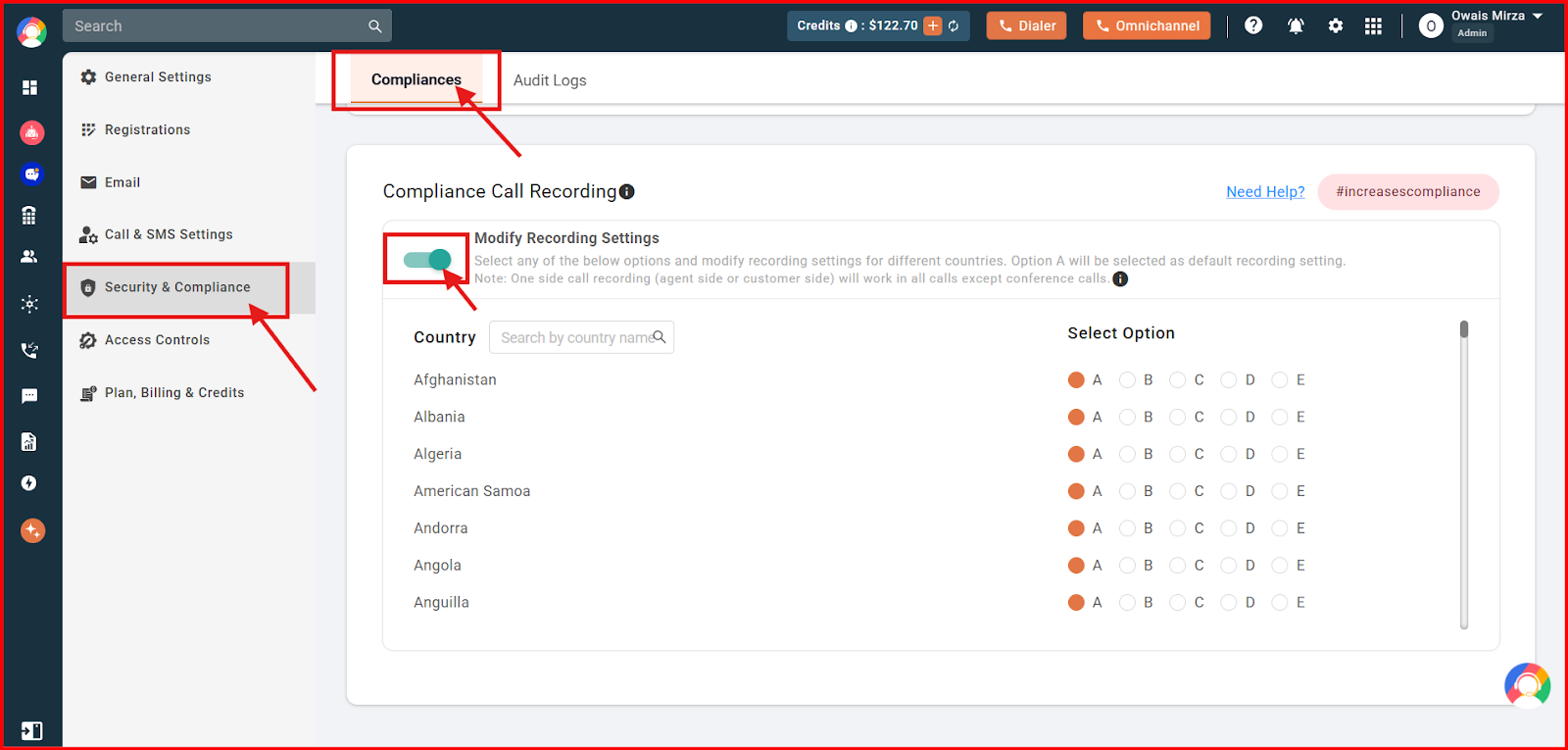
- Go to Security & Compliance from the left-hand panel, select the Compliance tab at the top, and turn on the Modify Recording Settings toggle.
- Choose a recording option (A, B, C, D or E) for each country as per your requirement.
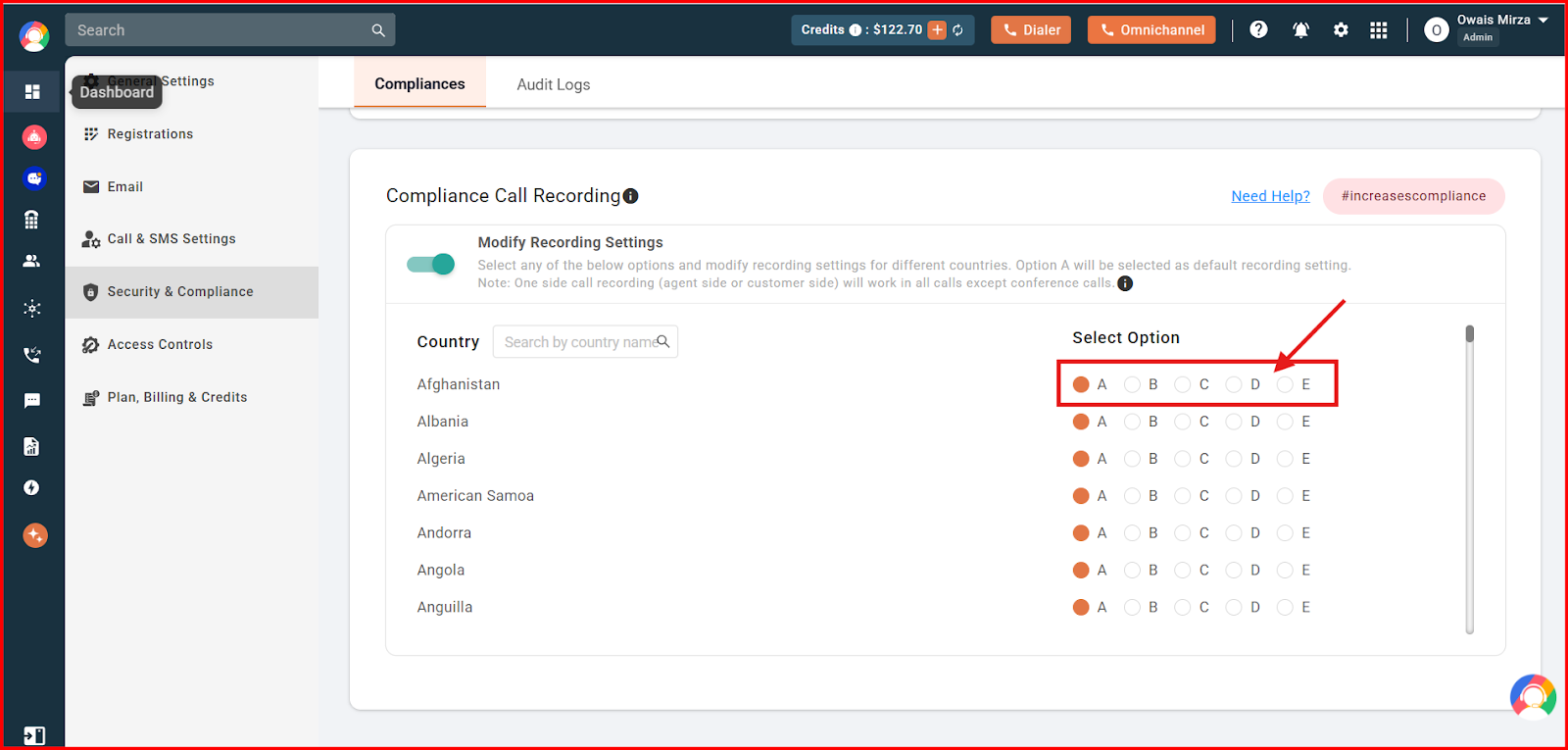
Recording Options Explained
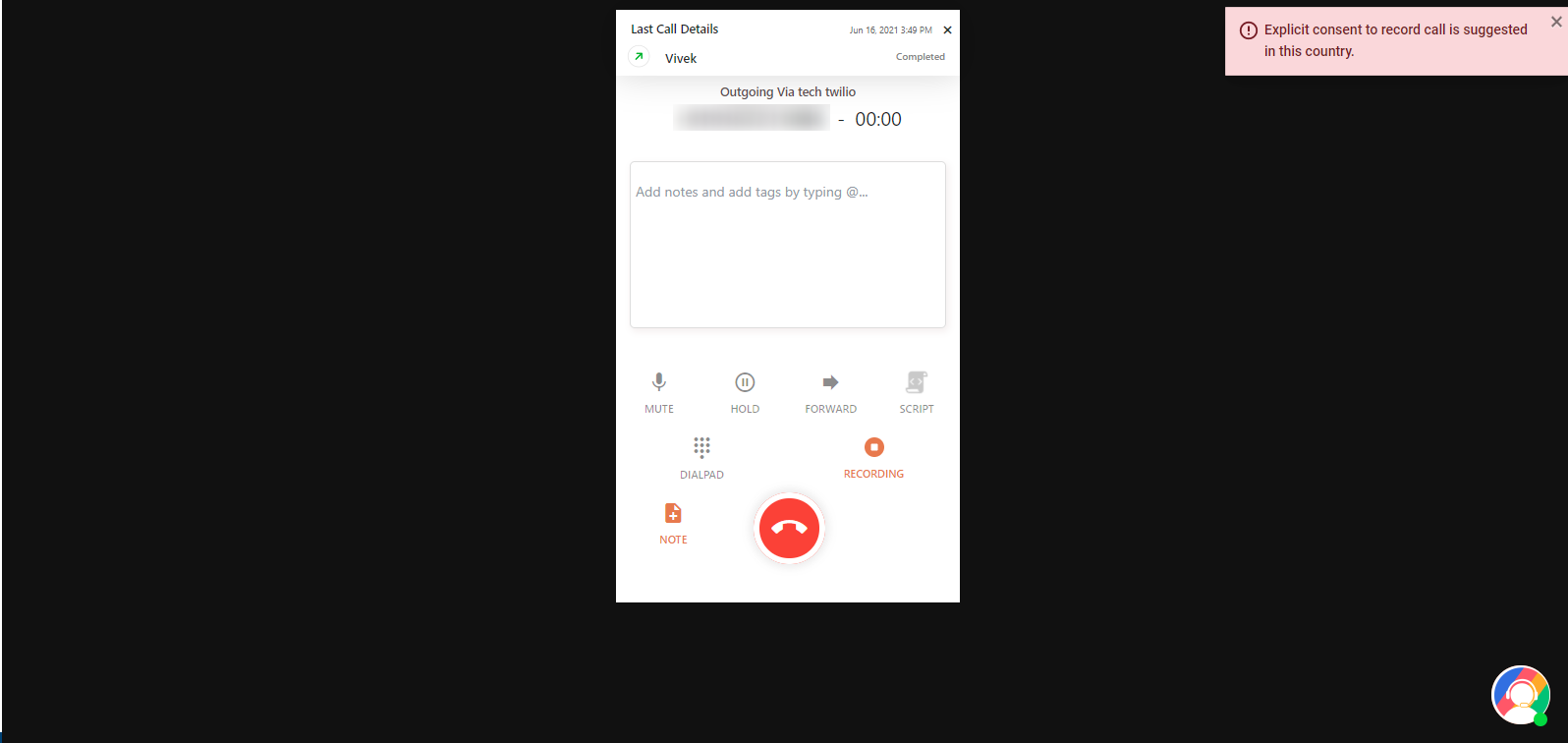
- Option A — Show notification to collect explicit consent: The dialer displays “Explicit consent to record the call is suggested in this country” while calling.
- Option B — Only Agent Side Recording: Only the agent’s voice is recorded.
- Option C — Only Customer Side Recording: Only the customer’s voice is recorded.
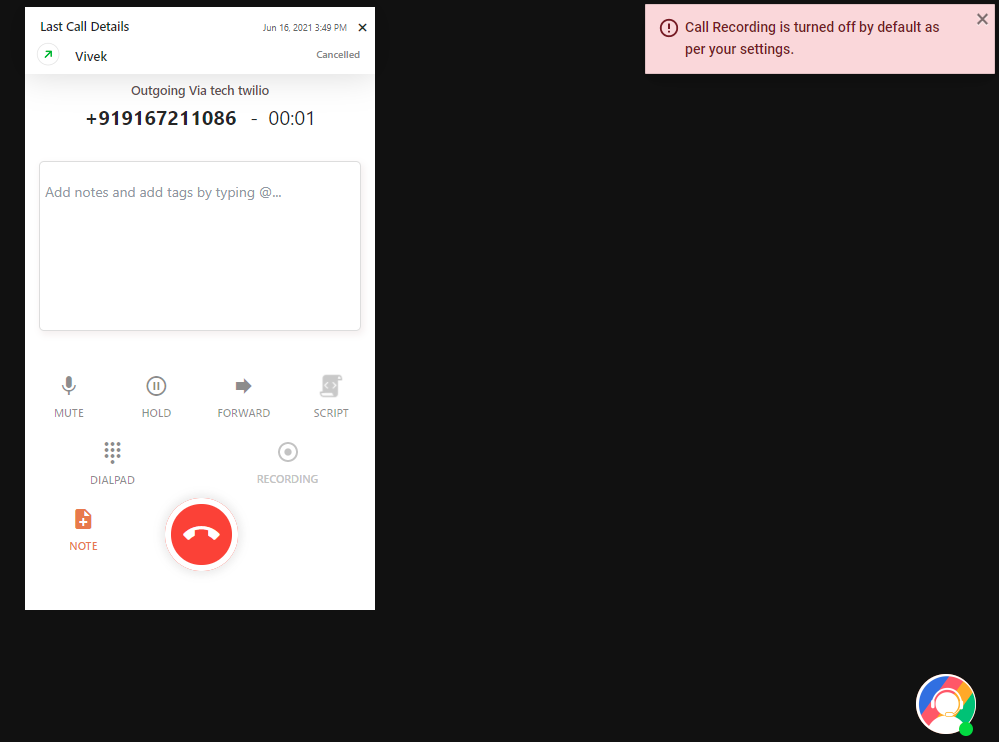
- Option D — Auto-pause recording, agent can enable it: Recording is off by default; the dialer notifies the agent “Call Recording is turned off by default as per your settings. If you wish to record this call please tap the Record button.”
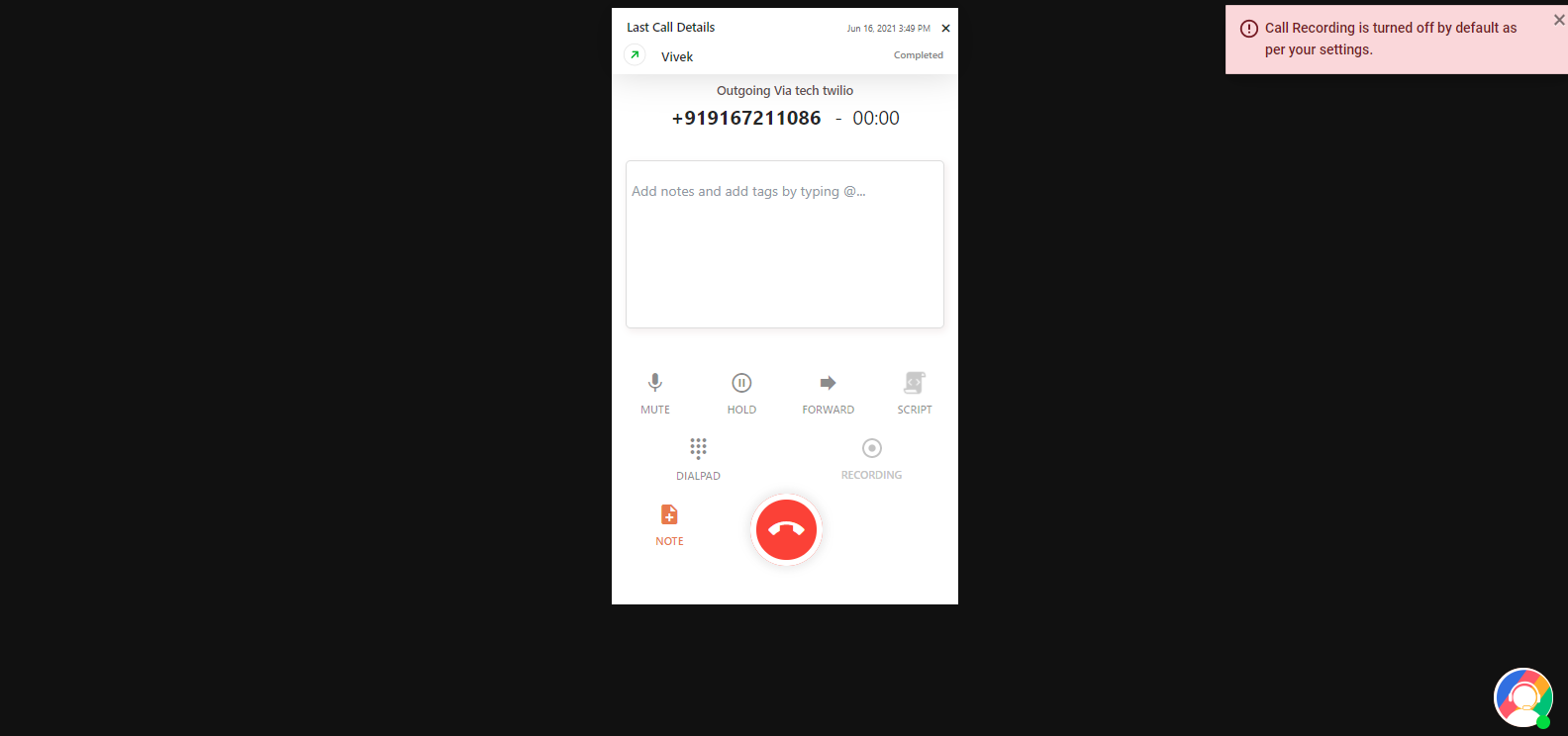
- Option E — Disable recording, do not allow restart: Recording stays off for the selected country. If the next call is to a country where recording is not blocked, it switches on automatically.
Things to Note
- By default, Option A is selected for every country.
- One-side recording (agent or customer only) works on all calls except conference calls.
- A country assigned to one option cannot be selected for another. For example, if you assign 5 countries to Option A, those same countries are disabled under Option B.
Frequently Asked Questions
Why is it important to follow compliance laws when recording calls?
Because laws vary by region and violating them can lead to steep fines. Staying compliant helps you avoid legal issues and builds trust with your customers.
What is the default setting for Compliance Call Recording in CallHippo?
By default the system uses Option A — it shows a notification prompting the agent to collect explicit consent.
Can I choose different recording settings for different countries?
Yes. You can assign different settings to different countries, but a country can only be assigned to one setting at a time.
Can one-sided call recording be used in conference calls?
No. One-sided call recording is not supported in conference calls.
What does the notification “Explicit consent to record the call is suggested in this country” mean?
It appears in the dialer when Option A is enabled for that country, reminding the agent to collect explicit consent before recording, in line with local laws.
Why is only the other person’s voice recorded and not mine?
You likely have “Only Agent Side Recording” or “Only Customer Side Recording” enabled for that country. When one-side recording is set, only that side’s voice is captured on all calls except conference calls.