
Auto Answer automatically picks up incoming calls from the auto dialer and CRM telephony within 2 seconds, so agents can start talking without manually accepting each call.
What Is Auto Answer?
The Auto Answer feature connects qualifying incoming calls in about 2 seconds, giving agents a seamless calling experience. It is especially useful in high-volume environments where manually accepting every call slows agents down and risks missing important conversations.
Please note: Auto Answer works only for Power Dialer calls and CRM telephony integrations such as Zoho PhoneBridge. It does not apply to regular incoming calls to your number.
Key Benefits
- Instant call connection: Calls are picked up automatically without manual intervention.
- Improved agent productivity: Reduces idle time and manual effort between calls.
- Enhanced customer satisfaction: Faster responses mean happier customers.
Enable or Disable Auto Answer from the Dashboard
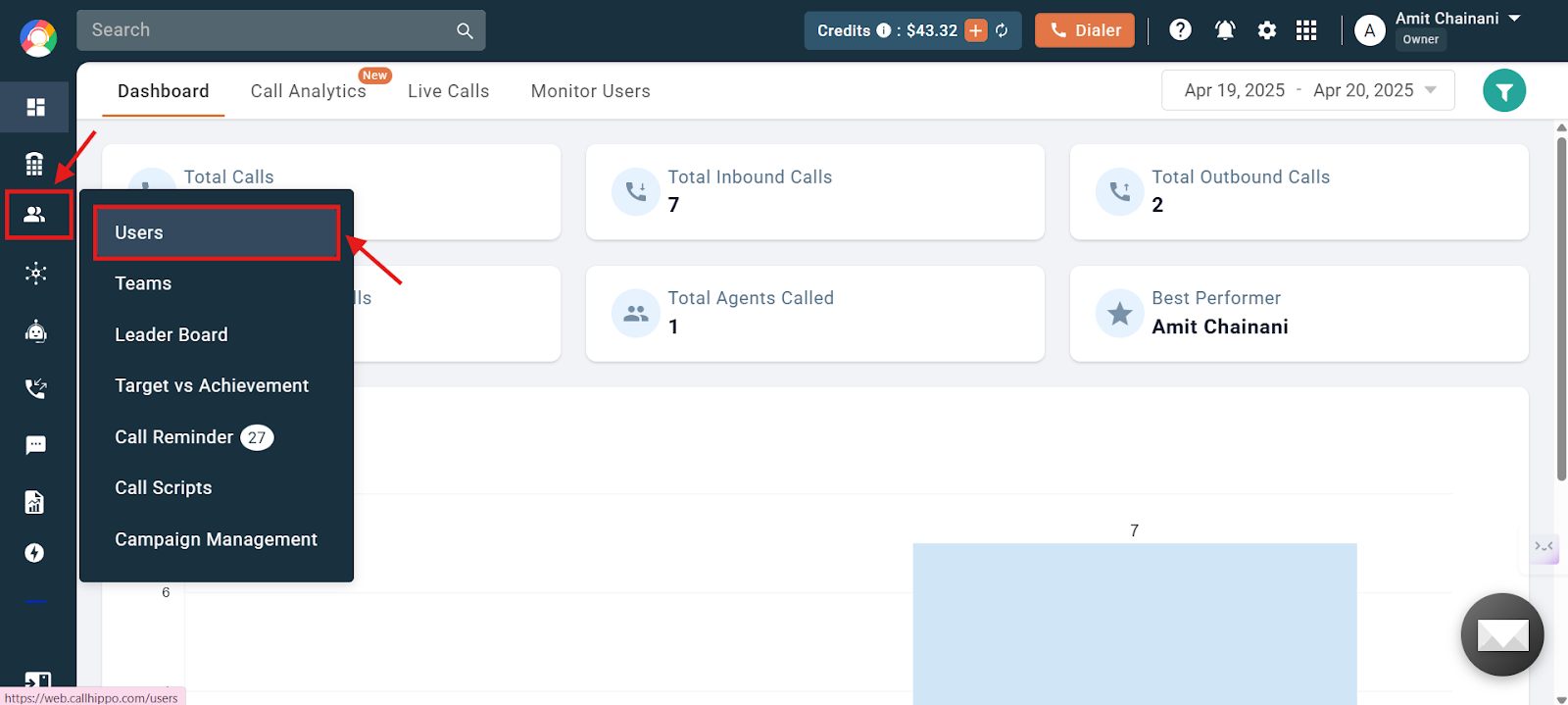
- Log in to your CallHippo dashboard.
- Go to the Users and Performance section on the left, then click Users.
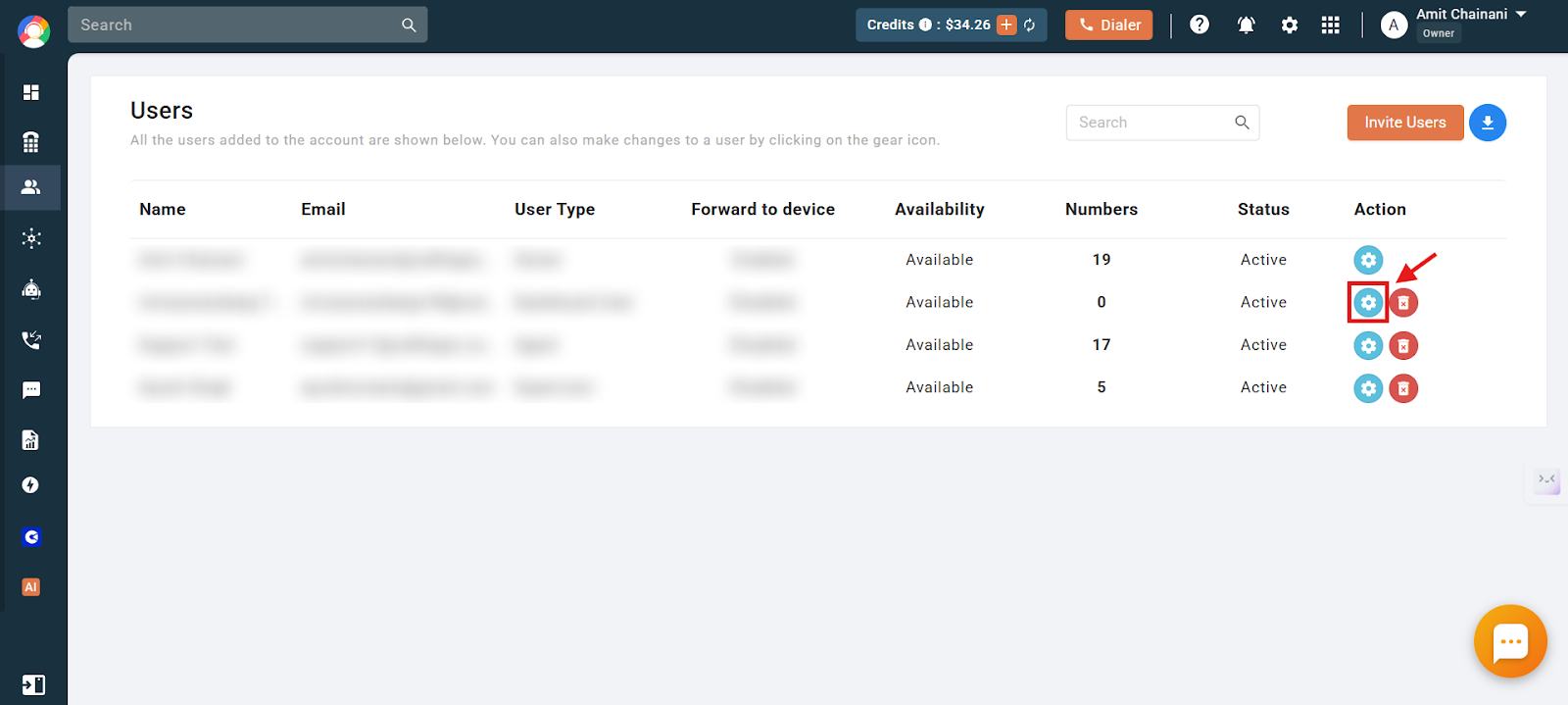
- Click the settings icon of the user you want to update.
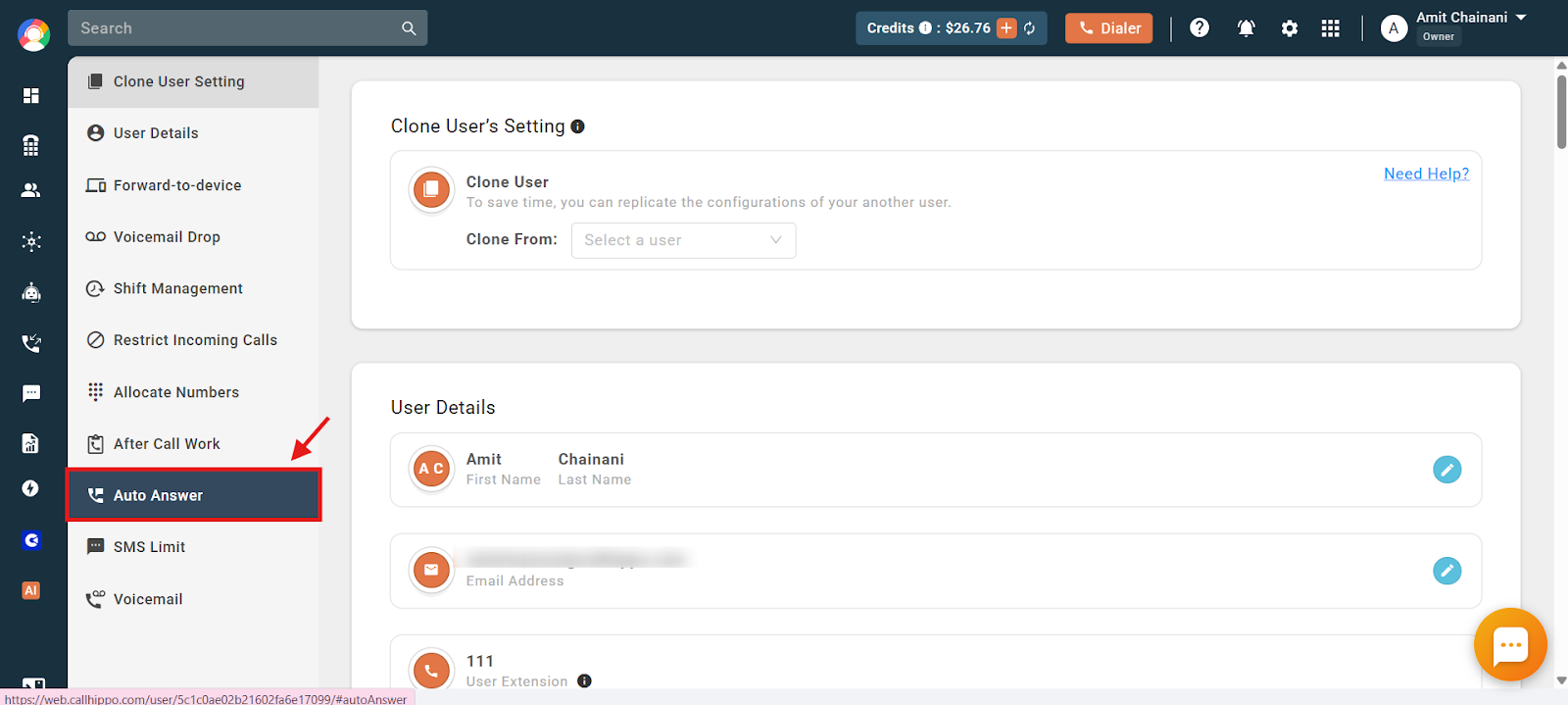
- Click the Auto Answer option on the left side of the screen.
- Use the toggle to enable or disable the feature.
Enable or Disable Auto Answer from the Dialer
- Log in to your CallHippo dialer.
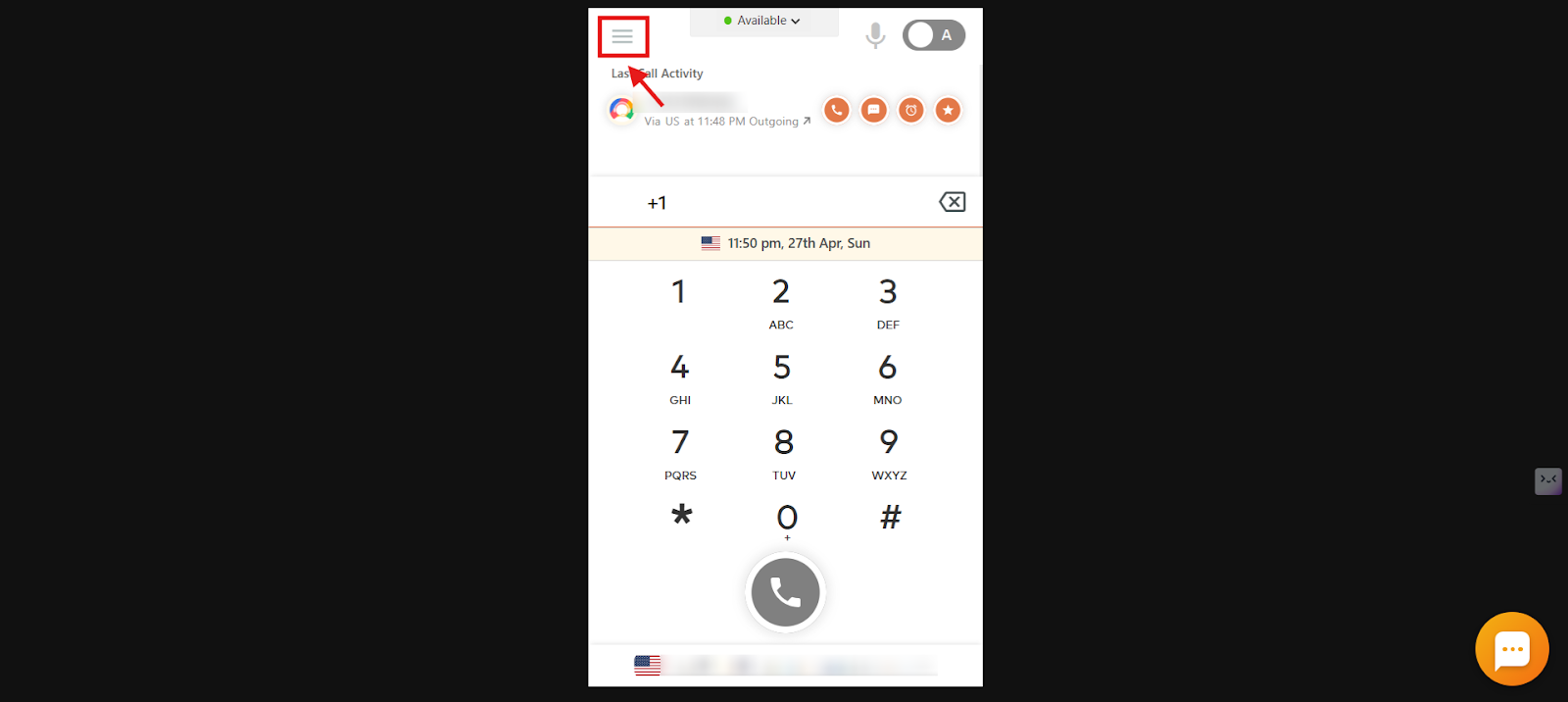
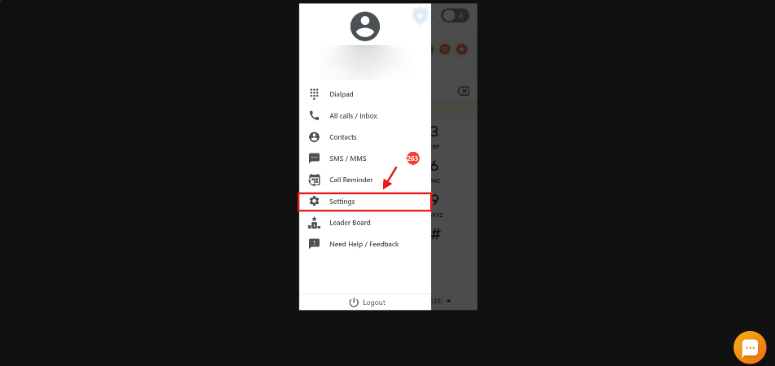
- Click the Main Menu icon.
- Click the Settings option.
- Scroll to the bottom and use the toggle for Auto answer incoming calls to enable or disable the feature.
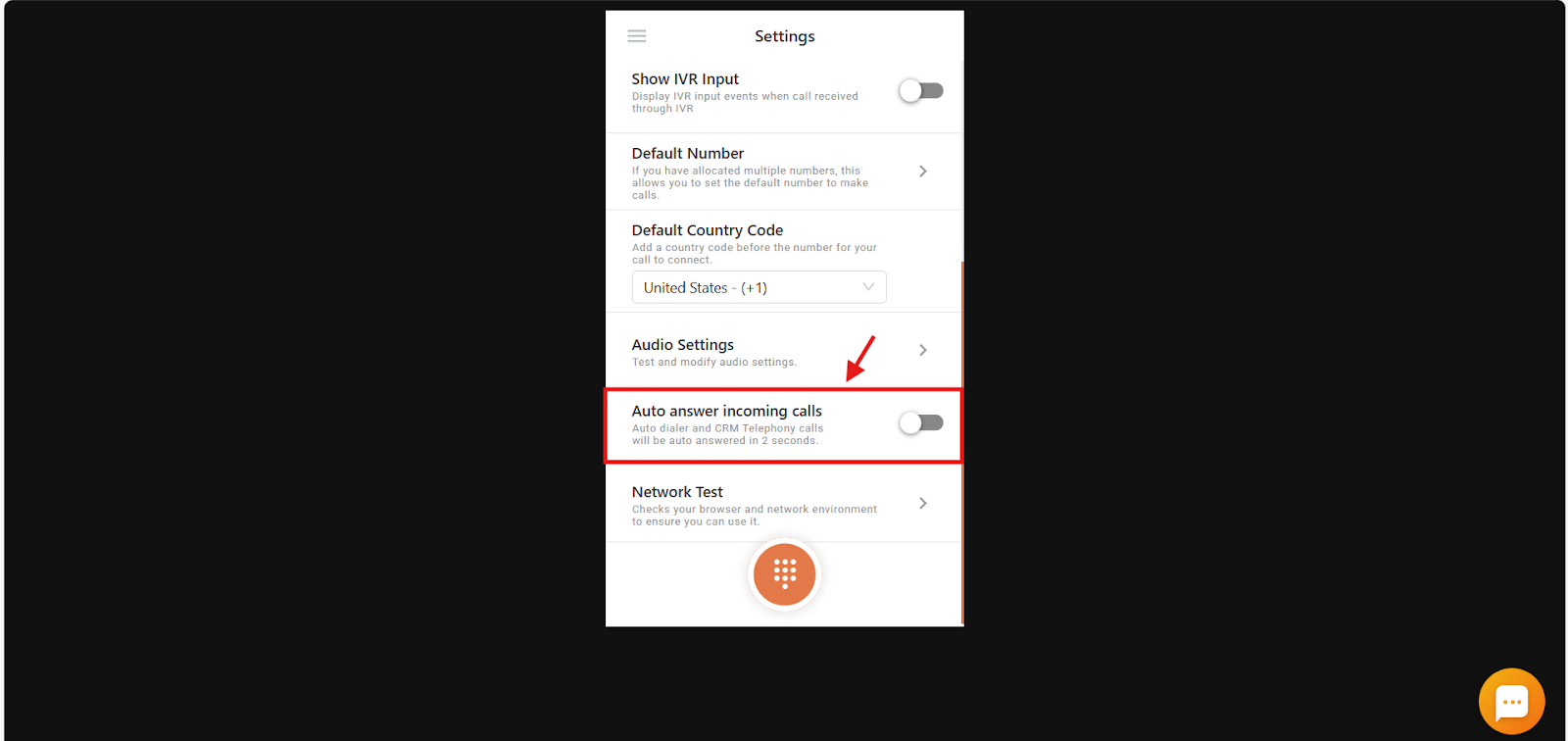
Once the toggle is on, incoming calls are answered automatically and the agent can begin the conversation right away. This is especially helpful during outbound campaigns with a power dialer or when making calls from CRM telephony such as Zoho PhoneBridge.
Frequently Asked Questions
What exactly does the Auto Answer feature do?
Auto Answer automatically picks up incoming calls from the auto dialer or CRM telephony within 2 seconds, so agents don’t have to manually answer the call.
Will Auto Answer work for all incoming calls to my number?
No. Auto Answer only works for calls coming through the Power Dialer or CRM telephony integrations like Zoho PhoneBridge. It does not apply to regular incoming calls.
How can I check if Auto Answer is enabled for my user account?
Log in to the CallHippo dashboard, go to Users and Performance, click Users, then open the settings icon for your user. On the left, click Auto Answer to see whether the toggle is on.
Can I use Auto Answer on the CallHippo dialer directly?
Yes. Enable or disable Auto Answer from the dialer by opening the main menu, selecting Settings, and scrolling to the bottom to use the toggle.