
Call Barging lets authorized users such as owners, admins, and managers join an ongoing call between an agent and a customer, making it ideal for real-time monitoring, quality control, and coaching.
What is call barging?
Call Barging is a live call monitoring feature that lets an authorized user join a call already in progress between an agent and a customer. Neither party is notified that the call is being monitored, so it stays completely discreet. When needed, the authorized user can also speak, so their voice is heard by both the agent and the customer, enabling real-time guidance or intervention.
Important behavior of call barging
- Silent monitoring: When an authorized user barges into a call, neither the agent nor the customer is notified. The call continues with no indication that a third party has joined, which keeps monitoring discreet for training and quality assurance.
- Real-time intervention: If the authorized user chooses to speak, their voice is audible to both the agent and the customer, so they can step in and correct or guide the conversation when necessary.
- Manual calls only: The Live Calls section only displays manual calls, so Call Barging cannot be used for calls made through the Auto-dialer.
Who can use call barging?
- Owner and Admin: Full access to barge into live calls.
- Manager: Can barge only into calls involving agents who report to them.
- Supervisor: Can barge only into calls involving agents who report to them.
Benefits of call barging
- Quality assurance: Confirm agents follow company protocols and maintain high service standards by reviewing live conversations.
- Real-time performance monitoring: Gain instant insight into how agents handle customer interactions to evaluate strengths and spot areas to improve.
- Immediate intervention: If an agent is struggling or sharing incorrect information, an authorized user can step in and correct it without ending the call.
How to use call barging in CallHippo
- Log in to your CallHippo dashboard.
- Open Live Calls: Navigate to the Live Calls section to see all active calls in your account.
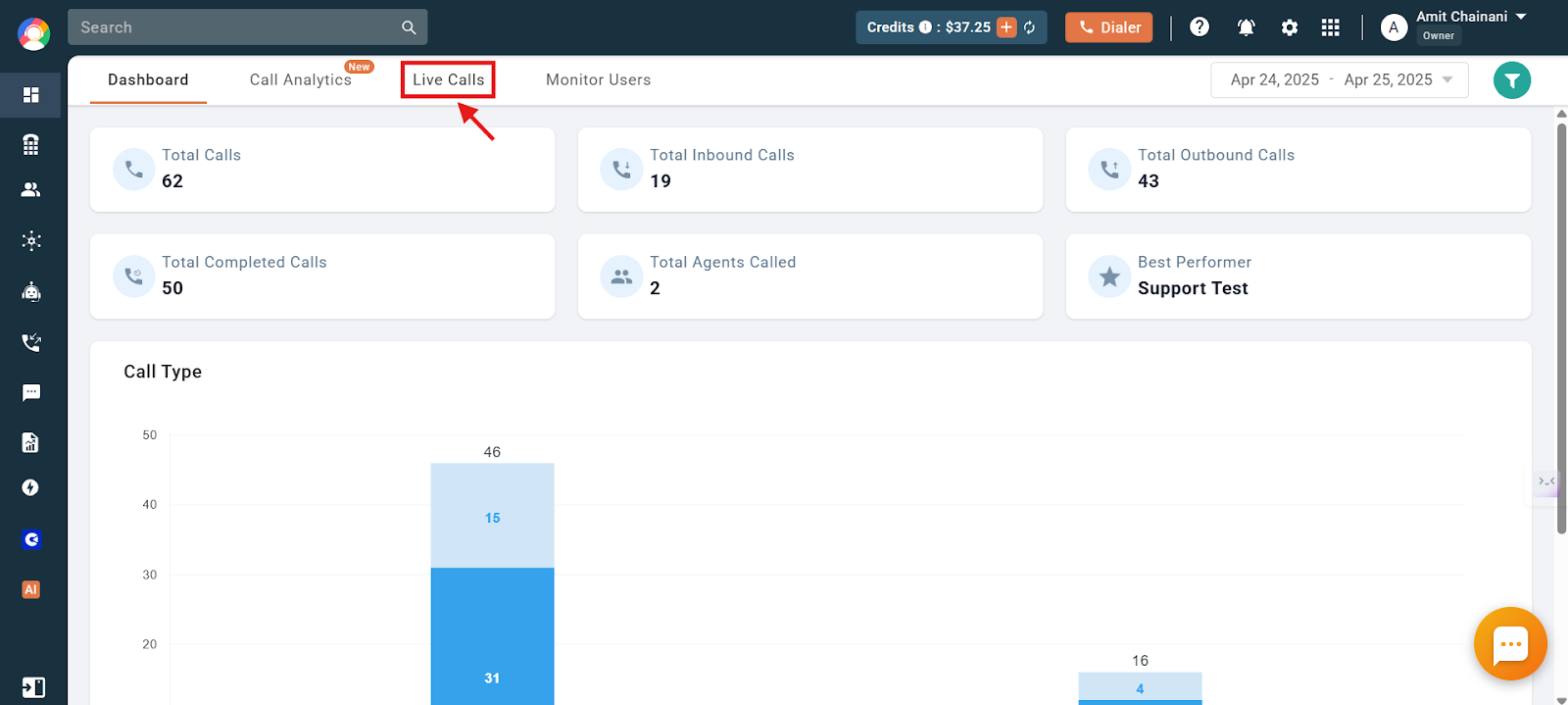
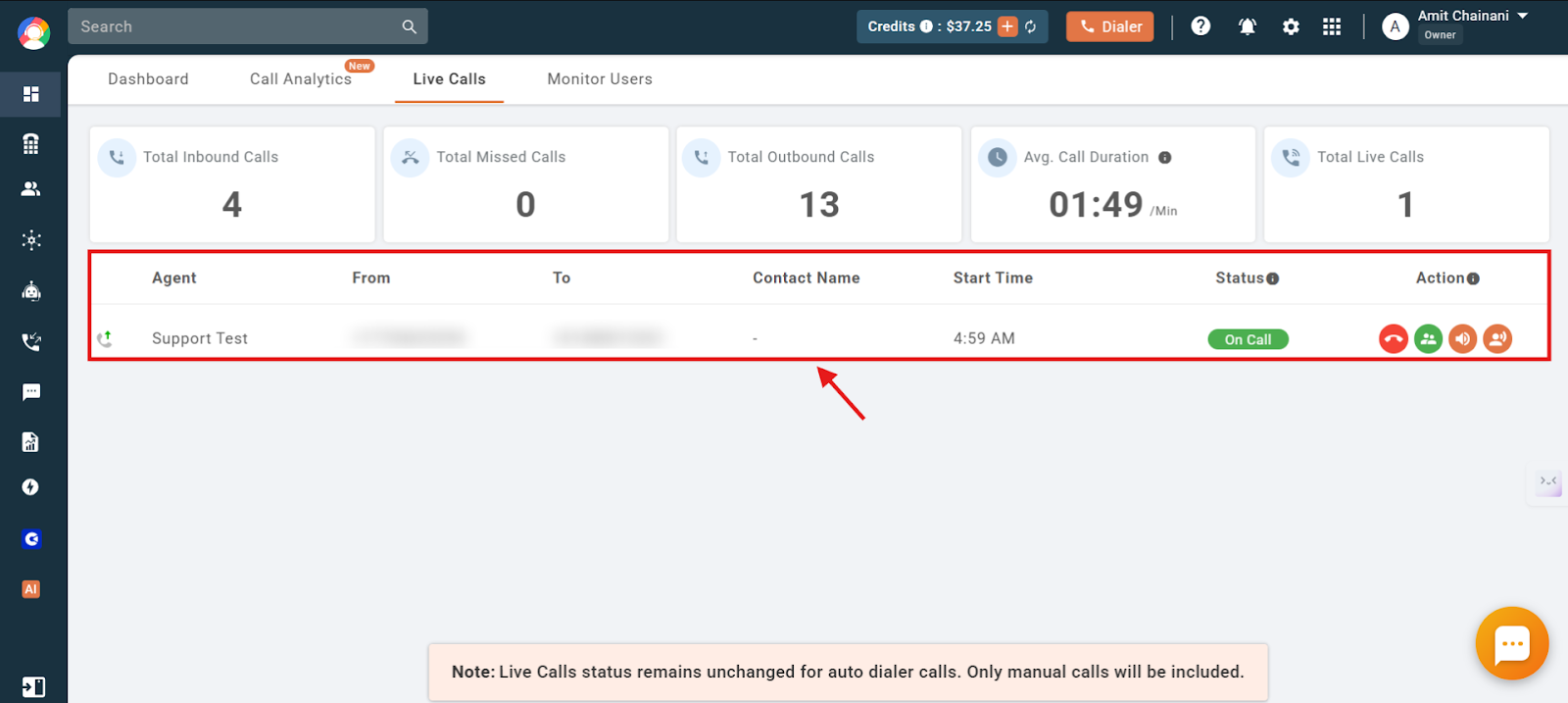
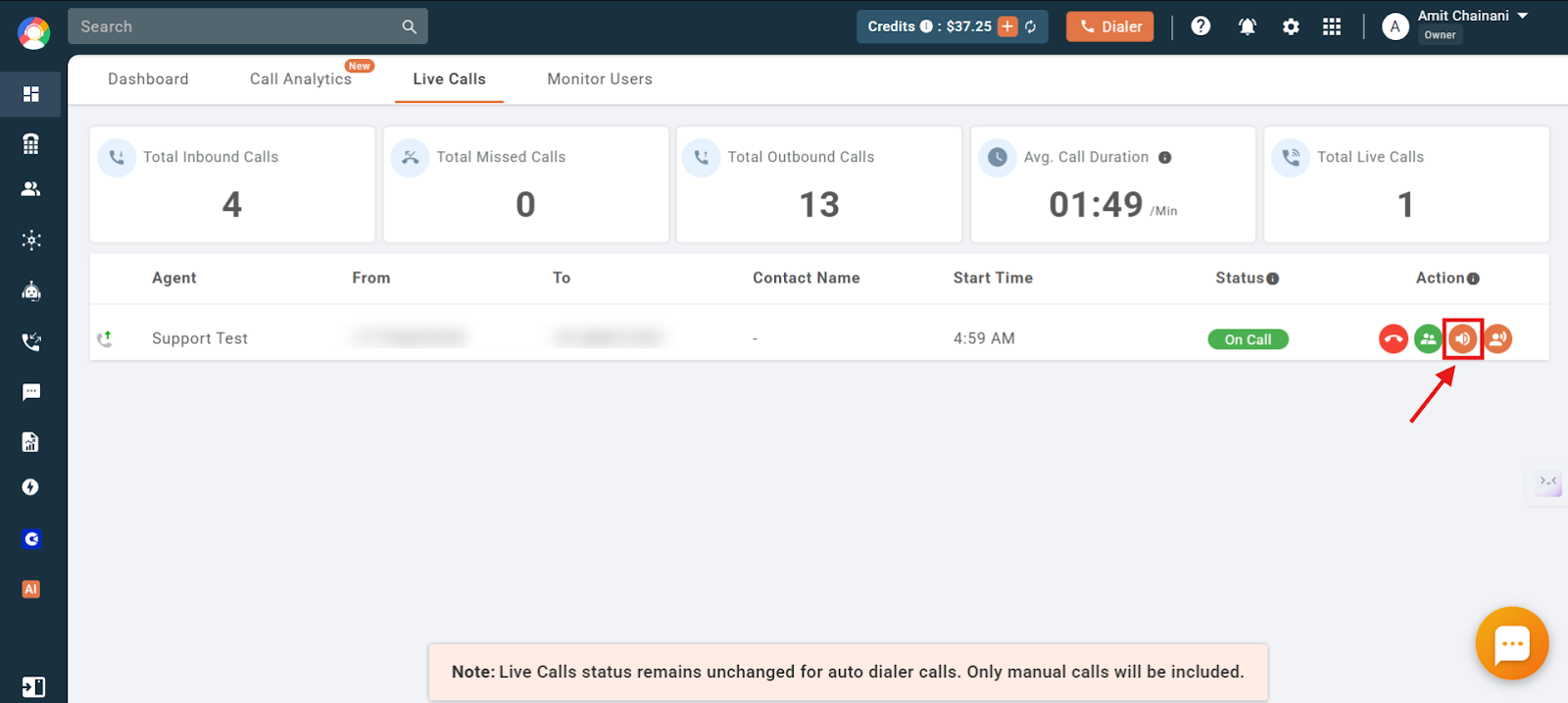
- Click Call Barge: Next to the call you want to monitor, click the Call Barge button. Make sure your CallHippo dialer is open.
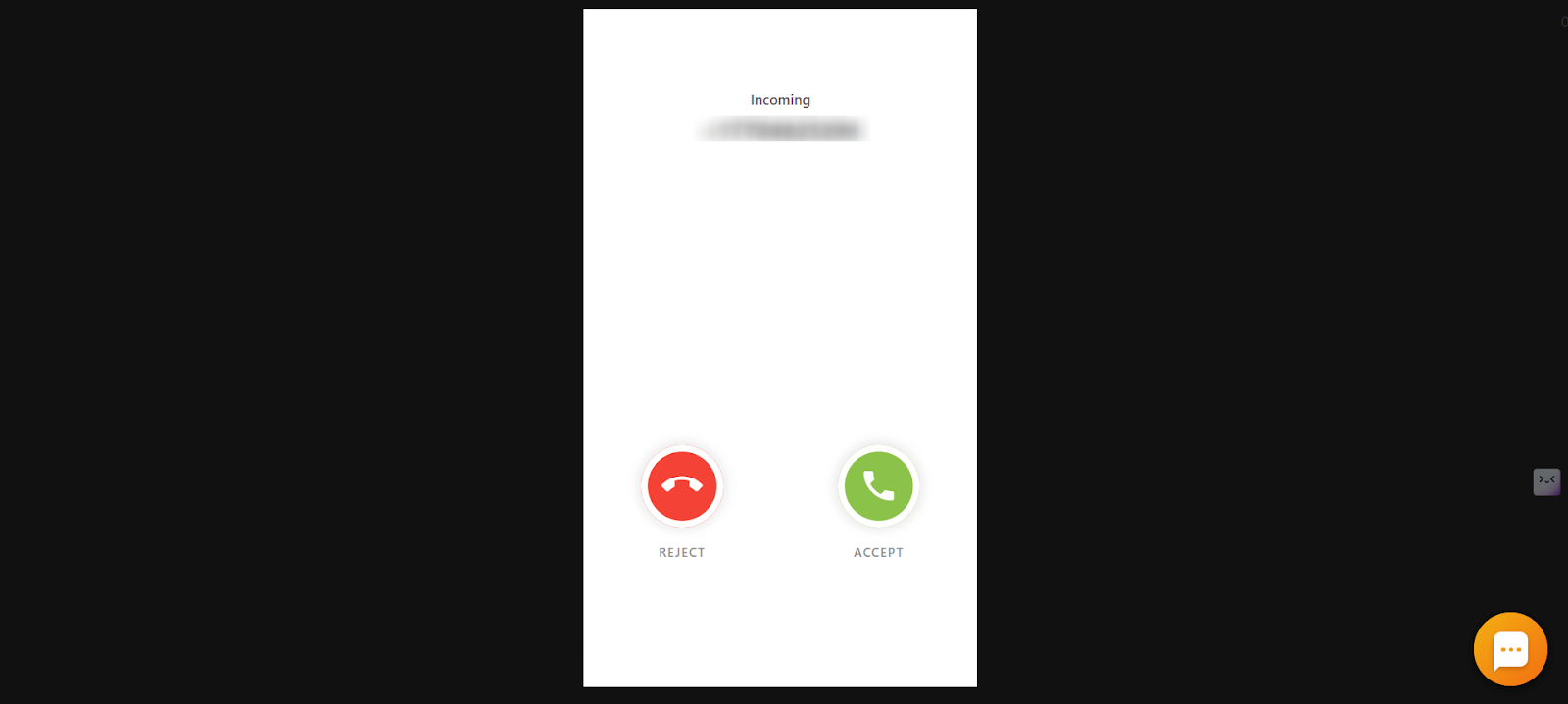
- Answer the incoming call: You will receive an incoming call on your dialer. Answer it to start listening in.
- Monitor discreetly: You are connected silently. Both the agent and customer can hear you if you speak, but they will not know you have joined unless you do.
How to enable call barging
Call Barging does not require manual activation. The feature is available in limited plans, so you can check eligibility and details on the CallHippo pricing page.
Are there any extra charges?
No. Call Barging is included in supported plans and does not incur any additional cost.
Troubleshooting: why you may not be able to use call barging
- Plan limitation: Call Barging is available in limited plans. Check current availability on the pricing page.
- Indian number limitation: Due to telecom regulations, Call Barging does not work when the active call is made using a CallHippo-provided Indian phone number.
- Sub-user restrictions: Even with access to the Live Calls module, a sub-user must have the right role (Owner, Admin, or Manager) to use Call Barging. Without it, the barge option stays unavailable.
Frequently asked questions
Can I monitor live calls in real time using Call Barging?
Yes. Call Barging lets authorized users monitor live calls and see how agents handle customer interactions as they happen.
How do I intervene in a call while barging?
Once you join the call, you can speak to both the agent and the customer. Your voice is audible to both, so you can intervene directly when needed.
Will barging impact the quality of my calls?
No. Call Barging is designed to monitor calls without disrupting the customer experience or call quality.
Can I barge into a call from any device?
No. You can only initiate a barge from the CallHippo dashboard via a web browser. The incoming barge call lands only on the web dialer and desktop app, not on the mobile apps.
How can I check if my plan supports Call Barging?
Visit the CallHippo pricing page to see which plans include the feature.
Can a sub-user use Call Barging if they have Live Calls module rights?
No. Sub-users cannot use Call Barging unless they are assigned an appropriate role (Owner, Admin, Manager, or Supervisor), even with access to the Live Calls module.
Will the agent or customer know if someone has barged into their call?
No. The call is monitored silently. Neither party is notified that an authorized user has joined.
Can I use this monitoring feature from my phone?
No. Call Barging works only via the web dashboard, and the barge-in call lands on your web dialer or desktop app, not mobile apps.