
CallHippo lets you download up to 100 call recordings at once, making it easy to audit conversations, share them with your team, or store them for compliance.
Why Use Bulk Download?
Instead of saving recordings one by one, bulk download lets you grab many at a time as a single ZIP archive. It is ideal for regular audits, sharing recordings across a team, or keeping records for compliance purposes, and it saves considerable time and effort.
Steps to Bulk Download Call Recordings
- Log in to your CallHippo dashboard.
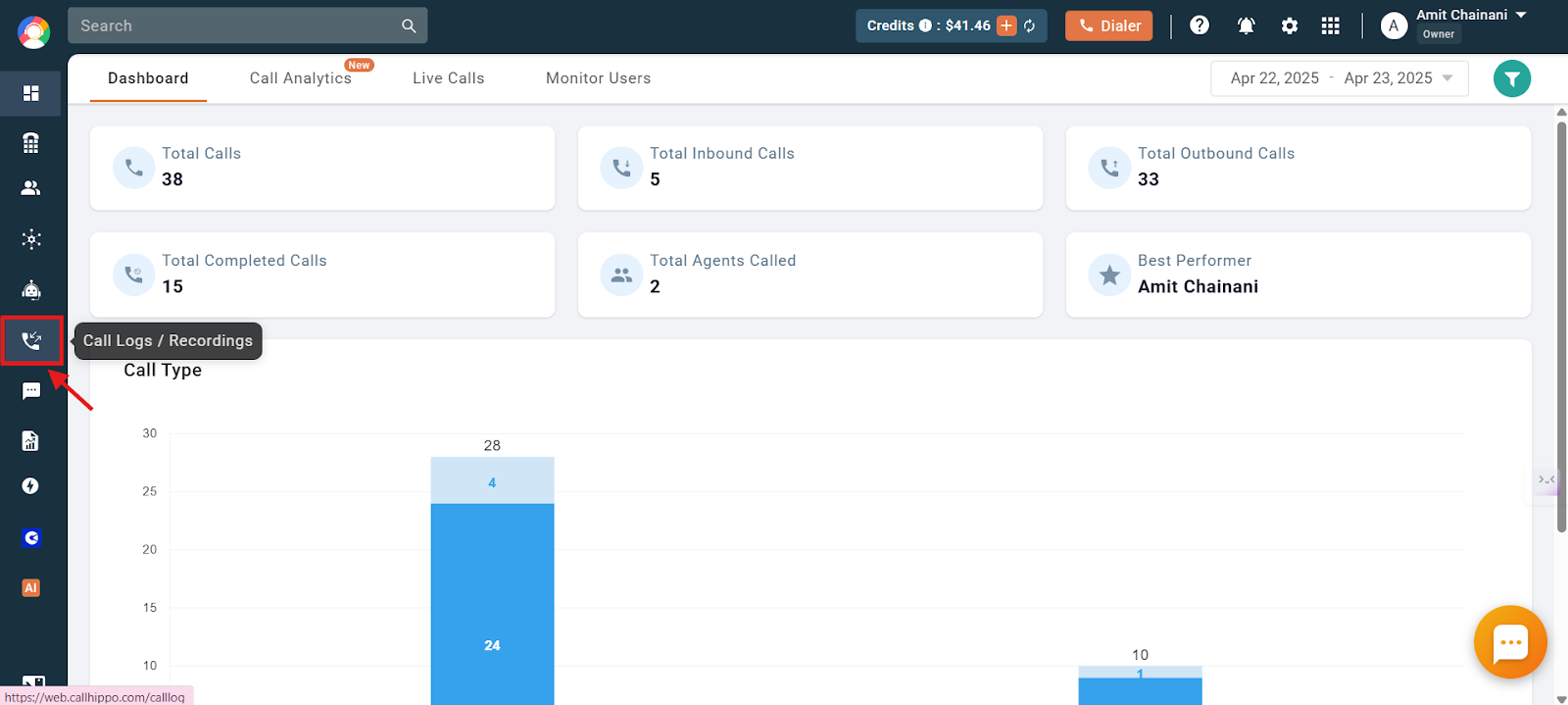
- Click the Call Logs / Recordings section on the left side of the dashboard.
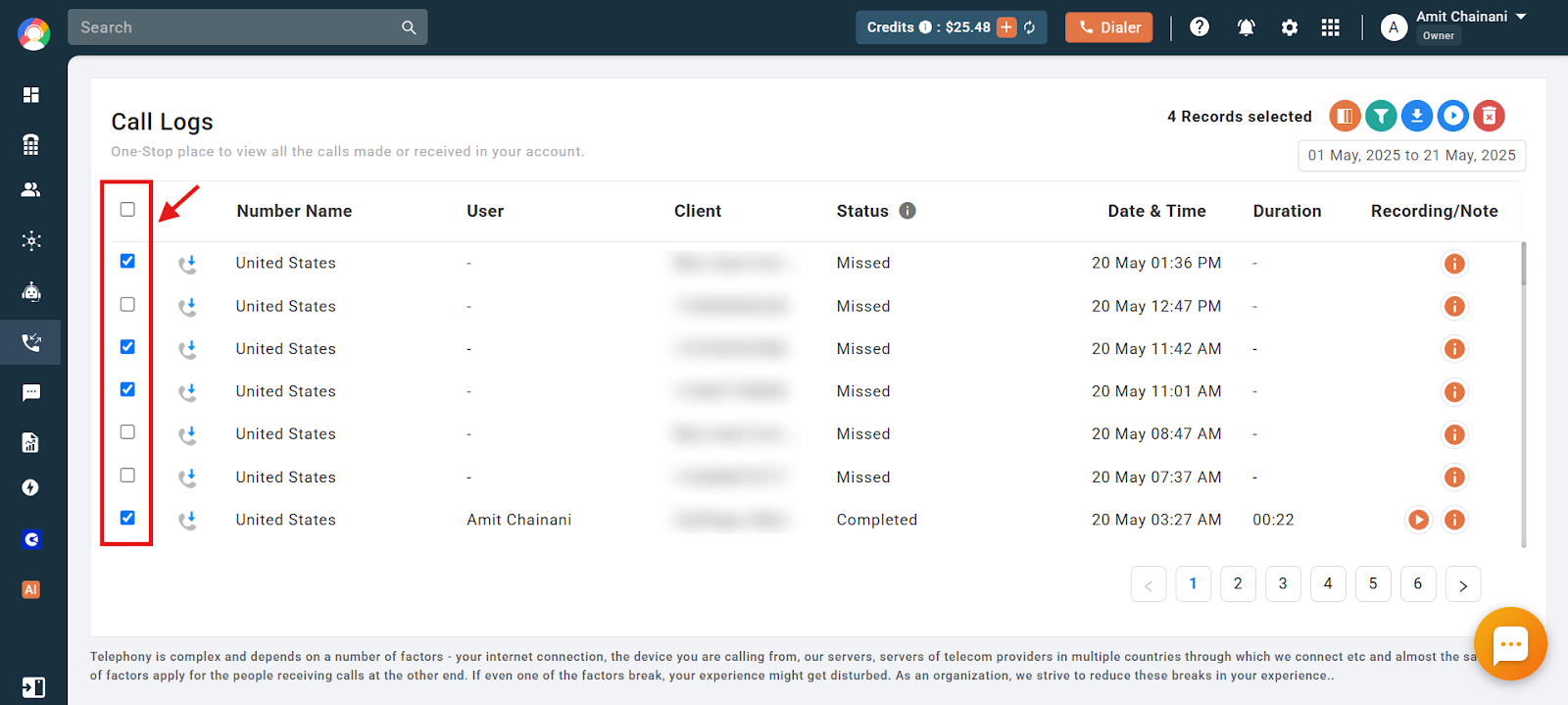
- Select the checkboxes next to the call logs whose recordings you want to download.
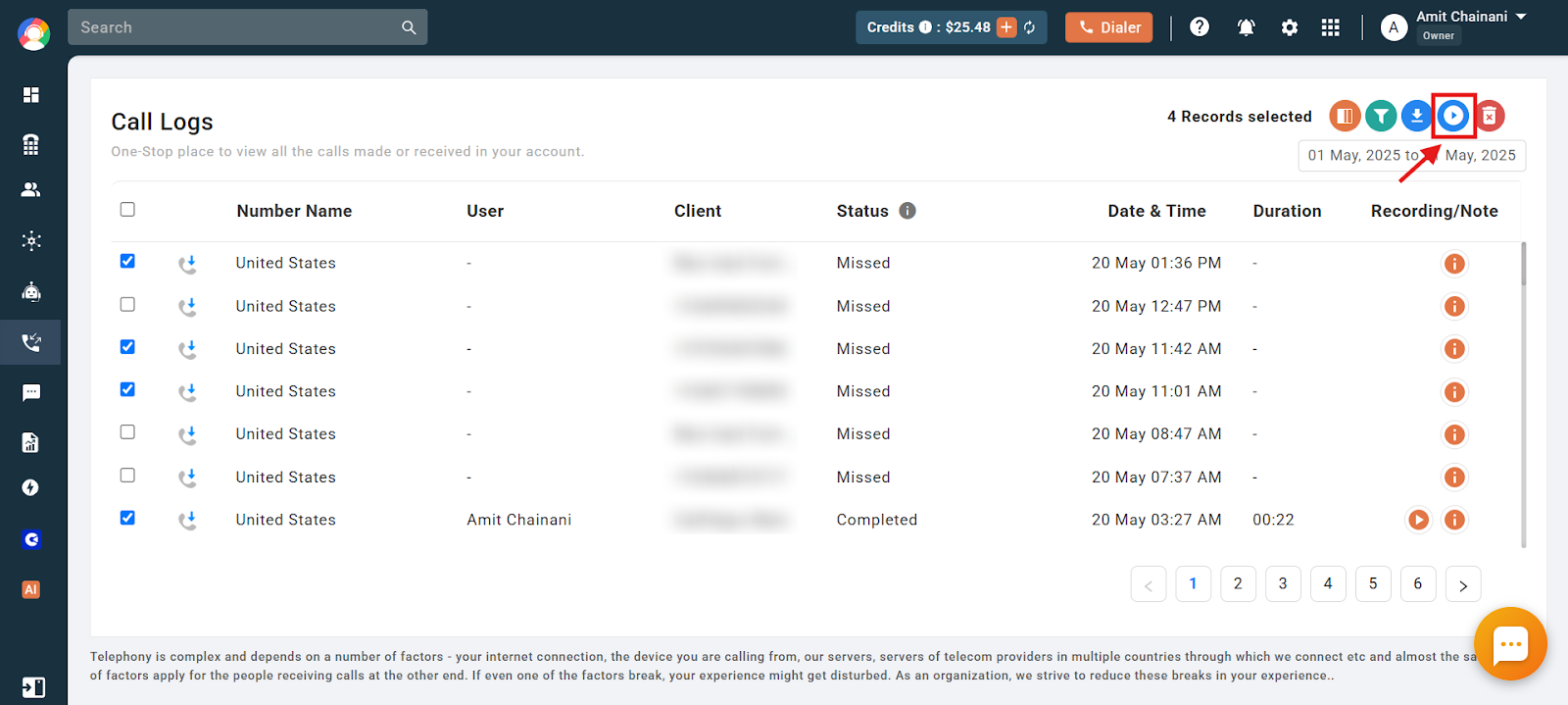
- Click the Download Call Recording icon.
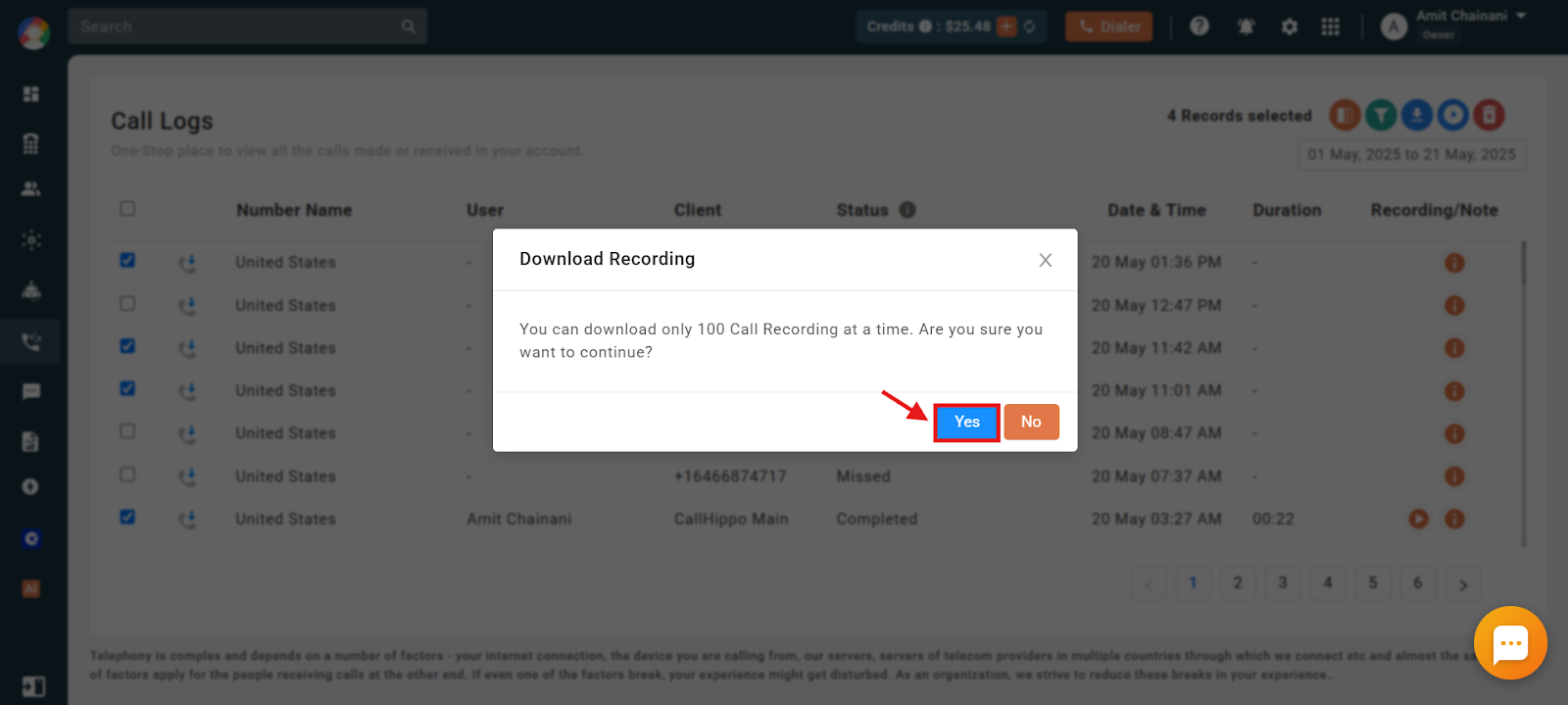
- Click Yes to confirm. A ZIP file containing the MP3 recordings of all selected calls will be downloaded.
Tips for Faster Bulk Downloads
- Use filters: Apply a date range or filter by specific users in the call logs view before selecting calls, so you only download the recordings you need.
- Work in batches: The limit is 100 recordings per download. If you have more, repeat the process in batches, using filters to keep the downloads organized.
- Desktop only: Bulk download is available through the CallHippo web dashboard on desktop browsers, not on the mobile app.
Frequently Asked Questions
What format will the call recordings be in when I download them?
The recordings are downloaded as MP3 files inside a ZIP archive, so they are easy to play or share on most devices.
How do I select multiple recordings quickly for bulk download?
Use the checkboxes next to each call log in the Call Logs / Recordings section. You can select up to 100 calls before clicking the download icon.
Will the downloaded ZIP file include recordings only, or also call details?
The ZIP file contains only the MP3 audio recordings. Call details such as timestamps and caller IDs remain accessible within your CallHippo dashboard.
Can I download recordings for calls filtered by user or date?
Yes. Apply filters such as a date range or specific users in the call logs view before selecting the calls, which makes it easy to bulk download only the relevant recordings.
Can I bulk download call recordings on the mobile app?
No. Bulk download is currently available only through the CallHippo web dashboard on desktop browsers.