
On-Call Notes let you jot down important details while you are on a live call and refine them afterward, so nothing important slips through the cracks.
What are on-call notes?
On-Call Notes are text entries you can type while on an active call. They are saved automatically with the call log and stay editable even after the call ends. This feature helps you:
- Record information as it is discussed.
- Add or clarify points after the call is completed.
- Share customer context with teammates for better collaboration.
Important: All users under the same parent account can view and update these notes through the call logs.
Why use on-call notes
- Capture key details without relying on memory.
- Ensure context is available for future calls or follow-ups.
- Keep all team members aligned on customer interactions.
- Make post-call updates or clarifications as needed.
Who can view and edit notes
Any user associated with the same parent account, including agents, managers, and admins, can view and update call notes. This keeps continuity across customer interactions, even when different team members handle them.
How to add notes during a call
- Find the Note field: While the call is active, locate the Note field on your call screen and start typing.
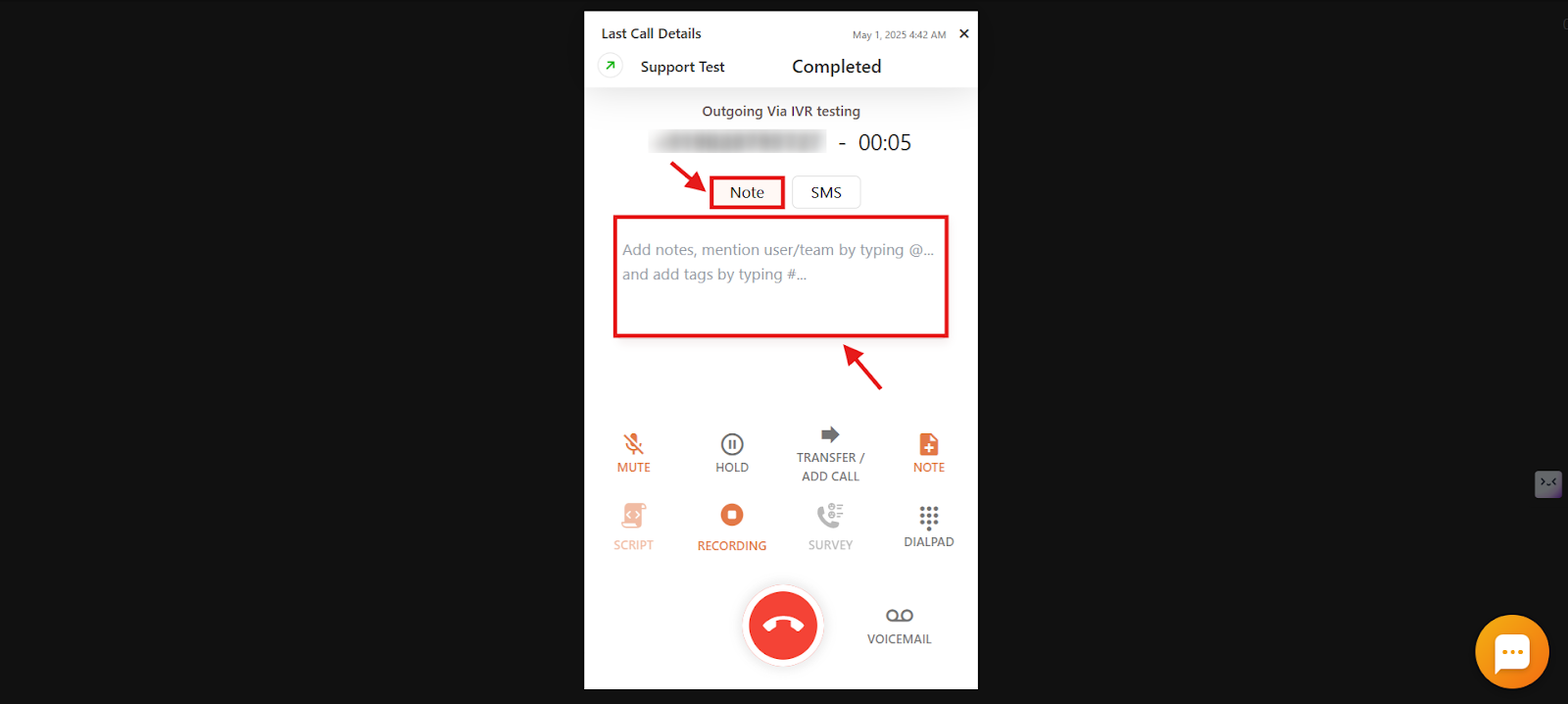
- Notes save automatically with the call log once the call ends.
How to view and update notes from the dashboard
- Log in to your CallHippo dashboard.
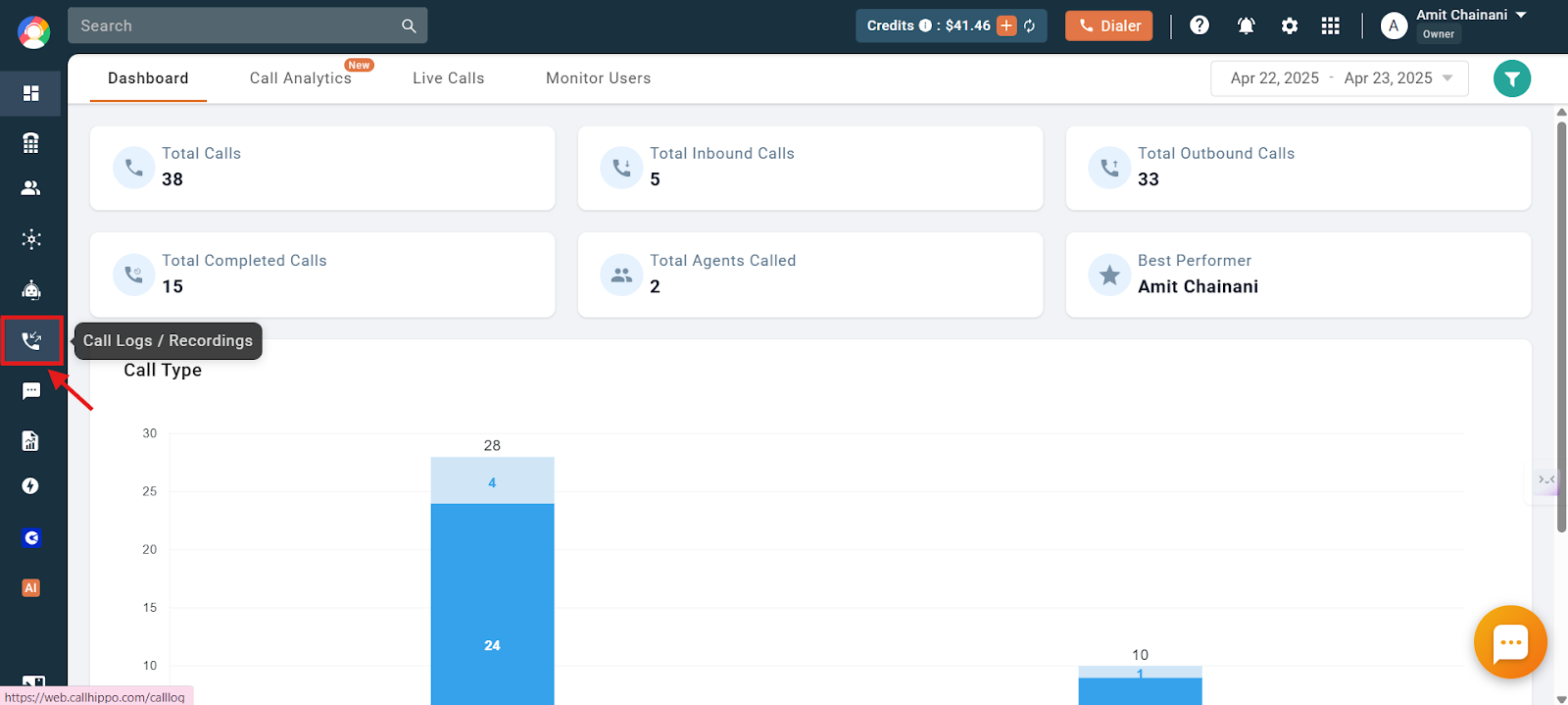
- Open Call Logs / Recordings from the left side of the dashboard.
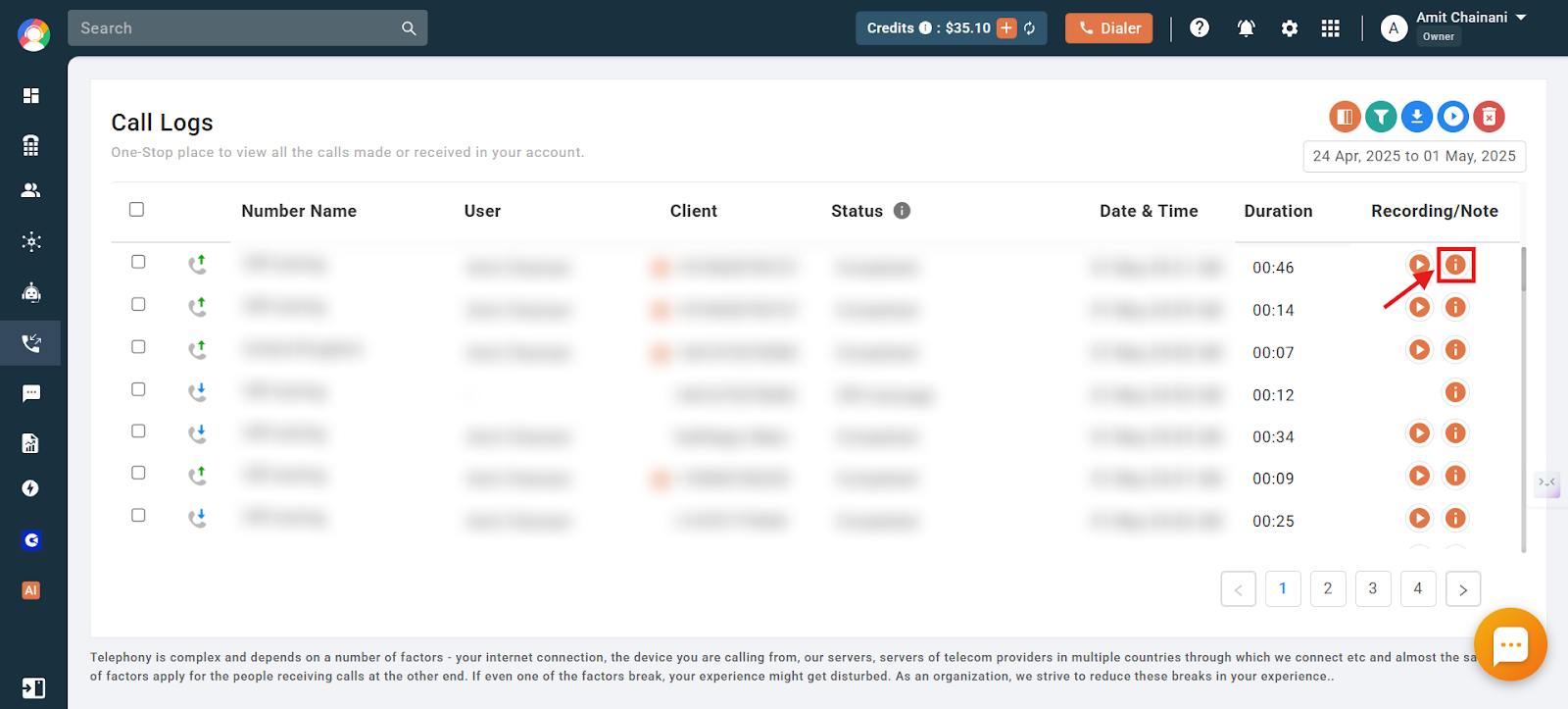
- Click the “i” icon next to the call log you want to view.
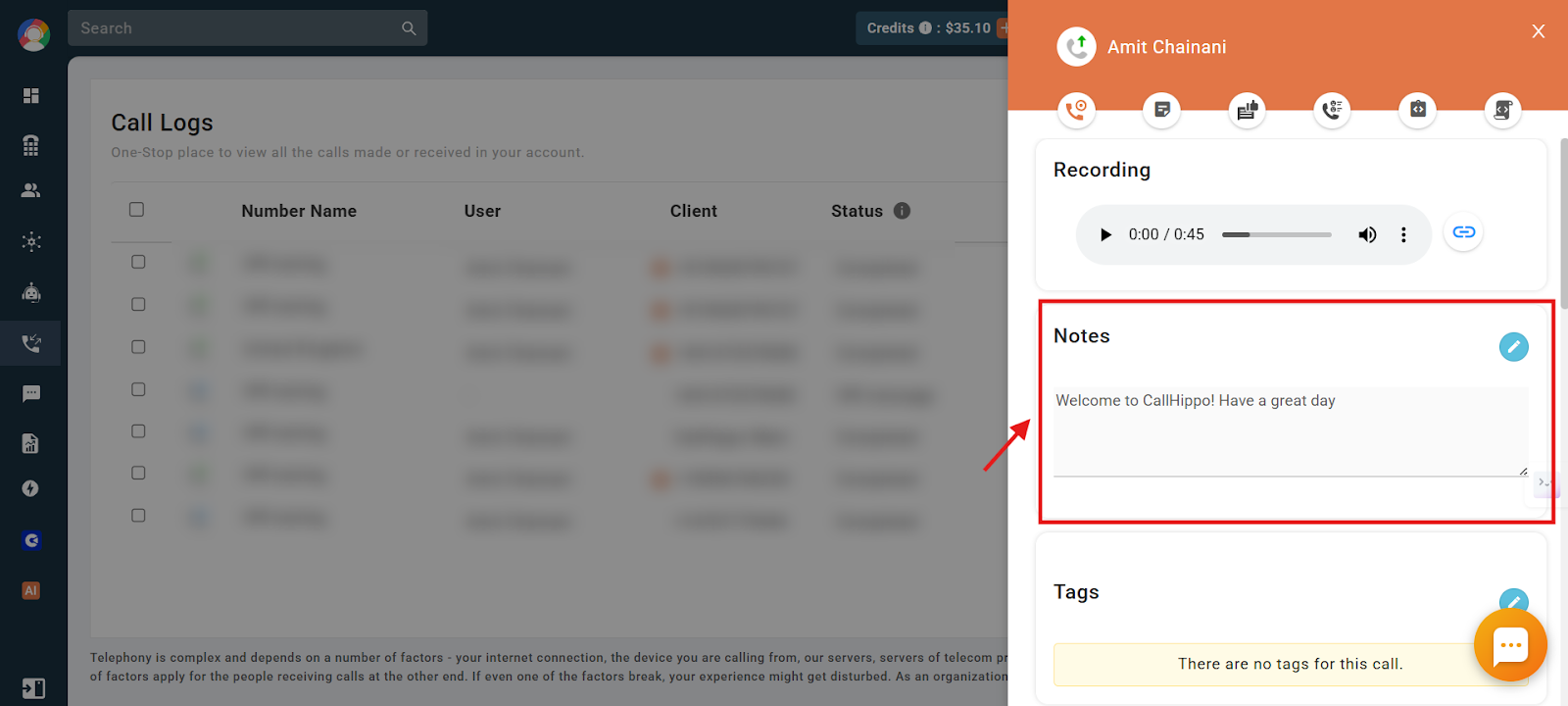
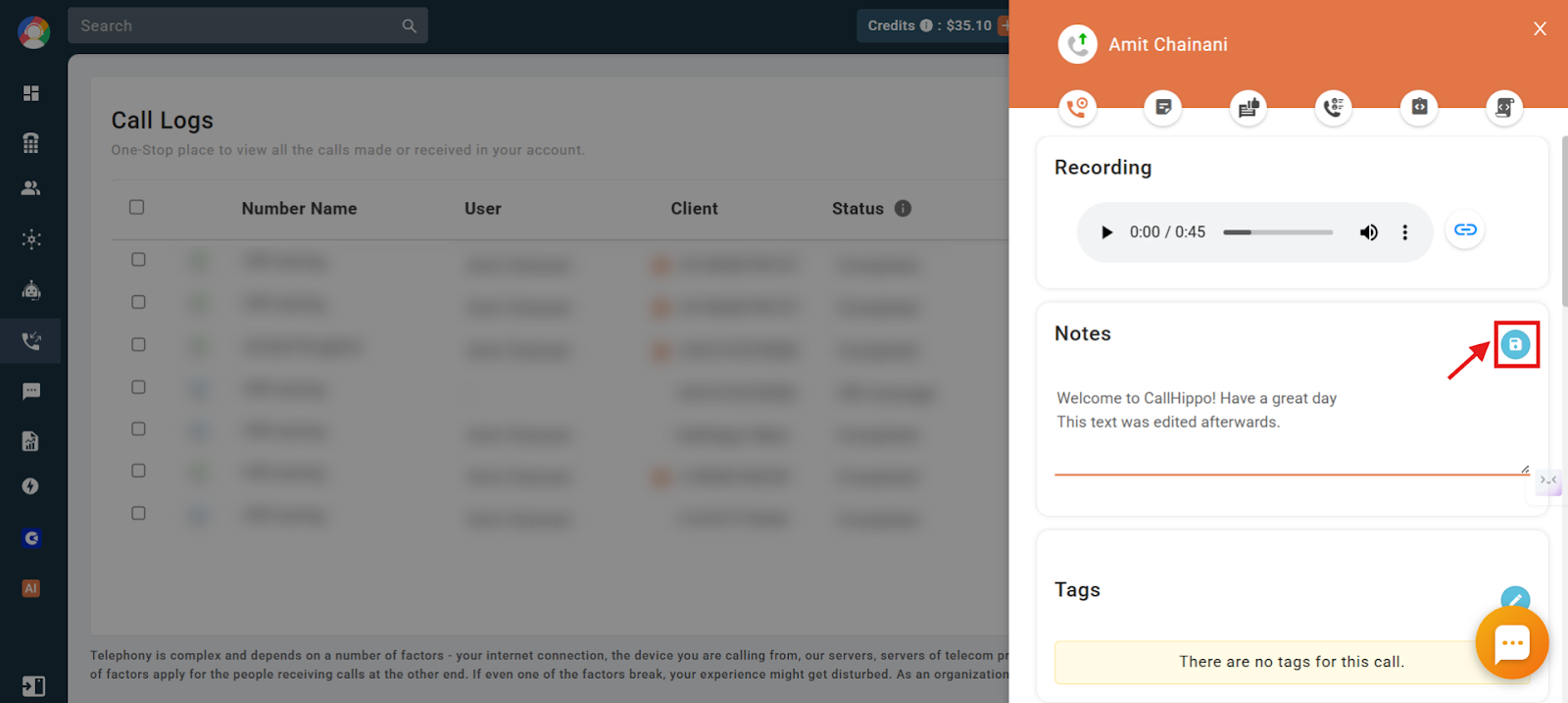
- View the notes you added during the call, then click the blue edit icon to add or change notes.
- Click the save icon to save your changes. Updates remain visible to all users under the same parent account.
How to manage notes from the web dialer and desktop app
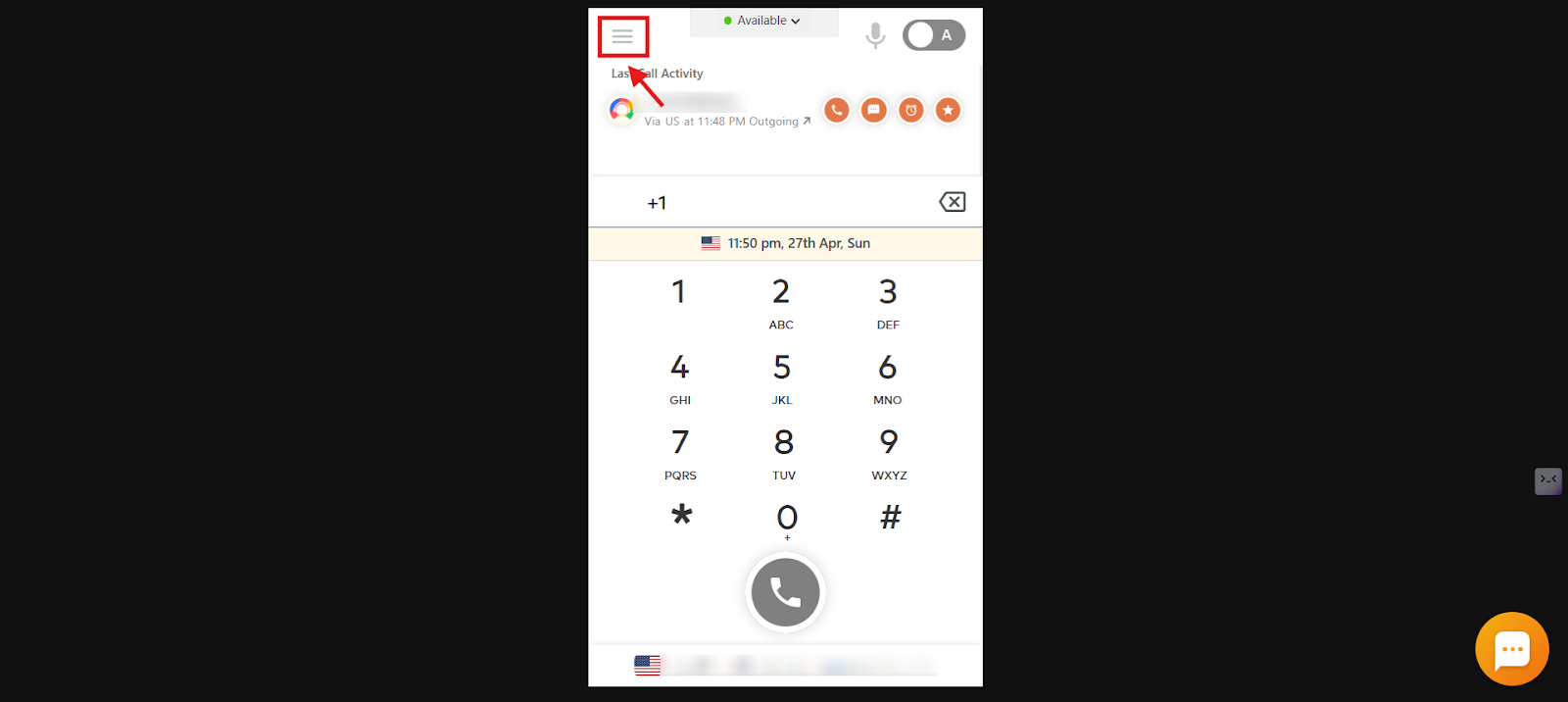
- Log in to your CallHippo dialer and click the menu icon.
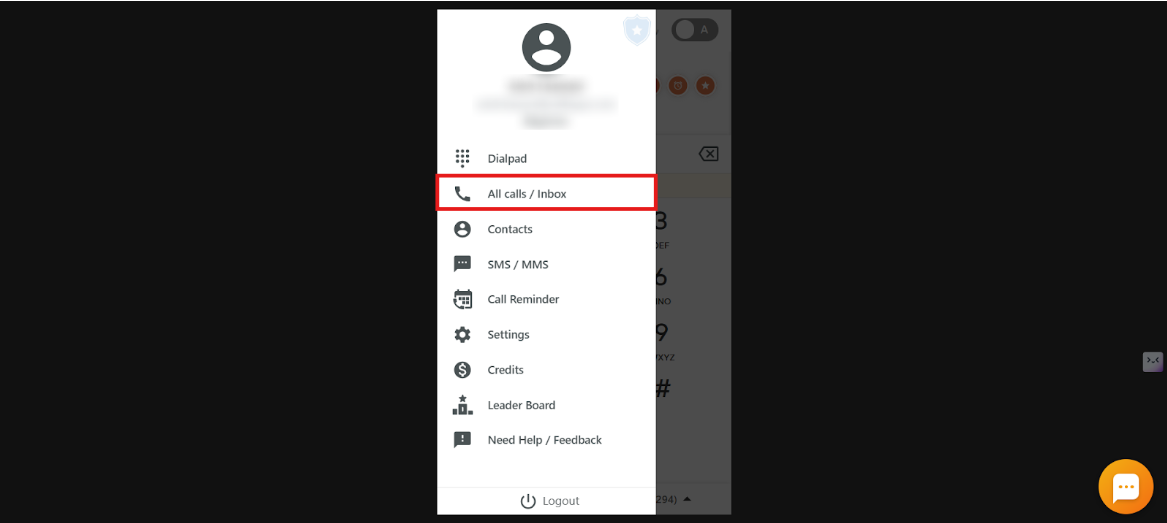
- Select All calls / Inbox.
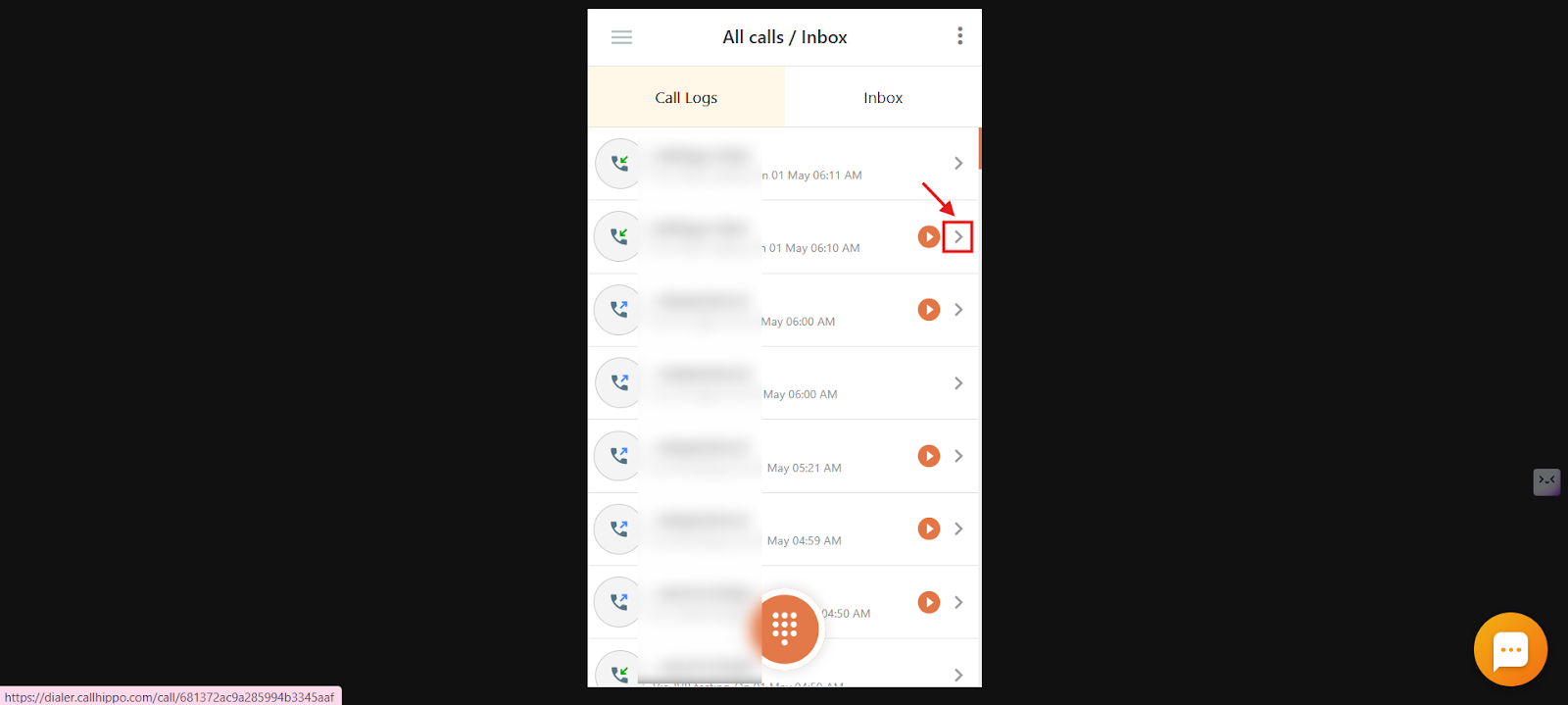
- Click the arrow button on the call you want to open.
- View, add, and edit notes in the Notes section.
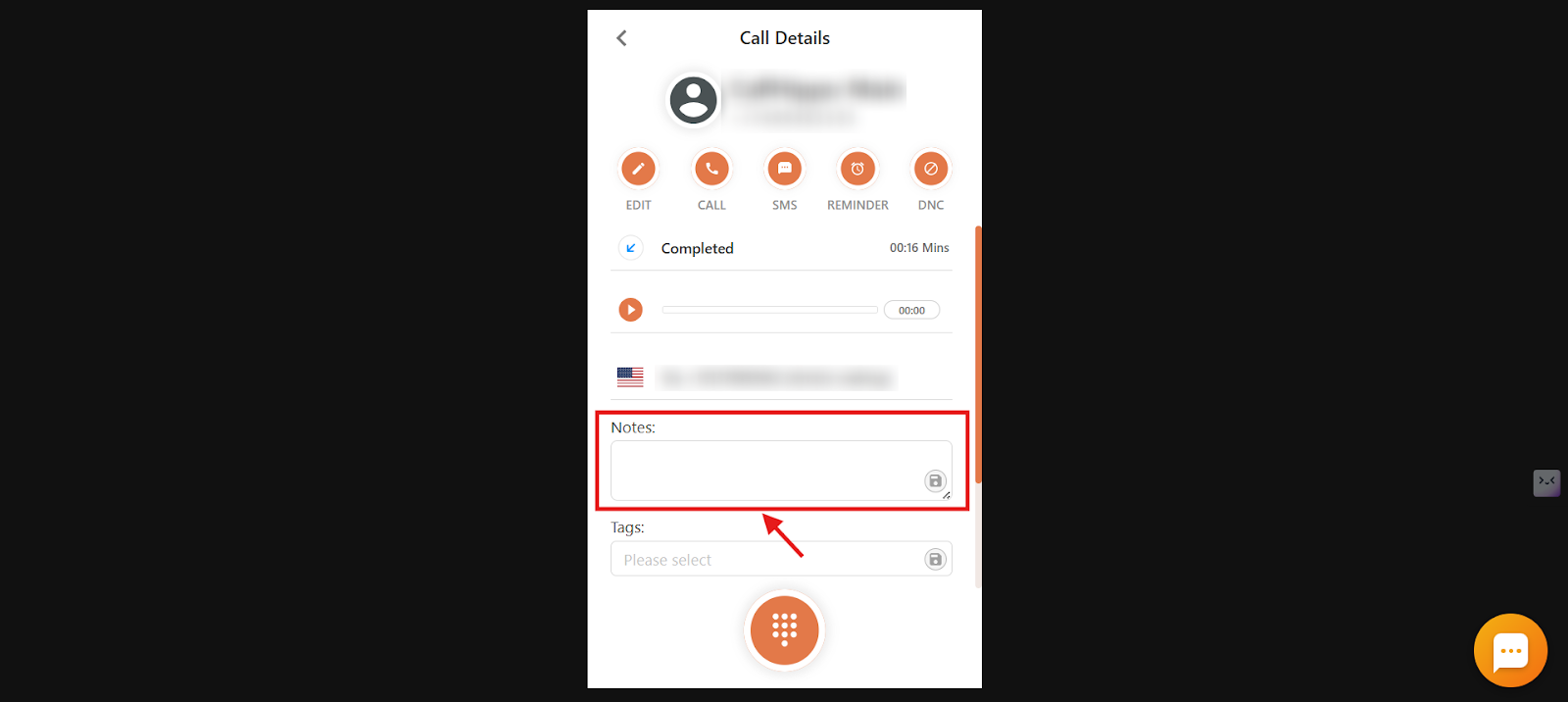
How to manage notes from the Android and iOS app
- Log in to your CallHippo app and tap the main menu icon.

- Tap All Calls / Inbox.

- Tap the arrow button on the call you want to open.

- Tap Call Notes.

- Edit, add, and view notes in the text box.

Difference between on-call notes and after call work
CallHippo offers both On-Call Notes and After Call Work to help you document calls efficiently:
- On-Call Notes: Jot down notes while you are on the call, useful for capturing key details in real time so nothing is missed.
- After Call Work: Enter a summary once the call ends, ideal for adding final thoughts, tagging outcomes, or documenting next steps.
Both types of entries are accessible from the Activity Feed, making it easy to review and manage your call records anytime.
Frequently asked questions
Can I edit on-call notes after the call has ended?
Yes. Go to the call log, click the “i” icon, and use the edit option to update notes anytime.
Who can see and edit my on-call notes?
All users under the same parent account, agents, managers, and admins, can view and edit notes from call logs.
Do I need to manually save on-call notes during the call?
No. Notes typed during a call are saved automatically when the call ends.
Can multiple teammates update the same note?
Yes. It is a shared field attached to the call log, so any user under the same parent account can update it.
Are on-call notes available on the mobile app?
Yes. You can add and view On-Call Notes on both the web app and the mobile app.