
The Restrict Incoming Calls setting lets you stop a user from receiving any incoming calls across all of their devices.
What Restrict Incoming Calls Does
Restrict Incoming Calls is a user-level setting in CallHippo that, when enabled, prevents the user from receiving any incoming calls on all their devices. You will find the toggle under User Settings, just below the Availability module in the sidebar.
Steps to Enable Restrict Incoming Calls
- Log in to your CallHippo dashboard.
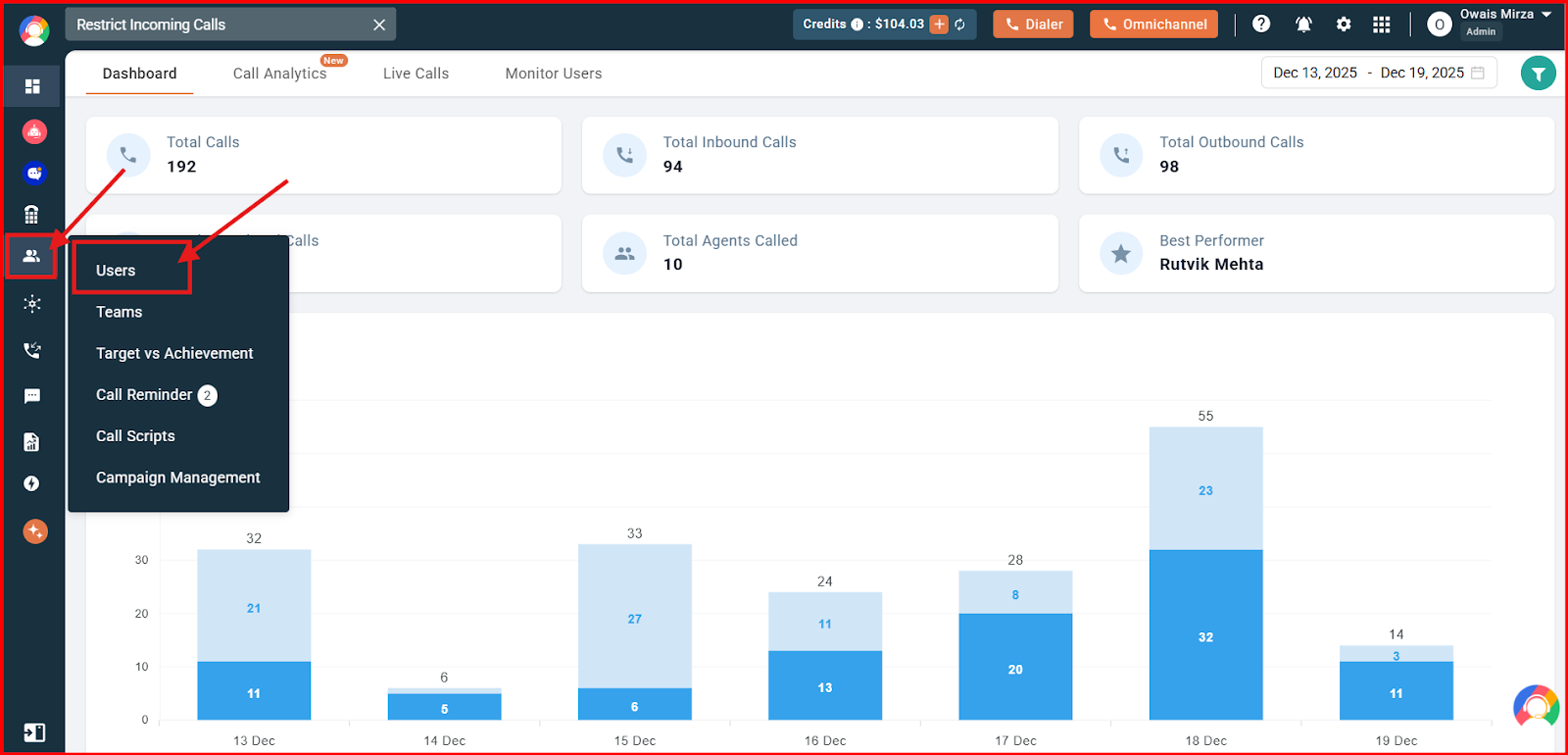
- Go to Users. Open the Users and Performance section on the left, then click Users.
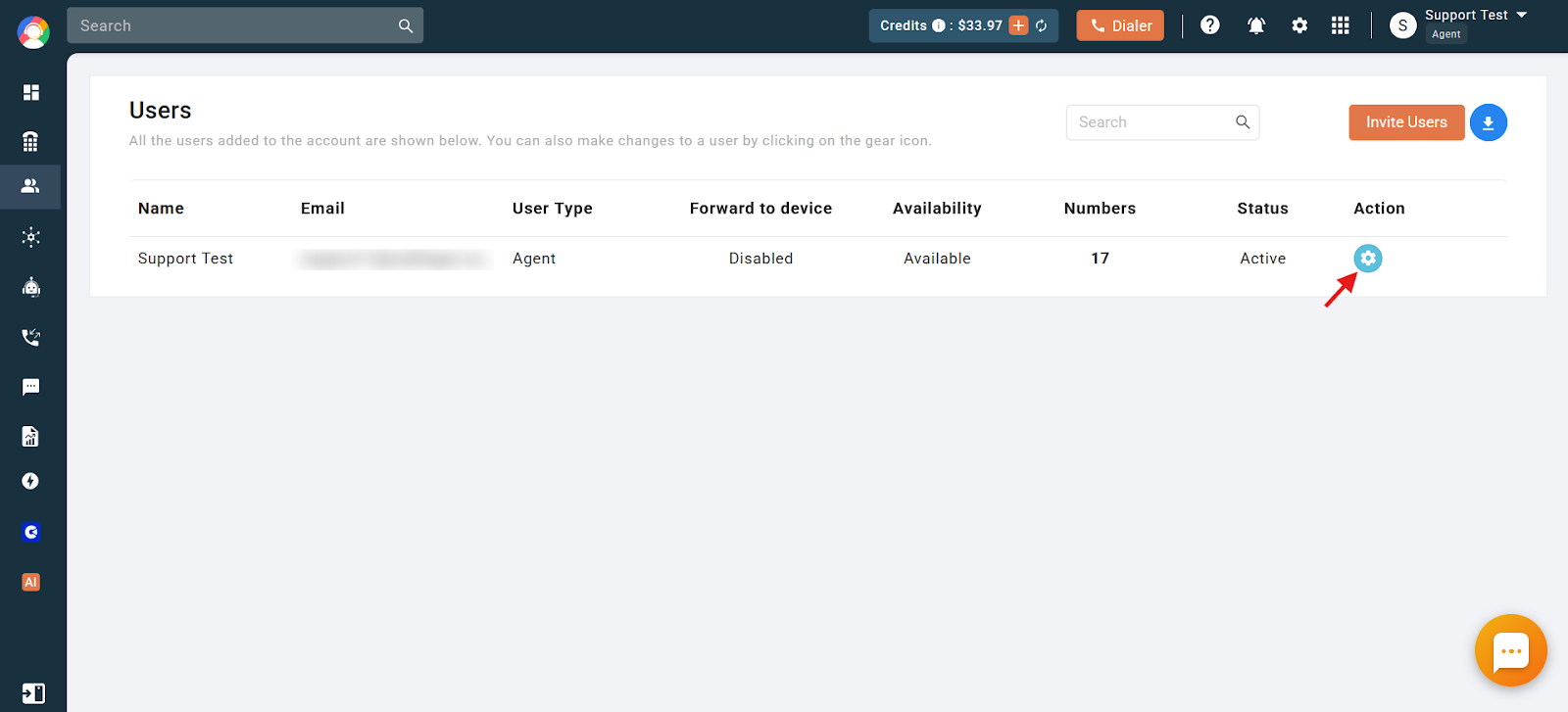
- Open the user’s settings. Click the settings (gear) icon next to the user for whom you want to restrict incoming calls.
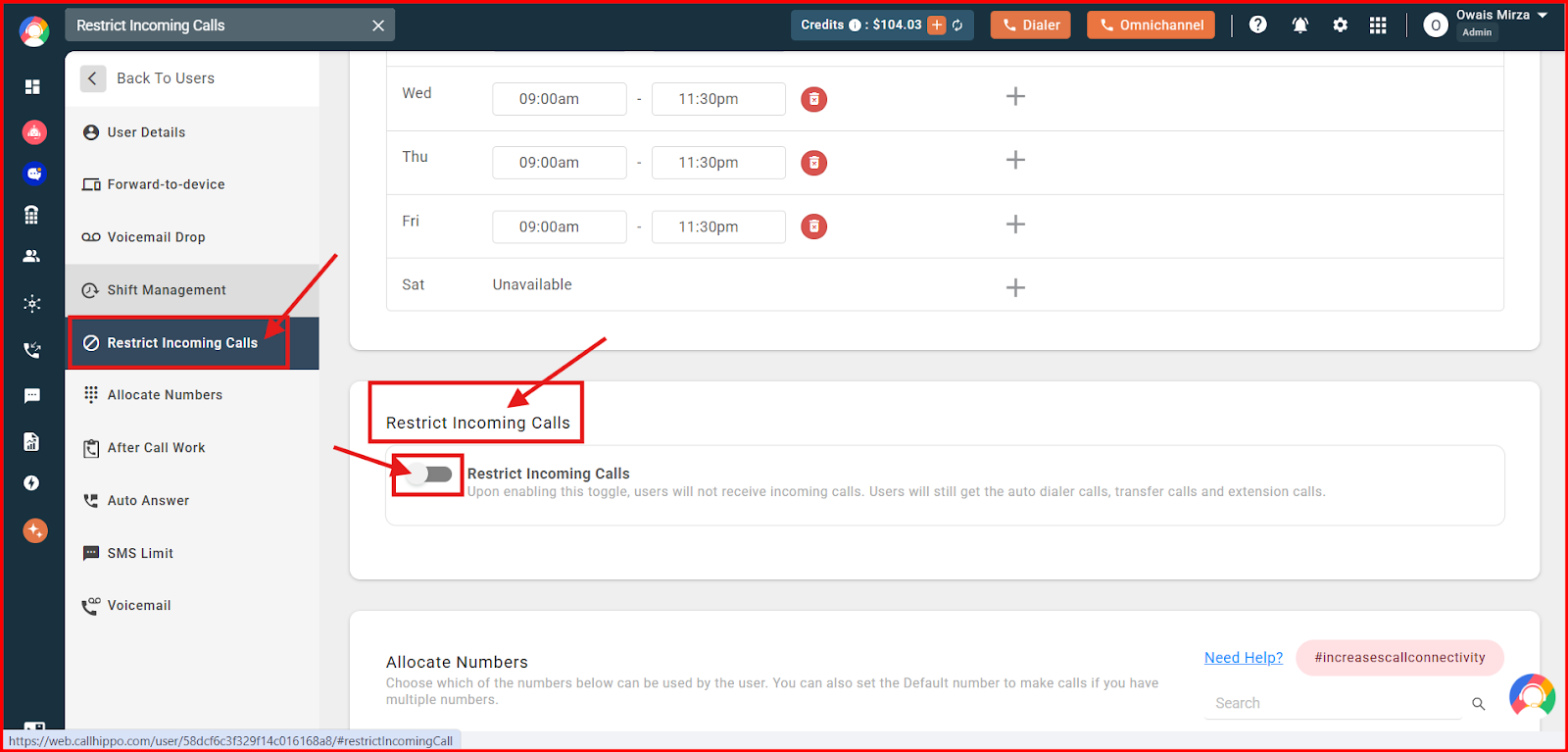
- Go to Restrict Incoming Calls. Click the Restrict Incoming Calls option on the left side of the settings panel.
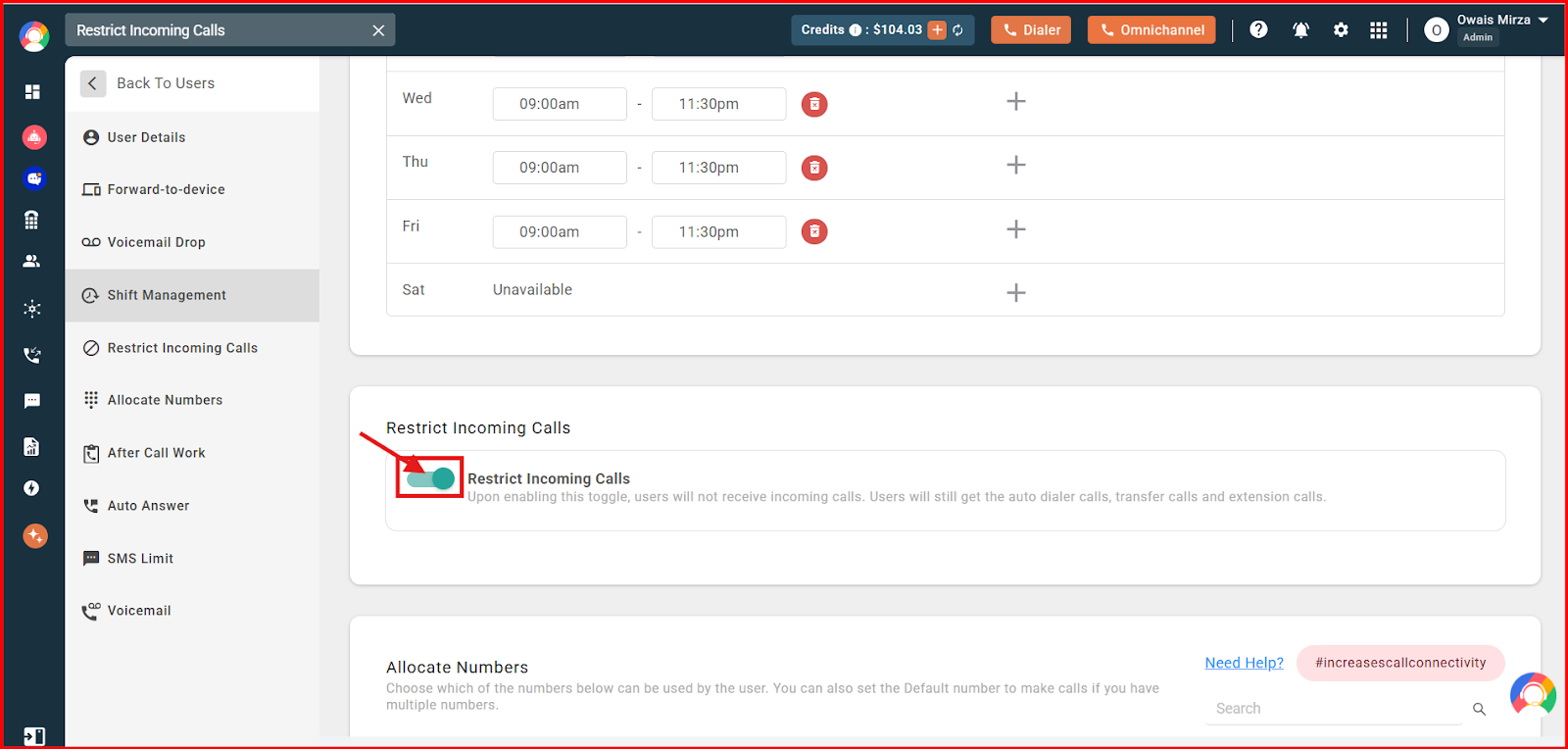
- Toggle it on. Click the toggle to enable or disable incoming calls for that user.
What Happens When the Toggle Is On
- The user will not receive any incoming calls.
- No incoming calls are served to any device (web, mobile, or desktop).
- The user will still receive auto-dialer calls, transfer calls, and extension calls.
- The Forward to Device (FTD) feature becomes ineffective, since no incoming calls are allowed.
What Happens When the Toggle Is Off
- Incoming calls are received normally based on the user’s availability settings.
Frequently Asked Questions
What does the Restrict Incoming Calls feature do exactly?
When enabled, it blocks all incoming calls from reaching the user on any device, whether web, mobile, or desktop. The user will not receive regular incoming calls until it is turned off.
Why am I not receiving incoming calls even though my availability is set correctly?
This can happen if the Restrict Incoming Calls toggle is enabled in your user settings. While it is on, incoming calls will not come through regardless of your availability status.
I enabled Forward to Device but I’m still not getting calls. What’s the issue?
Forward to Device becomes inactive when Restrict Incoming Calls is turned on. Disable the restriction for FTD to work again.
If I turn off Restrict Incoming Calls, will my calls come through right away?
Yes. Once you disable the toggle, incoming calls resume according to your availability settings.
Can an admin enable or disable this setting for other users?
Yes. An admin can access user settings and toggle Restrict Incoming Calls for any user in the account.
Will a restricted user still receive transferred or auto-dialer calls?
Yes. Even with incoming calls restricted, the user will still receive transfer calls, auto-dialer calls, and extension calls.