
Call Whisper is a live call coaching feature in CallHippo that lets managers quietly guide agents during an active customer call, without the customer hearing a thing.
How Call Whisper Works
Supervisors can join calls silently and speak only to the agent, making it ideal for real-time support, training, and intervention without disrupting the customer experience.
- Silent join: No alerts for agents or customers.
- Agent-only voice: Only the agent hears the guidance.
- Live coaching: Help agents handle calls confidently in real time.
Who Can Use Call Whisper?
- Owner
- Admin
- Manager (for their reporting agents)
- Supervisor (for their reporting agents)
Why Use Call Whisper?
- Coach agents live without interrupting calls.
- Improve customer handling and objection management.
- Speed up training and onboarding.
- Increase first-call resolution.
- Boost sales conversions with expert guidance.
Real-life examples: A sales manager helps an agent overcome pricing objections during a live call, or a supervisor guides a support agent through a complex issue in real time.
Important: Call Whisper works only for manual calls. It is not supported on auto-dialer calls.
How to Use Call Whisper
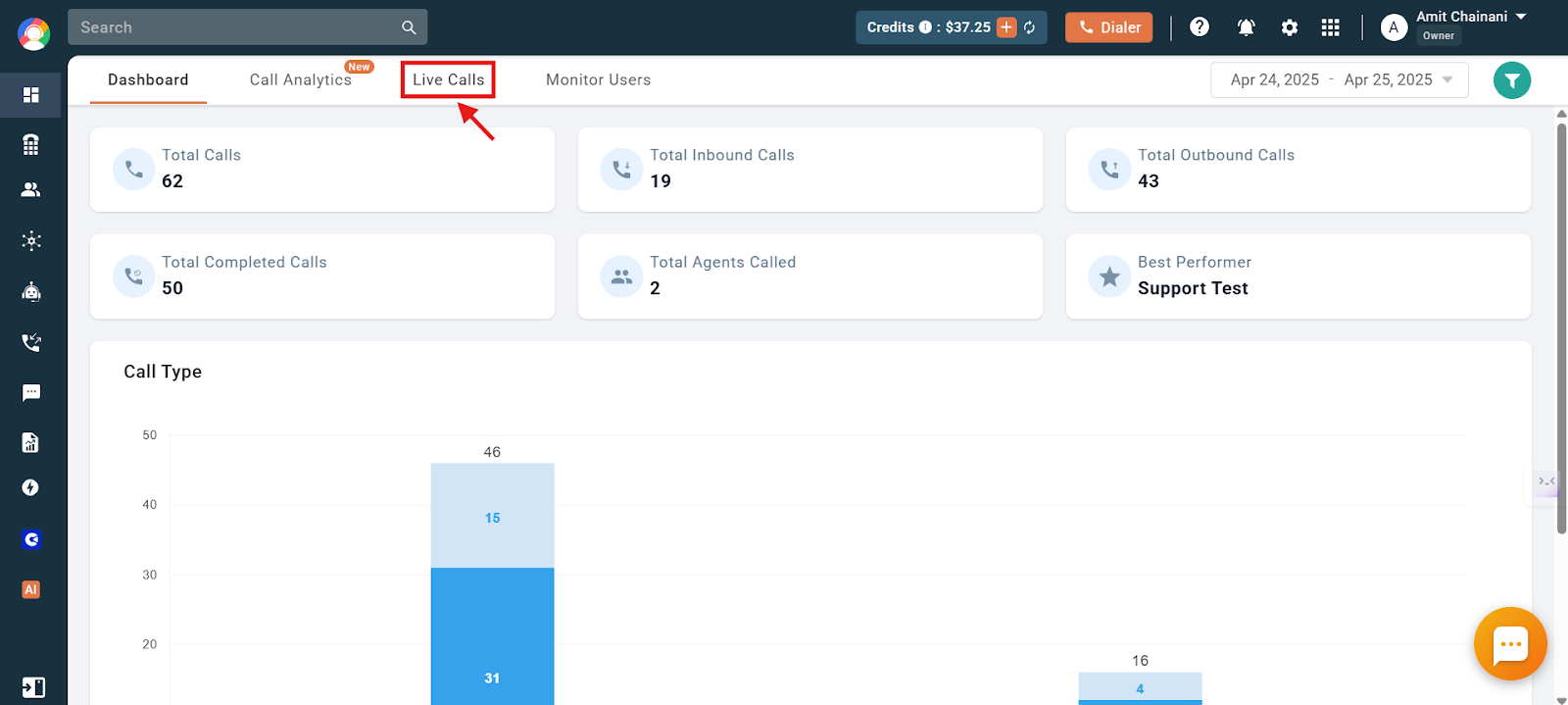
- Log in to your CallHippo dashboard and open the Live Calls section.
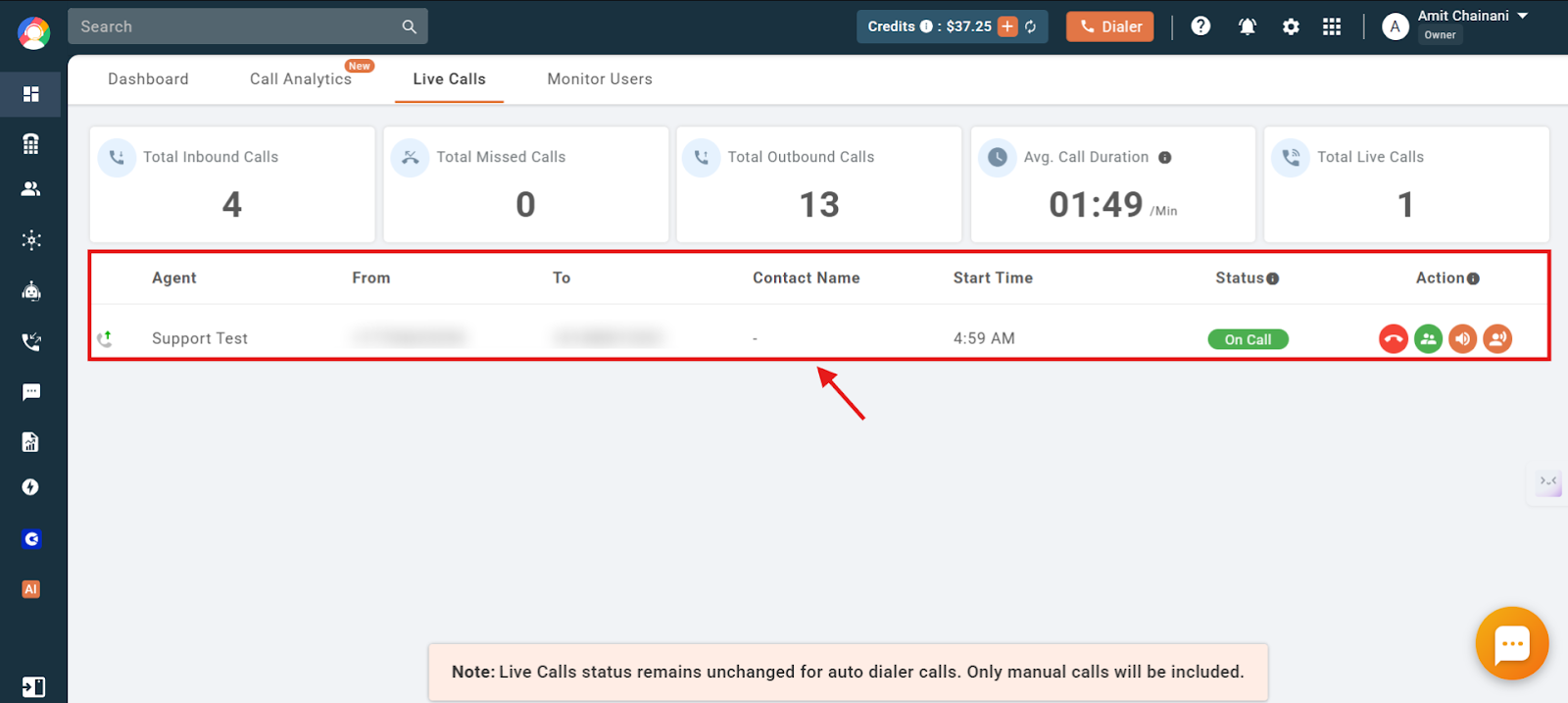
- View the active calls. You will see the list of ongoing manual calls.
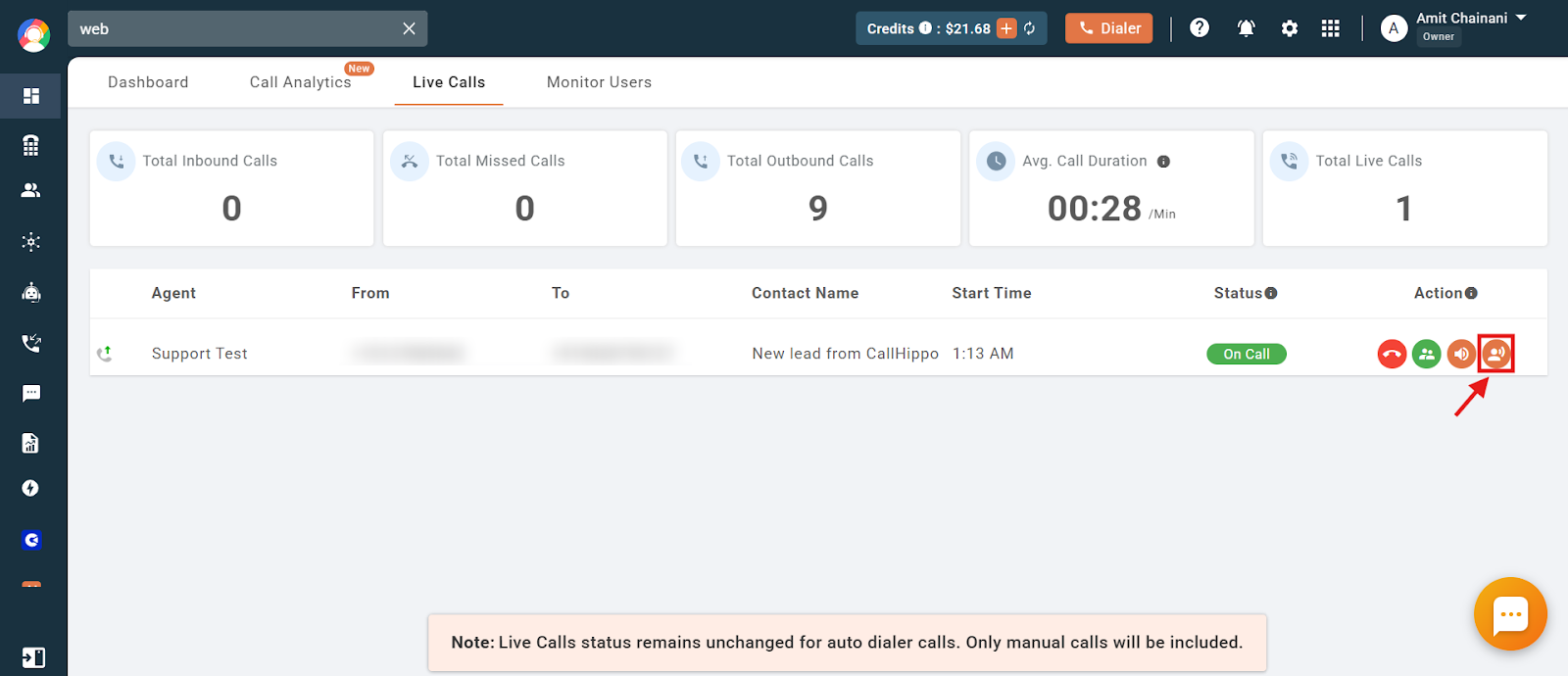
- Click the Call Whisper button next to the live call you want to join.
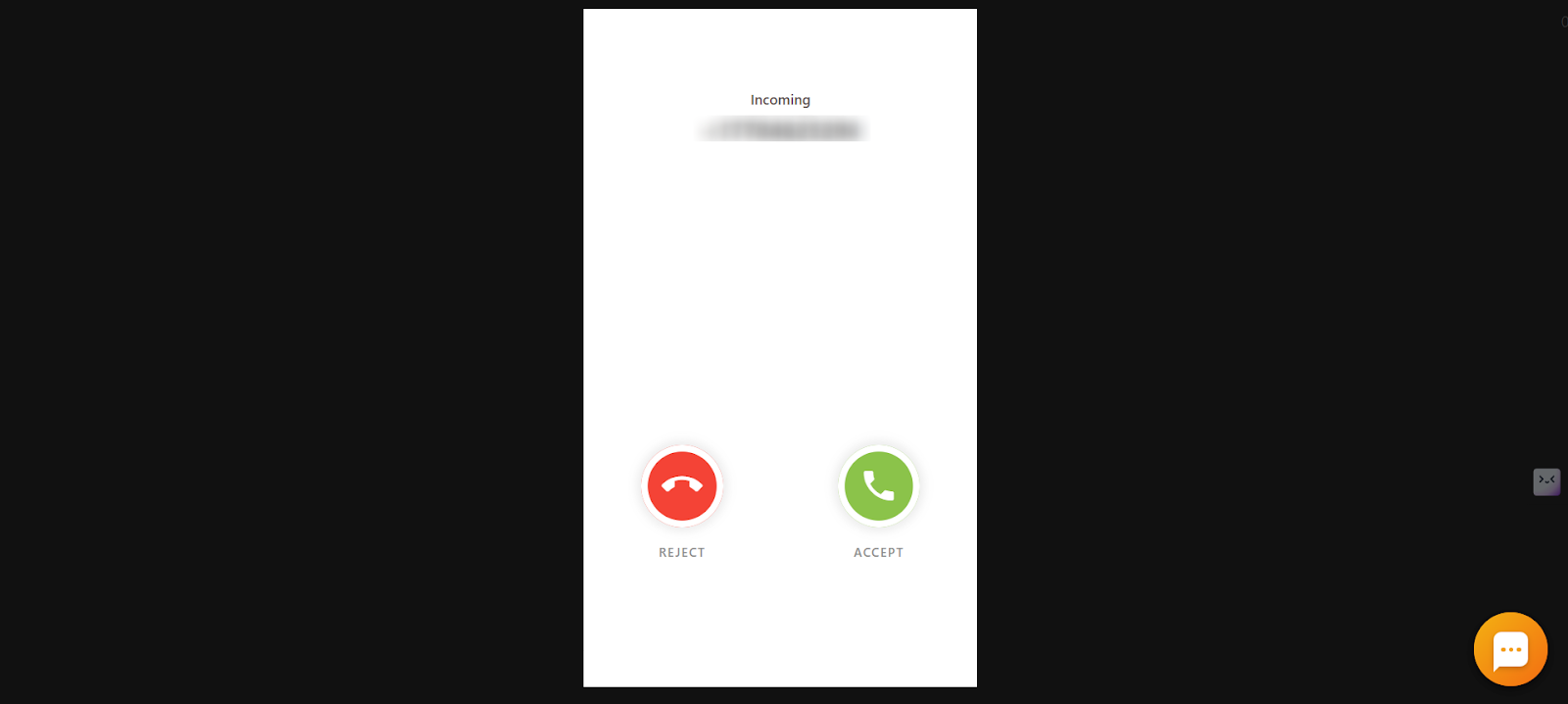
- Answer the whisper call. With your CallHippo dialer open, you will receive an incoming call. Answer it to join in whisper mode. Your voice is audible only to the agent.
How to Enable Call Whisper
No manual activation is required. Call Whisper is available in limited plans, so visit the CallHippo Pricing Page to check eligibility and plan details. If your plan supports it, the feature is automatically available.
Are There Any Extra Charges?
No. Call Whisper is included in the supported plans and does not incur any additional charges.
Troubleshooting
- Plan restrictions: Call Whisper is available only in specific plans. Check your plan on the Pricing Page.
- Indian number limitation: Call Whisper is not supported for calls made using CallHippo-provided Indian numbers due to telecom regulations.
- User role requirements: Sub-users must have a supported role (Owner, Admin, Manager, or Supervisor). Having Live Calls access alone is not enough.
Frequently Asked Questions
Can I coach agents live without the customer knowing?
Yes. With Call Whisper you speak only to the agent; the customer cannot hear you.
Will the customer hear me when I whisper?
No. Only the agent can hear you, and the customer is unaware another user has joined.
Can I use Call Whisper from my phone or mobile app?
No. Call Whisper is initiated only from the CallHippo web dashboard, and the whisper call lands on your web dialer or desktop app, not on mobile apps.
Do I need to enable Call Whisper manually?
No. If your plan supports it, the feature is available automatically.
Can sub-users use Call Whisper?
Only if they have a supported role (Owner, Admin, Manager, or Supervisor). Live Calls access alone is not sufficient.
Does Call Whisper work with auto-dialer calls?
No. It works only with manual calls shown in the Live Calls section.
Can Call Whisper be used for training new agents or remote teams?
Yes. It is great for onboarding and coaching, letting supervisors guide agents live without disrupting calls, which is ideal for remote and hybrid teams.
Is there a limit to how many supervisors can use Call Whisper at once?
No.
How is Call Whisper different from Call Barging?
With Call Whisper, only the agent hears the supervisor’s guidance while the customer remains unaware. With Call Barging, the supervisor joins the call and speaks to both the agent and the customer.
Is Call Whisper available for both inbound and outbound calls?
Yes. Call Whisper works on any active call, inbound or outbound, as long as it appears in the Live Calls section.