
A Call Queue lines up simultaneous inbound calls and answers them one by one, so no caller is sent to voicemail or hears a busy signal.
What Is a Call Queue?
In a growing business, multiple customers often call at the same time. With CallHippo’s Call Queue, incoming calls are placed in a line and answered one by one. Each caller waits on hold until the assigned user becomes available, and while waiting they can hear music or a custom message. Whether you have a small team or a busy department, Call Queues ensure that no customer feels ignored.
Benefits of Call Queue
- Improved customer experience: Callers are reassured their call will be answered soon instead of hitting voicemail.
- Better call management: Calls are handled in the order received, so none are missed during busy periods.
- Higher productivity: Users focus on one caller at a time without multiple lines ringing.
- Professional brand image: Custom greetings and hold music keep callers engaged.
- More revenue opportunities: Every caller reaches someone, helping you capture more leads.
How It Works: An Example
Imagine a real estate agency where three clients call during lunch about different properties. Caller 1 connects to the user first. Caller 2 and Caller 3 hear hold music or a custom message while they wait. As soon as the user finishes with Caller 1, they are automatically connected to Caller 2, then Caller 3. Even with one or two users, the business handles multiple calls professionally.
Important Information and Pricing
- Queue time is billable: Your account is charged for the time a call stays in the queue, based on incoming call time – even if the call is never connected. For example, if a caller waits then hangs up, you are still charged for that queue time.
- Number-specific: Call Queue is set per number. Enable it separately for each number you want it on.
- Plan availability: Call Queue is available only in selected plans. Check availability on the CallHippo pricing page.
- Not for India numbers: Call Queue does not work for CallHippo India numbers due to telecom regulations for Indian virtual numbers.
How to Enable Call Queue
- Log in to your CallHippo dashboard.
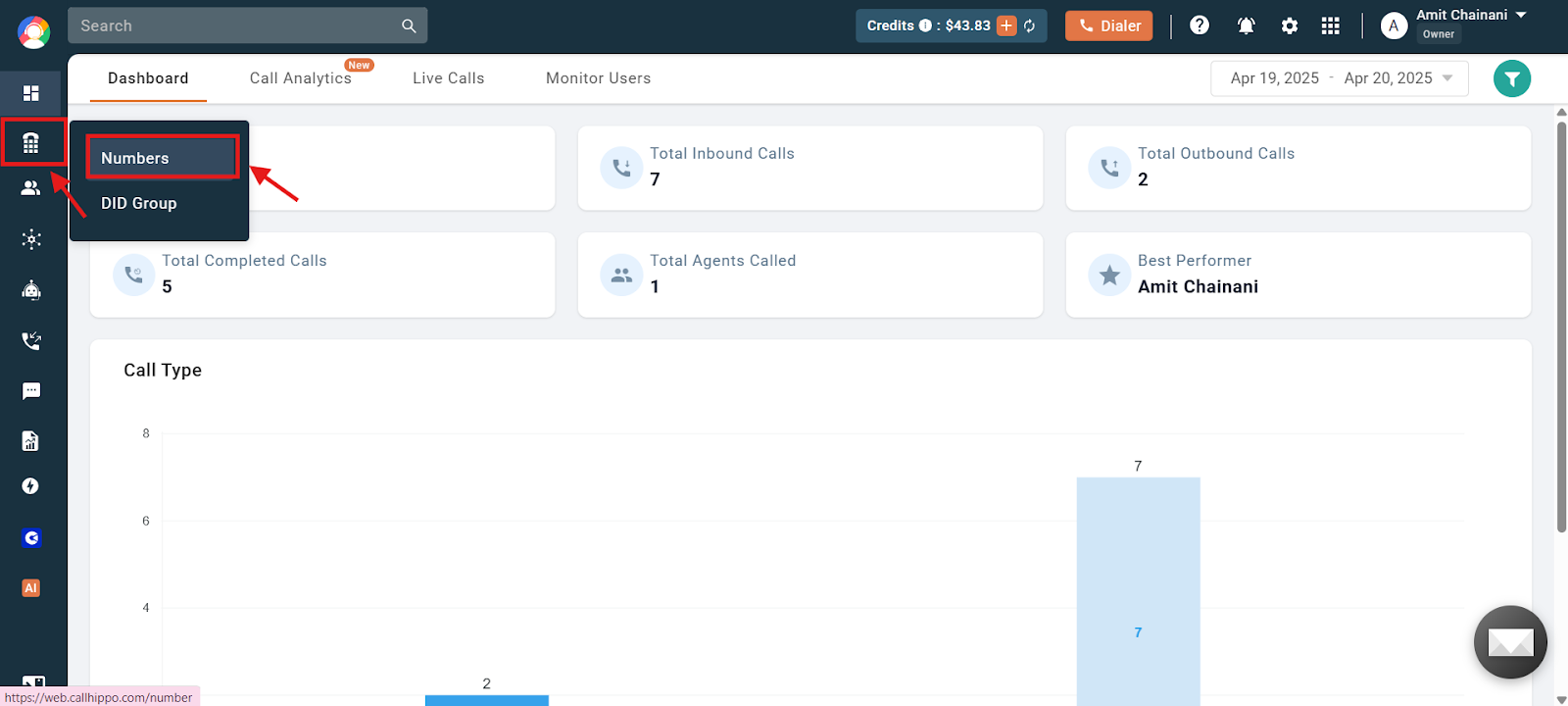
- Open Numbers from the left menu and click Numbers.
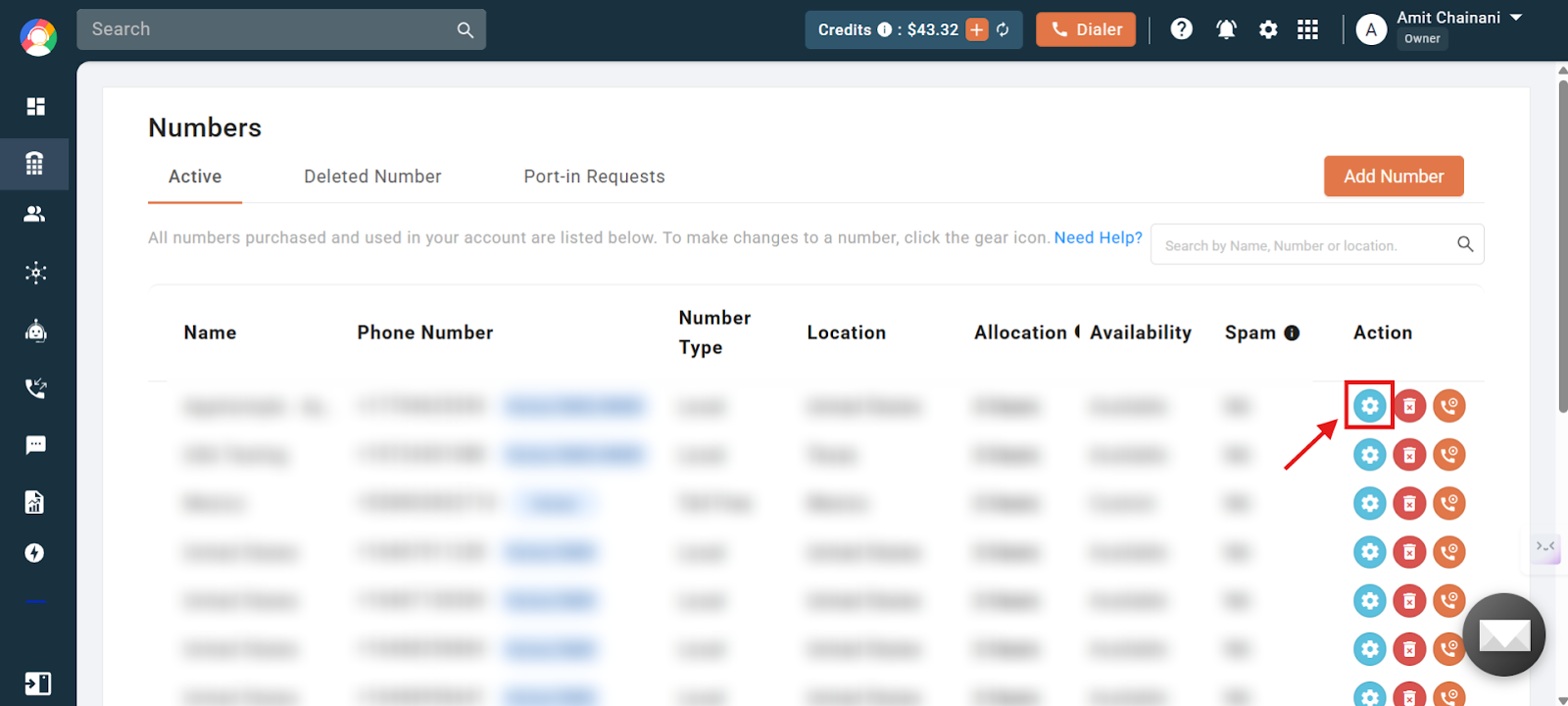
- Open number settings. Click the settings (gear) icon of the number you want to configure.
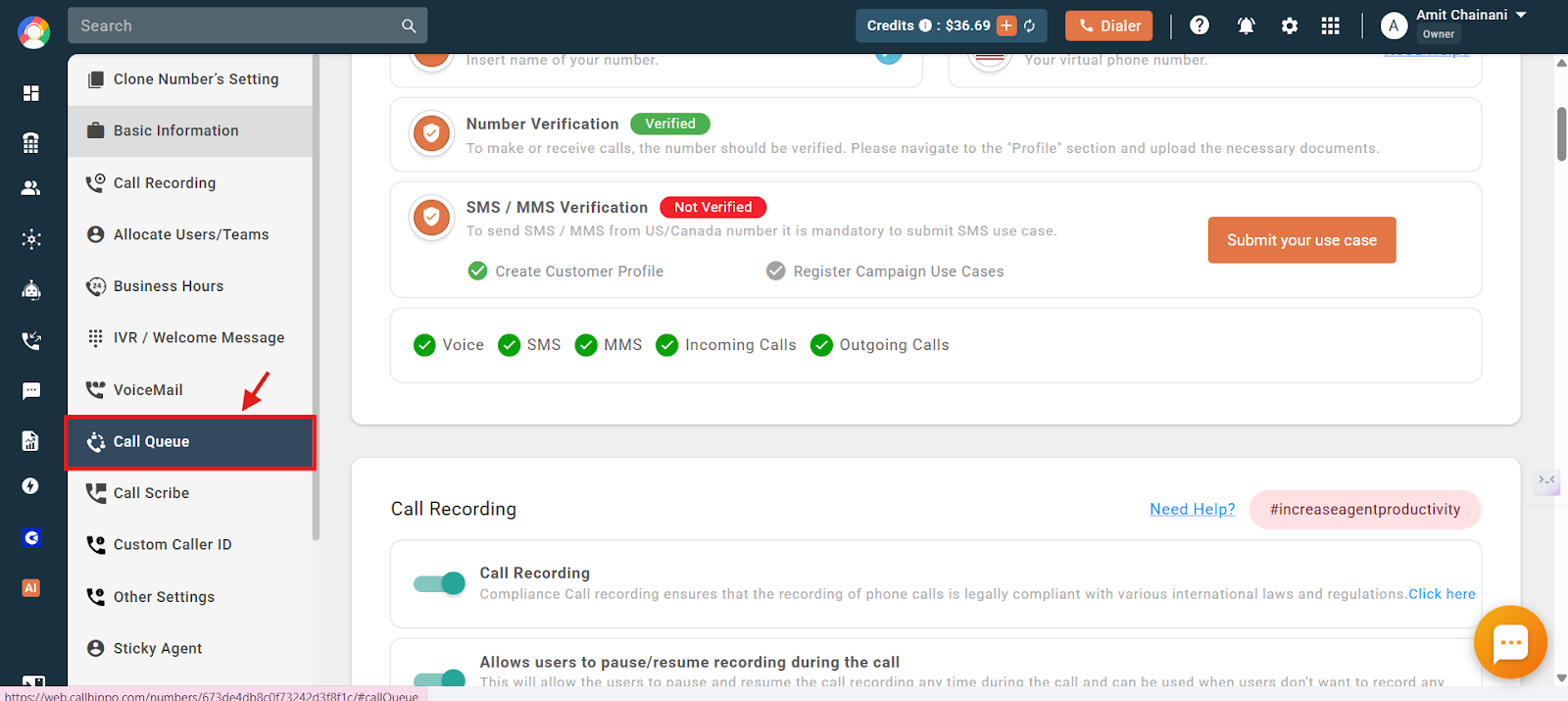
- Go to Call Queue from the left side of the number settings.
- Turn on the Call Queue toggle.
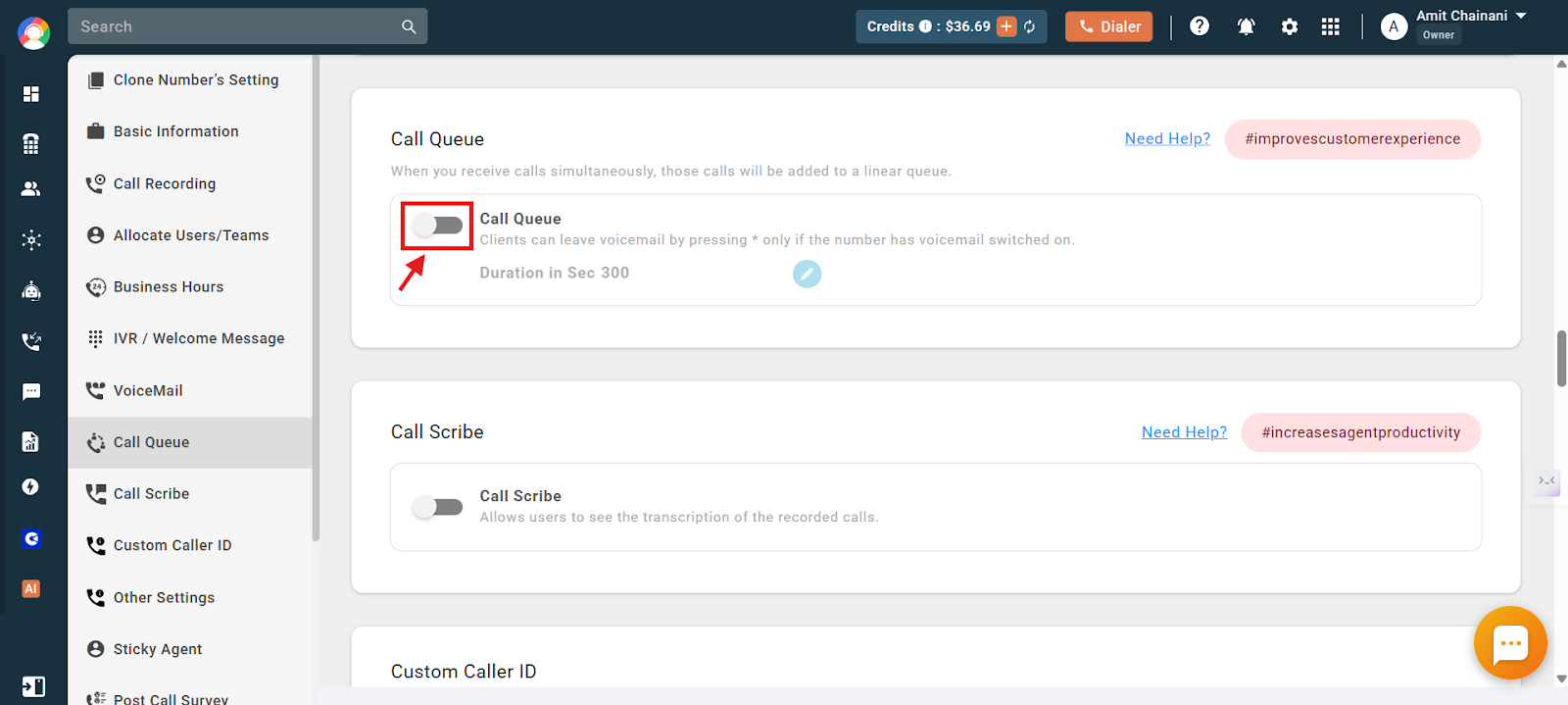
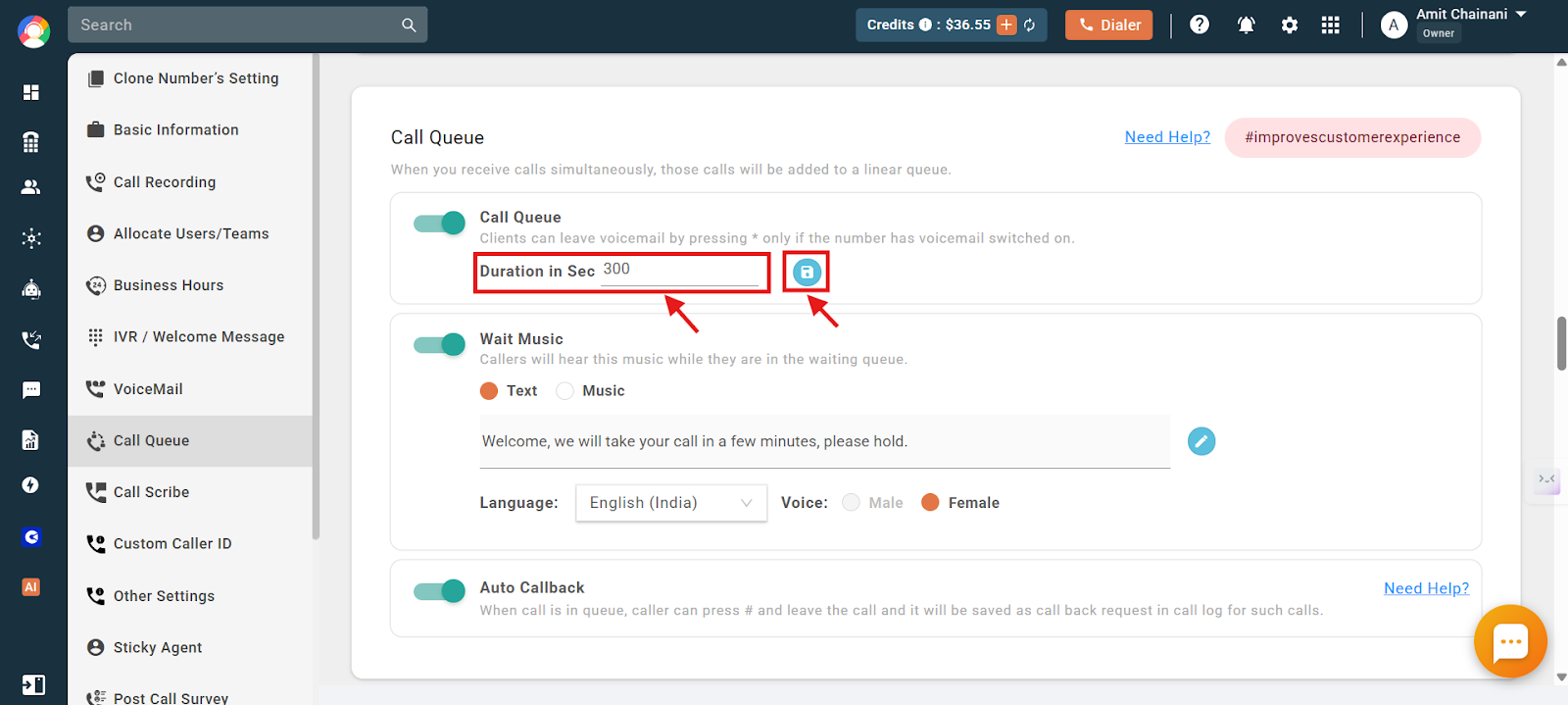
- Set the queue duration. By default calls are held for 300 seconds (5 minutes). You can adjust this up to a maximum of 1000 seconds, then save. This controls how long a caller stays in the queue before being redirected.
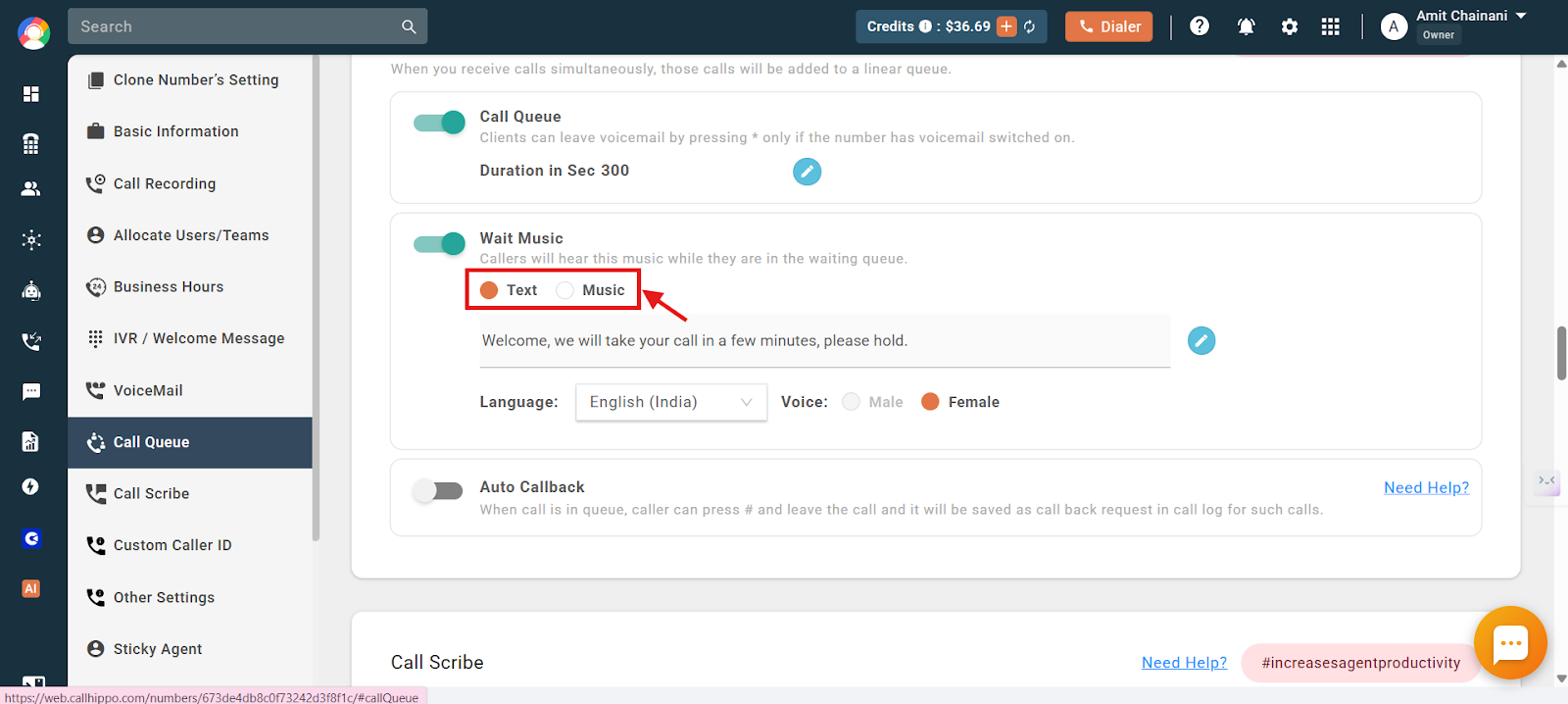
- Enable Wait Music (recommended). Choose Text to enter a custom message (with a language, accent, and male or female voice) or Music to upload an .mp3 or .wav file up to 5 MB. If you do not enable wait music, callers hear CallHippo’s default hold music.
- Enable Auto Callback (optional). When active, callers can press # to leave the queue and log a callback request instead of waiting.
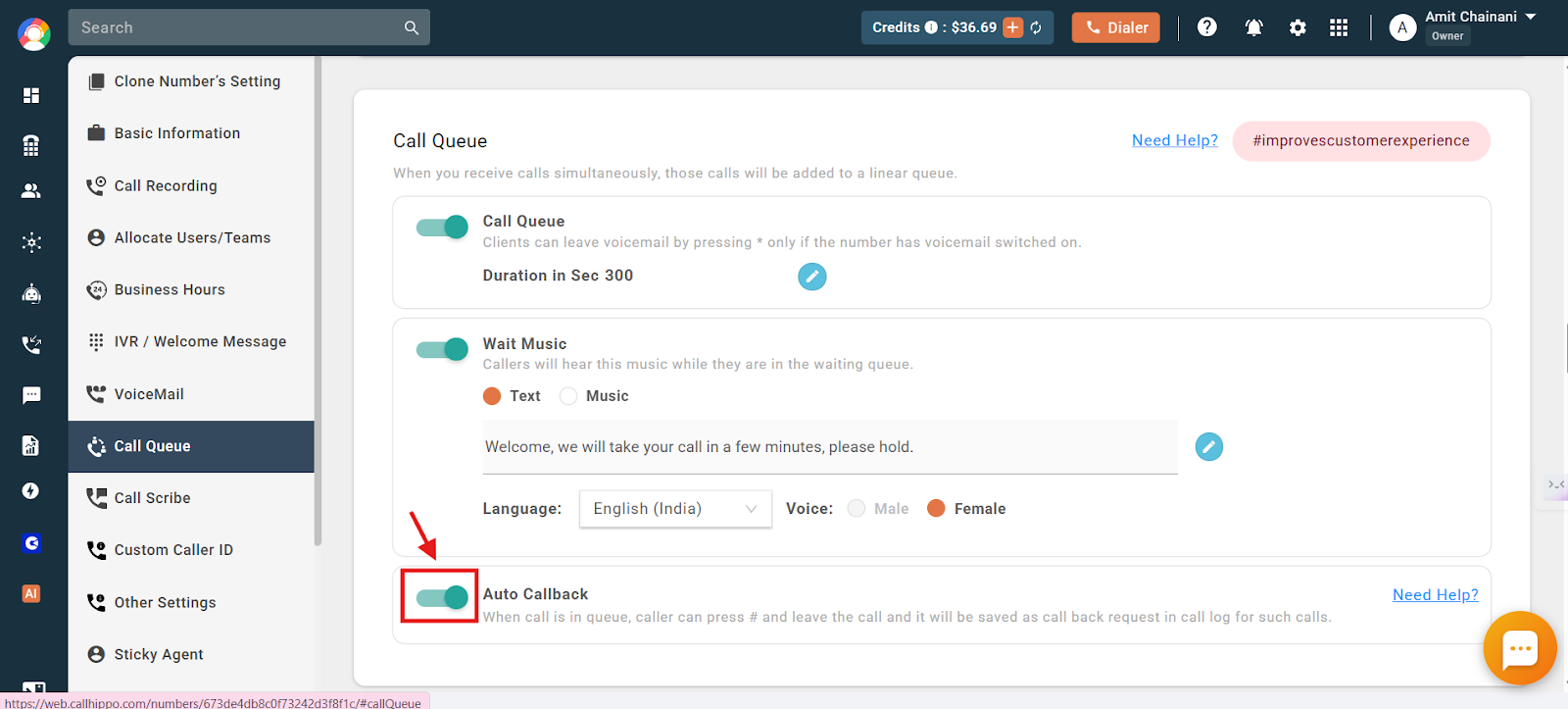
While waiting, callers can press # to submit a callback request, or press * to leave a voicemail if voicemail is enabled for the user.
Where to Find Callback Requests
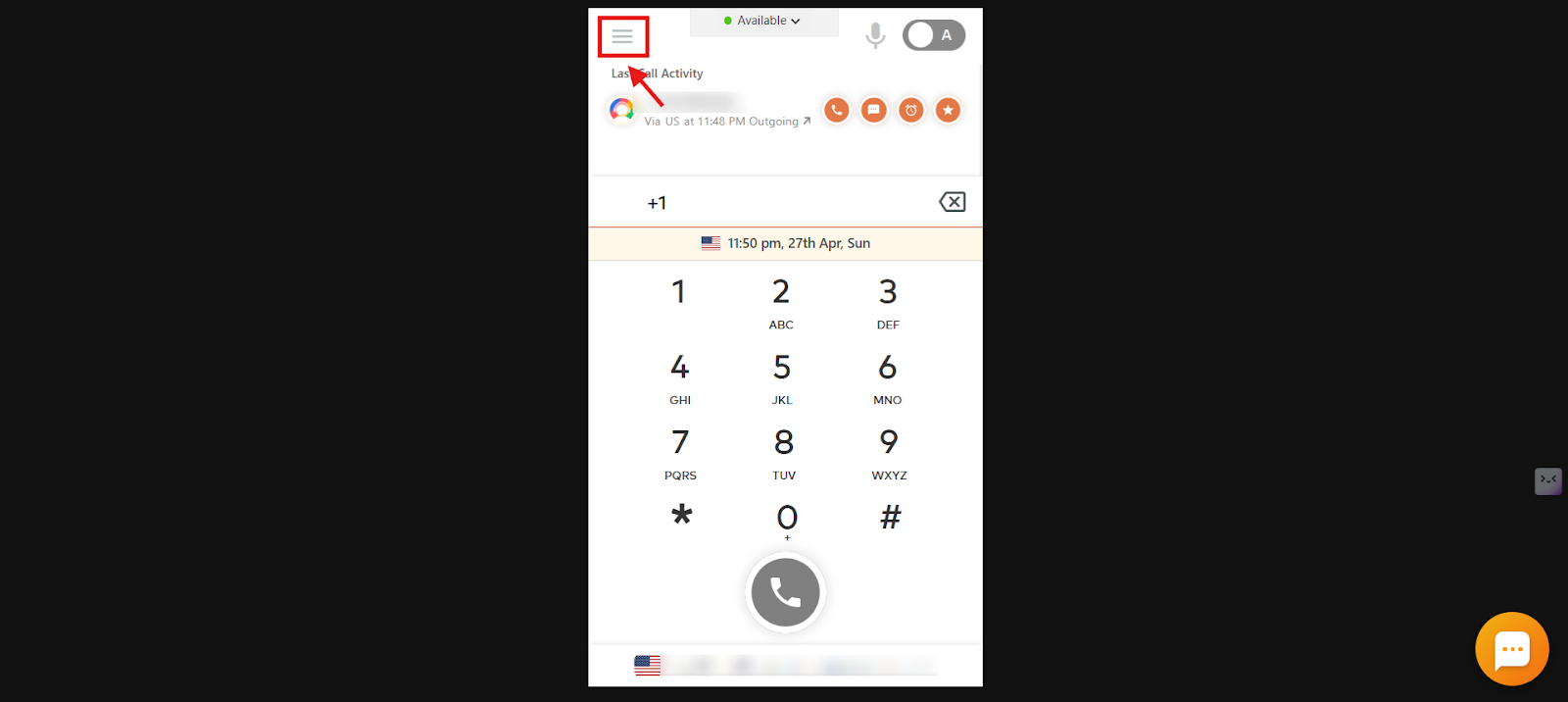
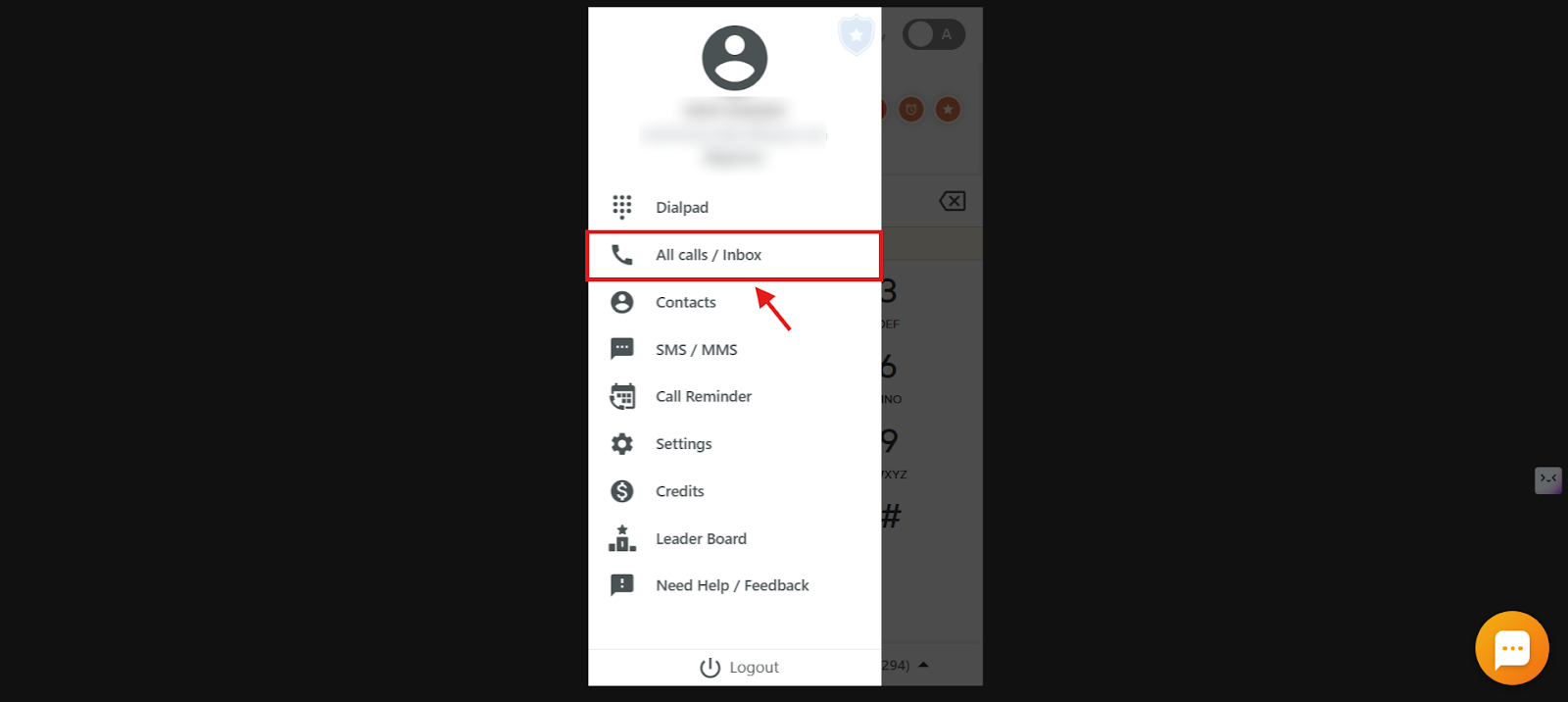
- Log in to the CallHippo dialer and click the Main Menu icon.
- Open All calls / Inbox.
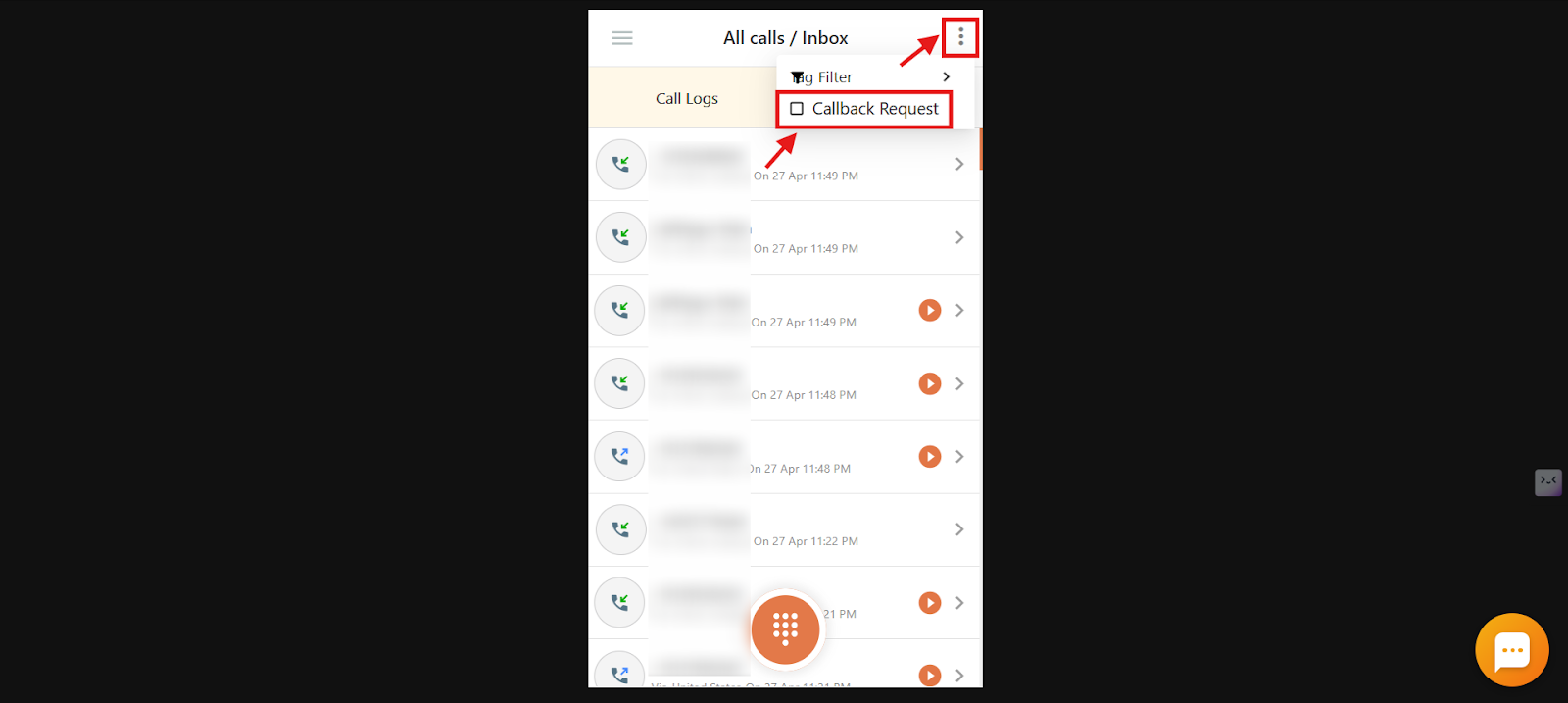
- Open the filter. Click the three-dot options icon and tick the Callback Request checkbox.
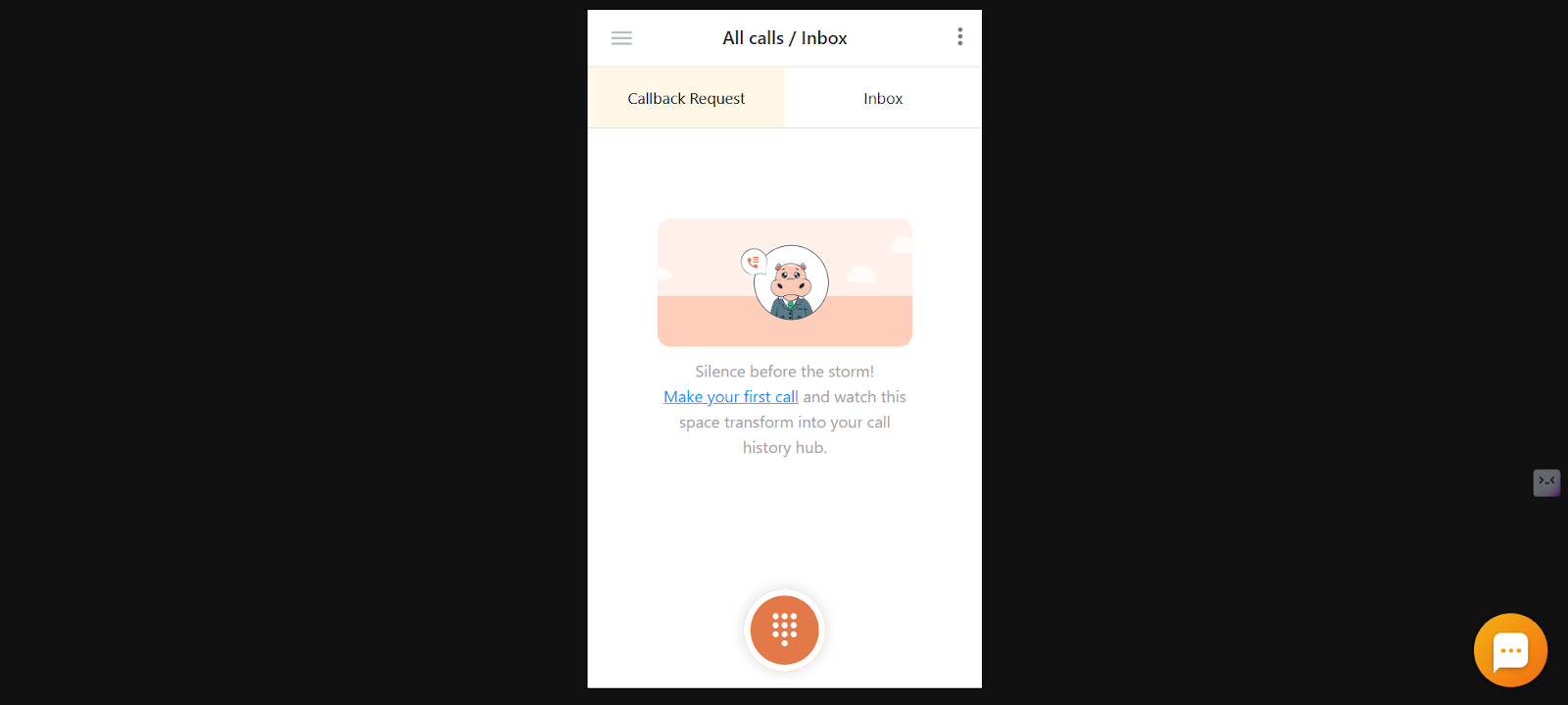
- View the requests. Customers who pressed # to request a callback appear on the Callback Request tab.
Frequently Asked Questions
Will I be charged if a caller hangs up while in the queue?
Yes. You are charged for the time the call stays in the queue, based on incoming call time, even if the caller hangs up before speaking to anyone.
Is Call Queue available for all CallHippo users?
No. It is available only in selected plans. Check your plan on the pricing page to confirm availability.
Can I customize how long callers stay in the queue?
Yes. The default is 300 seconds (5 minutes), adjustable up to a maximum of 1000 seconds.
What happens if a customer presses * in the queue?
If voicemail is enabled, they can press * to leave a voicemail. Otherwise, they continue waiting until connected to a user.
What happens when the queue reaches its time limit?
Once the queue time expires, the call is redirected to voicemail or disconnected, depending on your number settings.
Can I use different music for different numbers?
Yes. You can upload different hold music for each number to customize the experience per number dialed.
How can I track how long a call stays in the queue?
Download the call logs, where incoming call time and queue time are recorded.
Is there a way to prioritize certain calls in the queue?
The queue handles calls in the order they arrive; there is no built-in priority system, though you can assign users to handle specific queues manually.
I have only one user. If they do not answer, can callers stay in the queue instead of going to voicemail?
Yes. Increase the queue duration (up to 1000 seconds) in the number’s Call Queue settings. As long as voicemail is disabled, the caller stays in the queue for the set duration unless they hang up.
Can I see if other callers are waiting while I am on a call?
You will not get an alert during a call, but you can view waiting callers in real time in the Live Calls section of the dashboard.
Does Call Queue work for Indian virtual numbers?
No. Due to telecom regulations in India, Call Queue is not supported for CallHippo India numbers.