
Custom Ringing Time lets you decide how long an incoming call should ring before it is sent to voicemail or disconnected, giving you greater control over your call flow and customer experience.
What is Custom Ringing Time?
Custom Ringing Time allows you to define how long a call should ring before it is sent to voicemail or disconnected. This feature gives businesses greater control over call flow and customer experience, ensuring that calls are managed efficiently based on your team’s availability and preferences.
Whether you want to minimize missed calls or optimize response times, setting a custom ringing duration helps tailor your call handling process to suit your operational needs.
How to Set Custom Ringing Time
- Log in to your CallHippo account at web.callhippo.com.
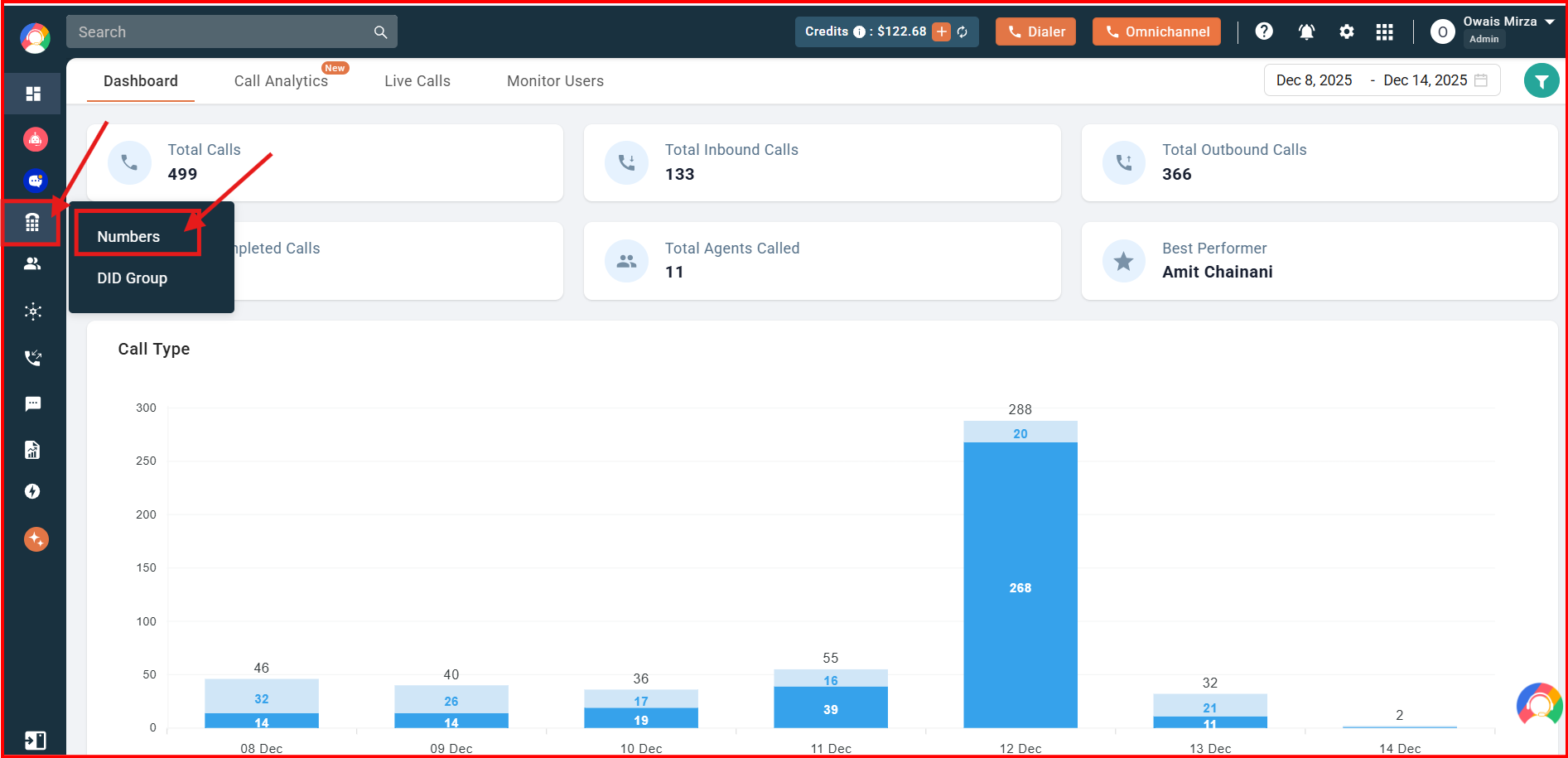
- Navigate to the Numbers section on your dashboard.
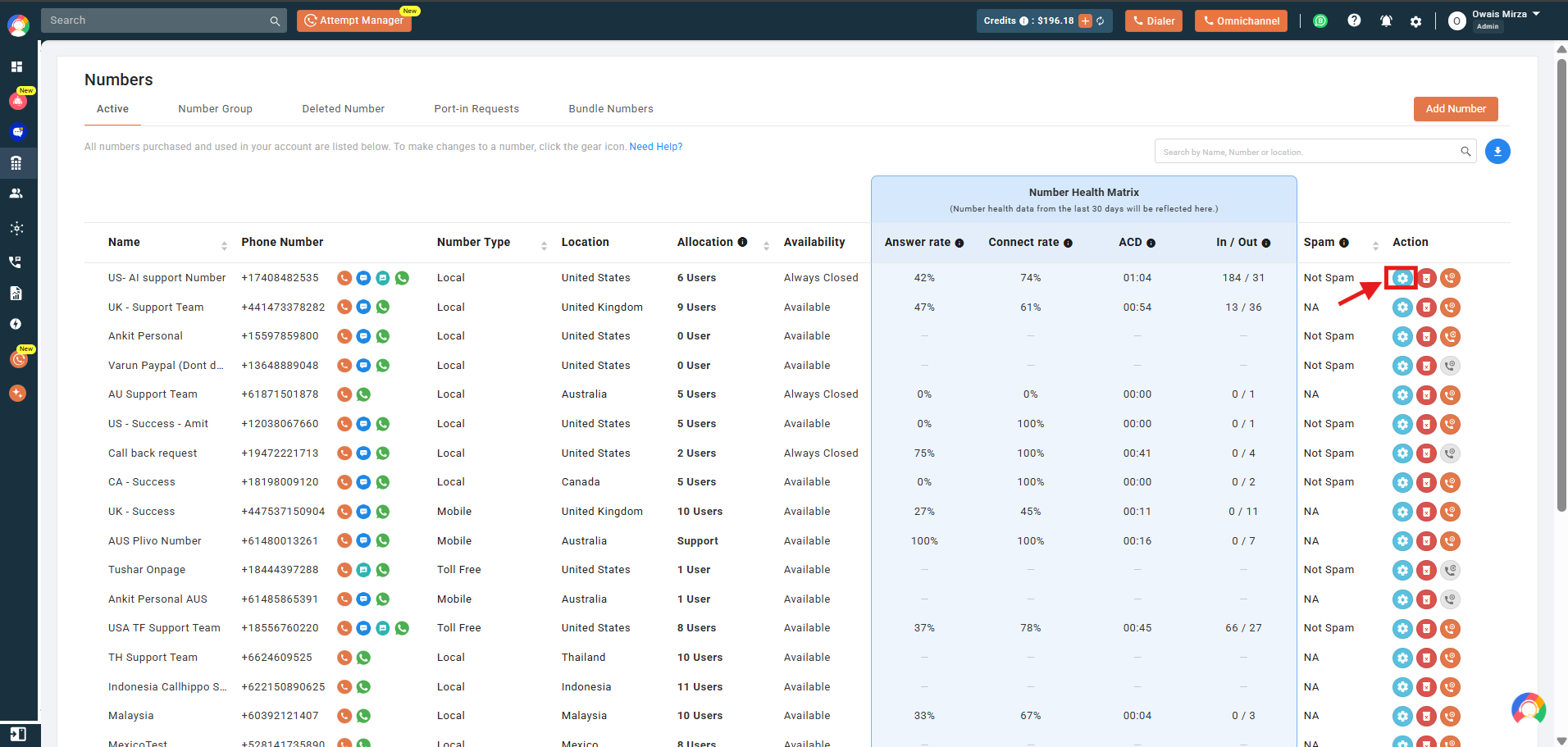
- Click the Settings icon next to the number you want to configure.
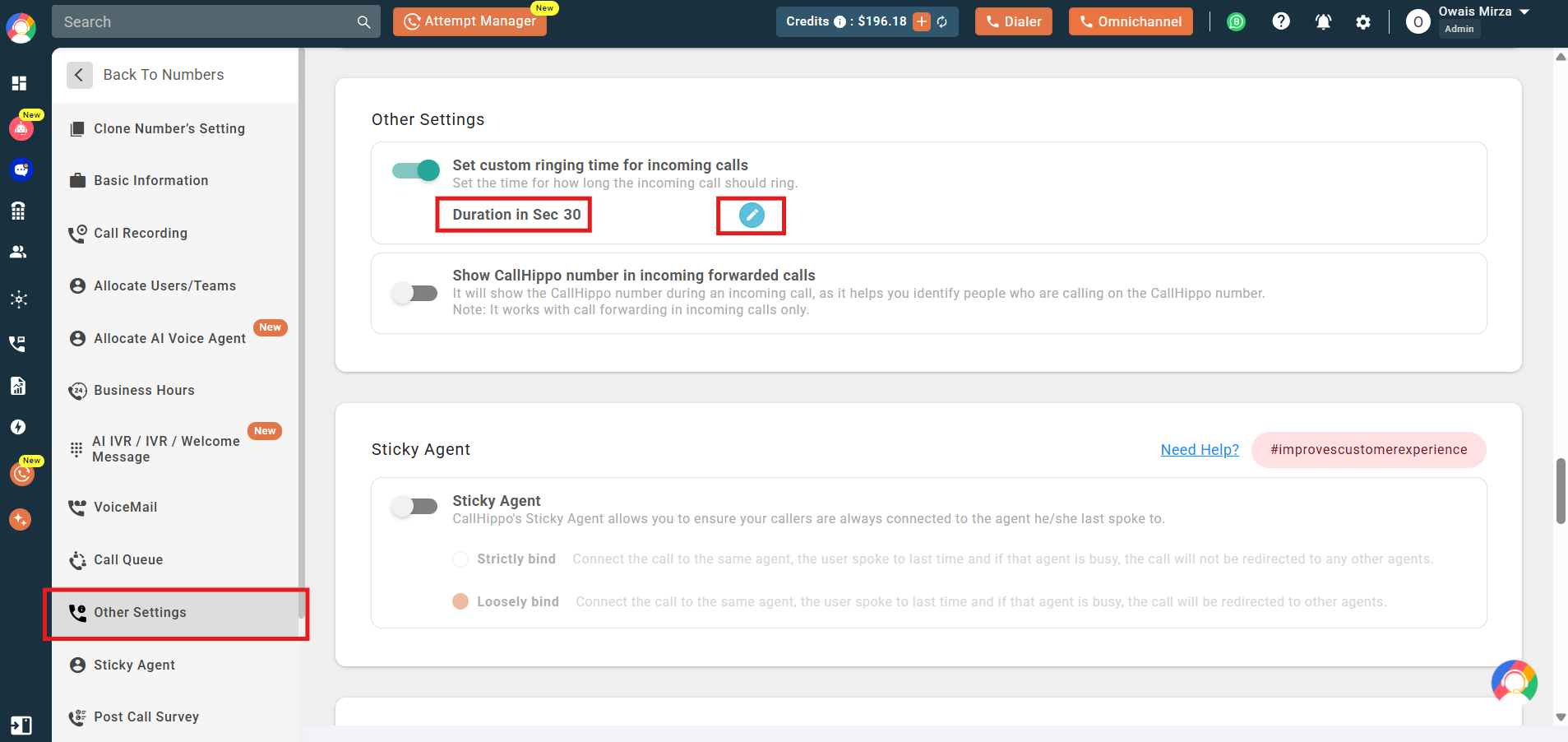
- In the Number Details section, go to Other Settings and enable the toggle for Set custom ringing time for incoming calls. Click the edit button to set the duration.
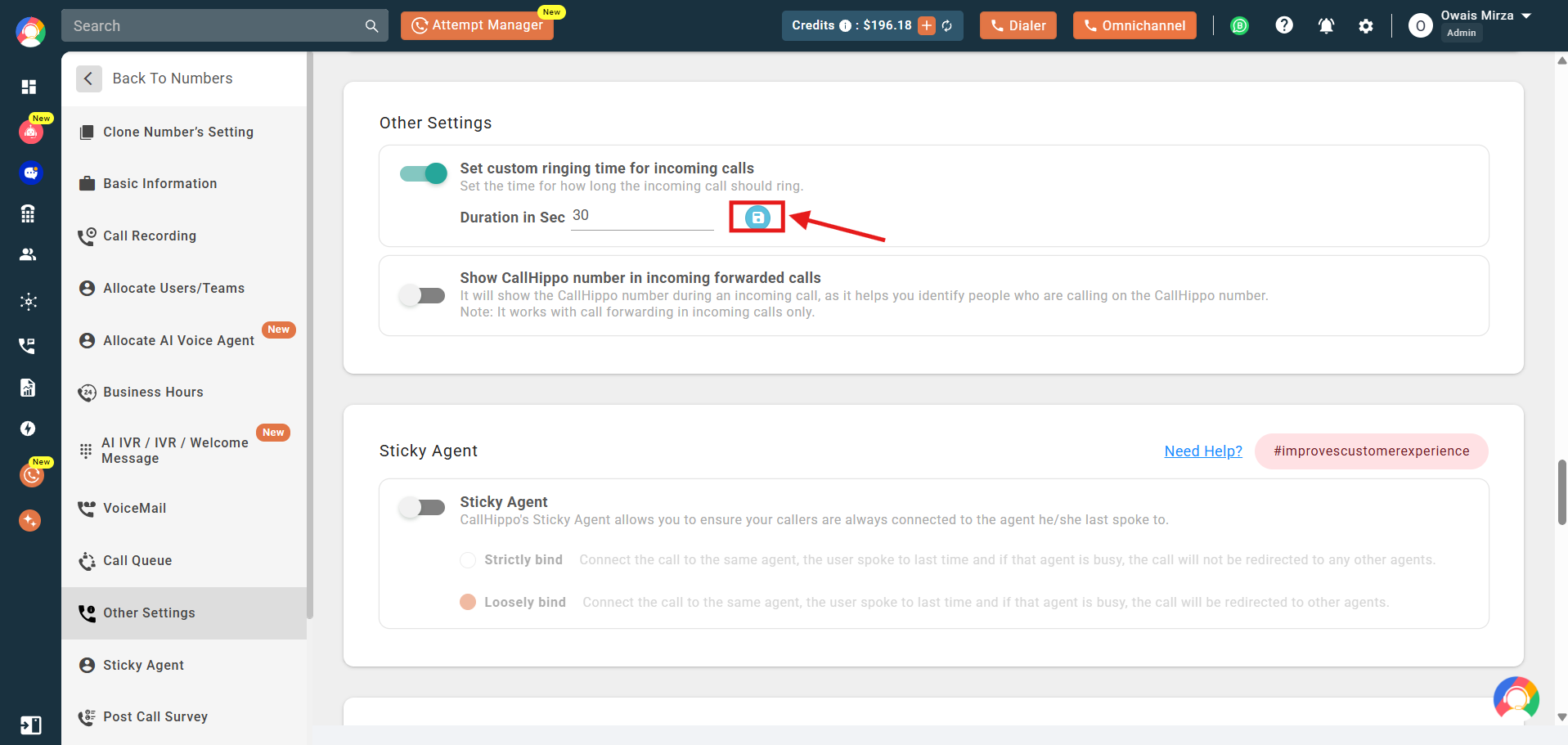
- Set the ringing duration in seconds. The duration can be set between 10 to 60 seconds, then click the Save icon to apply the changes.
Frequently Asked Questions
- Can I set different custom ringing times for different numbers? Yes, you can set custom ringing times individually for each number listed in your CallHippo account.
- Do I need admin access to change the ringing time? Yes, you need to have owner or admin access to modify number settings in CallHippo.
- Does setting a custom ringing time affect call forwarding? Yes, the custom ringing time applies to all incoming calls and can impact when the call is forwarded based on your call flow configuration.
We hope this helps. If you still have questions, feel free to reach out at [email protected].