
The Disclaimer feature lets you play a pre-recorded message during a live call, such as a legal notice, a call-recording announcement, or a customer consent request.
This feature is available on limited plans. To check whether it is included in yours, visit the CallHippo pricing page.
How the Disclaimer Feature Works
When Disclaimer is enabled for your account, agents see a Disclaimer option during an ongoing call in the CallHippo web dialer. They can pick a disclaimer from a list of titles that were created earlier. The account Owner or Admin sets up these messages in advance, writing the text and choosing whether it is read in a male or female voice.
- Plays on demand: You can play the disclaimer at any point during an active call by selecting it from the list.
- Conversation pauses: While the disclaimer plays, the two-way conversation is paused so the message is heard clearly. The call resumes automatically once it finishes.
- Recorded with the call: If call recording is enabled, the disclaimer is recorded as part of the conversation.
Who Can Use and Manage Disclaimers?
- Owners, Admins, and Dashboard Users: Can create, edit, and manage disclaimer messages from the CallHippo web app.
- Other Users: Can see the list of available disclaimers but cannot make changes.
Why Is This Feature Useful?
- Compliance and legal requirements: Play messages that meet industry regulations, such as informing customers that the call is being recorded.
- Clear communication: Give customers important information up front before the main conversation begins.
- Protect your business: A recorded disclaimer serves as proof that your business followed necessary steps, such as obtaining customer consent.
How to Enable the Disclaimer Feature
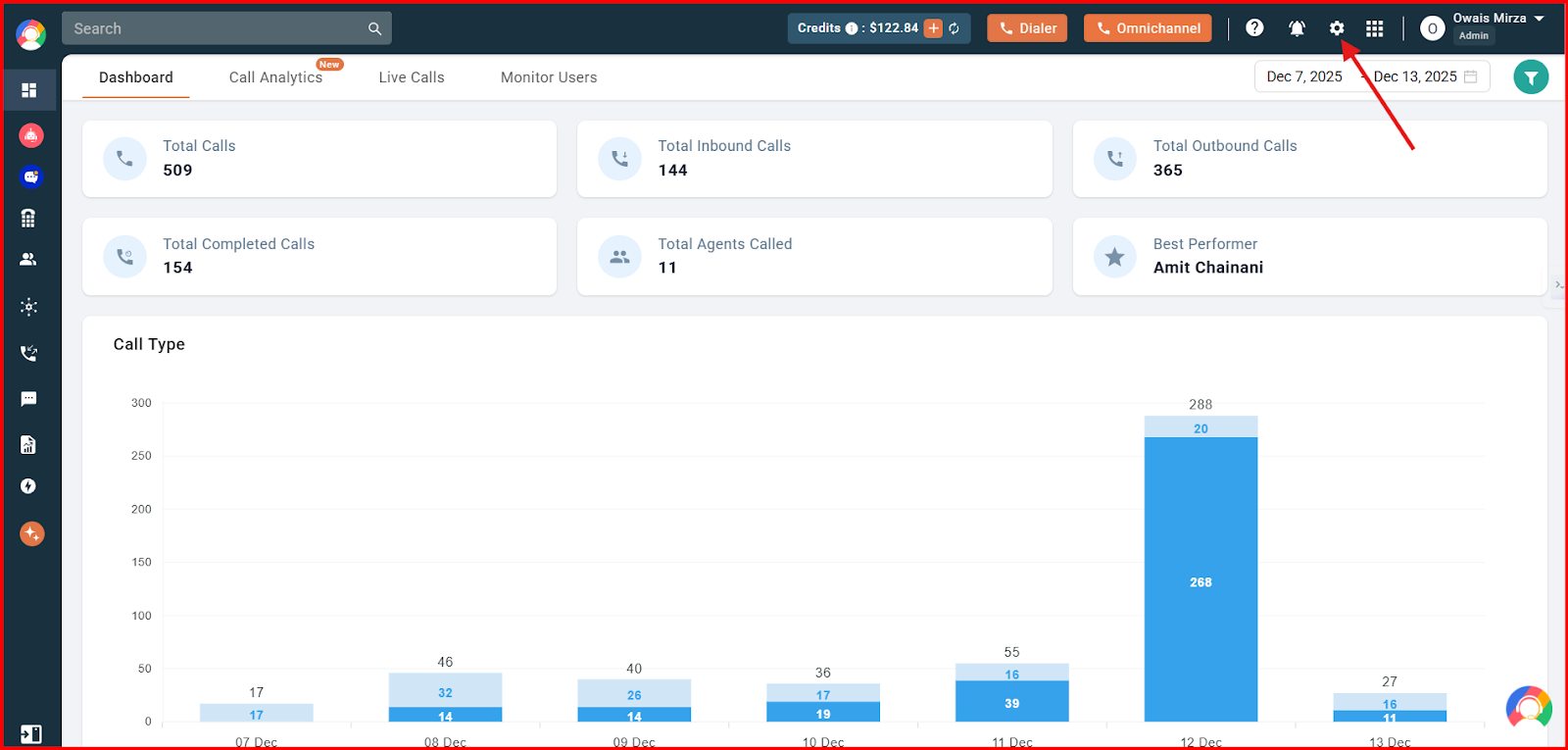
- Log in to your CallHippo dashboard.
- Click the settings option at the top of the screen.
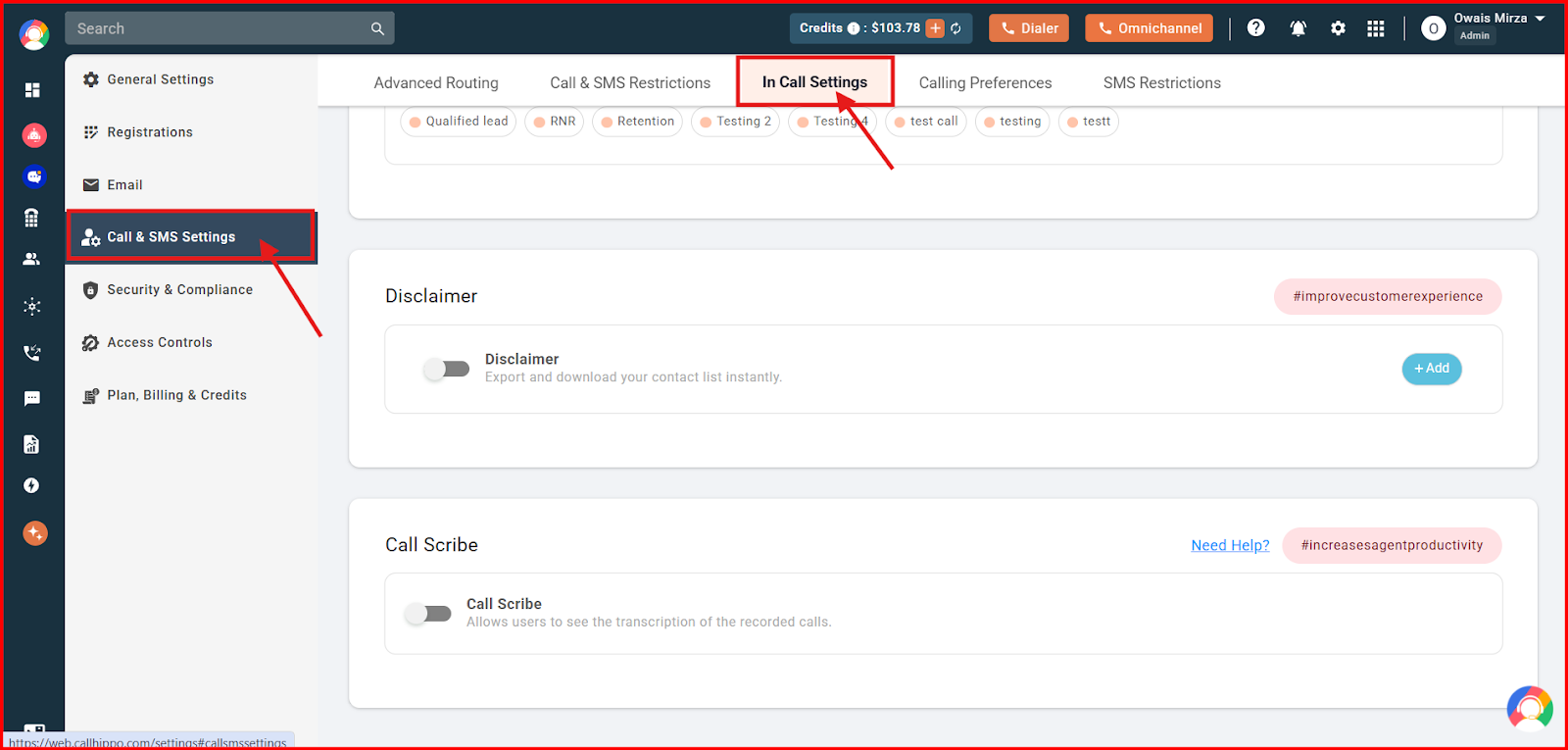
- Click Call & SMS Settings on the left, then open the In Call Settings tab at the top.
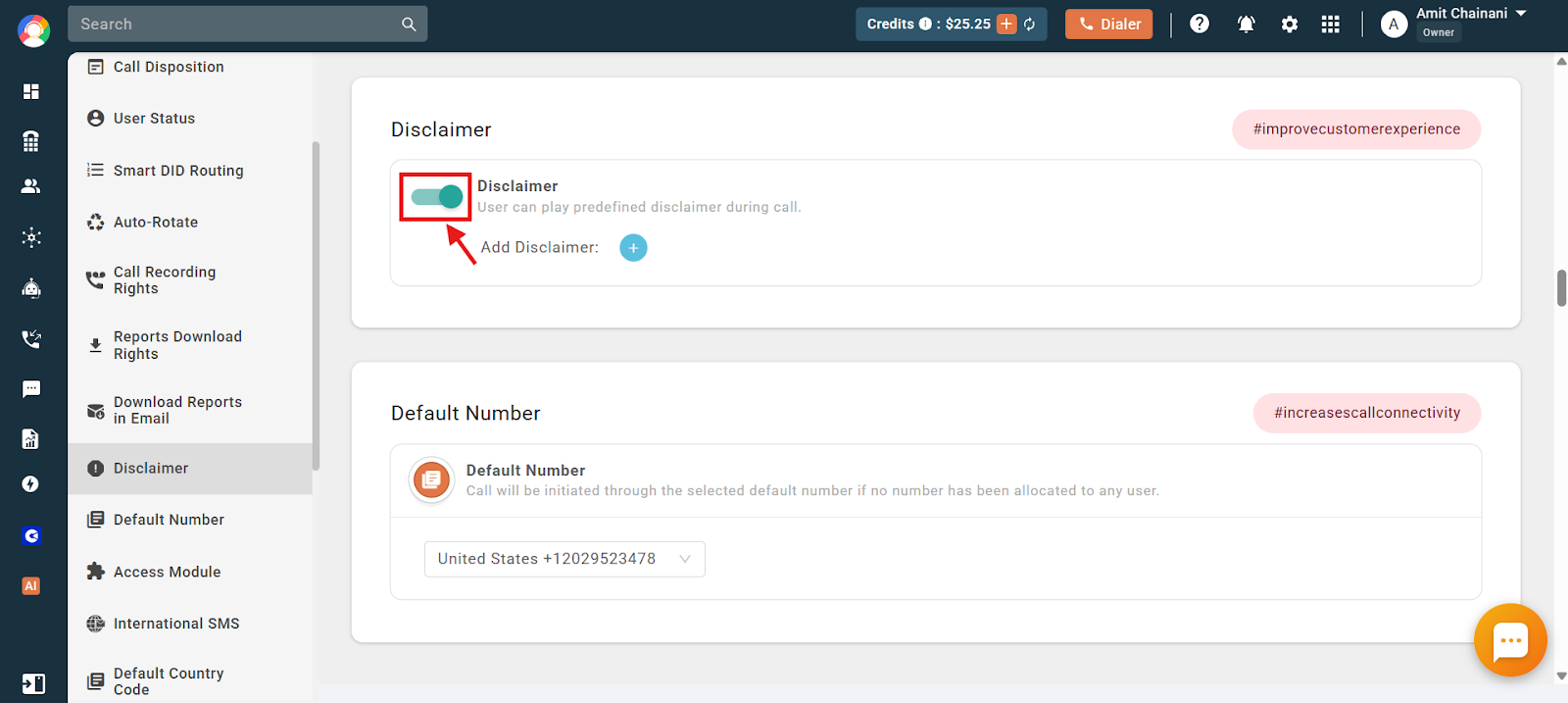
- Click the toggle to enable the Disclaimer feature.
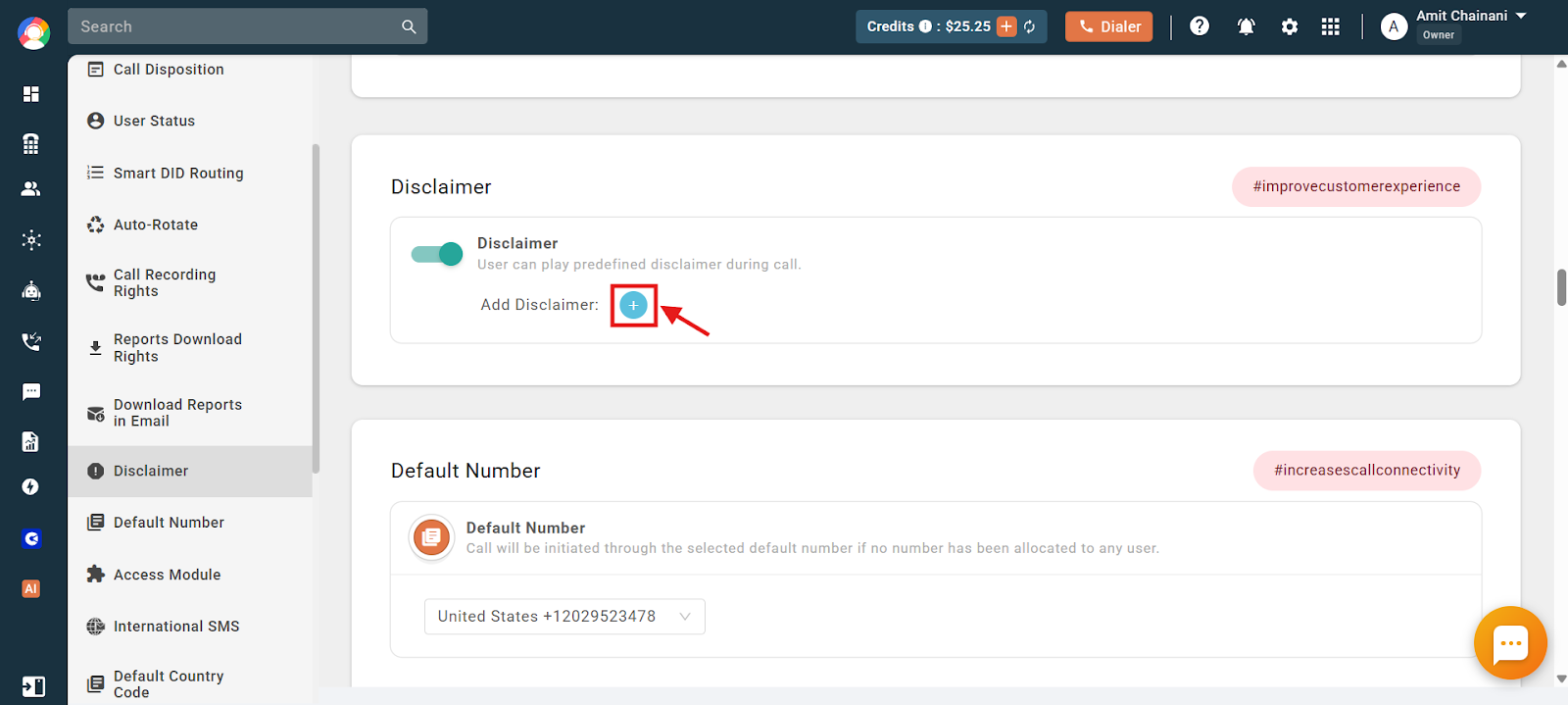
- Click the (+) icon to create a disclaimer message.
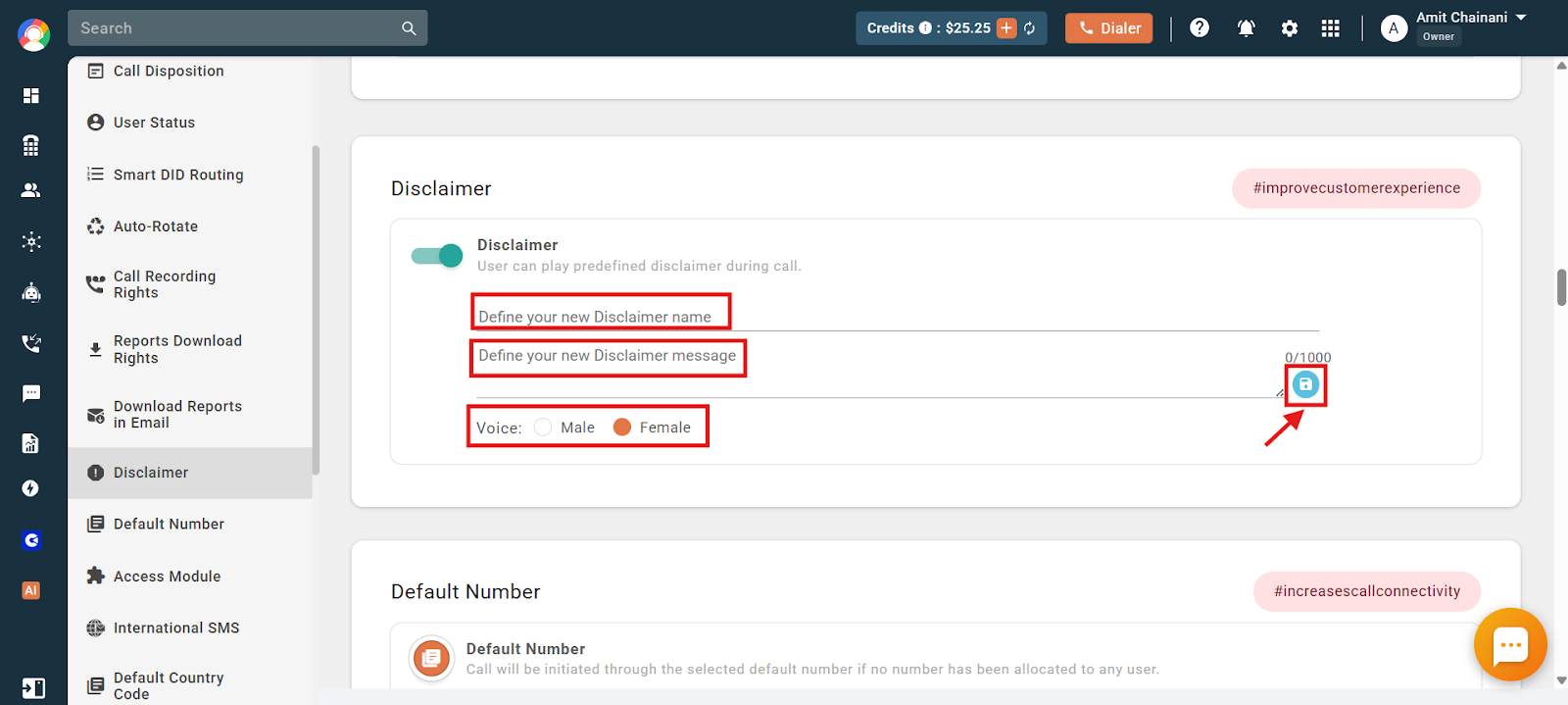
- Enter the required details, then click the blue save button.
When creating a disclaimer, you provide:
- Disclaimer name: The title you see in the dialer during a call, used to pick which message to play.
- Disclaimer message: The text that is converted to speech and played during the call.
- Voice: Choose a male or female voice for the message.
How to Delete a Disclaimer
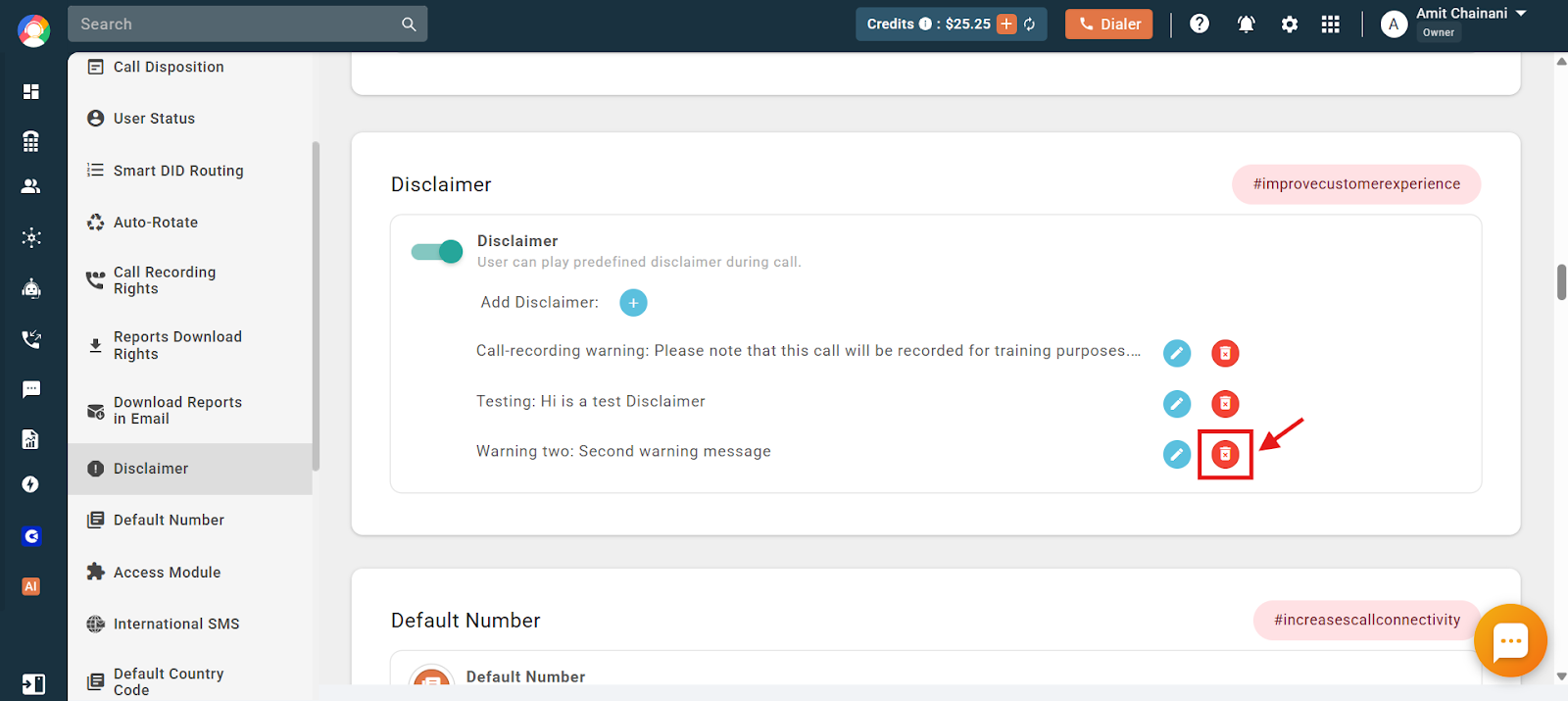
- Click the delete icon next to the disclaimer you want to remove.
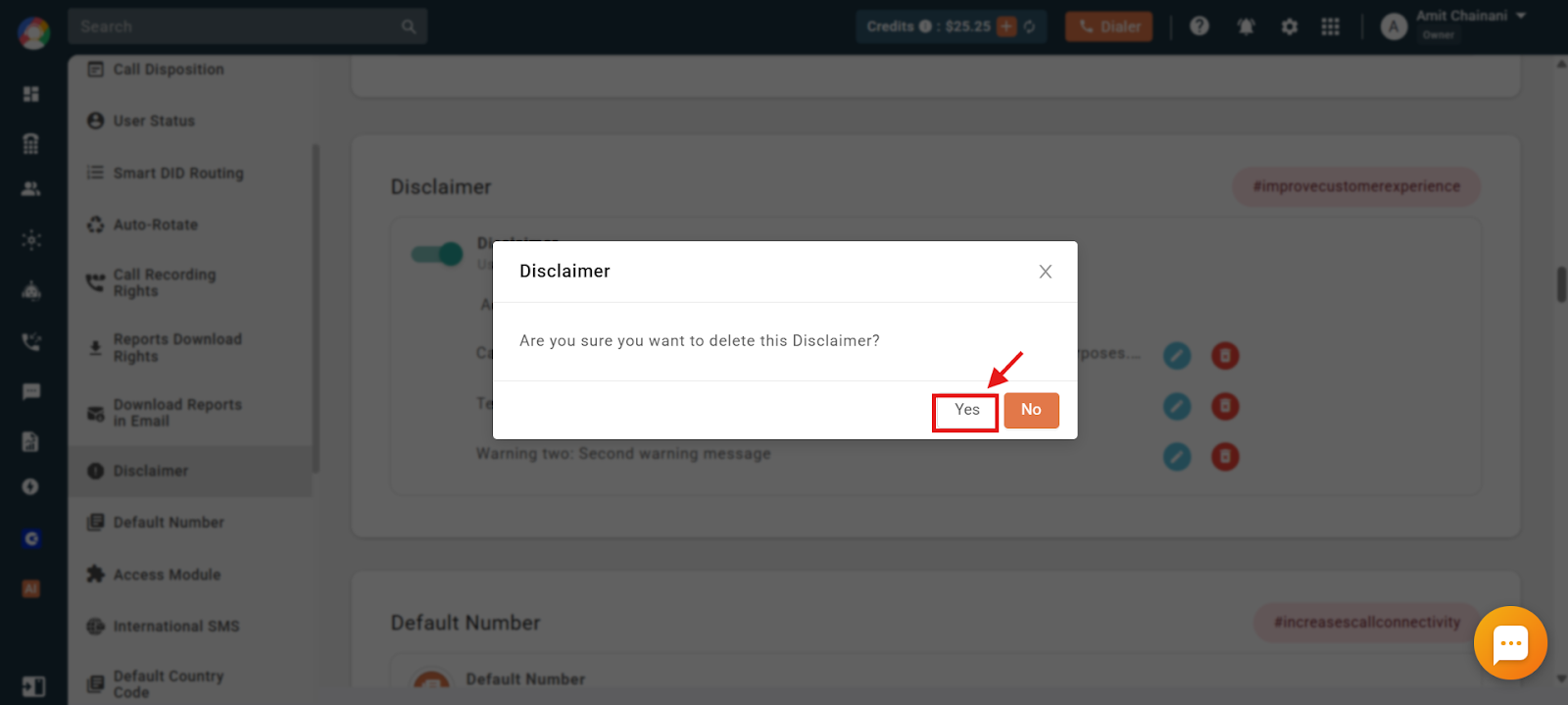
- Click Yes to confirm the deletion.
How to Play a Disclaimer During a Call
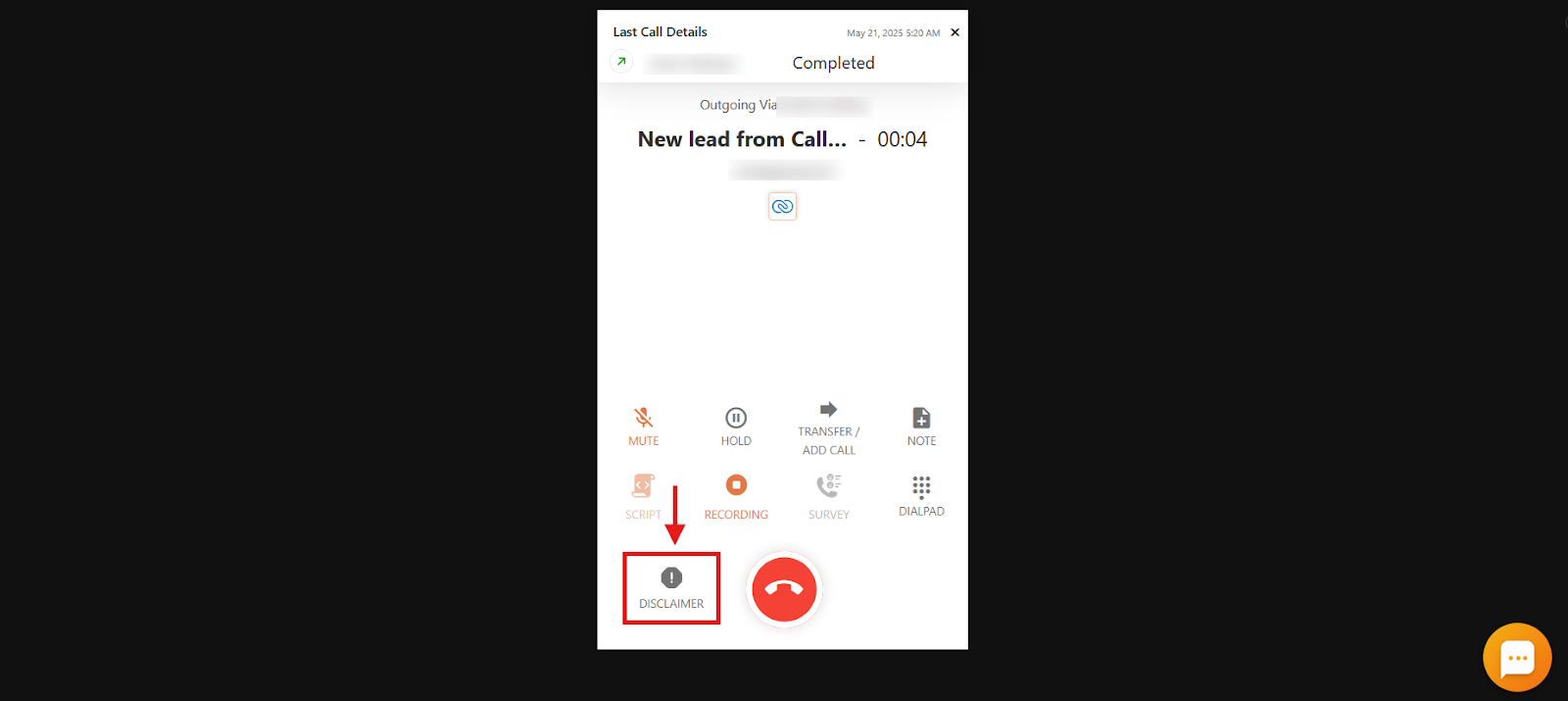
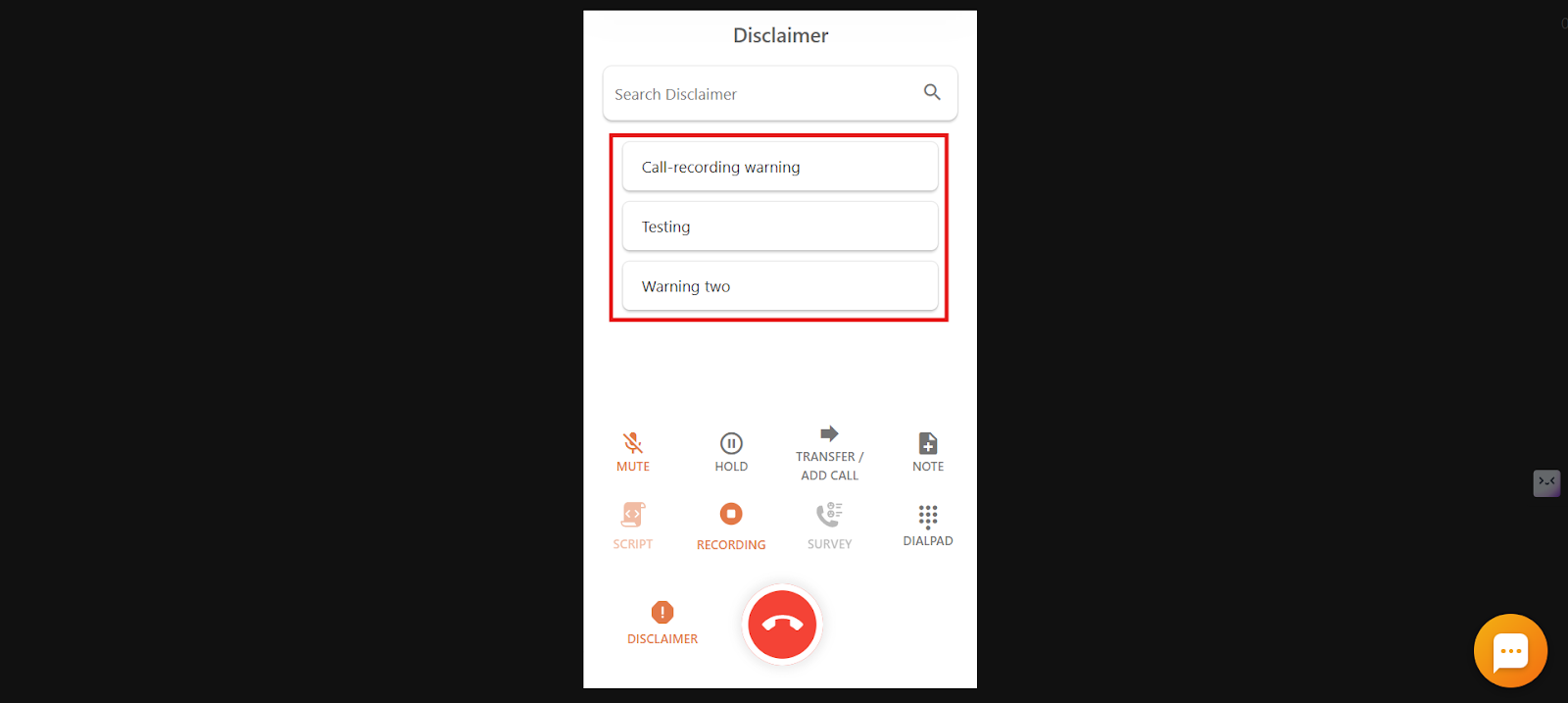
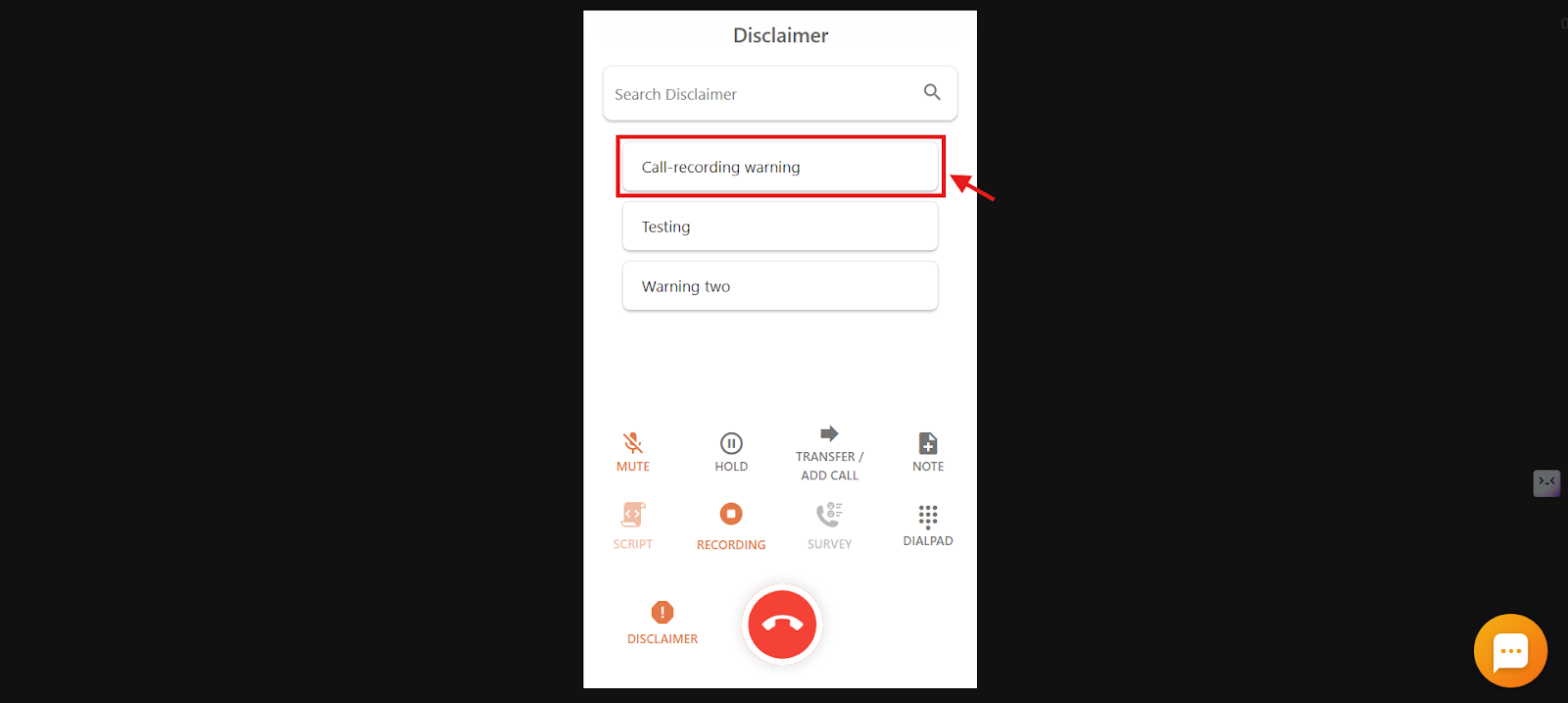
- During an ongoing call, find the Disclaimer option at the bottom-left corner of the dialer screen.
- Click it to see the list of available disclaimer names created in your account.
- Click the disclaimer you need, and the message plays instantly. Once it finishes, you can continue the call normally.
Frequently Asked Questions
What is the Disclaimer feature in CallHippo used for?
It lets you play a pre-recorded message during a live call to inform customers about things like call recording, legal terms, or consent, which helps ensure compliance and clear communication.
Can I create my own disclaimer message?
If you are an Owner, Admin, or Dashboard User, you can create and manage disclaimer messages directly from the CallHippo web app.
What happens during a call when I play a disclaimer?
The two-way conversation temporarily pauses, and the disclaimer plays clearly for both the agent and the customer. Once it is done, the call resumes automatically.
Will the disclaimer be included in the call recording?
Yes. If call recording is enabled, the disclaimer is recorded along with the rest of the conversation.
Can I choose how the disclaimer sounds?
Yes. When setting up a disclaimer, you can choose whether the message is read in a male or female voice.
Why does the disclaimer pause the conversation during the call?
This is by design, so the customer hears the entire message clearly without talking over it. The call resumes automatically afterward.
Can I play more than one disclaimer in a single call?
Yes. You can play multiple disclaimers during a call as long as they are set up in your account.
Can disclaimers be played automatically at the start of a call?
No. Disclaimers must be manually selected and played during an active call through the dialer.
Can I play a message like “This call may be recorded for quality and training purposes” before the conversation starts?
Yes. Select the disclaimer from the dialer right after the call connects and it will play before the conversation begins. If recording is enabled, it will also be recorded.
I’m making cold calls. Does CallHippo offer a call-recording notification or auto-announcement?
Yes. Use the Disclaimer feature to manually play a recording notice at the start of each call. It is a quick way to inform customers and stay compliant.