
Global Connect helps you make smarter international calls by showing your contact’s local time, date, and country, and by validating phone numbers before you dial.
What is Global Connect?
Global Connect is a CallHippo feature that helps you time international calls correctly and avoid dialing invalid numbers. As soon as you enter a number with its country code, it surfaces the contact’s local time and confirms the number is valid, so you always call at the right moment.
How does Global Connect work?
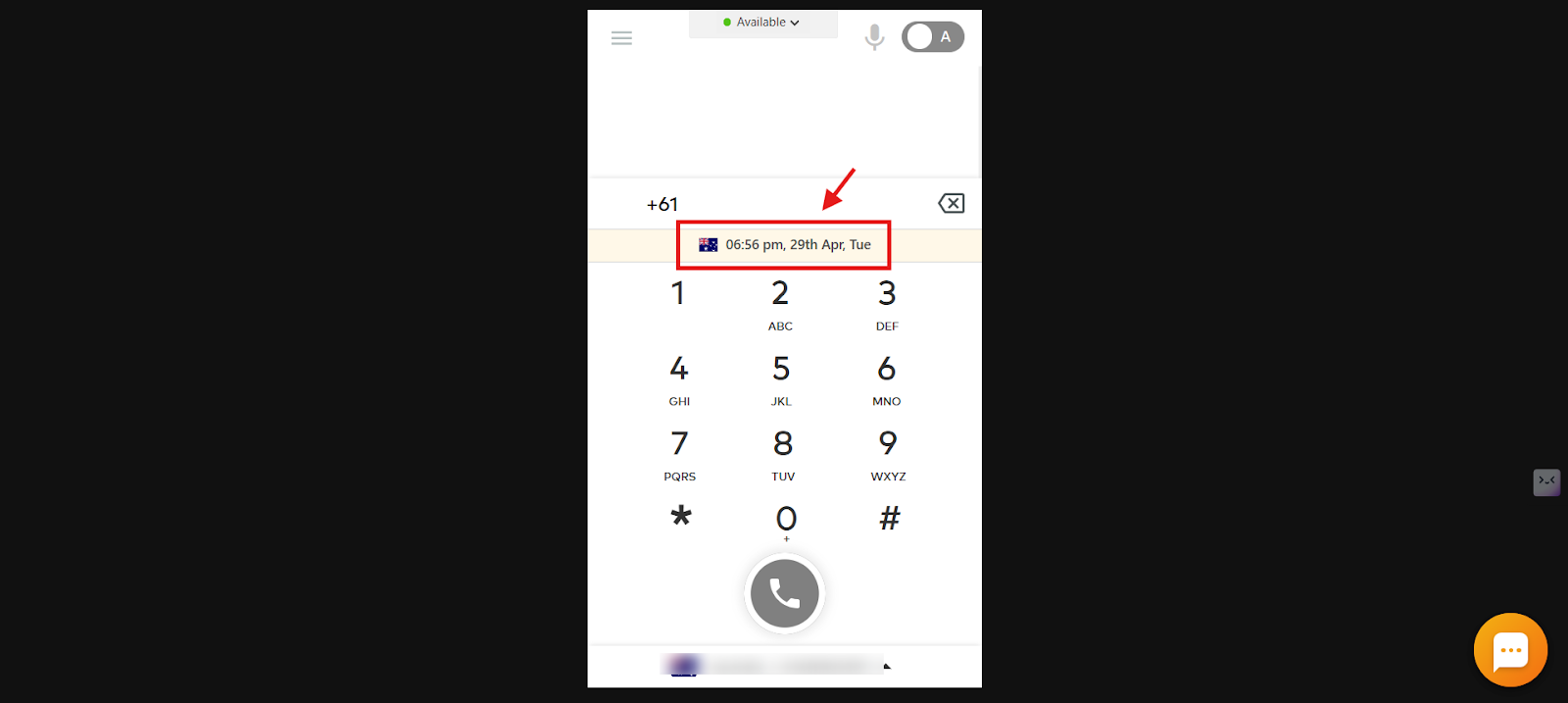
When you enter a phone number with the country code in the CallHippo web dialer, Global Connect instantly displays:
- Country flag of the number’s country
- Local time at the contact’s location
- Current date
- Day of the week
For example, entering an Australian number (+61) brings up the Australian flag along with the local time, date, and weekday in real time, so you can plan the call during appropriate hours.
Why is Global Connect useful?
- Avoid calling contacts too early or too late in their day.
- Reduce errors caused by invalid or incorrect numbers.
- Improve connection rates for international calls.
- Save time and cut down on wasted calling effort.
How to enable or disable Global Connect
- Log in to your CallHippo dialer.
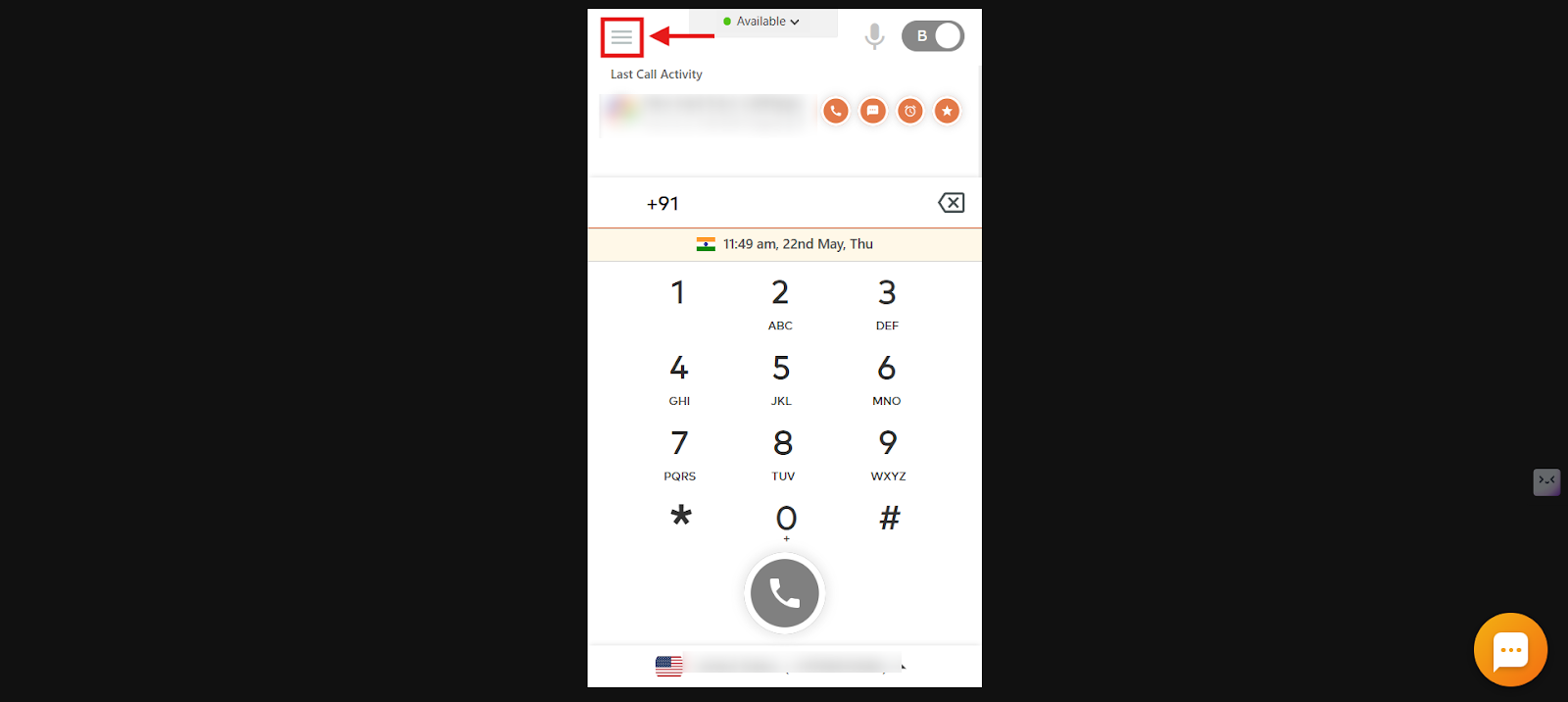
- Open the menu: Click the three horizontal lines on the dialer.
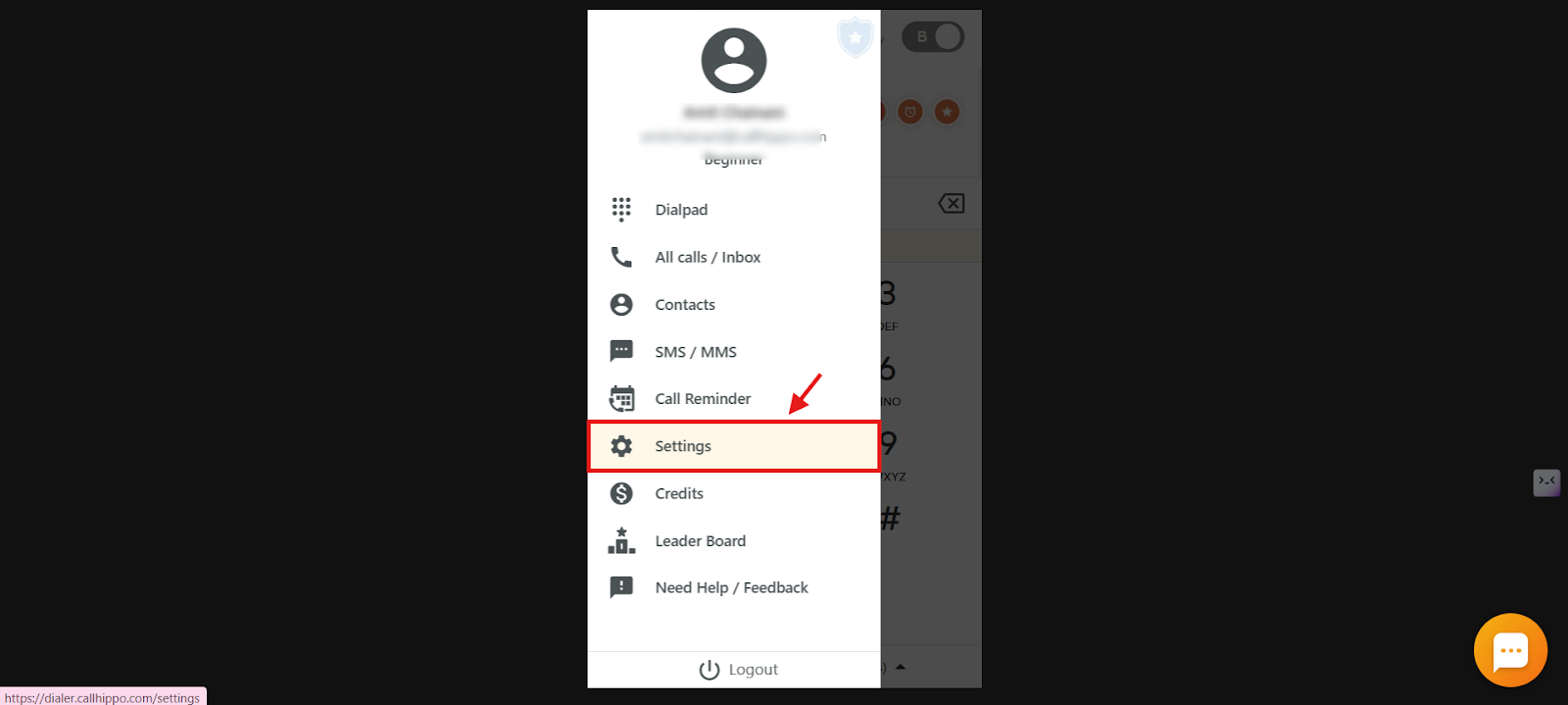
- Select Settings.
- Toggle Global Connect: Click the toggle next to Global Connect to enable or disable it.
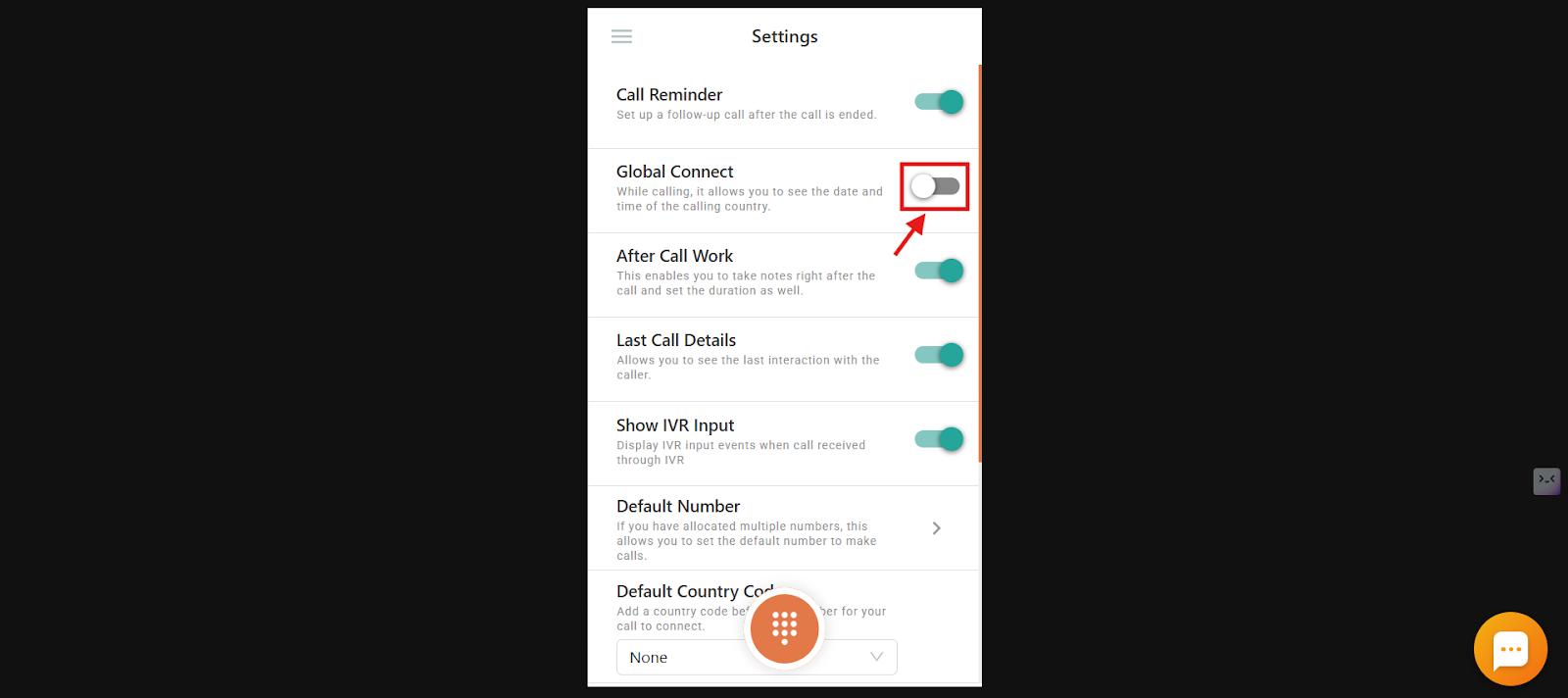
Note: On Pro Suite and Call Center Solution plans, Global Connect is automatically enabled and stays active to ensure the best calling experience.
Key benefits of Global Connect
- Time zone awareness: Know your contact’s local time, date, and day before you place the call, so you never call too early or too late.
- Phone number validation: Global Connect automatically checks whether the number is valid and which country it belongs to, reducing calling errors.
- Smarter call planning: By confirming the right time and number validity, it saves time and supports cost-effective international calling.
Availability
Global Connect is included in the Pro Suite and Call Center Solution plans at no extra charge, and it is automatically enabled for users on these plans.
Frequently asked questions
What does Global Connect show?
It displays the country flag, local time, date, and day for the entered number.
Do I need to activate Global Connect manually?
No. It is automatically enabled on eligible plans.
Can I turn off Global Connect?
On supported plans it remains active to ensure the best calling experience.
What happens if I enter an incorrect number?
Global Connect will not display the time or country details, which signals that the number may be invalid.
Which platforms support Global Connect?
It is available on the web dialer, desktop app, Android app, and iOS app.
Is there any additional cost?
No. Global Connect is included at no extra charge with eligible plans.