
Local Presence lets you display a local phone number when calling customers in different countries. If your account has both US and UK numbers, calls to US contacts show your US number, while calls to UK contacts automatically display your UK number.
Why Local Presence Matters
Customers are far more likely to answer calls from familiar local area codes. Local Presence helps improve pickup rates and increases the chances of meaningful conversations with your prospects.
Important to Know
- This feature works only if you have multiple country numbers in your account.
- If you call a country where you don’t have a local number, CallHippo automatically selects the number that provides the best call connectivity, based on intelligent routing.
- Local Presence affects outbound calls only — your inbound call settings are not changed.
Steps to Enable Local Presence
- Log in to your CallHippo dialer.
- Open the number selector at the bottom of the dialpad to view your available numbers.
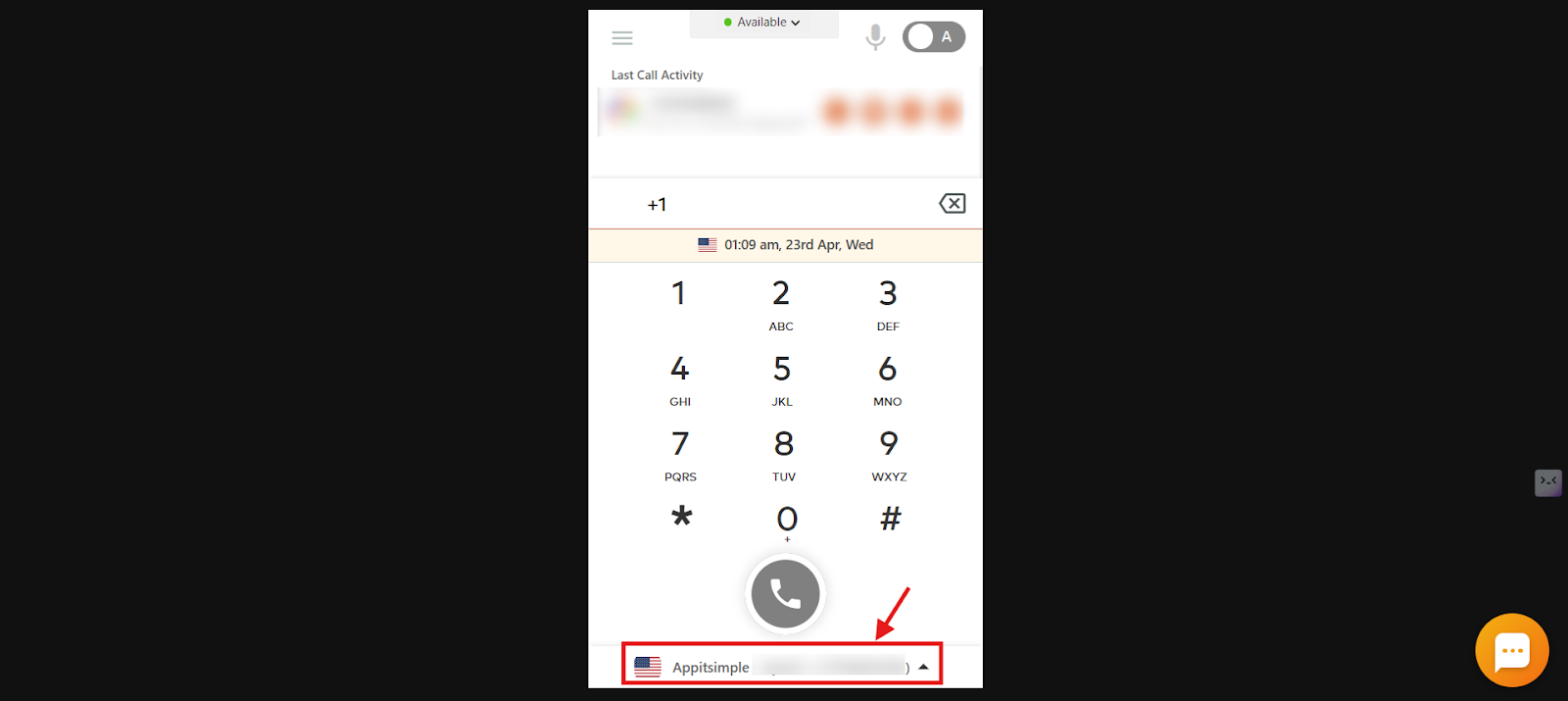
- Click the checkbox to enable the “Normal Local Presence” feature for your account.
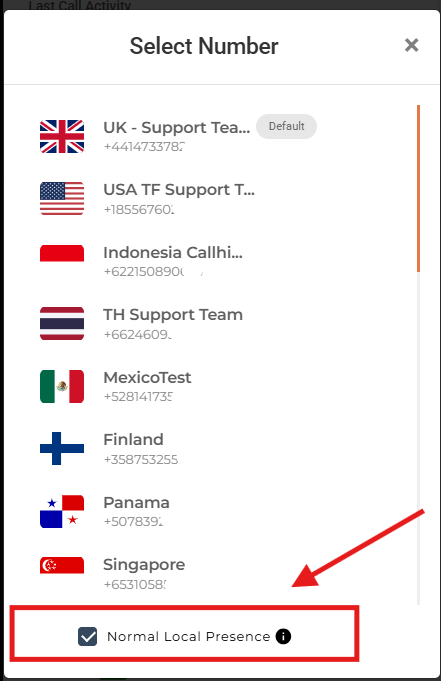
Local Presence is now enabled for your account.
Frequently Asked Questions
Why should I use Local Presence?
It increases the chances of your calls being answered by showing a local number, which improves your outreach effectiveness.
How does Local Presence work when I’m calling different countries?
Local Presence automatically recognizes the country you’re calling based on the number you dial. If you have a local number for that country in your account, it will use that one to display, so your call looks familiar and local to the person picking up.
What happens if I call a country for which I don’t have a local number?
If you do not have a local number for the country you’re calling, CallHippo will use the default number set in your account to place the call.
Do I need multiple phone numbers to use Local Presence?
Yes, this feature only works if you have local numbers from multiple countries in your account.
Will enabling Local Presence affect my inbound call settings?
No, it only affects outbound calls by selecting the appropriate local number for each call.
Can I disable Local Presence after enabling it?
Yes, you can uncheck the feature in the “Numbers” section of your dialer to disable it.
We hope this helps. If you still have questions, feel free to reach out at [email protected].