
Number masking lets the account owner hide customers’ full phone numbers from selected users while everyone keeps full calling functionality.
What Is Hide Customer’s Number?
Hide Customer’s Number, also known as Number Masking, is a privacy-focused feature that lets the owner account hide actual phone numbers from other users while still letting them make and receive calls. When it is enabled, users see a partially hidden version of the number (for example, +918*******9) instead of the full phone number. This protects sensitive client information while keeping calling operations smooth across teams.
Why Use It and What Are the Benefits?
Number masking is essential for businesses that prioritize customer privacy and want to prevent internal misuse of client data. It is especially useful where multiple agents or teams interact with customer contacts.
- Prevents misuse: Blocks unauthorized access to customer phone numbers.
- Keeps calling intact: Maintains full call functionality without exposing sensitive contact details.
- Supports compliance: Helps meet privacy and data protection standards.
- Builds trust: Safeguards personal information and reassures customers.
- Ideal for sensitive industries: Customer support, logistics, real estate, and healthcare, where confidentiality is critical.
Where and How Is It Applied?
Once enabled, masking is applied across key areas of CallHippo to obscure full contact details:
- Contacts list: Client numbers appear in a masked format (for example, +918*******9).
- Call logs: Numbers in the logs are partially hidden.
- Dialer screen: While making or receiving calls, users see only the masked version of the client’s number.
Even with the full number hidden, users keep complete call functionality, including placing and receiving calls as usual.
Important: This feature only hides your client’s number. You cannot hide the numbers allocated to agents from them in any way.
Steps to Enable Hide Customer’s Number
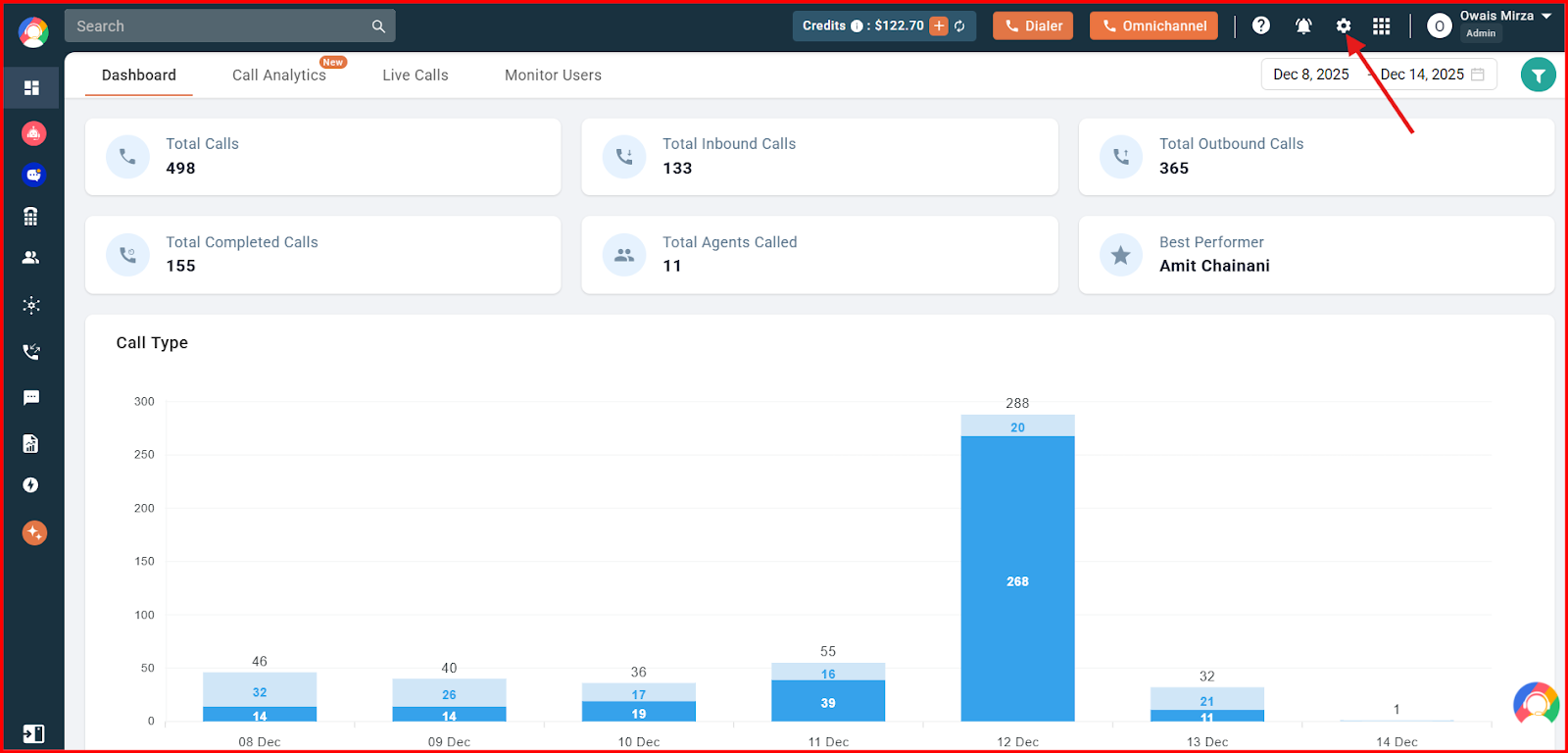
- Log in to your CallHippo dashboard, then click the Settings option at the top of the screen.
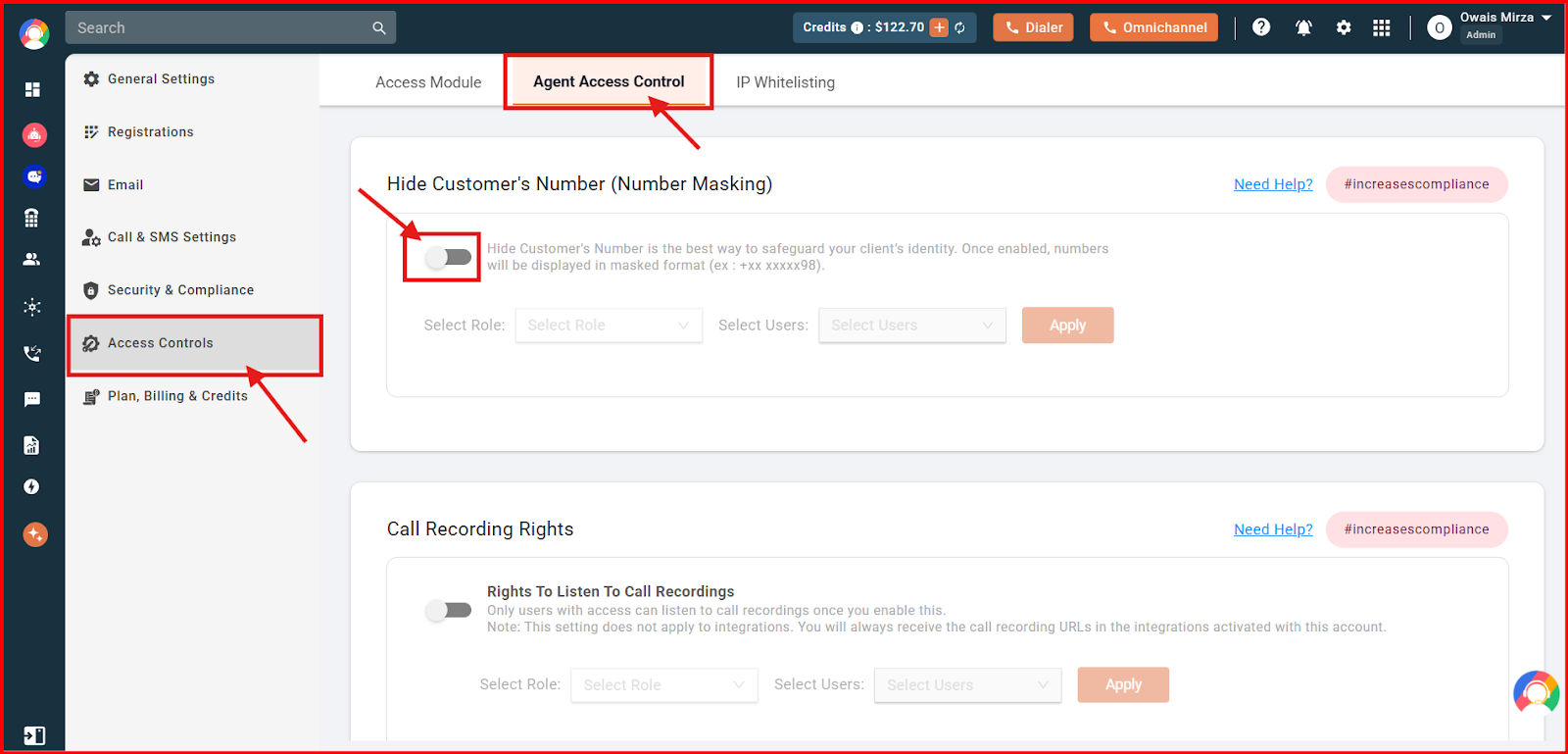
- Open Access Controls. From the left side, go to Access Controls, select Agent Access Control at the top, and under Hide Customer’s Number (Number Masking) turn on the toggle.
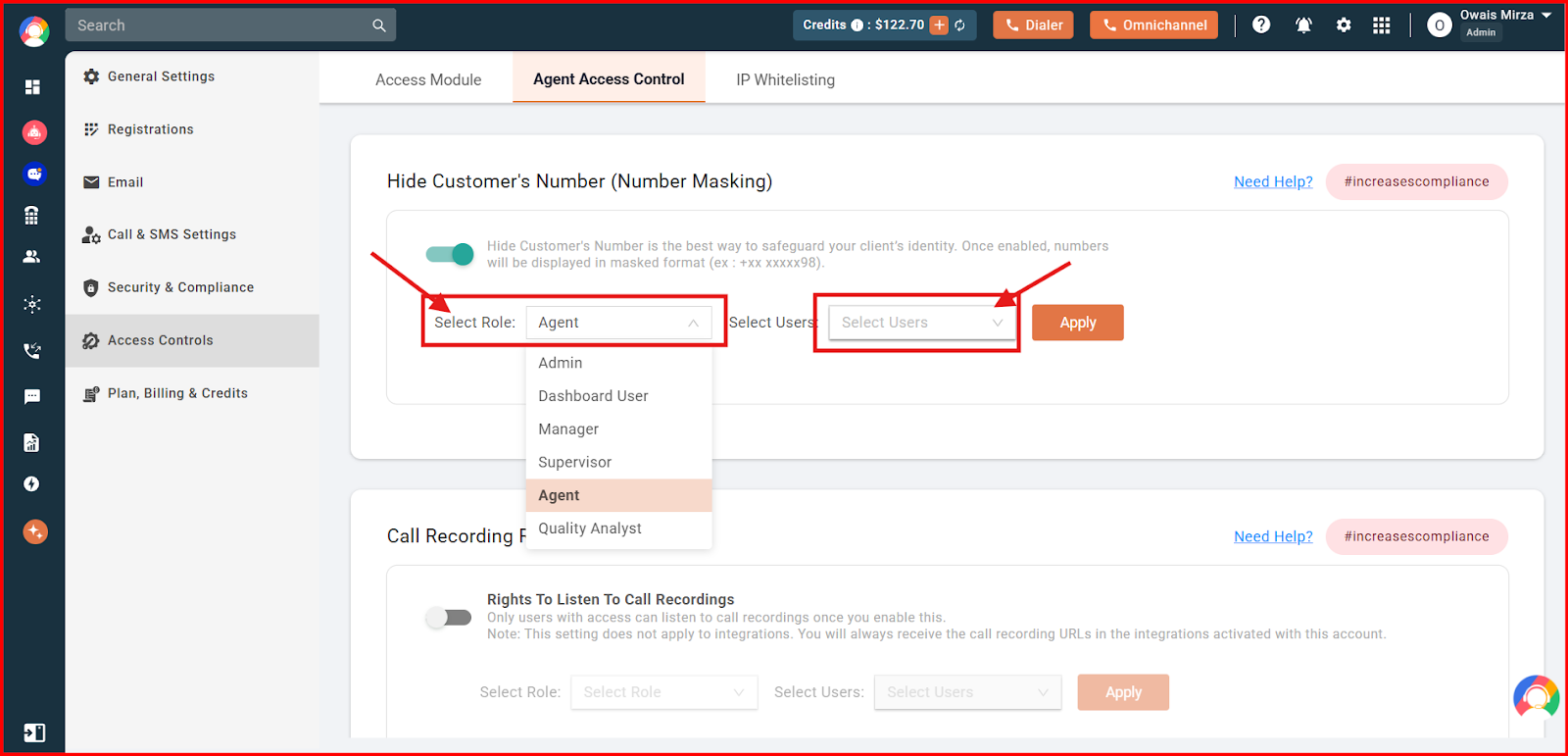
- Choose who it applies to. Select the agent’s role, then pick the specific user from the dropdown for whom you want to hide the numbers.
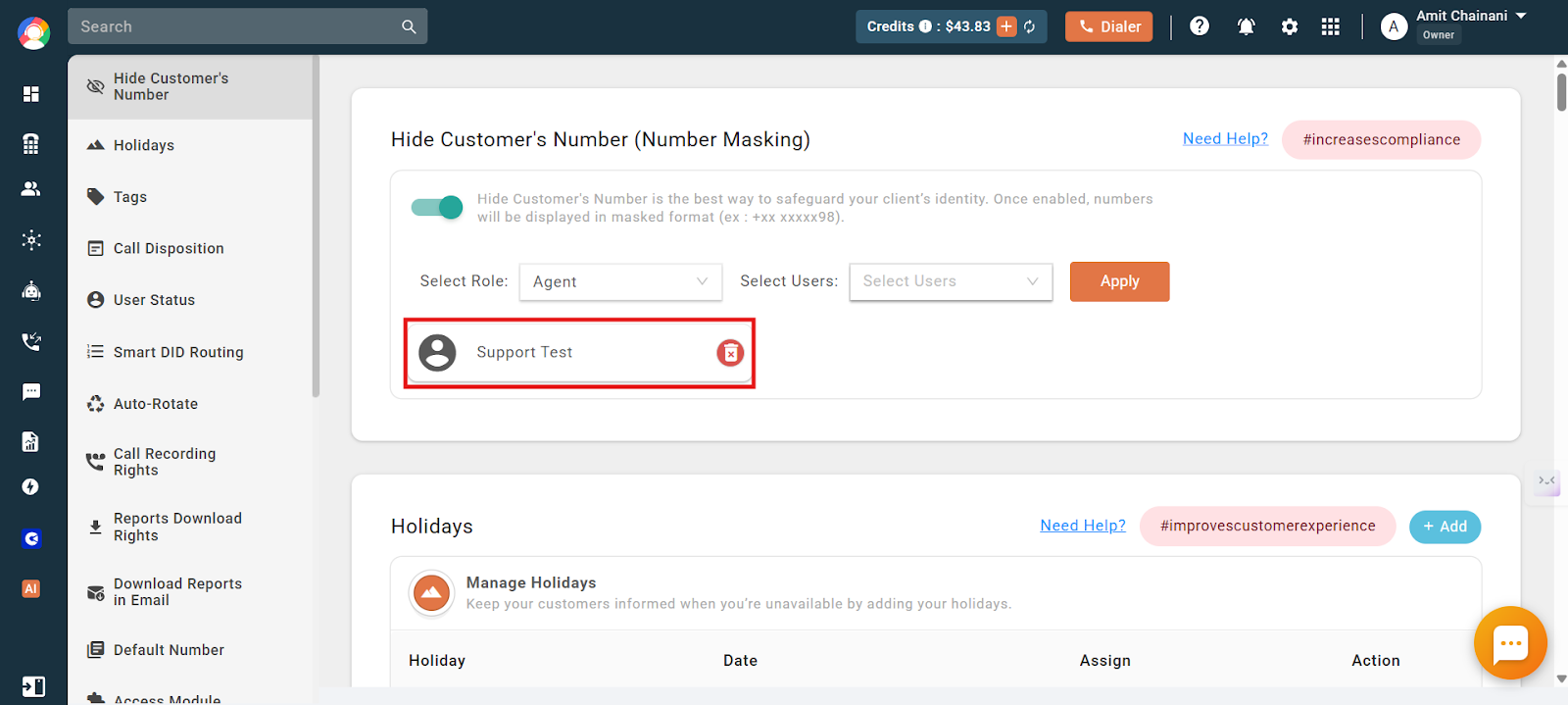
- Click Apply to finalize the changes. You will then see the list of users for whom the customer’s number is hidden.
If the changes do not reflect instantly, ask the agent to re-login once. After that, the agent will only see the client’s number in masked format when making calls through CallHippo.
Frequently Asked Questions
What happens if number masking is not working?
Check for a few common causes: an unstable internet connection, the masking feature not being enabled in the dashboard, or a configuration issue. If it persists, contact CallHippo support to verify your settings. Some telecom carriers may also restrict number masking in certain regions.
Can I use Number Masking for both inbound and outbound calls?
Yes. CallHippo’s Number Masking works for both incoming and outgoing calls, ensuring privacy across all communication channels.
Will call recordings still work if Number Masking is enabled?
Yes. Call recordings are still captured, but they store the masked number instead of the actual phone number for security reasons.
Does Number Masking work for international calls?
Yes, though it depends on country-specific telecom regulations. Some regions may place restrictions on number masking.
Can I use this feature to hide agent phone numbers from other users?
No. This feature is designed solely to hide client phone numbers from selected users. Agent numbers remain visible to ensure proper communication and coordination within your team.
If users can still see the allocated number, what exactly is hidden?
What is hidden are the actual phone numbers of customers or leads stored in your system; these appear in a masked format (for example, +918*******9) for users restricted by this feature. Agent numbers always remain visible for smooth internal communication.
Can I have a demo of Number Masking before upgrading?
Yes. We can offer a demo of the Number Masking feature if you are planning to upgrade to a plan that includes it.
What are common use cases for Number Masking?
E-commerce and delivery services, customer support, ride-sharing and transportation, and healthcare and consultation services all use masking so parties can communicate safely without revealing personal numbers.
Can I disable Number Masking for specific calls?
No, masking cannot be disabled on a per-call basis once it is applied to a user.