
The Price Cap, or Outgoing Call Price Limit, is a cost-control feature that lets CallHippo account owners and admins set a maximum per-minute rate for outgoing calls. Once the limit is set, any call to a destination that costs more than that rate is automatically blocked, helping your business stay within budget and avoid unexpected charges.
What is the Price Cap feature?
Price Cap allows VoIP account owners or admins to set a maximum per-minute calling rate for outgoing calls. Once this threshold is defined, the system automatically blocks any call attempt to destinations that charge more than the specified rate.
For example, if you set a limit of $0.50 per minute, users will not be able to make calls to numbers that cost $0.60 or more per minute. In such cases, the system blocks the call and displays a pop-up notification to the user.
Important: This feature limits the per-minute cost, not the total call cost. So if a call is made at $0.40 per minute and lasts 5 minutes, the total cost will be $2.00 — which is allowed, since it stays within the per-minute rate set by the owner or admin.
The Price Cap feature can only be set by an owner or an admin-level user. To check the calling rates before setting limits, please refer to the country-specific charges for incoming calling charges and outgoing calling charges.
This feature is a great way to optimize international call expenses, support internal policies, and give you complete control over your VoIP usage.
Steps to enable the Price Cap feature
- Log in to your CallHippo dashboard.
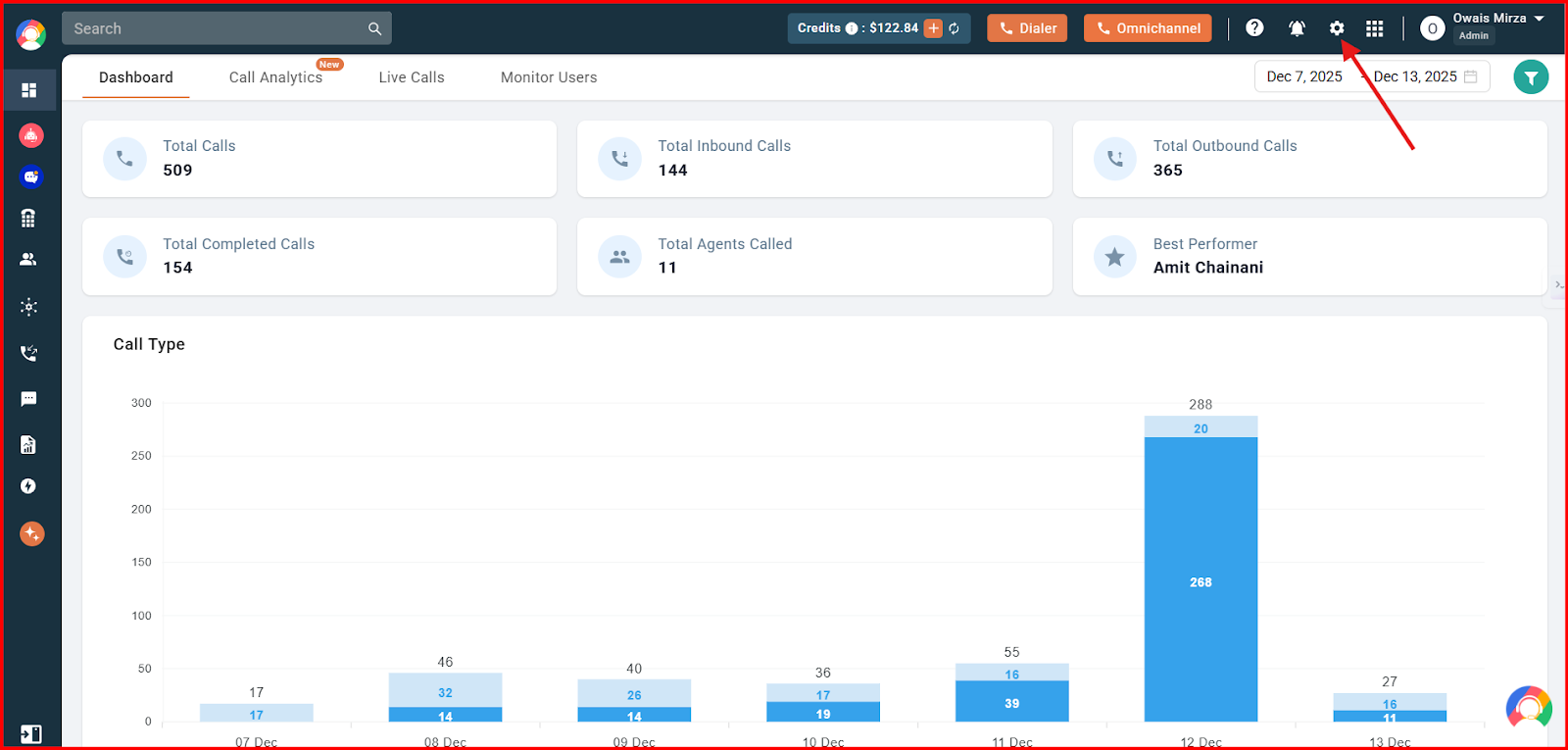
- Click on the Settings option visible at the top of the screen.
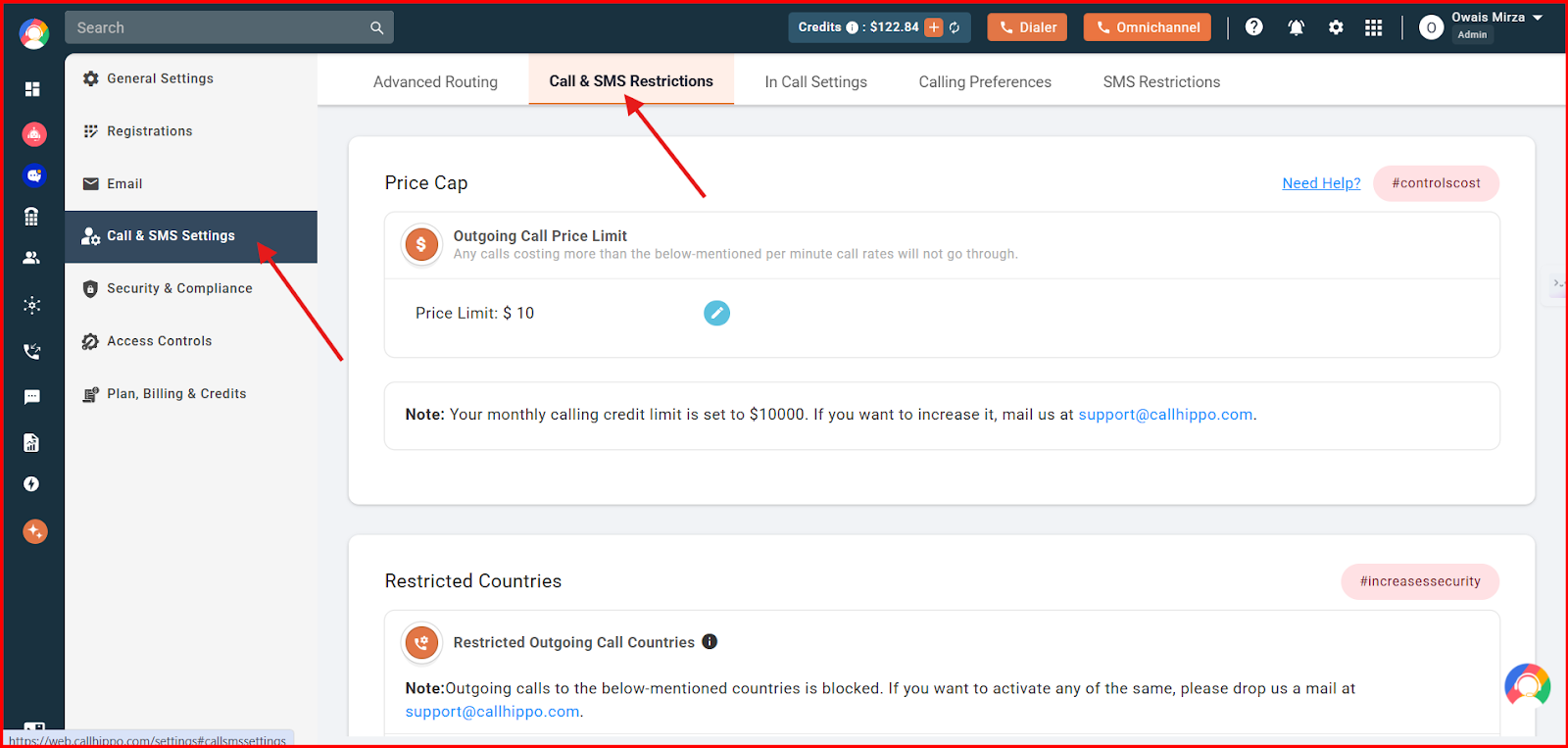
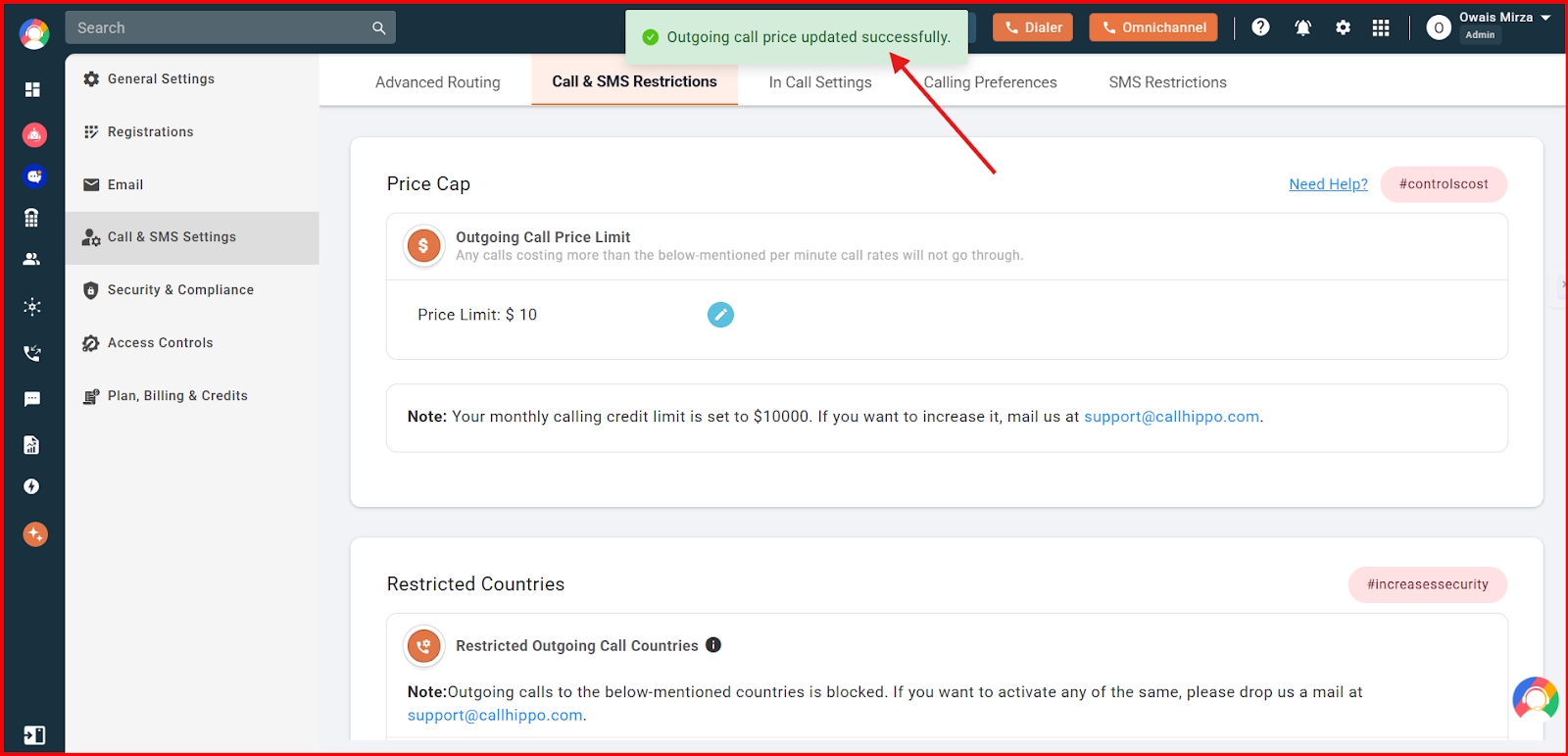
- Click on Call & SMS Settings on the left side of the screen, and then click on the Call & SMS Restrictions option at the top.
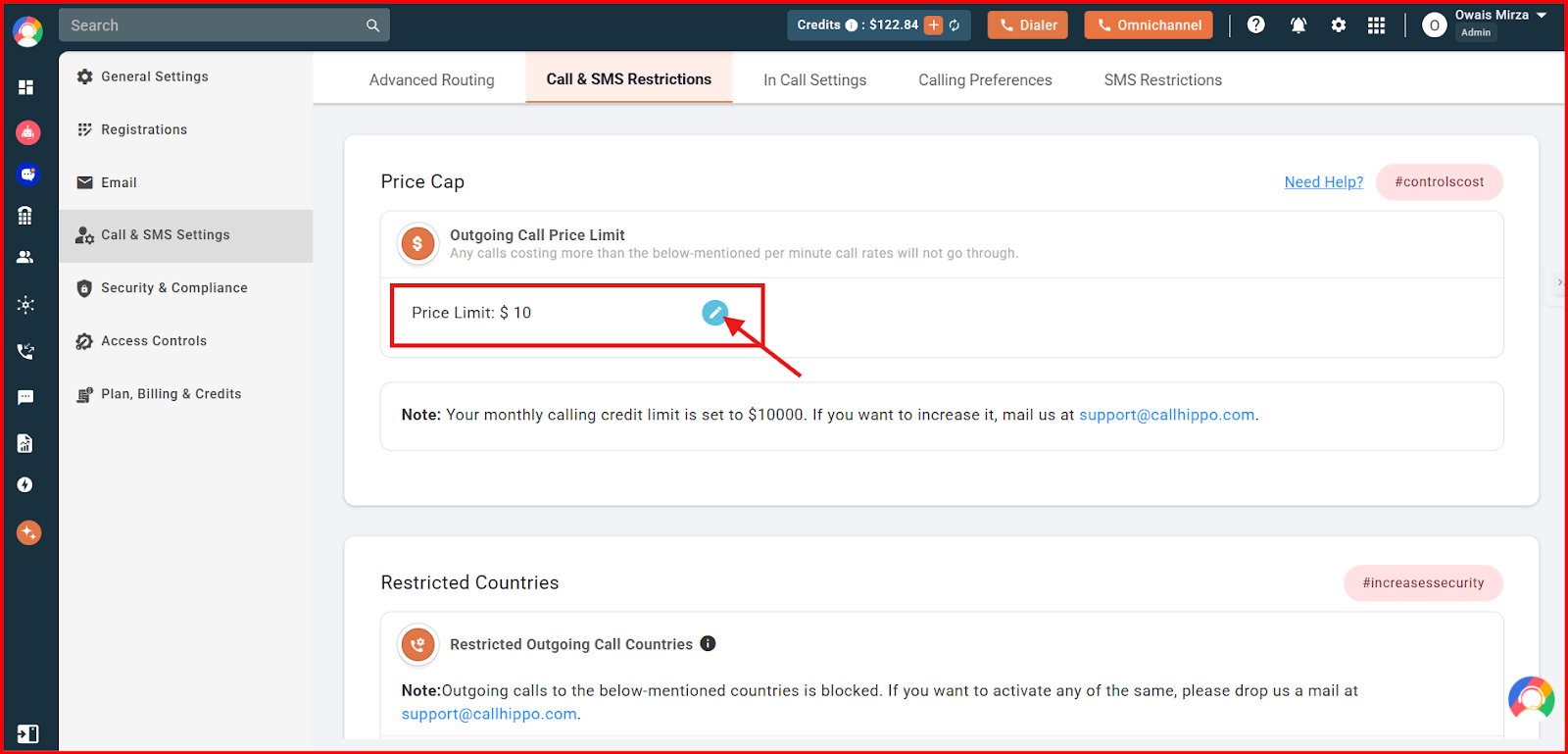
- Click on the Price Cap edit option and enter the amount you want to set for your CallHippo account.
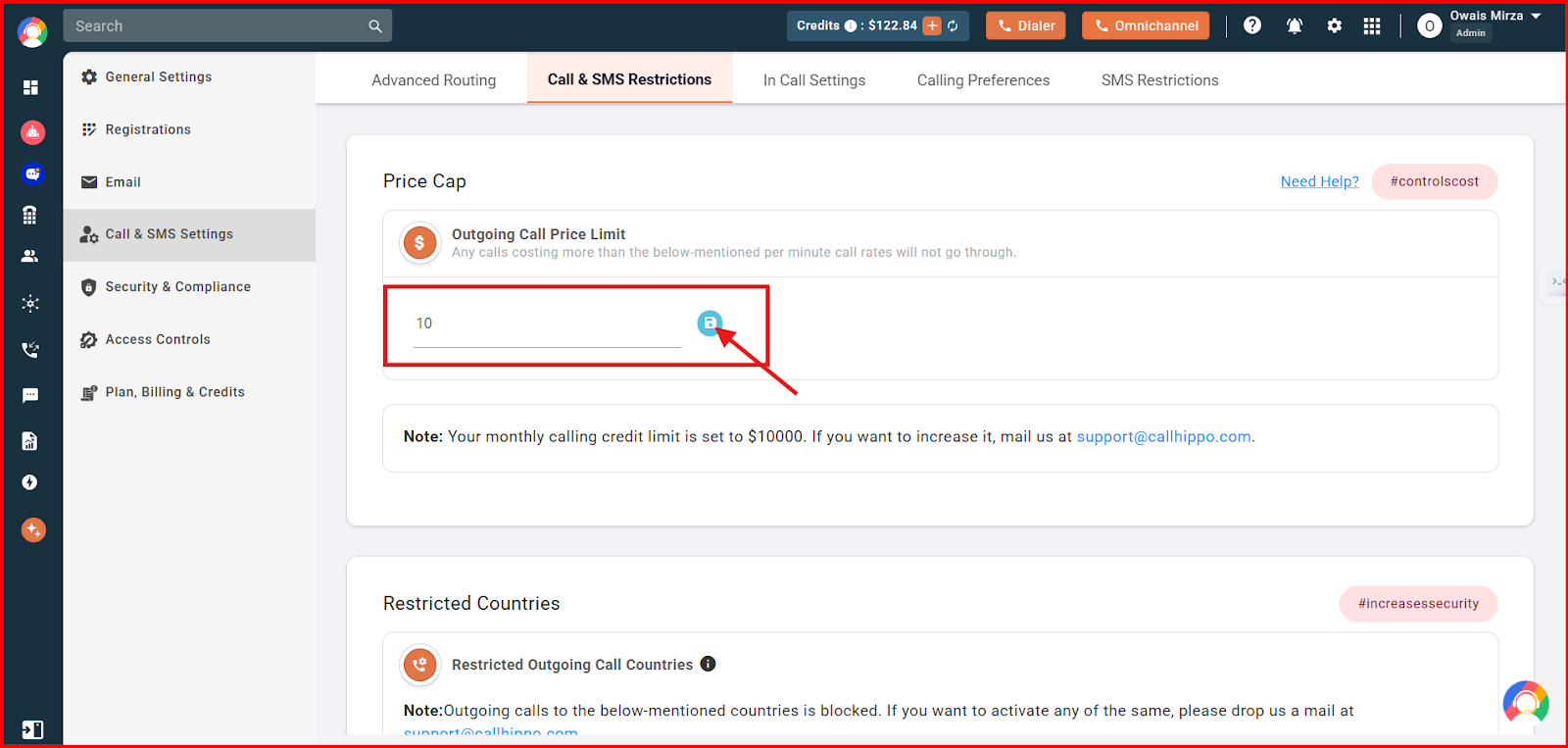
- Enter the amount and click the blue Save icon to the right of the field.
- The Price Cap, or Outgoing Call Price Limit, is now set. You will see a confirmation message.
What happens when a call exceeds the Price Cap
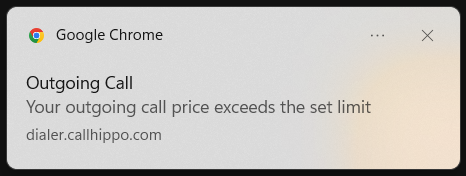
Once you have set a Price Cap, any outgoing call that exceeds this limit will be blocked. If you or your users attempt such a call, you will see an error message saying, "Your outgoing call price exceeds the set limit," as shown below.
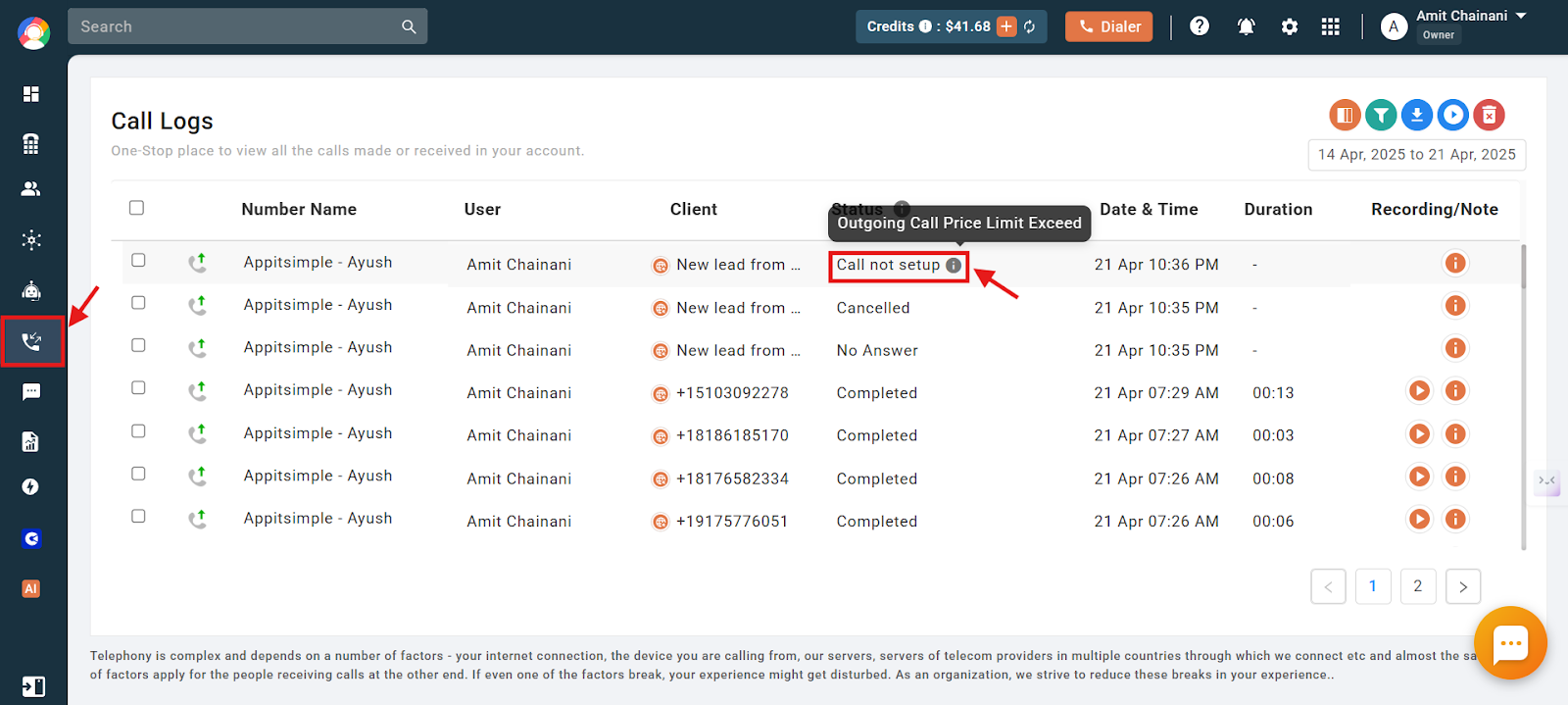
The call status for such calls will be "Call not setup," and you can see the reason for it from the CallHippo dashboard in the call logs section, as shown below.
Frequently asked questions
Q: What happens if a user tries to call a number that exceeds the Price Cap?
The call will not go through if the per-minute rate exceeds the Price Cap. The system shows an error message saying, "Your outgoing call price exceeds the set limit." The call will not be connected, and the call status in the dashboard will be displayed as "Call not setup."
Q: What does the call status show if a call is blocked due to Price Cap?
The call status will show "Call not setup," and the reason for the block will be visible in the call logs on the dashboard.
Q: Can each user have their own Price Cap limit?
No. The Price Cap is set at the account level by the admin and applies to all users under that account.
Q: Does the Price Cap affect incoming calls?
No. The Price Cap only applies to outgoing calls.
Q: Will I receive a notification when a call is blocked due to the Price Cap?
Yes. The system notifies the user with an on-screen error message when a call is blocked due to exceeding the Price Cap.
Q: Why am I getting the error "Your outgoing call price exceeds the set limit"?
This error appears when you try to place a call to a number that charges more per minute than the Price Cap set on your CallHippo account. Since the rate exceeds the allowed limit, the system prevents the call from going through, and the call status will show as "Call not setup." In this case, please reach out to the owner or admin of your account to request a change to the Price Cap setting.
Q: Why do I see calls costing more than the Price Cap in my downloaded call logs?
You might see calls with a high total cost because they lasted a long time. The Price Cap only limits the per-minute rate, not the total cost. As long as the per-minute rate is within the cap, the call will go through, even if the total cost ends up being higher.
We hope this helps. If you still have questions, feel free to reach out at [email protected].