
The Sticky Agent feature connects returning callers to the same agent they spoke with before, so customers do not have to repeat themselves and issues get resolved faster.
What Is a Sticky Agent?
A Sticky Agent connects a caller to the same agent they previously spoke with, or who last tried to contact them. This makes the experience smoother for the customer and leads to faster resolutions and better support. The feature is number-specific, not user-specific, and it relies on the call history between the customer and an agent.
Types of Sticky Agent
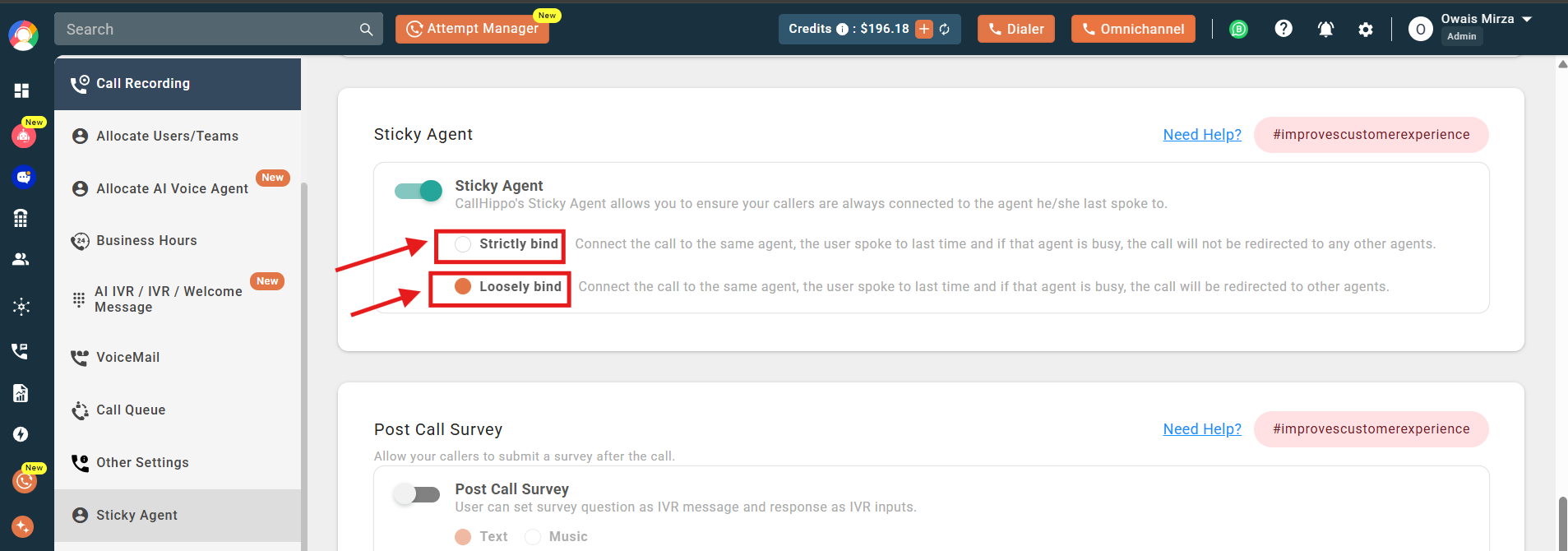
- Strictly Bind: Always connects the call to the same agent. If that agent is busy or unavailable, the call is not routed to anyone else; it goes to voicemail instead.
- Loosely Bind: Tries to connect the call to the same agent first. If that agent is unavailable, the call is passed to another agent based on standard routing rules.
Use Cases
- Personalized support: Agents can tailor assistance based on prior interactions, strengthening relationships.
- Efficient resolution: Agents familiar with a customer’s history resolve concerns faster.
- Customer loyalty: Consistent contact with the same agent builds trust and encourages repeat business.
How to Enable Sticky Agent
- Log in to your CallHippo dashboard.
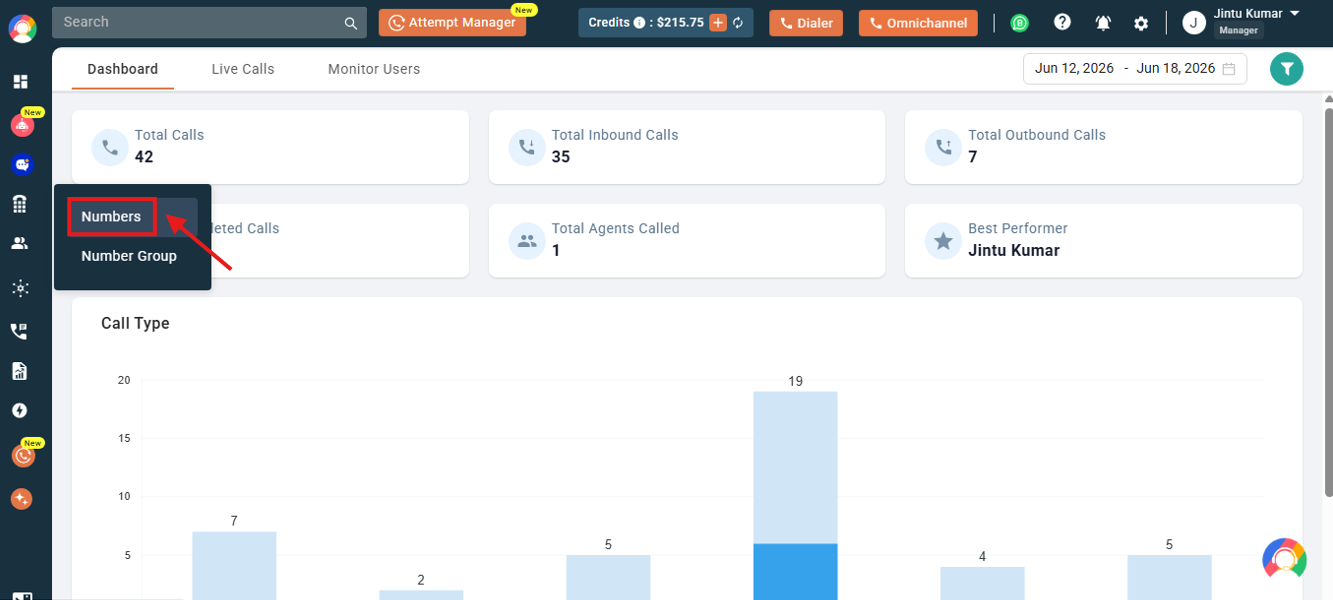
- Open Numbers from the left menu and click Numbers.
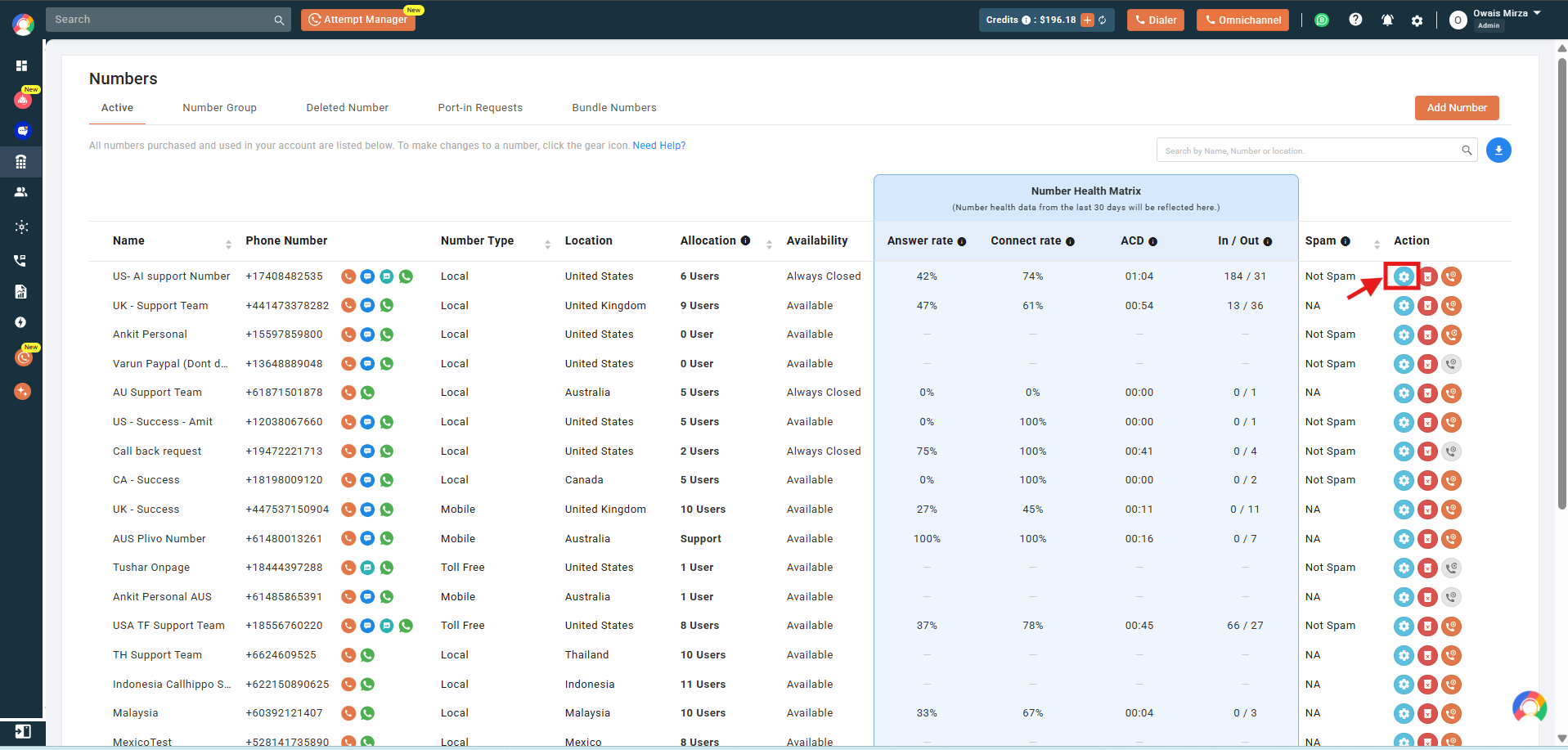
- Open number settings. Click the settings (gear) icon of the number you want to configure.
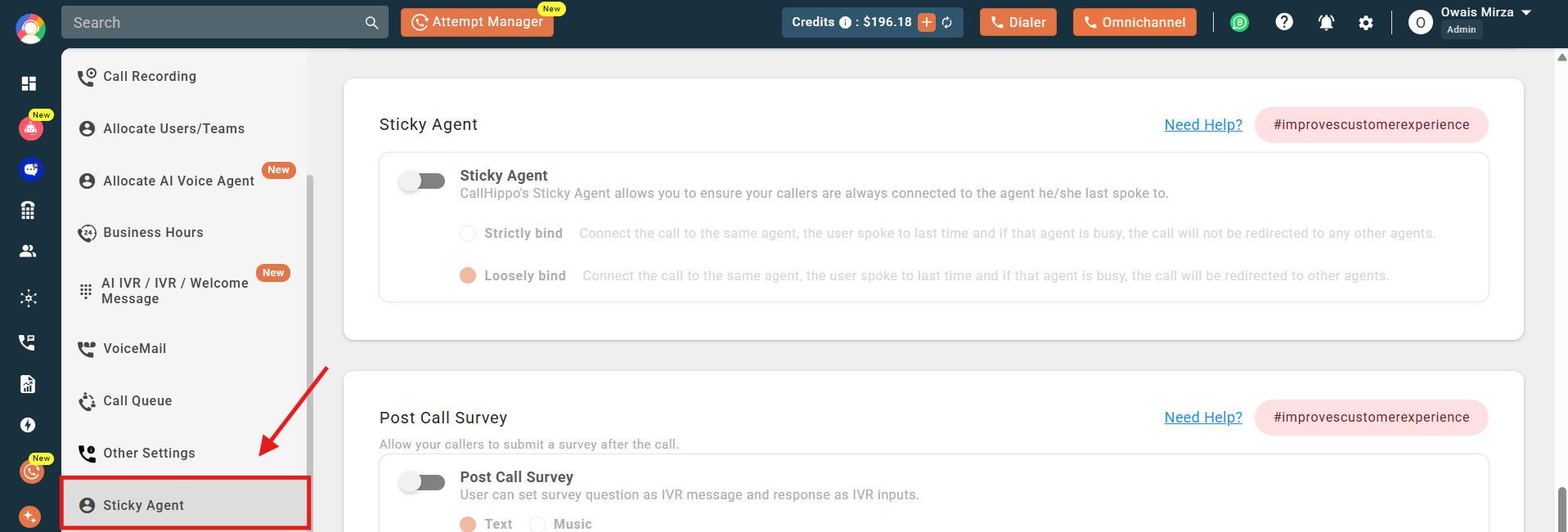
- Go to Sticky Agent from the left side of the number settings.
- Turn on the toggle to enable Sticky Agent for the number.
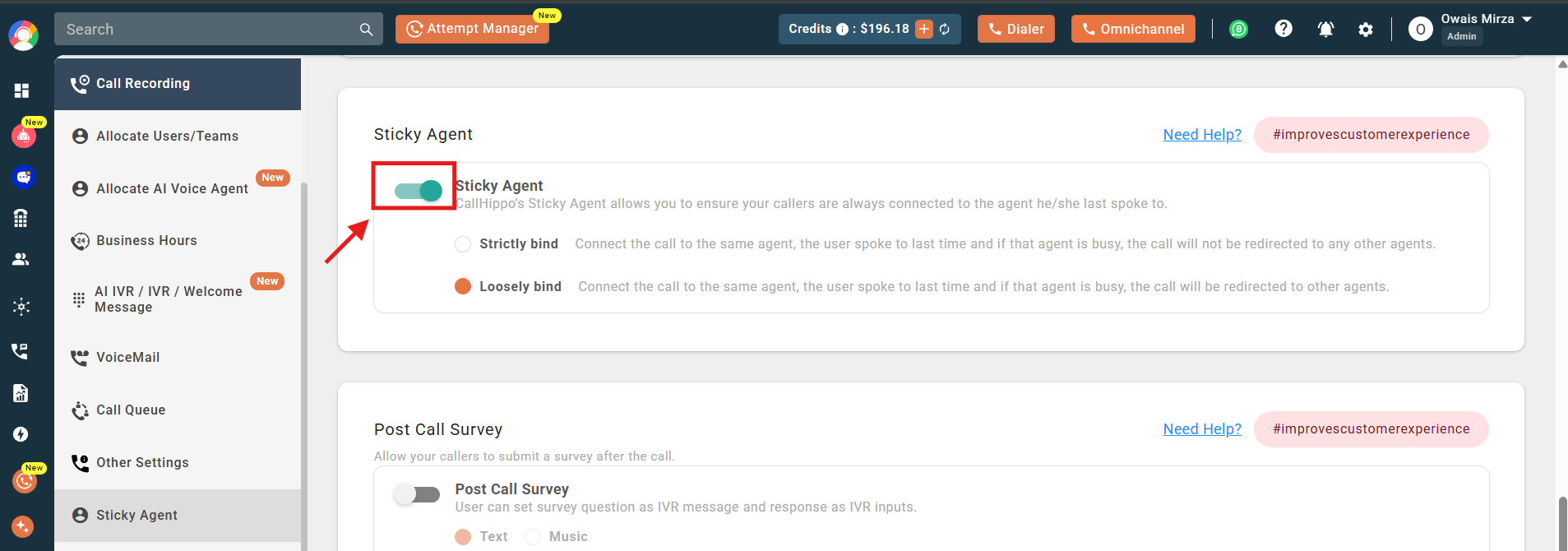
- Choose the binding type – Strictly Bind or Loosely Bind – by clicking the option you want.
Note: You cannot enable this feature for multiple numbers at once. Enable it one number at a time; turning it on for one number does not affect other numbers’ settings.
Why Are Calls Not Ringing on All Dialers?
If you are in a multi-user account and incoming calls are not ringing for everyone, the Sticky Agent feature is likely enabled on that number. When active, the system routes calls only to the last agent who interacted with the caller. In Strictly Bind mode, if that agent is unavailable the call goes to voicemail rather than ringing other users. Switch to Loosely Bind mode to allow fallback routing to other agents.
Frequently Asked Questions
What happens if the original agent is unavailable in Strict Binding mode?
The call is not forwarded to another agent. Instead, it goes to voicemail, and the caller may need to try again later.
Can I switch between Strict and Loose Binding?
Yes. Administrators can adjust the Sticky Agent binding mode between Strict and Loose based on business needs.
Does enabling Sticky Agent affect routing for new callers?
No. New callers without prior interactions are routed based on your existing call distribution settings.
If I call a client and they call back later, will the call always come to me?
If Sticky Agent is enabled on the number you called from, the return call routes to you. In Strictly Bind mode it rings only for you and goes to voicemail if you are unavailable. In Loosely Bind mode it tries you first, then forwards to other agents. If Sticky Agent is off, the call follows default routing.
Incoming calls are not ringing for all users. Is this a bug?
No, this is expected when Sticky Agent is enabled. The system routes calls to the last agent who interacted with the caller. Use Loosely Bind mode if you want fallback routing to other users.
I enabled Sticky Agent on one number. Why do other numbers behave differently?
Sticky Agent is configured individually per number. Enable it separately on each number and choose the desired binding mode for consistent behavior.
We have rotating shifts. What happens when the assigned agent is off shift?
In Strictly Bind mode, calls go to voicemail if the assigned agent is offline. For rotating shifts, use Loosely Bind mode so calls try the original agent first, then route to other available users.
Callers are still getting connected to random agents. Why?
This happens if Sticky Agent is not enabled on the number being called, if the customer is calling back from a different number, or if there is no prior call history to reference. Confirm the feature is set up and the client is calling back from the same number.