
CallHippo’s Voicemail Drop lets you leave a pre-recorded voice message directly from the ongoing call screen, so your agents can move on to the next call without waiting for the beep.
What is Voicemail Drop?
CallHippo’s Voicemail Drop allows you to leave a pre-recorded voice message directly from the ongoing call screen. When an outgoing call goes to voicemail, agents can drop a message with a single click instead of speaking live every time.
When an outgoing call has been placed, if the call goes to voicemail the agent simply clicks the Voicemail Drop button from the dialer screen. This immediately hangs up the call for the agent, and the system plays the pre-recorded message to the receiver in the background before disconnecting. Agents can start another call while the voicemail plays in the background for the previous call. Voicemail Drop applies to outgoing calls only.
How to enable the Voicemail Drop feature
- Log in to your CallHippo dashboard.
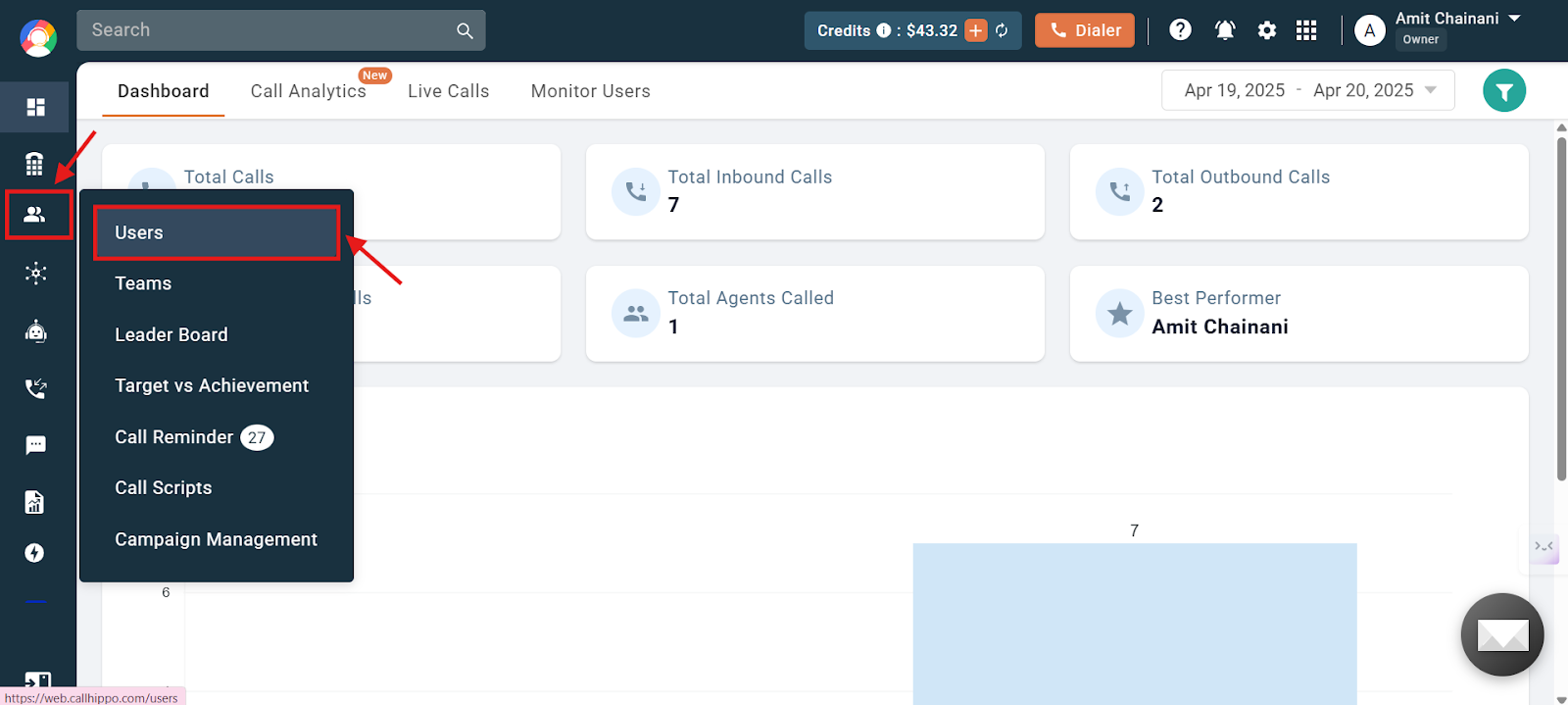
- Navigate to the Users and Performance section on the left side of the screen and then click Users.
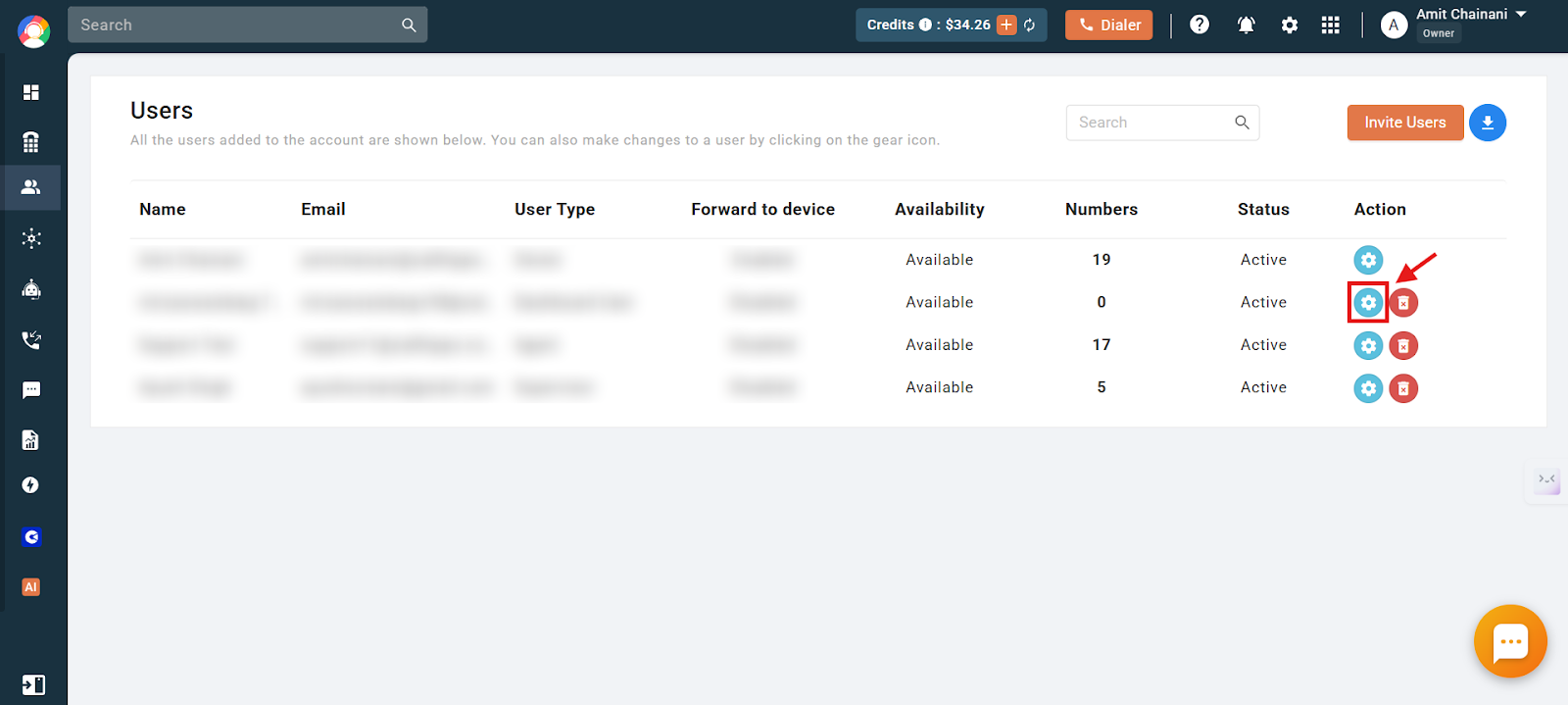
- Click the settings icon of the user you want to enable the Voicemail Drop feature for.
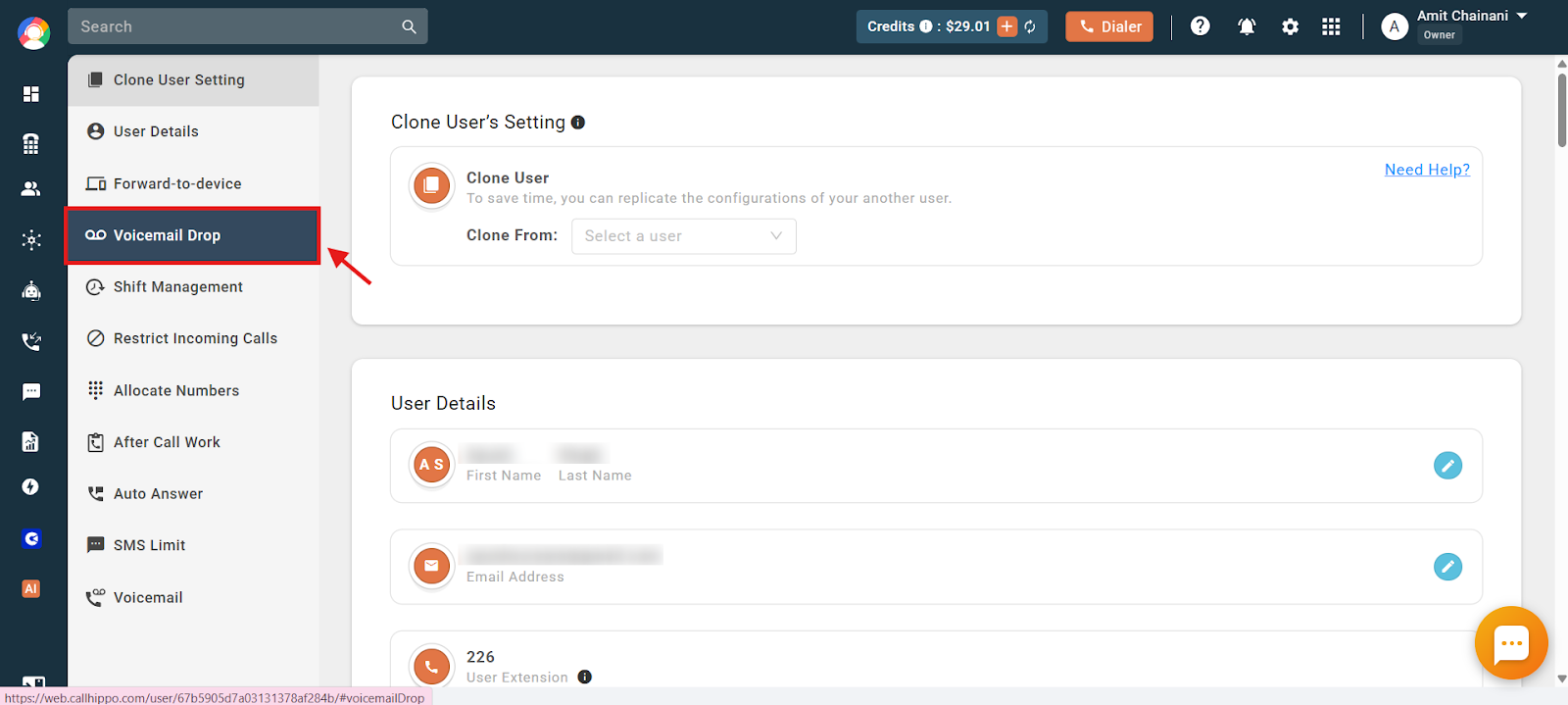
- Click the Voicemail Drop option on the left side of the dashboard.
- Click the Voicemail Drop toggle to enable or disable the feature.
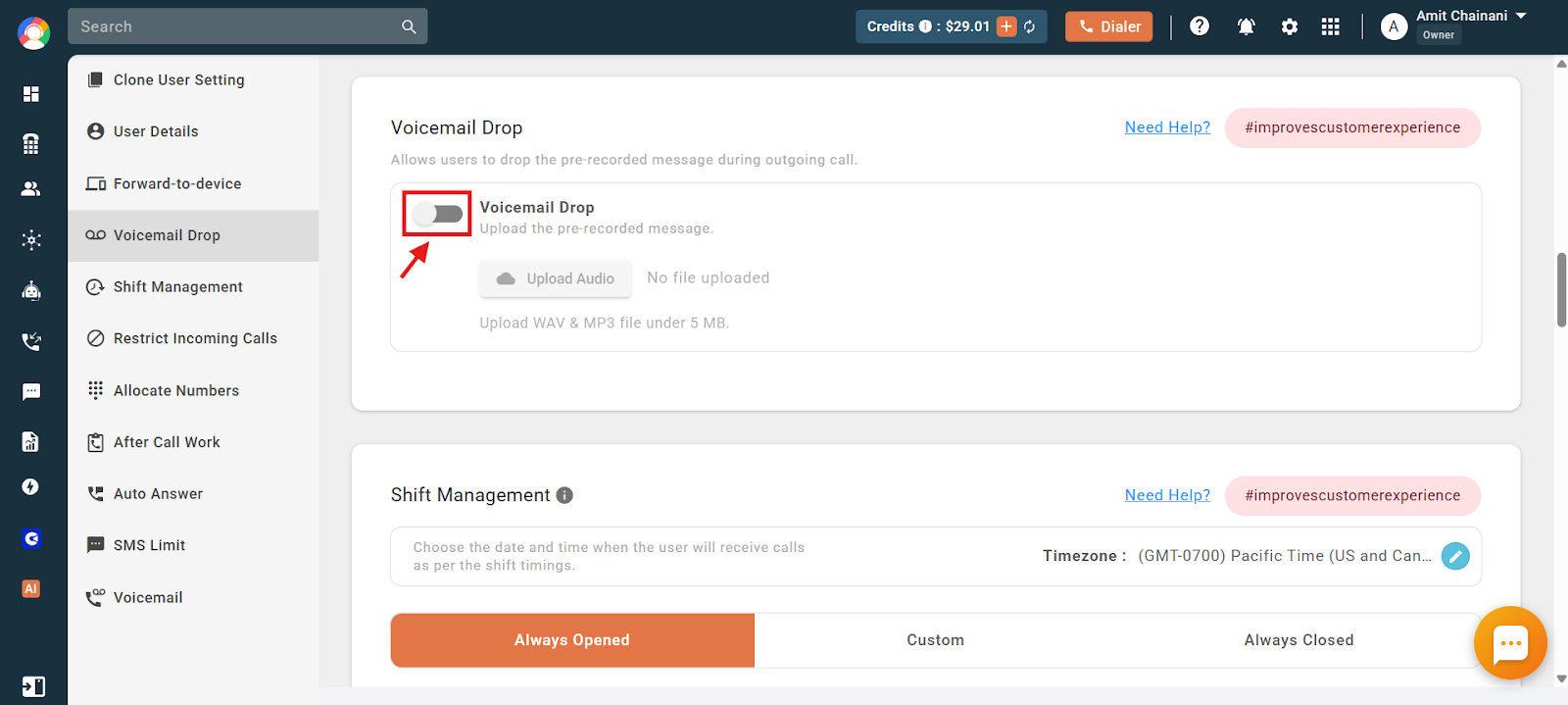
- Once enabled, click Upload Audio and select the audio file you want played during Voicemail Drop.
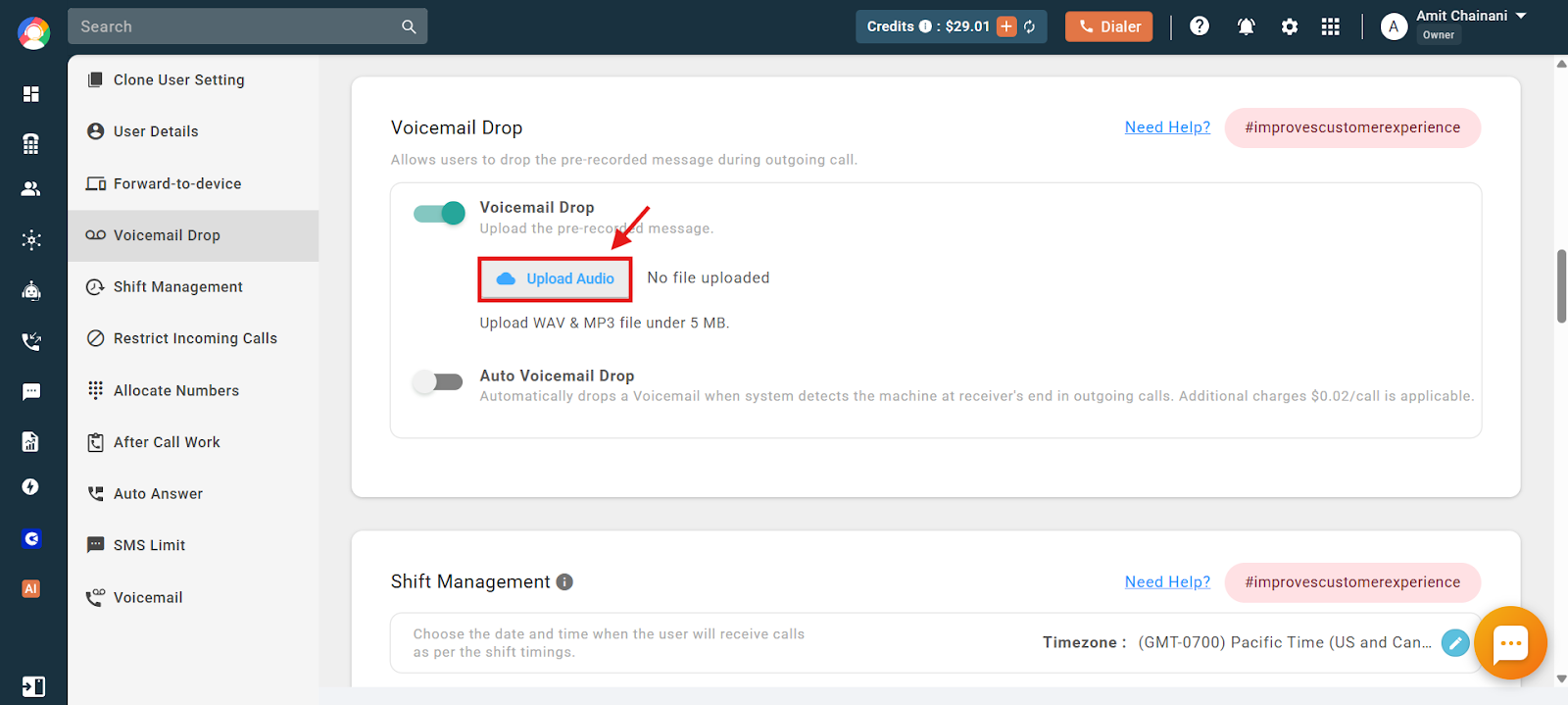
The audio file (pre-recorded message) that you want played on the Voicemail Drop action needs to be added here. The file must be in WAV or MP3 format and up to 5 MB in size. The Voicemail Drop feature is now successfully enabled.
How does Voicemail Drop work?
Now, when an outgoing call has been placed and you detect the voicemail playing on the receiver’s end, simply click the Voicemail button on the dialer.
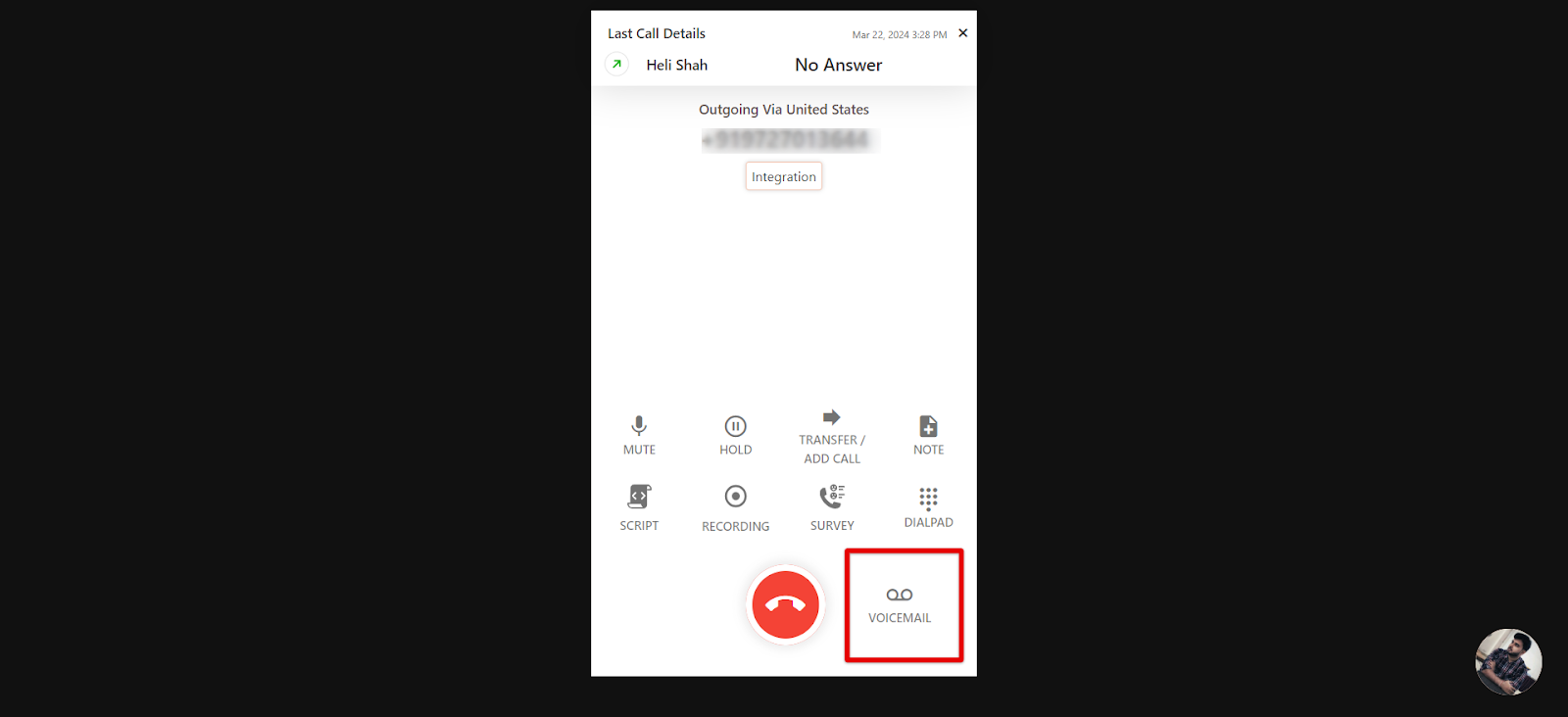
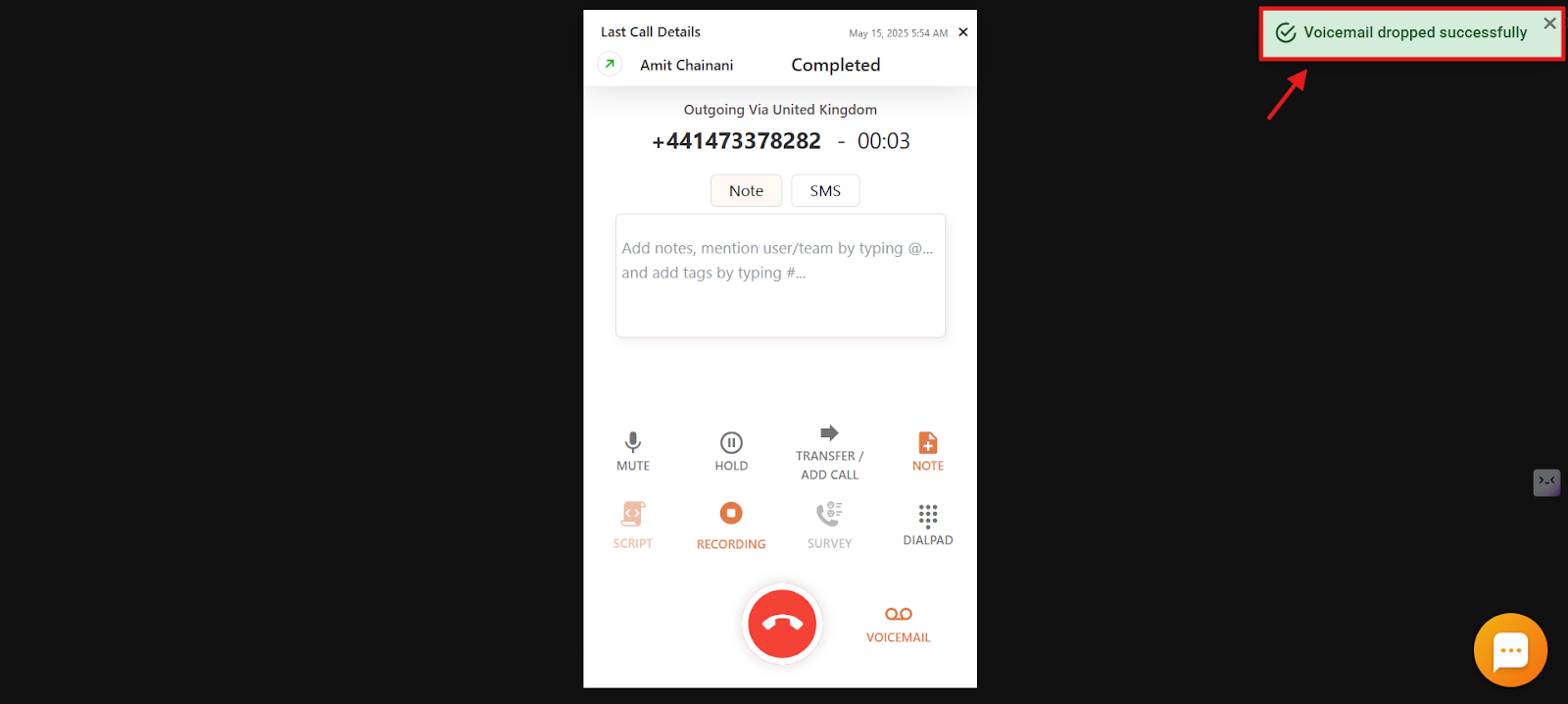
Once you click the button, the call disconnects for you and you are free to place another call. The pre-recorded message you uploaded plays in the background until the message has been dropped. You will see a confirmation message at the top right corner of the screen.
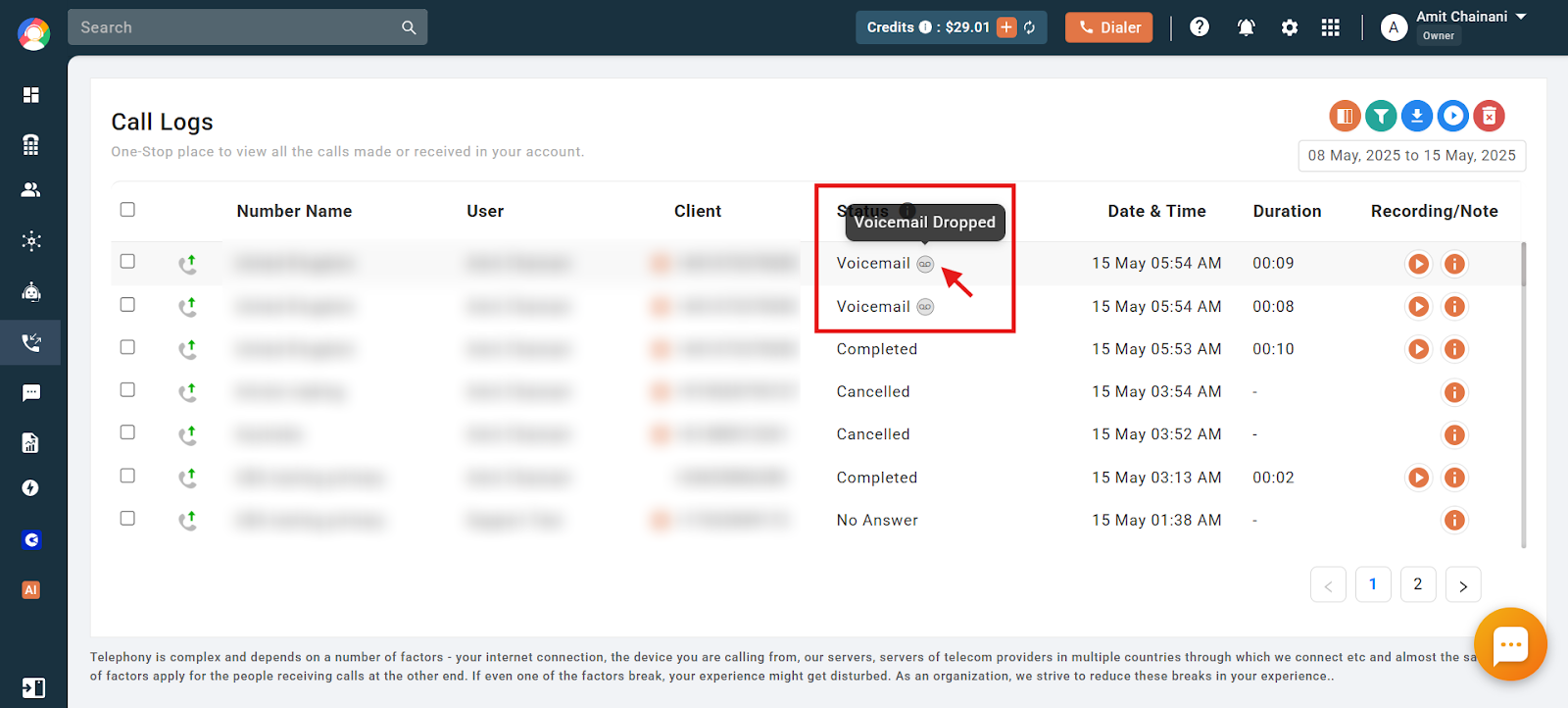
Note: Voicemail-dropped calls will have the status Voicemail along with the tooltip “Voicemail dropped.”
What is Auto Voicemail Drop?
CallHippo’s Auto Voicemail Drop detects the answering machine automatically on the receiver’s end while making outgoing calls. When an answering machine is detected, the call hangs up automatically for the agent with the message on the dialer: “Machine detected, Voicemail dropped successfully.” At the same time, the system drops the pre-recorded message to the receiver.
Advantages of Auto Voicemail Drop over Voicemail Drop
- Voicemail Drop requires agents to manually click a button when a call goes to voicemail, allowing them to leave a pre-recorded message.
- Auto Voicemail Drop detects the voicemail automatically and drops the message without any agent action.
- It saves time, reduces manual effort, and lets agents focus on the next call instantly.
How to enable the Auto Voicemail Drop feature
Follow all the steps mentioned earlier in this article, then click the toggle for the Auto Voicemail Drop option to enable or disable the feature.
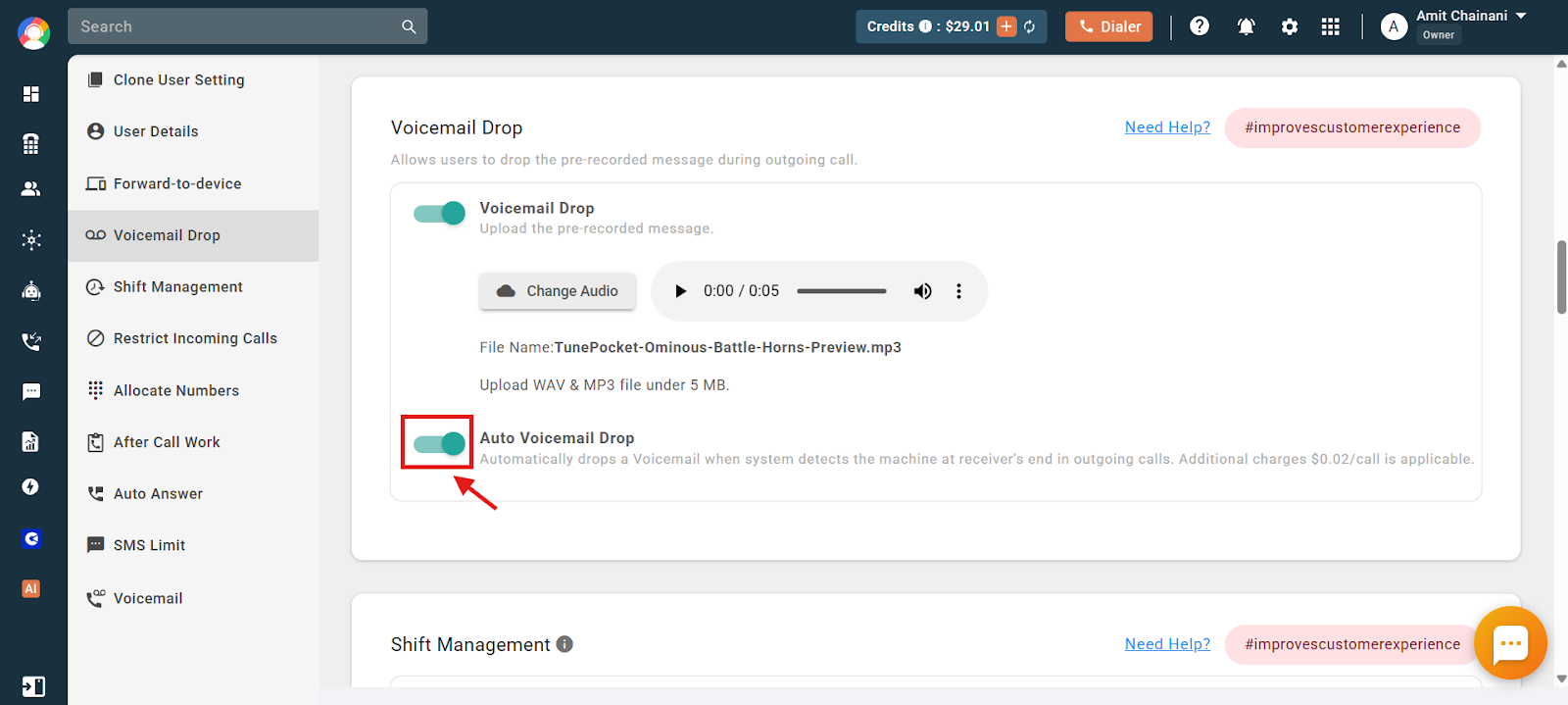
Note:
- If you forget to upload the audio file while enabling Voicemail Drop or Auto Voicemail Drop, the feature won’t work as expected. Make sure to upload the pre-recorded message in advance.
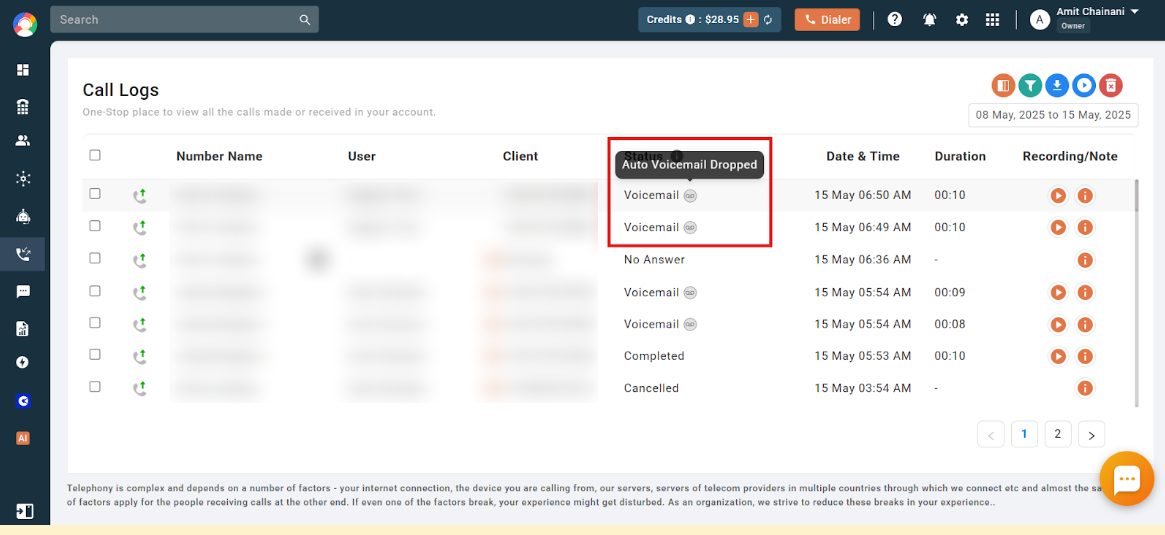
- Auto Voicemail-dropped calls will have the status Voicemail along with the tooltip “Auto Voicemail dropped.”
- The Auto Voicemail Drop feature incurs an additional charge of $0.02 per call. This cost applies each time the system detects a voicemail and automatically drops the pre-recorded message during an outgoing call.
Frequently asked questions
Q: What exactly is Voicemail Drop in CallHippo?
A: Voicemail Drop is a feature that lets you leave a pre-recorded message when your outgoing call goes to voicemail. Instead of speaking live, you can drop the message with one click and move on to your next call.
Q: How do I know if Voicemail Drop is working during a call?
A: After you click the Voicemail Drop button, you’ll see a confirmation message at the top right of the screen. This means the message is being played in the background.
Q: What’s the difference between Voicemail Drop and Auto Voicemail Drop?
A: Voicemail Drop requires you to click a button when a call hits voicemail. Auto Voicemail Drop detects voicemail automatically and drops the message without any action needed from you.
Q: I enabled Voicemail Drop but it’s not showing in my dialer or isn’t working during calls — what should I do?
A: First, ensure the feature is enabled for your user profile and that a valid audio file (WAV or MP3 format, under 5 MB) has been uploaded. After enabling the feature, you must log out and log back into your CallHippo account to see the option in the dialer.
Q: Is it possible to set up a voicemail message so I don’t have to repeat it every time I make a call?
A: Yes. With CallHippo’s Voicemail Drop feature, you can upload a pre-recorded message that plays automatically when a call goes to voicemail. This saves you from having to say the same message repeatedly.
Q: Can I record my voice in advance to leave as a voicemail when someone doesn’t answer my call?
A: Absolutely. CallHippo allows you to upload a pre-recorded voice message using the Voicemail Drop feature. When your outgoing call reaches voicemail, you can simply click a button to send the message without having to speak it live.
We hope this helps. If you still have questions, feel free to reach out at [email protected].